Updated:October 10, 2026

24 min
24 min

Since the Financial Market Authority (FMA) announcement in April 2017 on licensing regulations, brokers have had more access to the financial market in New Zealand. Similarly, New Zealanders have come to trust the licensing process and can now trade more confidently. However, the difficulty of selecting an ideal broker, despite its license, has persisted.

Author

To help beginners and professional traders find the best binary options brokers in New Zealand, our team of experts has taken the responsibility of reviewing dozens of brokers. From licenses to instruments, promotions and bonuses, customer support, and website interface, we have gauged everything you need to know to narrow your options to only the very best. Enjoy the read!
Discover top binary options brokers tailored to your region. Browse our curated lists by country:
All Brokers | Top Brokers | USA | Canada | UK | Australia | Nigeria | India | Germany | Turkey | Spain | France | Ukraine | China | Indonesia | Pakistan | Bangladesh | Russia | Mexico | Japan | Brazil | Philippines | Vietnam | Iran | South Africa | Italy | South Korea | Argentina
If you are keen on finding the best broker in New Zealand, check our top 5 binary options highlighted here:
| New Zealand Broker | Available in Māori | Available in NZ$NZD | Mobile App Available in New Zealand | Sign-up Bonus for Kiwis |
| Pocket Option | ❌️ | ✅️ | ✅️ | ❌️ |
| Quotex | ❌️ | ✅️ | ✅️ | ❌️ |
| IQ Option | ❌️ | ✅️ | ✅️ | ✅️ |
| Olymp Trade | ❌️ | ✅️ | ✅️ | ✅️ |
| Binary.com | ✅️ | ✅️ | ✅️ | ✅️ |
Please note: Trading binary options comes at a risk; we recommend that traders exercise caution and conduct thorough research before engaging in any financial transactions.
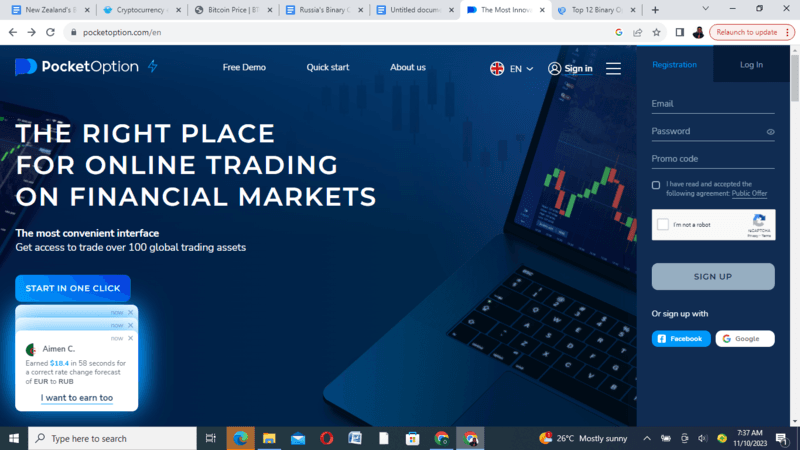
Pocket Option is a binary option and CFD broker headquartered in Majuro, Marshall Islands. The broker was established in 2017 and is licensed by the International Financial Market Relations Regulation Centre (IFMRRC).
| Payouts | 96% |
| Minimum Deposit | $5 |
| Minimum Withdrawal | $10 |
| Payment Methods | Cryptocurrencies, Electronic wallets, Wire transfers, Credit and debit cards |
| Lot Size | 0.01 |
| Assets | Cryptocurrencies, Currencies, Stocks, Indices, Commodities. |
| Local Currency Support | ✅️ |
| Bonuses | 50% on deposit |
| Regulation | IFMMRC |
| Mobile Trading App | Android, iOS |
| Customer Support Service | Support Desk, Hotline, and Community Help |
| Website Language | 20+ |
To sign up for a Pocket Option account, traders in New Zealand will have to go to the Pocket Option website. Fill out the form with your email address, and password. Remember to enter a promo code if you have one and agree to the Broker’s terms and conditions and risk statement.
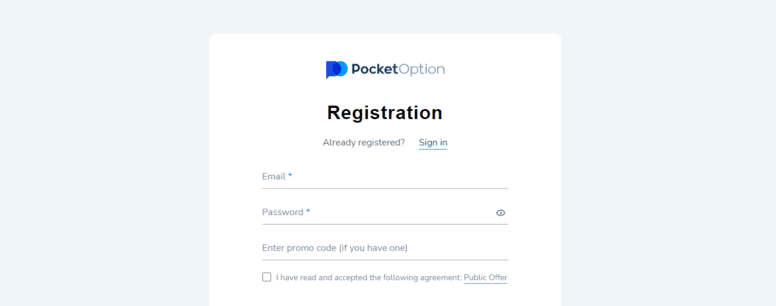
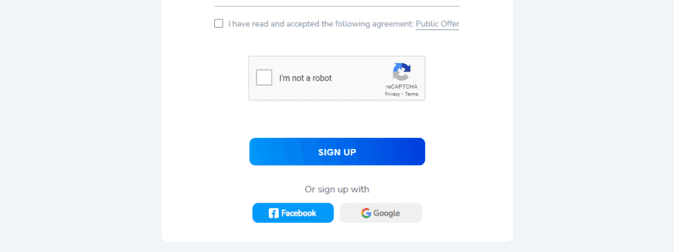
Traders also have the option to sign up using their Facebook or Google accounts.
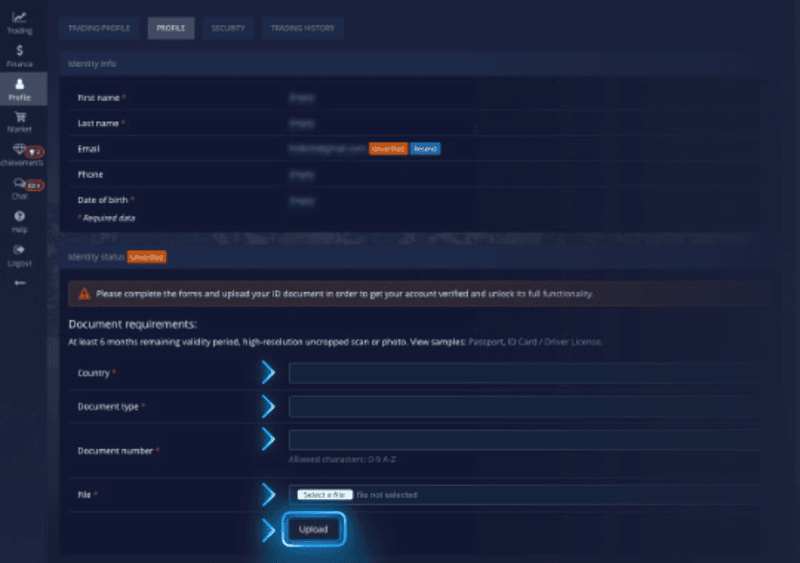
After registration, traders will have to verify their accounts. The Broker will send a verification link via email, requiring a government-issued ID and proof of address. After the verification process, your Pocket Option account will be labeled as verified.
Traders in New Zealand can make deposits on Pocket Option by using their currency NZD. Pocket Option provides payment options such as wire transfers, credit and debit cards, cryptocurrencies, and electronic wallets. These options allow for transaction ease and flexibility, mainly because they are available in New Zealand.
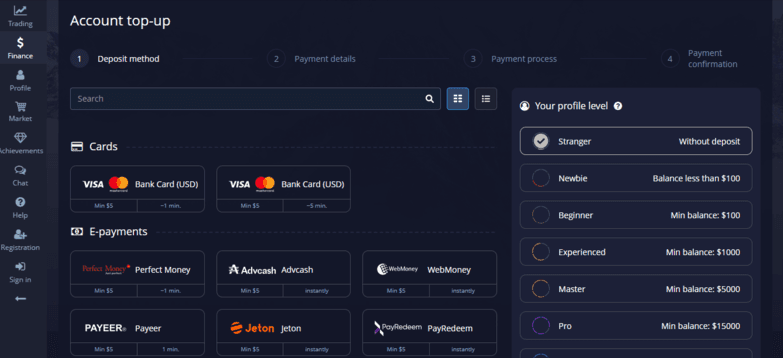
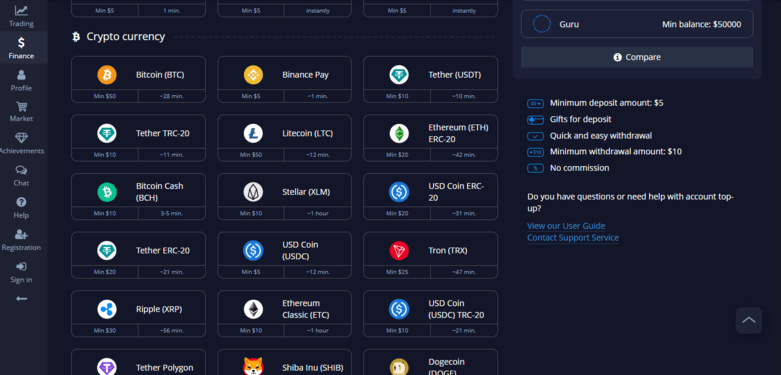
The minimum Deposit and minimum withdrawal on the Pocket Option is $50. The broker’s bonuses range from a 100% deposit bonus on the first Deposit, 50% on subsequent Deposit, and 20% for referral bonus.
Web Platform
Pocket Option has a user-friendly and intuitive web trading platform designed explicitly for Kiwi traders. With this platform, you can create a demo account and explore the features and functionality of the trading environment.
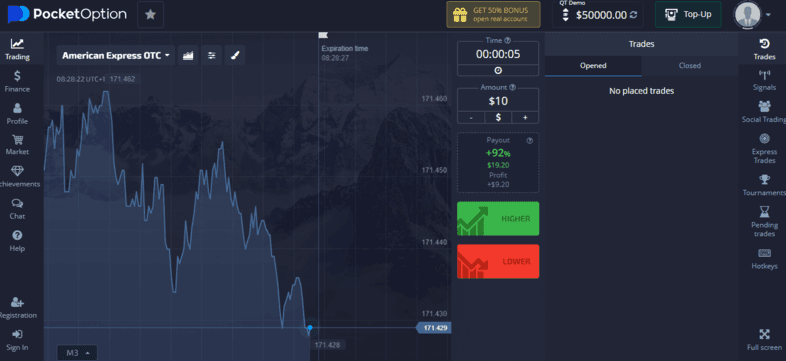
With the platform’s integration with MetaTrader 5, you can rely on advanced algorithms to execute trades on your behalf. The platform has various technical indicators and tools that allow you to make informed trading decisions.
The Pocket Option mobile app enables users to access a range of assets directly from their smartphones. The app is meticulously designed to prioritize user-friendliness and is compatible with Android and iOS devices. Via this mobile app, users enjoy the same functionalities as the web version.
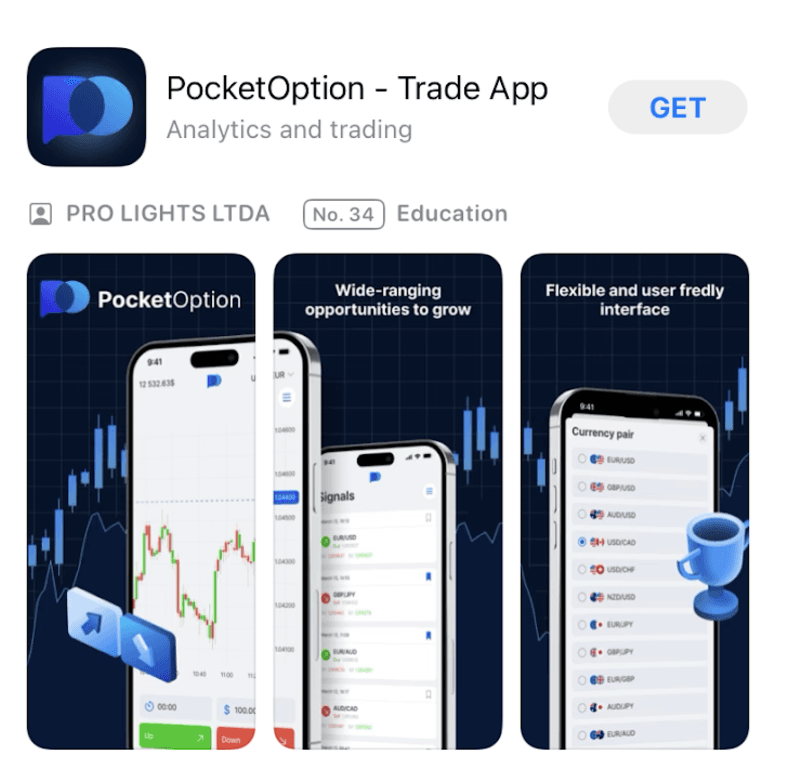
Both the Android and iOS versions of the app have the essential tools and features required for a consistent and efficient trading process. While there may be minor differences in the interface layout and availability of certain features, these variances have minimal impact on the app’s functionality.
The platform supports both MetaTrader 4 (MT4) and MetaTrader 5 (MT5), giving users easy access to a wide range of technical tools, effective trade execution, and swift portfolio management.
These features include:
Deposit
The Deposit section enables users to fund their trading accounts via the available deposit methods.
Withdrawal
The Withdrawal section depicts the withdrawal process, options, and withdrawal amounts.
History
The History section displays a record of your trading transactions. It covers deposits, withdrawals, and account statements.
Cashback
The Cashback section enables you to receive up to 10% of your traded funds every month.
Promo codes
The Promo Code section contains information on how traders can redeem promo codes for bonuses and discounts.
My Safe
The My Safe section has some recommendations and actions to secure your account and funds.
| Pros | Cons |
| High withdrawal rates | Compulsory account verification |
| Unlimited Demo Account | Slow customer support services |
| 10% Cashback bonuses |
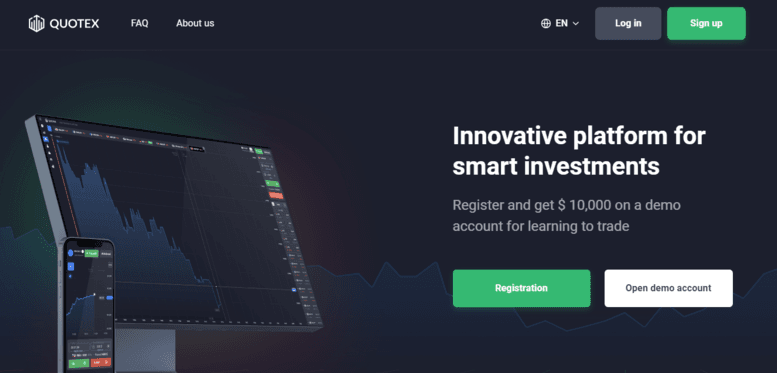
Quotex is one of the binary options brokers established in 2019 by Ulangazy Askarbekov. It is headquartered in St. Vincent and the Grenadines and licensed by the International Financial Market Relations Regulation Center (IFMRRC).
| Minimum Deposit | $10 |
| Minimum Withdrawal | $10 |
| Minimum Trade Size | $1 |
| Local Currency Support | ✅️ |
| Payment Options | Debit/Credit card, eWallet, Wire transfer, Cryptocurrency |
| Payouts | 98% |
| Bonus | 30% deposit bonus |
| Assets | 410+ |
| Regulation | IFMRRC |
| Mobile Trading App | Android, iOS |
| Customer Support Service | Complaint form |
| Website Languages | 15+ |
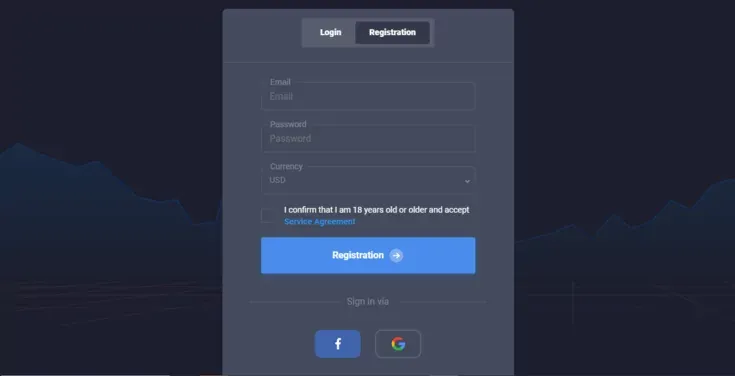
Signing up on Quotex is easy. All you need do is fill out the Quotex website registration form. You will be required to provide your email address, password, and preferred currency. Alternatively, you can consider using your Google account or Facebook account to register.
After signing up, you will have to verify your account. Verification is as easy as signing up. To verify your account, you must upload a photo of any Government-issued IDs and proof of your present address and income. After uploading this, you wait for Quotex to review your documents and verify your account.
Traders in New Zealand can deposit and withdraw funds on Quotex in NZD. So, Kiwis don’t have to worry about exchanging their currency. Payment options on Quotex include e-wallets, local bank transfers, cryptocurrencies, and credit/debit cards. These options are flexible enough so traders can choose the option they prefer.
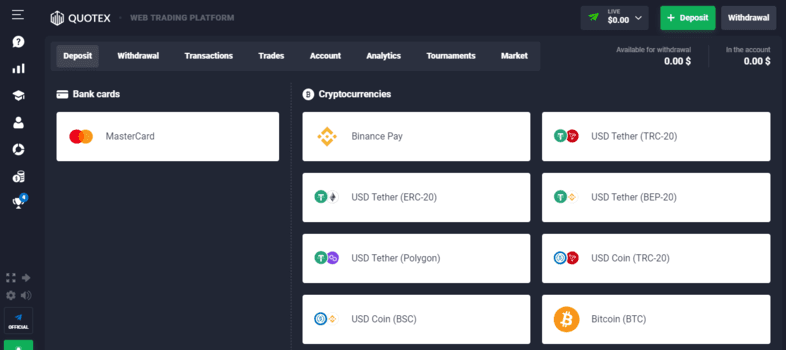
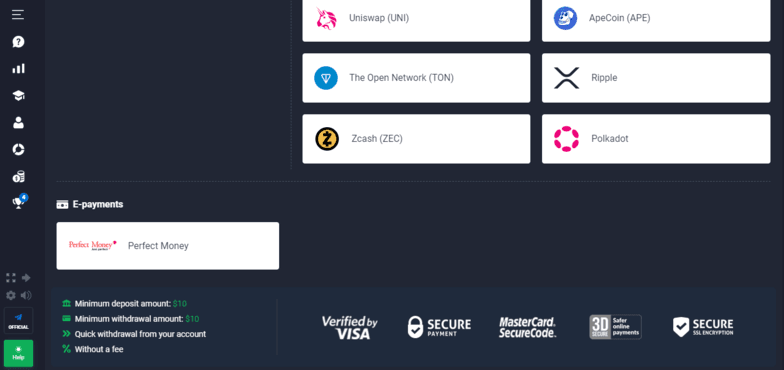
The minimum withdrawal and deposit amount on Quotex is $10. Quotex generally offers bonuses to all traders with a 10% cashback on losses, a 30% bonus on their first deposit, and a 50% bonus on other deposits.
Web Platform
Quotex’s web platform was designed with simplicity; hence, navigating the platform is a breeze. With its selection of trading assets, technical indicators, and multiple payment options, Quotex provides traders with the tools they need to thrive in the market. The platform’s customizable interface, collection of trading assets, and technical indicators make trading as seamless as possible.
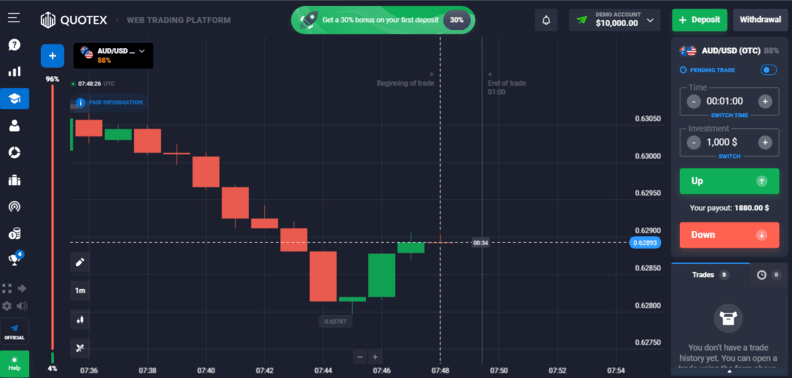
The Quotex Mobile App adds class to trading on the go. Designed for Android devices, the mobile app is created with efficiency and simplicity. From the range of trading assets to the suite of technical indicators, the Quotex app mirrors the functionality of its web platform.
With the Quotex mobile app, you can monitor your positions, execute trades, and access real-time market data wherever you are.
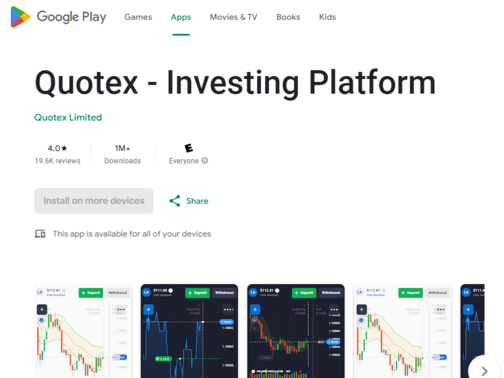
These features include:
Deposit
The Deposit section lets users fund their trading accounts via their preferred deposit methods.
Withdrawal
The Withdrawal section depicts the withdrawal process, options, and withdrawal amounts.
Trades
The trades section offers traders different financial instruments, strategies, and risk management tools.
Account
This section offers traders multiple account types and trading options.
Analytics
This section has some tools that allow traders to access their trading decisions.
Tournament
The tournament section has a range of trading competitions where traders can compete for bonus prices.
Market
This section has a repertoire of functionalities to assist traders in navigating the financial market.
| Pros | Cons |
| Deposit bonuses | No leverage investment options |
| Repertoire of trading assets | Limited educational resources |
| Unlimited demo account |
IQ Option is a binary options broker headquartered in Limassol, Cyprus. It was founded in 2013 and is regulated and licensed by the Cyprus Securities and Exchange Commission (CySEC).
| Minimum Deposit | $10 |
| Minimum Withdrawal | $2 |
| Minimum Trade Size | $1 |
| Local Currency Support | ✅️ |
| Payment Options | Credit/Debit card, eWallet, Wire transfer |
| Payouts | 95% |
| Bonus | Nil |
| Assets | Over 200 |
| Regulation | CySEC |
| Mobile Trading App | Android, iOS |
| Customer Support Service | |
| Website Languages | 10+ |
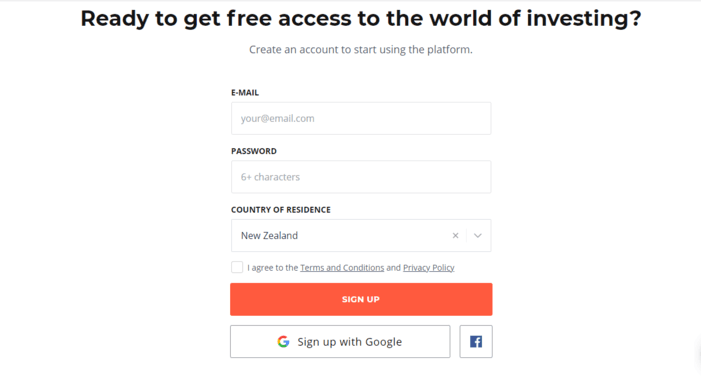
To sign up for IQ Options, Kiwis are required to fill out a form on the broker’s website. The details required are your email address, password, and the trader’s country of residence. Traders can also sign up via their Google or Facebook account.
Next is verification, which is quite straightforward. All you need to do is provide a government-issued ID, a copy of your utility bill, and your bank statement.
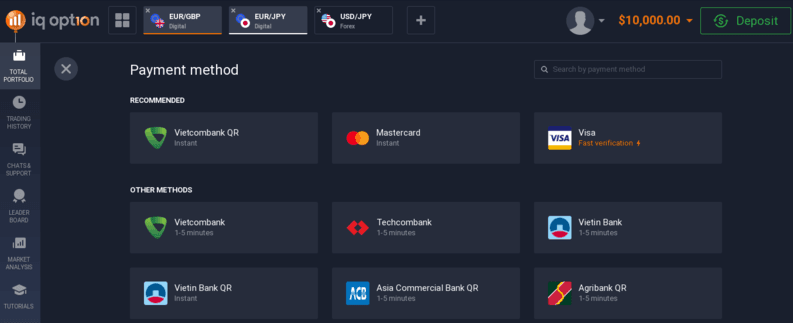
IQ Option allows traders to make deposits and withdraw using NZD. Banking options at IQ Option include e-wallets, cryptocurrencies, bank transfers, and credit/debit cards. The minimum deposit is $10, and the minimum withdrawal is $2.
Web Platform
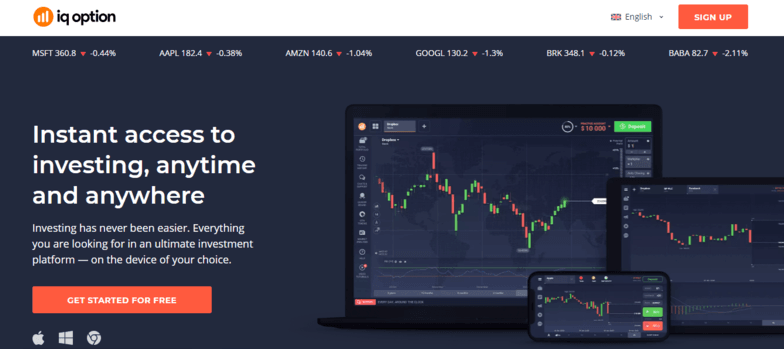
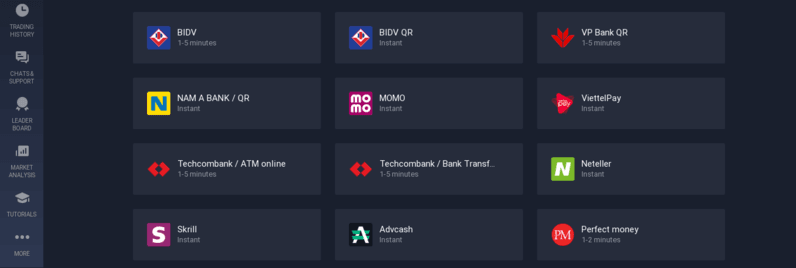
IQ Option’s web-based trading platform is designed with the user in mind, hence the availability of essential trading tools. Traders can access economic calendars, multi-chart layouts, technical tools, market updates, and volatility signals, all on the platform.
With 182 stocks, 31 forex pairs, 26 cryptocurrencies, 9 commodities, 12 indices, and 22 ETFs available for trading, traders enjoy the flexibility of diversifying their portfolios and adjusting their trading strategies as the market demands.
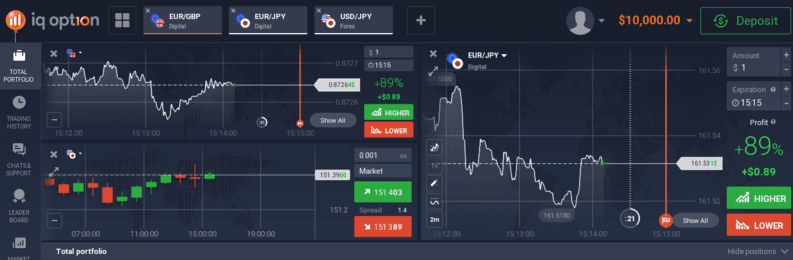
IQ Option’s mobile app supports Android and iOS devices with a user-friendly design and an intuitive interface. This app allows Kiwi traders to trade various financial instruments while on the go. They also have access to the platform’s demo as much as the real accounts.
These features include:
Personal
The Personal section contains details of the account that have been tweaked to accommodate the trader’s preference.
Verification
This section confirms the validity of one’s account and the personal details provided during registration.
Portfolio
This refers to the traders’ collection of trading assets and transactions.
Withdraw
This section covers all the withdrawal transactions traders have issued on the platform.
Balance
This section covers the trader’s current account holdings.
Trading
In this section, traders can access various financial instruments, like stocks, ETFs, and Forex.
Customer Support
This section is for assistance with any questions, concerns, or issues relating to your trading on the platform.
| Pros | Cons |
| Low minimum deposit | Limited payment and withdrawal methods |
| High leverage | No algorithmic trading option |
| Unlimited demo account | |
| Comprehensive educational resources |
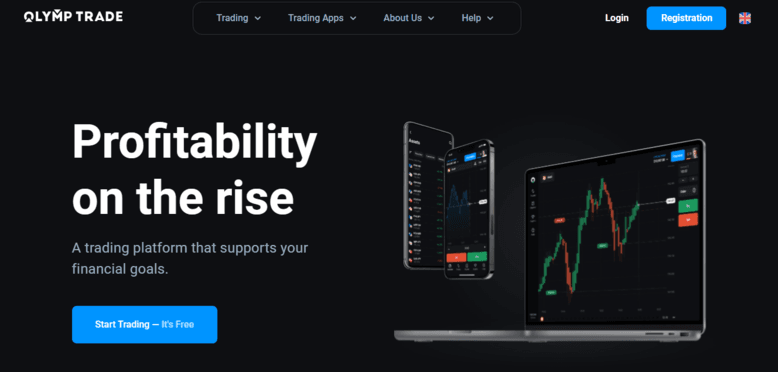
Olymp Trade is headquartered in Saint Vincent and the Grenadines. It was founded in 2014 and is licensed and regulated by the International Financial Commission (FinaCom).
| Minimum Deposit | $10 |
| Minimum Withdrawal | $10 |
| Minimum Trade Size | $1 |
| Local Currency Support | ✅️ |
| Payment Options | Credit/Debit card, Bank wire, Crypto, eWallet |
| Payouts | 92% |
| Bonus | 50% bonus exclusive on first deposit |
| Assets | Over 80 |
| Regulation | IFC |
| Mobile Trading App | Android, iOS |
| Customer Support Service | Email, Chat, Phone |
| Website Languages | 10+ |
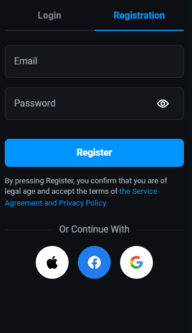
As a New Zealander, signing up for Olymp Trade is hassle-free. All you need do is to fill out the registration form on the Olymp Trade website. You will be required to provide your email address and password. You can also sign up via Facebook, Google account, or Apple ID. For verification, you only need to upload a few copies of government license IDs and your utility bill.
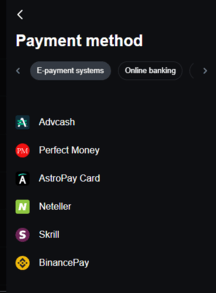
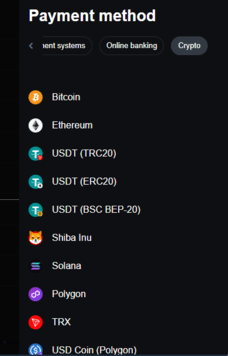
New Zealanders can withdraw or make deposits on Olymp Trade using the native NZD currency. This transaction can be made via e-wallets, bank transfers, and cryptocurrencies.
Web Platform
Olymp Trade’s web platform has a user-friendly and intuitive interface, with features that allow traders to swiftly analyze prices, manage positions, and transfer funds. The platform also runs a customer support system that works round the clock in multiple languages.
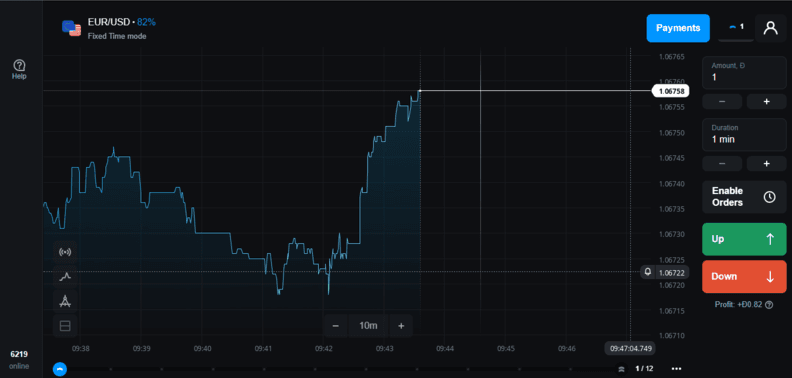
The platform has two main trading accounts. They are:
| Account Type | Description |
| Standard Account |
|
| VIP Account |
|
Olymp Trade’s mobile app is compatible with Android and iOS devices, and it offers traders the same functionalities of the web platform. With this app, traders can enjoy a seamless trading experience on the go.
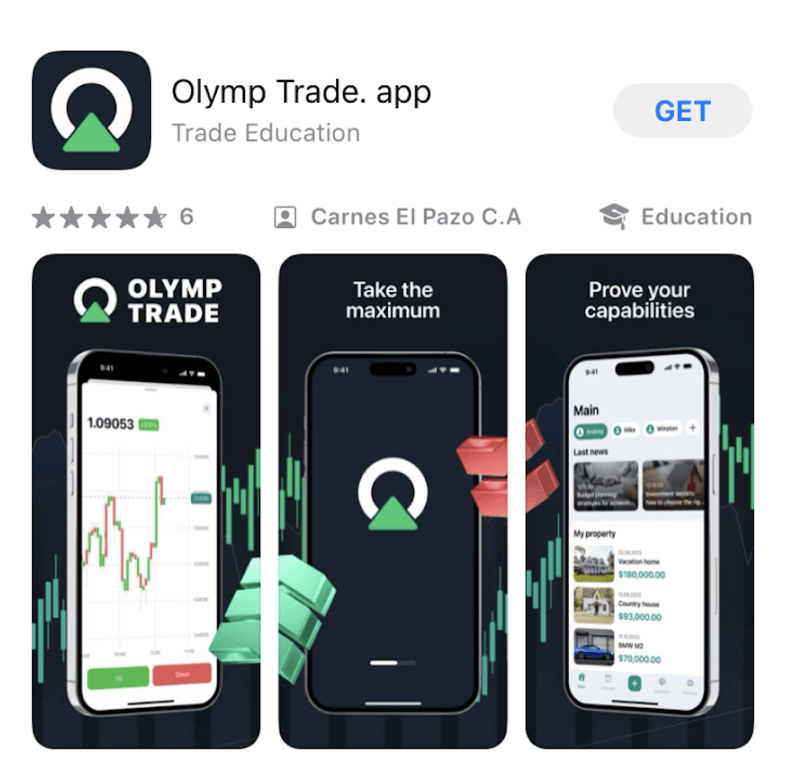
These features include:
Trades
This feature enables traders to focus on predicting the direction of an asset’s price within a timeframe.
Market
This section is where traders access various trading tools, strategies, and educational resources.
Event
This is where traders get promotional updates of events and tournaments.
Help
The Help feature is a customer support feature where traders get assistance with any trading issue.
| Pros | Cons |
| User-friendly interface | Only one proprietary platform |
| Repertoire of assets |
Binary.com (now Deriv) is a well-known binary options broker founded in 1999. The over two decades broker is headquartered in Malta. Binary.com has gained a large following in New Zealand because of how long the broker has been a key player in the financial market.
It is regulated by the Vanuatu Financial Services Commission (VFSC) and Malta and Labuan Financial Services Authority (MFSA).
| Minimum Deposit | $1 |
| Minimum Withdrawal | $10-$10,000 |
| Minimum Trade Size | $5 |
| Local Currency Support | ✅️ |
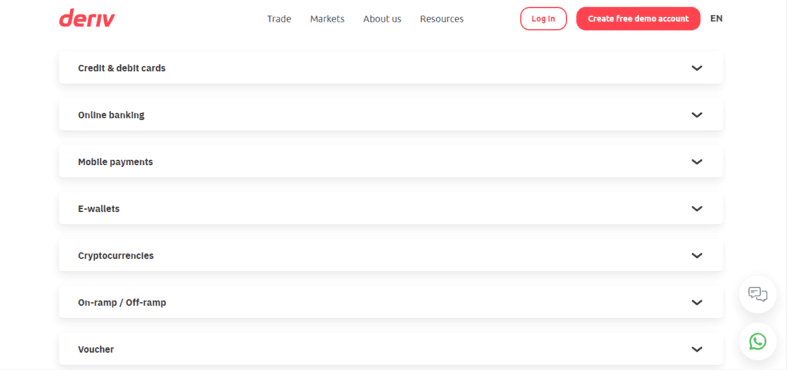
| Payment Options | Credit/Debit card, Crypto, eWallet, Wire transfer |
| Payouts | 95% |
| Bonus | – |
| Assets | 100+ |
| Regulation | VFSC, MFSA |
| Mobile Trading App | Android, iOS |
| Customer Support Service | Live Chat, Whatsapp |
| Website Languages | 10+ |
Signing up as a trader in New Zealand on Binary.com is a simple process. You are only required to provide your name, email address, and location. Traders can also sign up with a Google, Apple, or Facebook account.
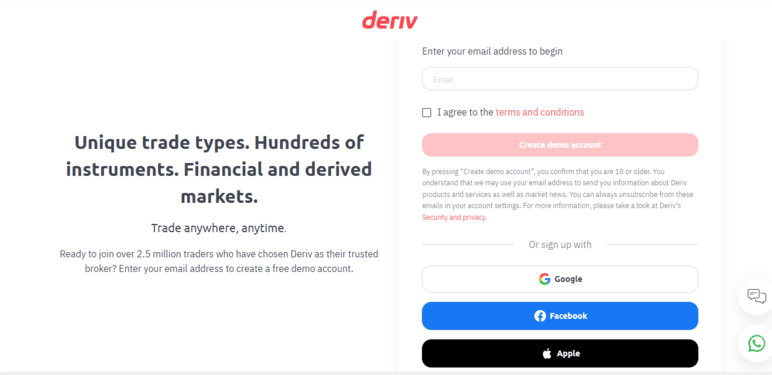
For verification, traders are to upload a government-issued ID and proof of residence. The documents will be reviewed within 24 hours, after which the account will be approved for trading.
New Zealanders can withdraw or make deposits on Olymp Trade using the native NZD currency. This transaction can be made via e-wallets, bank transfers, and cryptocurrencies.
Web Platform
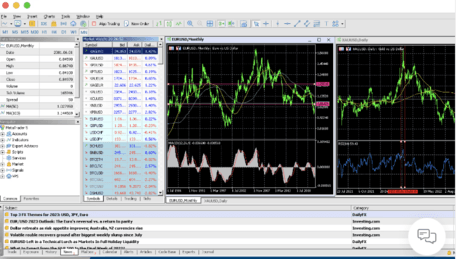
Deriv’s web trading platform is designed with user-friendliness to afford players a hassle-free trading journey. The platform is accessible 24/7, so traders can trade at their convenience. The platform’s broad range of trading assets affords traders ample opportunities to explore different markets.
The platform is powered by MetaTrader 5 and advanced charting tools and features. The platform also supports automated trading with Stop Loss (SP) and Take Profit (TP) levels.
Mobile Application
Deriv is one broker that understands the needs of its traders and thus designed mobile applications that cater to novice and experienced users. The mobile apps are categorized into:
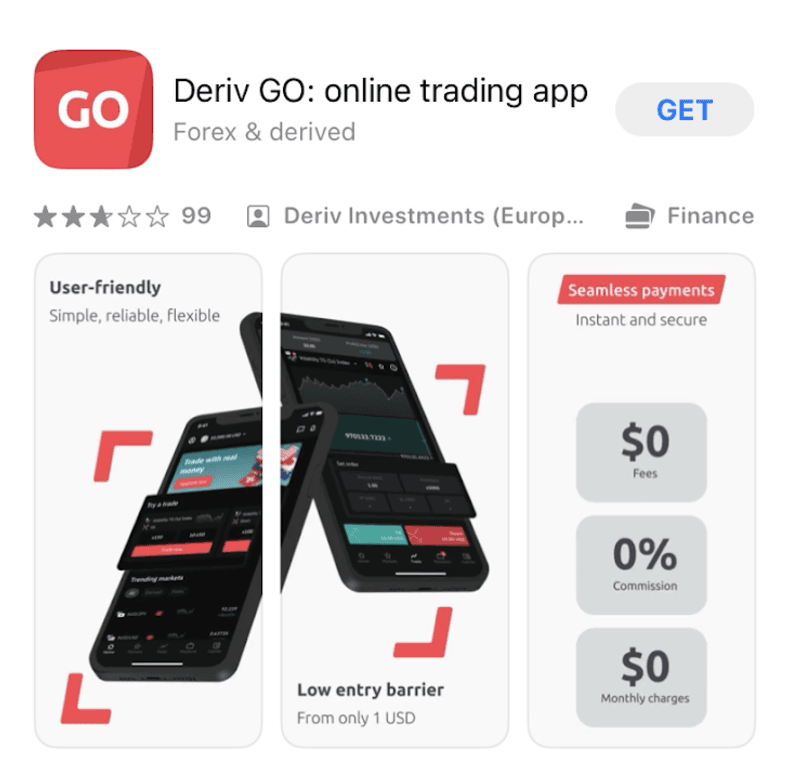
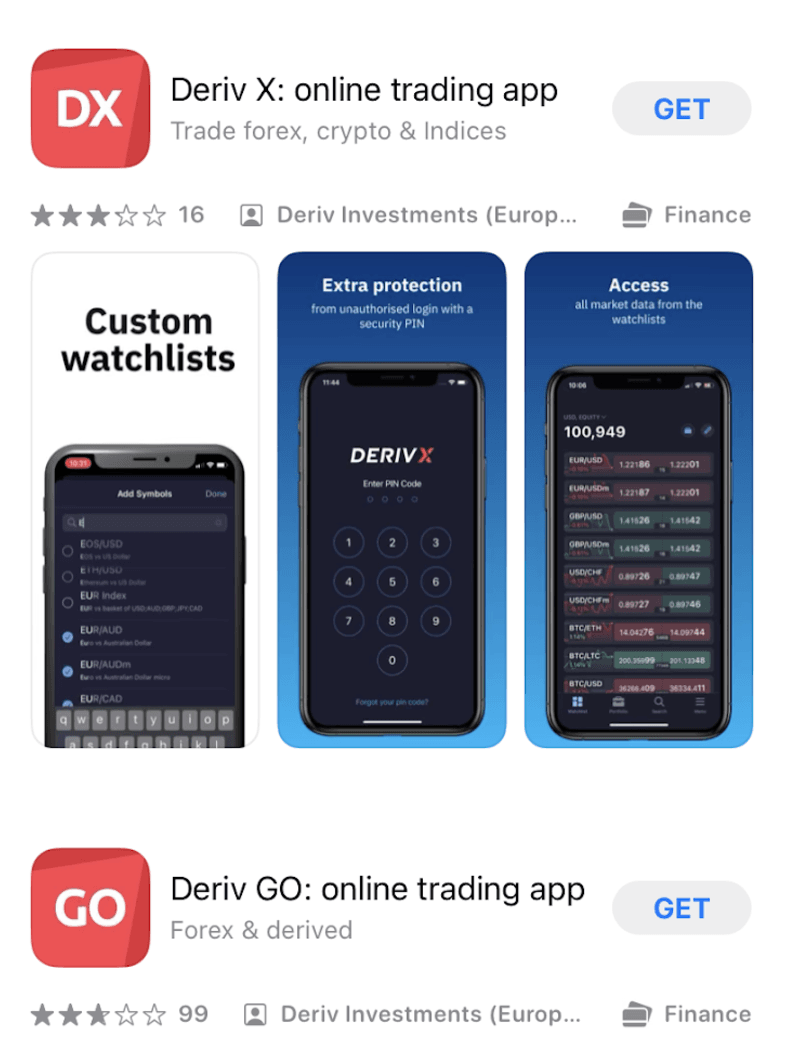
These features include:
Trader’s Hub
This section has several trading resources to make trading hassle-free for traders.
Cashier
This section covers financial transactions and management.
View onboarding
This feature showcases the onboarding process and how much the trader has covered**.**
View notifications
This section covers all the notifications about the activities of an account.
Manage account settings
This feature is designed to help traders manage the details and activities of their account.
| Pros | Cons |
| Repertoire of trading instruments | Limited contact |
| Multiple payment options |
Choosing an ideal binary options broker can be a herculean take. However, with the factors we have identified in this piece, finding the perfect broker for you will be a walk in the park especially if you are in New Zealand.
You can read through our top binary options brokers to see which suits you best. Whatever your choice, you can rest assured that you will get the best from the broker and that your investments are safe.
Please remember to trade within the limits of your risk tolerance. We are rooting for you.
To further guide you in making an informed decision, we’ve compiled two additional resources for your convenience.
Navigate through our comprehensive table, which breaks down 118 brokers. Whether you prioritize regulatory security or diverse trading platforms, this table will provide a broad overview.
For those particularly interested in the financial aspects of their potential broker, our second table compares 120 brokers. This can be especially helpful if you’re working within a specific budget or looking for specific trading conditions.
| Broker | Min. Deposit | Min. Order | Leverage | Rating | Margin Trading | Guaranteed Stop Loss |
|---|---|---|---|---|---|---|
1. | $5 | $1 | Up to 1:100 | - | No | No |
2. | $10 | $1 | Up to 1:1000 for forex, varies for other instruments | 4.4 | Yes | No |
3. | 100 USD | 0.01 Lot | up to 1:1000 | 3.9 | No | No |
4. | $100 | 0.01 Lot | Up to 1:500 | - | Yes | No |
5. | $10 | $1 | Up to 1:500 | - | Yes | No |
6. | $25 | $1 | N/A | 2.1 | No | No |
7. | $100 | 0.01 lots | Up to 1:30 for retail clients, 1:300 for professional clients | - | Yes | Yes |
8. | $5 | Not specified | Up to 1:1000 | 4 | No | No |
9. | 5 USD | 0.5 USD | Up to 1:1000 | 4.4 | Yes | No |
10. | $10 | $1 | Up to 1:500 | 3.8 | Yes | No |
11. | $10 | $1 | Up to 1:1000 | 4.1 | Yes | No |
12. | $10 | $1 | Up to 1:400 | - | Yes | No |
13. | $200 | Varies by asset | Up to 1:30 for retail clients, higher for professional clients | 4.2 | Yes | No |
14. | Not available | Not available | Not available | 2.5 | No | No |
15. | $100 | 0.01 Lot | Up to 1:30 for retail clients, 1:500 for professional clients | 1.6 | Yes | No |
16. | $250 | Not specified | Up to 1:1000 | 2.8 | Yes | No |
17. | $1 | 0.01 Lot | up to 1:3000 | - | Yes | No |
18. | $100 | 0.01 Lots | Up to 1:400 | 4.7 | Yes | No |
19. | $250 | 0.1 lot | up to 1:100 | 1.5 | Yes | No |
20. | $200 | 0.01 lots | Up to 1:500 | 3.5 | Yes | No |
21. | 100 USD | 0.01 lots | up to 1:200 | 3.2 | Yes | No |
22. | $100 | 0.01 lots | up to 1:500 | 1.5 | Yes | No |
23. | $100 | 0.01 Lot | Up to 1:300 | 4.2 | Yes | No |
24. | $200 | 0.01 lot | Up to 1:500 | 3.8 | Yes | No |
25. | $1 | 0.01 Lot | Up to 1:1000 | 3.2 | Yes | No |
26. | $5 | 0.01 lots | up to 1:888 | 3.9 | Yes | No |
27. | $200 | 0.01 lots | up to 1:2000 | - | Yes | No |
28. | 100 USD | 0.01 of the lot | up to 1:30 for retail clients, up to 1:600 for professional clients | 3.9 | Yes | No |
29. | 100 USD | 0.01 Lot | Up to 1:500 | 1.6 | Yes | No |
30. | 250 USD | 1 USD | 1:50 | 1.6 | No | No |
31. | $250 | $1 | 1:1 | 1.6 | No | No |
32. | $1 | 0.01 Lot | Up to 1:1000 | 3.8 | Yes | No |
33. | $10 | $1 | None | 3.8 | No | No |
34. | $20 | 0.01 lots | up to 1:300 | 3.3 | Yes | No |
35. | $250 | 0.01 lots | Up to 1:30 for retail clients, 1:200 for professional clients | 3.9 | Yes | Yes |
36. | $10 | 0.01 Lot | up to 1:1000 | 2.3 | Yes | No |
37. | $100 | 0.01 lots | Up to 1:500 | 4.3 | Yes | No |
38. | $100 | 0.01 Lot | Up to 1:300 | 4 | No | No |
39. | $10 | 0.01 lots | Up to 1:2000 | 3.5 | Yes | No |
40. | $50 | 0.01 lots | Up to 1:400 | - | Yes | No |
41. | $100 | 0.01 Lot | Up to 1:300 | 2.9 | Yes | No |
42. | 100 USD | 0.01 Lot | Up to 1:500 | 4.1 | Yes | No |
43. | - | 0.01 Lot | Up to 1:500 | 4 | Yes | No |
44. | $100 | 0.01 Lot | Up to 1:30 for retail clients, up to 1:200 for professional clients | 2.1 | Yes | No |
45. | 10 USD | 0.01 Lot | up to 1:2000 | 2.6 | Yes | No |
46. | $1 | 0.01 Lot | up to 1:1000 | 3.4 | Yes | No |
47. | $100 | 0.01 lots | up to 1:500 | 3.1 | Yes | No |
48. | $50 | 0.01 lots | Up to 1:200 | 4.7 | Yes | No |
49. | $0 | 0.01 micro lots | Up to 1:50 for US clients, varies for other regions | 3.4 | Yes | No |
50. | N/A | N/A | N/A | 4.3 | No | No |
51. | 100 EUR/USD/GBP | 0.01 lots | Up to 1:200 | 3.6 | Yes | No |
52. | 100 USD | N/A | Up to 1:1000 (Varies by broker and regulation) | 3.6 | Yes | No |
53. | $500 | Not specified | Up to 6:1 for day trades, 2:1 for overnight positions | 3.2 | Yes | No |
54. | 0 GBP | 0.01 lots | Up to 30:1 for retail clients, up to 500:1 for professional clients | 4 | Yes | Yes |
55. | $500 | Varies by asset | Up to 1:50 for stocks, varies for other instruments | 4.5 | Yes | No |
56. | $200 | 0.01 lots | Up to 1:500 | 4.8 | Yes | No |
57. | Variable depending on account type and region | 0.01 lots | Up to 1:1000 | 3.2 | Yes | No |
58. | $200 | 0.01 lots | Up to 1:30 for retail clients, up to 1:500 for professional clients | 3.9 | Yes | No |
59. | $100 | 0.01 lot | Up to 1:400 | 4.4 | Yes | Yes |
60. | $0 for Standard Account, $500 for ThinkZero Account | 0.01 lots | Up to 1:500 for Forex | 4.3 | Yes | No |
61. | 100 GBP | 0.01 lots | Up to 1:30 for retail clients, up to 1:300 for professional clients | 1.7 | Yes | No |
62. | $0 | Not specified | Not applicable for U.S. based investment brokers | 1.2 | Yes | No |
63. | $0 | N/A | Up to 1:50 for Forex (for professional clients) | 1.2 | Yes | No |
64. | $0 for IBKR Lite, $100 for IBKR Pro | No minimum order size | Up to 1:50 for stocks, varies for other instruments | 3.2 | Yes | No |
65. | $50 | 0.01 Lot | Up to 1:500 | 4.2 | No | No |
66. | $500 | 0.01 lots | up to 1:30 for retail clients, up to 1:200 for professional clients | 3.1 | Yes | No |
67. | $100 | 0.01 Lot | up to 1:1000 | 3.4 | Yes | No |
68. | $500 | 0.01 lots | Up to 1:400 | 1.3 | Yes | No |
69. | $10 | 0.01 Lot | up to 1:1000 | 4.4 | Yes | No |
70. | $0 | Not specified | Up to 1:50 for stocks | 1.1 | Yes | No |
71. | $500 | Not specified | Up to 1:50 for stocks | 1.1 | Yes | No |
72. | No minimum deposit | 0.01 lots | Up to 1:500 | 2.6 | Yes | No |
73. | $10 | 0.01 Lot | up to 1:1000 | 4 | Yes | No |
74. | $1 | 0.01 Micro Lot | Up to 1:2000 | 4.6 | Yes | No |
75. | $200 | 0.01 Lot | up to 1:100 | 3.5 | Yes | No |
76. | 10 USD | 1 USD | 1:100 | 2.6 | No | No |
77. | 100 | 0.01 | Up to 1:200 | - | Yes | Yes |
78. | - | - | - | 1.4 | No | No |
79. | $2,000 | Varies by asset class | Up to 1:30 for retail clients, higher for professional clients | 3.7 | Yes | No |
80. | 500 EUR | 0.01 lots | up to 1:200 | 4.2 | Yes | No |
81. | $50 | 0.01 Lot | Up to 1:1000 | 2.1 | Yes | No |
82. | 1000 CHF or equivalent | Not specified | Up to 1:100 for Forex | 3.7 | Yes | No |
83. | 100 USD/EUR/GBP | 0.01 lot | Up to 1:800 (varies by instrument and regulatory requirements) | - | Yes | Yes |
84. | $100 | 0.01 lots | up to 1:500 | 3.7 | Yes | No |
85. | $200 | 0.01 Lot | Up to 500:1 | 3.5 | Yes | No |
86. | $25 | 0.01 Lot | up to 1:1000 | - | Yes | No |
87. | $100 | 0.01 lots | Up to 1:500 | 3.2 | No | No |
88. | $1 | 0.01 Lot | up to 1:1000 | 2 | Yes | No |
89. | 10 OPEX (Kyrgyzstani Som) | - | Up to 1:3000 (unverified, reported on forums) | - | Yes | No |
90. | $50 | 0.01 lot | up to 1:500 | - | Yes | No |
91. | 10,000 USD | Not specified | Up to 1:50 | 2.5 | Yes | No |
92. | $500 | 0.01 lot | up to 1:100 | 3.6 | Yes | No |
93. | $500 | 0.01 Lot | up to 1:200 | 1.8 | Yes | No |
94. | $0 | 1 share or $1 for fractional shares | N/A | - | No | No |
95. | N/A | N/A | N/A | - | No | No |
96. | $0 | Not specified | Up to 1:4 for stocks | - | Yes | No |
97. | $500 | N/A | N/A | - | No | No |
98. | Not specified | Not specified | Not applicable | - | Yes | No |
99. | INR 0 | Not specified | Up to 6x for equity intraday, varies for other segments | - | Yes | No |
100. | $100 | $1 | Not applicable | - | No | No |
101. | $0.10 | Varies by asset | Up to 1:3 for cryptocurrencies | - | Yes | No |
102. | $5,000 | 1 property | N/A | - | No | No |
103. | В зависимости от страны и типа учетной записи | N/A | N/A | - | No | No |
104. | No minimum deposit requirement | Varies depending on the cryptocurrency | Up to 3x for some trading pairs | - | Yes | No |
105. | $0 | Varies by asset | Up to 100x for cryptocurrencies | - | Yes | No |
106. | $0 | 1 share or $1 for ETFs and mutual funds | Not typically offered | - | No | No |
107. | $0 | Varies by asset | None | - | No | No |
108. | $0 | Not specified | Not generally offered | - | No | No |
109. | $0 | N/A | N/A | - | Yes | No |
110. | No official minimum deposit | Varies by asset | Up to 1:100 for certain instruments | 3.1 | Yes | No |
111. | - | - | - | - | Yes | Yes |
112. | 1$ | - | - | - | Yes | Yes |
113. | - | - | - | 3.6 | Yes | Yes |
114. | $5 | - | 1:30 | 3.9 | Yes | Yes |
115. | $10 | - | 1:500 | 1.4 | Yes | Yes |
116. | 10$ | - | 1:500 | - | Yes | Yes |
117. | - | - | - | 2.8 | Yes | Yes |
118. | $1 | - | - | - | Yes | Yes |
119. | - | - | 1:500 | - | Yes | Yes |
120. | 100$ | - | - | - | Yes | Yes |
121. | 250$ | - | Up to 1:500 | - | Yes | Yes |
122. | $0.0012 | - | - | - | Yes | Yes |
123. | $250 | - | Maximum leverage of 1:400 | 2.3 | Yes | Yes |
124. | $250 | - | Max leverage 1:500 | 1.3 | Yes | Yes |
125. | $500 | - | 1:6 | 4.6 | Yes | Yes |
126. | - | - | Starts at 1:20 | 1.9 | Yes | Yes |
127. | 1$ | - | 1:400 | 3.7 | Yes | Yes |
128. | - | - | - | - | Yes | Yes |
129. | 138$ | - | 1:100 | 4.5 | Yes | Yes |
130. | 10$ | - | Not applicable for GC Option, max 1:500 on Grand Capital | 2.5 | Yes | Yes |
131. | - | - | 1:3000 | 4.8 | Yes | Yes |
132. | $10 | - | 1:500 | 4.8 | Yes | Yes |
133. | 5$ | - | - | 3.2 | Yes | Yes |
134. | - | - | 1:500 | 4.8 | Yes | Yes |
135. | 200$ | - | Up to 1:500 | 4.5 | Yes | Yes |
136. | $0 | Not specified | Up to 1:50 for Forex | 1.7 | Yes | No |
137. | $20 | - | - | 4.6 | Yes | Yes |
138. | $500 | - | - | - | Yes | Yes |
139. | - | - | - | 3.9 | Yes | Yes |
140. | 250$ | - | 1:30 | 4.3 | Yes | Yes |
141. | $100 | - | - | 4.1 | Yes | Yes |
142. | - | - | 1:500 | 4.6 | Yes | Yes |
143. | 1$ | - | - | - | Yes | Yes |
144. | 20$ | - | - | - | Yes | Yes |
145. | - | - | - | - | Yes | Yes |
146. | 0$ | - | Up to 1:2000 | - | Yes | Yes |
147. | 100$ | - | - | - | Yes | Yes |
148. | - | - | - | - | Yes | Yes |
149. | $5 | - | - | - | Yes | Yes |
150. | - | - | up to 1:500 | - | Yes | Yes |
151. | $100 | - | 1:1000 | 4.3 | Yes | Yes |
152. | - | - | - | 4.6 | Yes | Yes |
153. | - | - | - | - | Yes | Yes |
154. | $100 | - | Up to 1:500 | 4.9 | Yes | Yes |
155. | $0 | - | 1:500 | - | Yes | Yes |
156. | $5 | - | Up to 1:3000 | 4.3 | Yes | Yes |
157. | $1 | - | 1:500 | 4.4 | Yes | Yes |
158. | $200 | - | 1:2000 | - | Yes | Yes |
159. | - | - | - | - | No | No |
160. | - | - | - | - | Yes | Yes |
Find Your Perfect Broker: Explore Our List Now!
Choose the best with our expert-selected options


Find Your Perfect Broker: Explore Our List Now!
Choose the best with our expert-selected options
Discover top binary options brokers tailored to your region. Browse our curated lists by country:
855