


Olymptrade
3.7/5


Available in null
About Broker
Min. deposit
$ 1
Languages
🇺🇸
🇮🇳
🇸🇦
🇻🇳
🇮🇩
🇪🇸
🇰🇷
🇮🇳
🇵🇹
🇹🇭
🇷🇺
🇹🇷
🇫🇷

Advantages
Trades can be executed with a minimum of $10. This makes Olymptrade accessible to casual traders.
A low minimum trade size of $1. This allows you to apply flexible risk management.
The demo account has $10,000 worth of virtual coins, allowing traders to hone their trading skills.
Over 100 trading instruments, including forex, stocks, cryptocurrencies, and indices.
Solid reputation with over 10 years in the industry and operates in 130+ countries.
Mobile-optimized website alongside apps for Android and iOS devices.
Multiple trading modes – choose from various modes like Fixed Time, Forex, and Stocks to suit your trading strategy.
Access to a depth of market knowledge through articles, video lessons, and webinars.
Disadvantages
Olymptrade is licensed and regulated by the Vanuatu Financial Services Commission (VFSC). This regulatory body isn't regarded as a quality choice.
Due to VFSC license and regulatory restrictions, Olymptrade services are unavailable in the US, UK, and certain EU countries.
Unlike its top competitors, Olymptrade lacks integrated social and copy trading features.
There are reports that withdrawals take longer than the expected processing times.
In Forex mode, you are required to pay a commission for keeping your transaction open till the following day.
About Broker
Min. deposit
$ 1
Languages
🇺🇸
🇮🇳
🇸🇦
🇻🇳
🇮🇩
🇪🇸
🇰🇷
🇮🇳
🇵🇹
🇹🇭
🇷🇺
🇹🇷
🇫🇷
Advantages
Trades can be executed with a minimum of $10. This makes Olymptrade accessible to casual traders.
A low minimum trade size of $1. This allows you to apply flexible risk management.
The demo account has $10,000 worth of virtual coins, allowing traders to hone their trading skills.
Over 100 trading instruments, including forex, stocks, cryptocurrencies, and indices.
Solid reputation with over 10 years in the industry and operates in 130+ countries.
Mobile-optimized website alongside apps for Android and iOS devices.
Multiple trading modes – choose from various modes like Fixed Time, Forex, and Stocks to suit your trading strategy.
Access to a depth of market knowledge through articles, video lessons, and webinars.
Disadvantages
Olymptrade is licensed and regulated by the Vanuatu Financial Services Commission (VFSC). This regulatory body isn't regarded as a quality choice.
Due to VFSC license and regulatory restrictions, Olymptrade services are unavailable in the US, UK, and certain EU countries.
Unlike its top competitors, Olymptrade lacks integrated social and copy trading features.
There are reports that withdrawals take longer than the expected processing times.
In Forex mode, you are required to pay a commission for keeping your transaction open till the following day.
Available in 195 countries
* General Risk Warning: Your capital might be at risk
*The amount that will be credited to the account in the case of a successful deal

Tobi Opeyemi Amure
Author and Expert at Trading.biz


Olymp Trade Review 2026: Should You Choose the Broker?
Olymptrade is a global online trading platform operating in 130 countries. The broker was launched in 2014, and by its 10th anniversary, it had 129,882,417 registered users.
Olymptrade users can access stocks, forex, commodities, and cryptocurrencies. Aside from these financial instruments, they can use educational resources, including tutorials, webinars, and a help center. New and existing traders, therefore, can furnish their skills and increase their market knowledge.
The best part of the brokerage service is its availability on Windows, Mac, iOS, and Android devices.
Security and Regulatory Standing
Olymptrade's services are provided by Aollikus Limited, a licensed investment firm and liquidity provider. Therefore, Aollikus Limited's license from the Vanuatu Financial Services Commission covers Olymptrade's operations. The license number is 40131 and was issued on 26th January 2017.
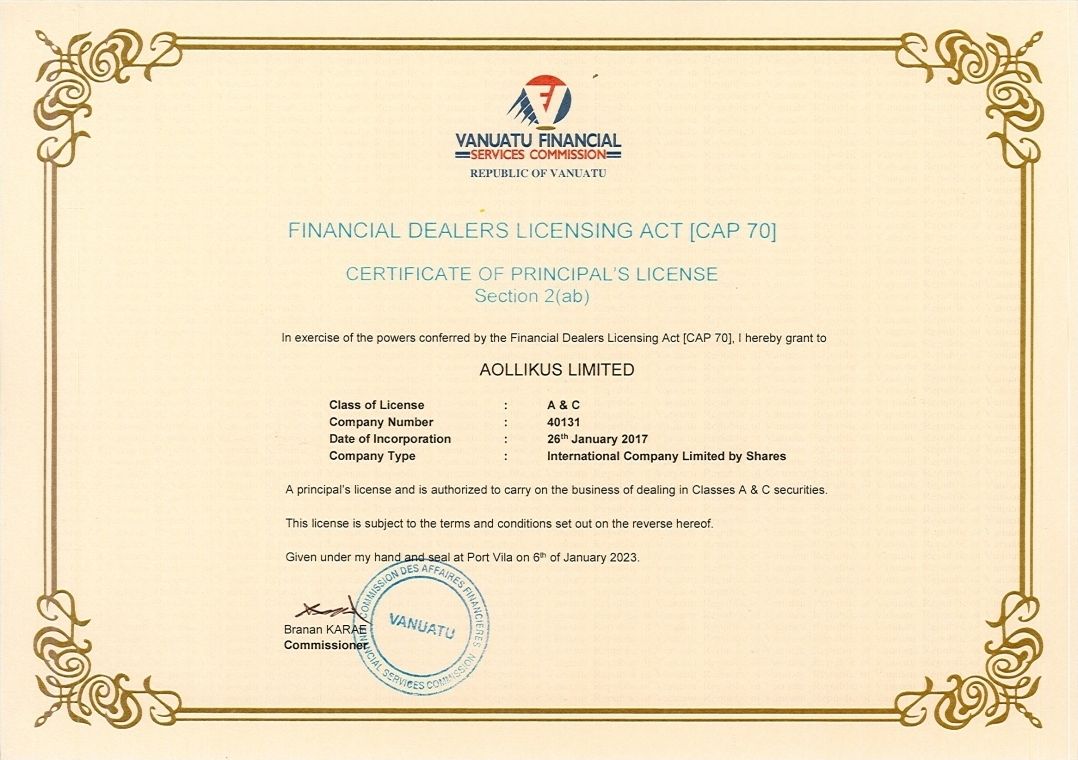
Although the VFSC license ensures Olymptrade's legal status, it isn't a top regulator. This has limited the brokerage's operation in certain countries, such as the United Kingdom. Olymptrade needs to obtain licenses from major financial regulators to break into these markets (such as the UK's Financial Conduct Authority (FCA) and the US Securities and Exchange Commission (SEC)).
Security at Olymptrade goes beyond licensing and regulation. The platform has integrated standard security protocols to ensure the safety of players' funds and data:
- SSL Encryption. Olymptrade uses TLS (Transport Layer Security) encryption on its web and app server. Therefore, data passed on between the brokerage and users is always encrypted.
- Two-Factor Authentication (2FA). Users' accounts are more protected with two forms of identification to log in. The mobile app also permits biometric authentication, which reduces the chance of unauthorized access.
- Account Verification. Users' identities are verified after registration. With the information in Olymptrade's system, they can prevent fraud.
- Secure Payment Methods: bank transfers, credit/debit cards, e-wallets, and crypto options for secure transactions.
Compliance and Identity Verification
There are stringent Anti-Money Laundering (AML) and Know Your Customer (KYC) regulations, so Olymptrade can ensure a secure trading environment, verify the identity of clients, and prevent financial crimes.
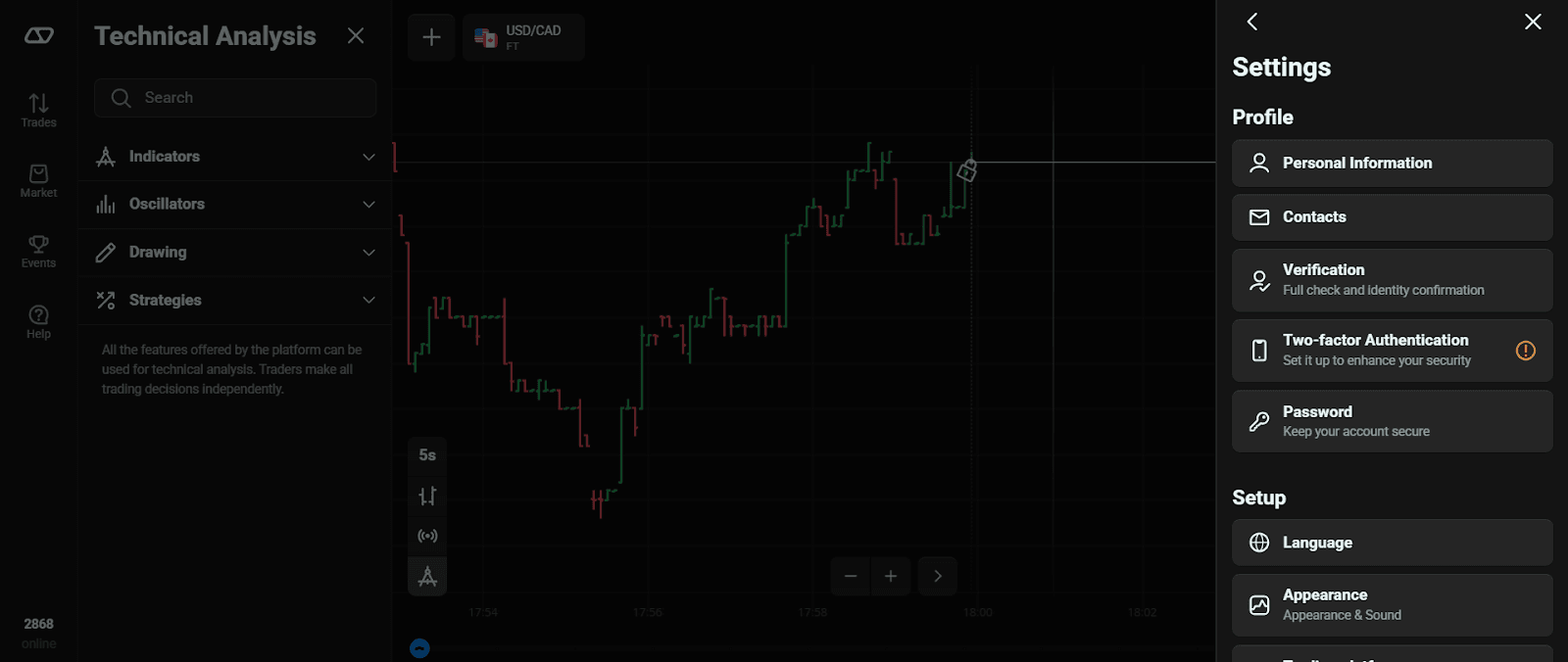
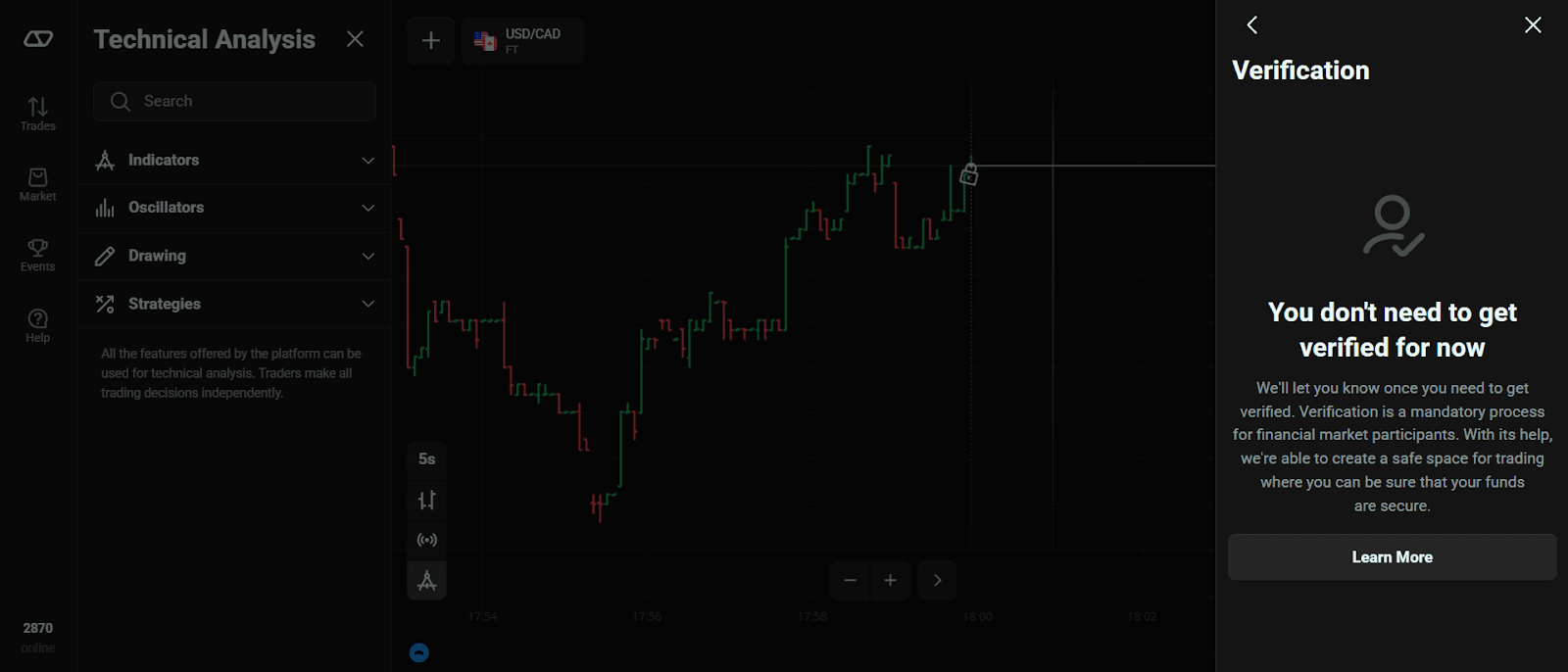
Verification can be voluntary or mandatory. For the voluntary verification process, contact the support service team through live chat and request verification. Mandatory verification, on the other hand, happens when you are using new payment options or suspect an account breach.
There's no timeframe for completing voluntary verification. For mandatory verification, you must upload your documents within 14 days of the request. After submission, it should take no more than 24 hours for Olymptrade to verify your account. However, some cases could take up to five business days.
Required Documents
- An official ID issued by a government body. It should include your full name, photo, and date of birth. You can provide a color scan or photo of your passport, driver's license, and other documents. Screenshots of your ID aren't allowed.
- 3D selfie with a camera on your device.
- Proof of address. You can submit a bank statement or utility bill. Your full name, address, and issue date must be captured clearly.
- Proof of funds through your payment service provider.
Fee Structure and Trading Costs
The fee structure at Olymptrade is dependent on the trading mode and financial assets. Traders can incur fees on trades (commissions), withdrawals, and inactivity.
Olymptrade’s website isn’t fully transparent about its trading costs. However, you could contact support to know more about the fee structure of the financial asset you wish to trade. Here’s an overview of the current fees.
Trading Costs
- Commissions. Olymptrade does not charge traditional spreads. Instead, it applies a commission on profitable trades. The rates are:
- Advanced Account: Up to 13.5%
- Expert Account: Up to 20%
- Overnight Fees. Olymptrade charges a fixed fee for leveraged positions held overnight. It’s capped at 15% of your investment.
- Inactivity Fee. Accounts inactive for 180+ days are subject to a $10 monthly fee.
Deposit & Withdrawal Fees
Olymptrade always aims to offer the quickest payment process possible. As a result, the platform covers essential payment commissions for its service providers.
However, certain users have been found to frequently deposit and withdraw money multiple times per day without trading. To kick this off, Olymptrade introduced a 10% withdrawal fee, applicable only to this scenario.
Banks and third-party payment providers also charge fees. It’s advisable to check with your payment service provider before conducting any transaction.
Available Markets and Trading Conditions
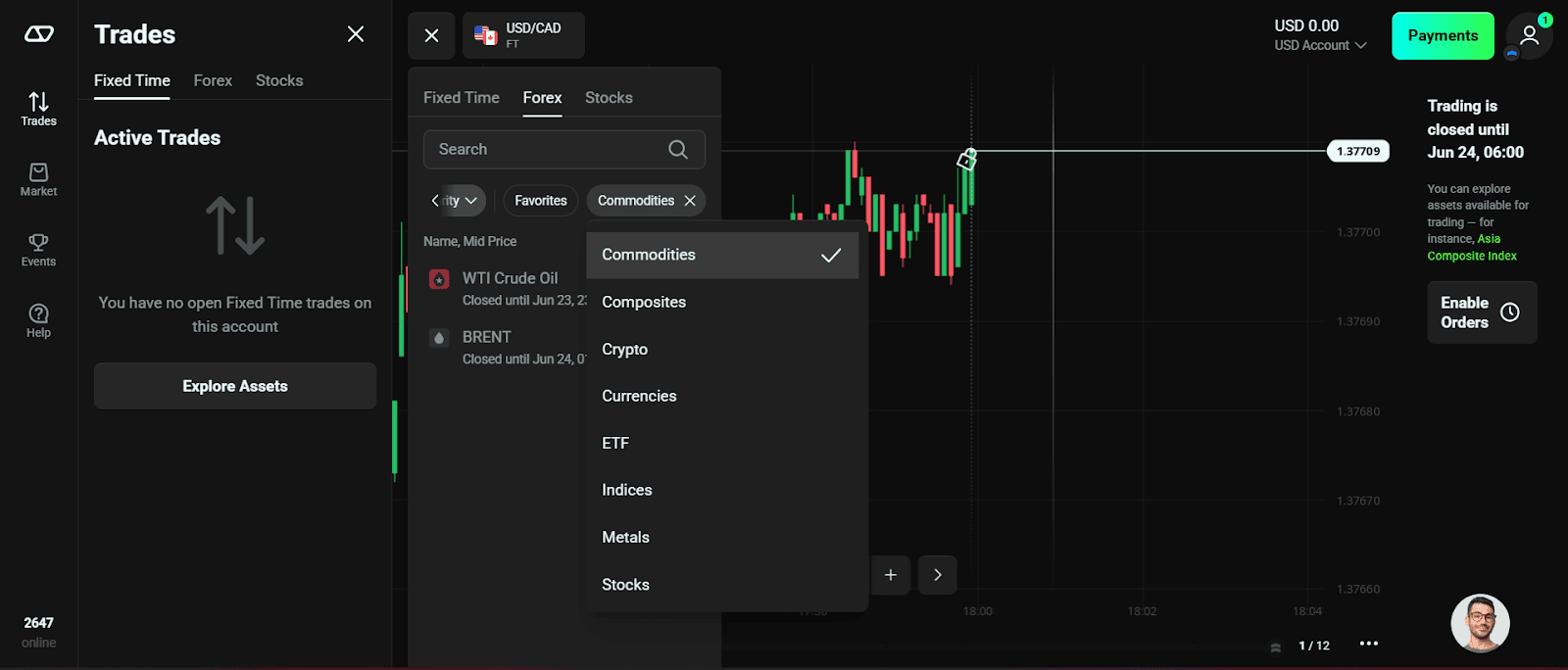
Olymptrade offers over 100 trading instruments across multiple asset classes. Here's an overview of the assets;
- Forex. Over 30 currency pairs (major, minor, and exotic). Popular pairs include EUR/USD, GBP/USD, and EUR/GBP.
- Commodities. Raw materials and primary goods, such as WTI Crude Oil, BRENT, and Natural Gas.
- Indices and Composites. These custom indices aggregate multiple assets for diversified trading. Popular options are the Asia Composite Index and Compound Index.
- Crypto. Top-performing digital assets include BTC, ETH, and BCH.
- ETF. There are leveraged and inverse ETFs such as ERF S&P 500 Volatility 1.5x and iShares Bitcoin Trust.
- Metals. Focuses on precious metals like Gold, Silver, Copper, and Platinum.
- Stocks. Enables trading in shares of major companies like Apple and Tesla.
Olymptrade operates in 130 countries, offering the local currency of each country. However, there are three main currencies irrespective of your jurisdiction;
- US Dollar (USD)
- Euro (EUR)
- Tether (USDT)
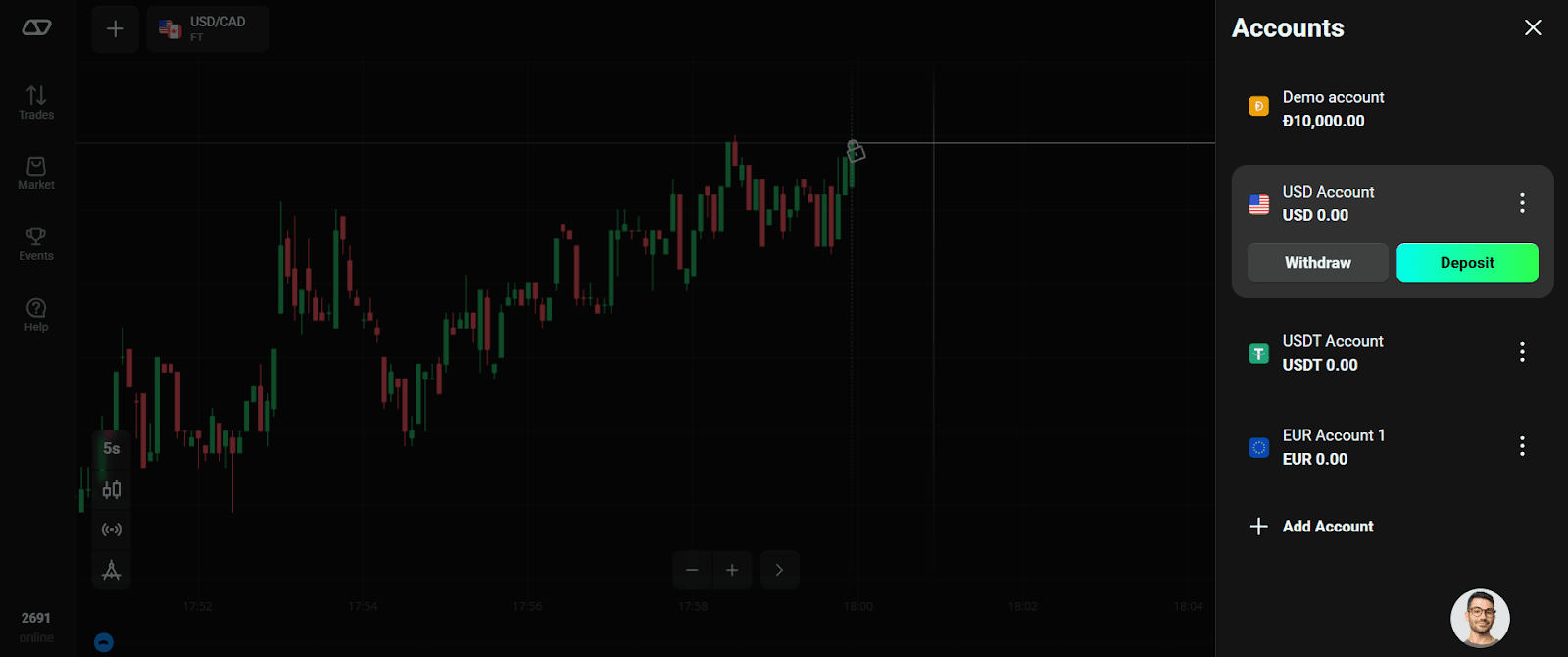
For detailed information on supported currencies in your region, consult the Olymptrade Help Center or customer support.
Account Tiers and Benefits
Olymptrade offers three primary account statuses: Starter, Advanced, and Expert. They can be found on the Trader's Way, with each status giving traders different paths. Each path consists of levels that can be attained by constantly training and accumulating XP. Once all levels are unlocked, the trader is upgraded to the next status.
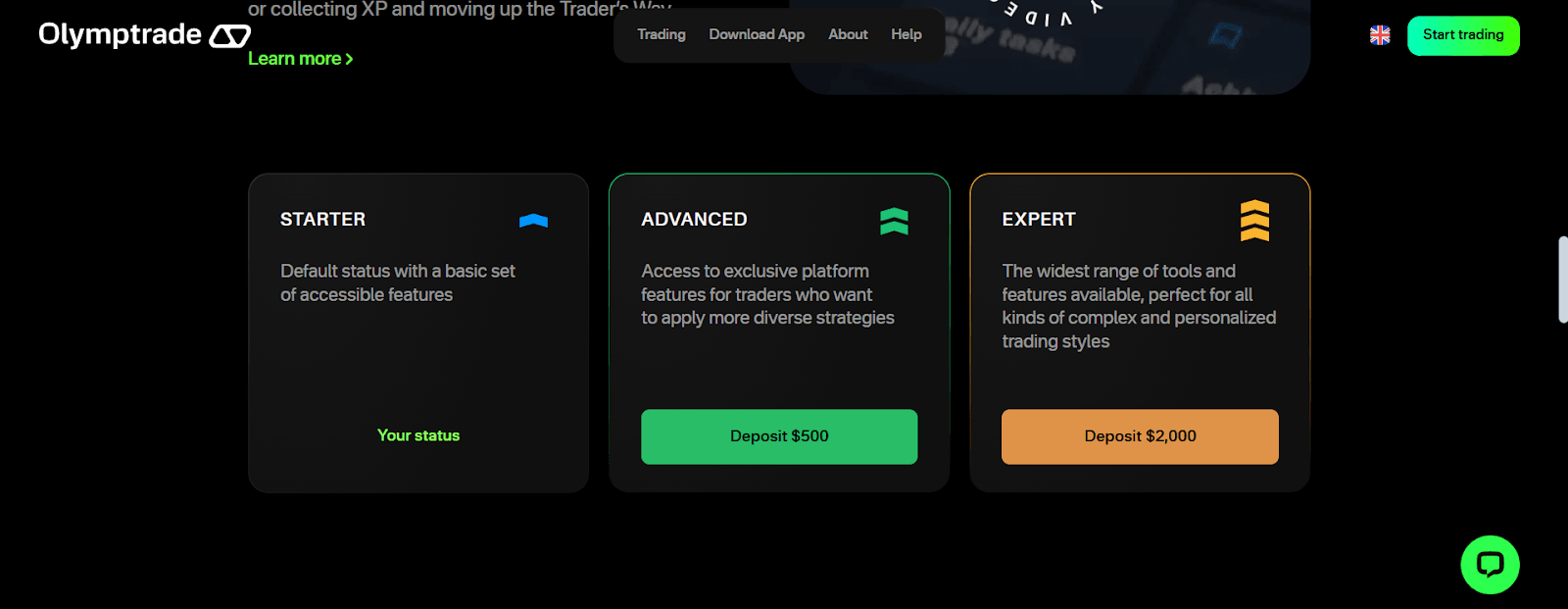
Note: Player's progress on the Trader's Way is reset every 30 days.
The table highlights the features of each account.
| Account Type | Minimum Deposit | Maximum Return | Commission Discount | Trade Limit | Open Positions | Indicators | Advisers |
| Starter | $10 | Up to 85% | None | $3,000 FT / $2,000 FX | 20 FT / 100 FX | 10 | None |
| Advanced | $500 | Up to 89% | Up to 10% | $4,000 FT / $3,000 FX | 50 FT / 100 FX | 11 | 1 |
| Expert | $2,000 | Up to 93% | Up to 20% | $5,000 FT / $4,000 FX | 100 FT / 100 FX | 14 | 3 |
FT = Fixed Time; FX = Forex
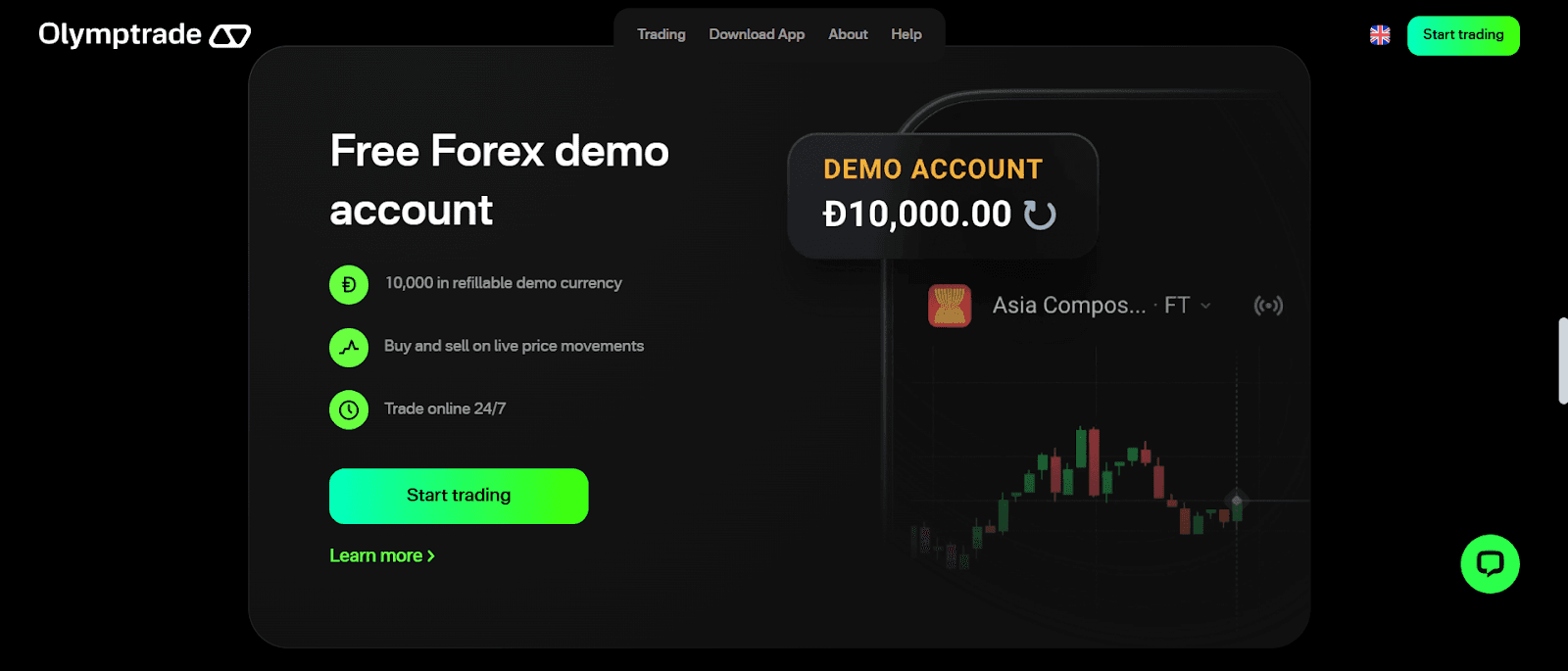
For forex traders who desire a risk-free environment to hone their trading skills, Olymptrade offers a demo account. It's preloaded with $10,000 worth of virtual currencies.
Bonus Offers and Promotions
The promotional section at Olymptrade isn't one of its strongest suits. There's only one bonus offer at the moment. This is a Boost Cube packed with trading tools. With a 5 USDT deposit, traders could unlock useful tools such as strategies, market signals, and indicators.
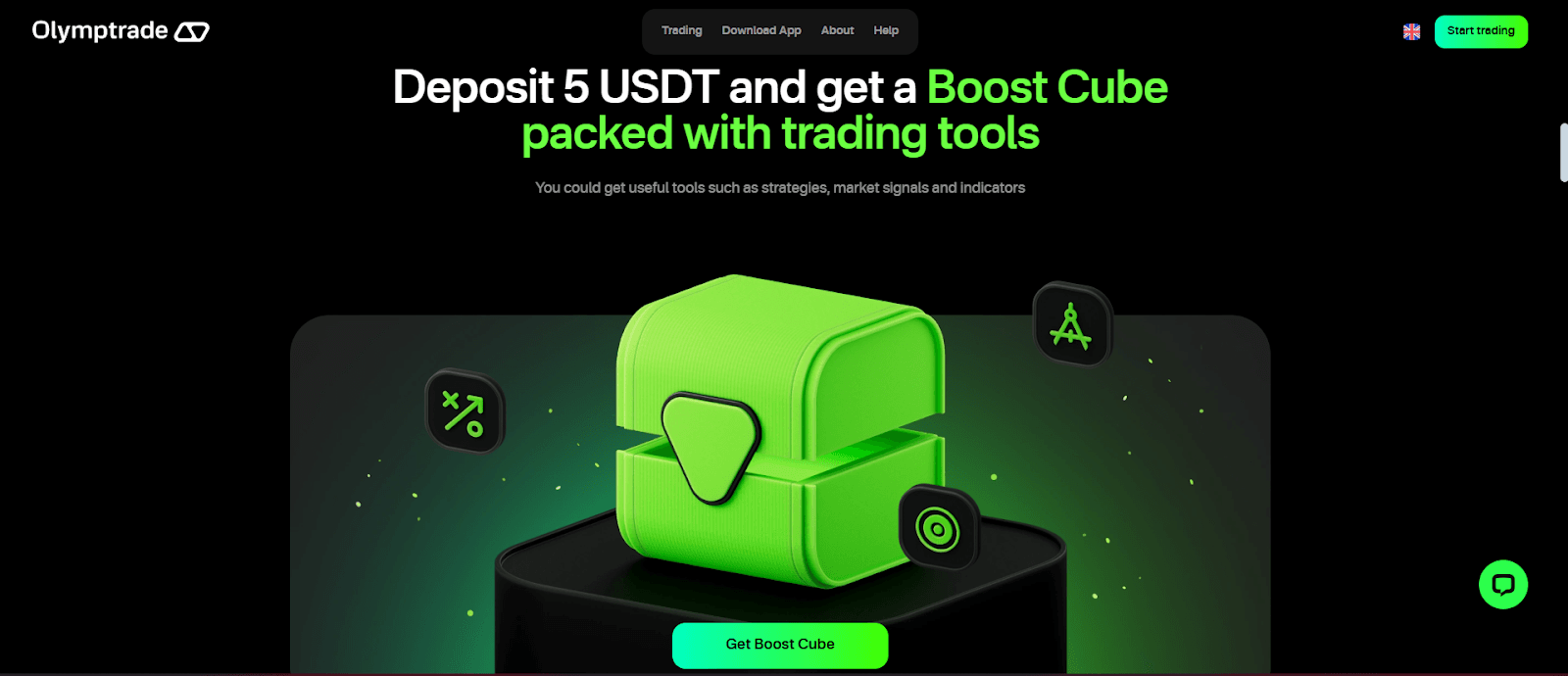
Olymptrade's promo page also highlights the significant rewards of upgrading your status. This includes a trading coach consultation, unique strategies, and exclusive webinars.
Funding and Withdrawal Options
Users can’t execute trades if their account isn't funded. This is why the funding process is essential. Payout options are equally important, as traders want to withdraw winnings from successful trades.
Olymptrade recognizes the importance of payment options. It has, therefore, partnered with service providers that meet the preferences and needs of every user. There's a seamless integration of quality and quantity.
Deposits
- Bank transfers
- Bank Cards (credit or debit)
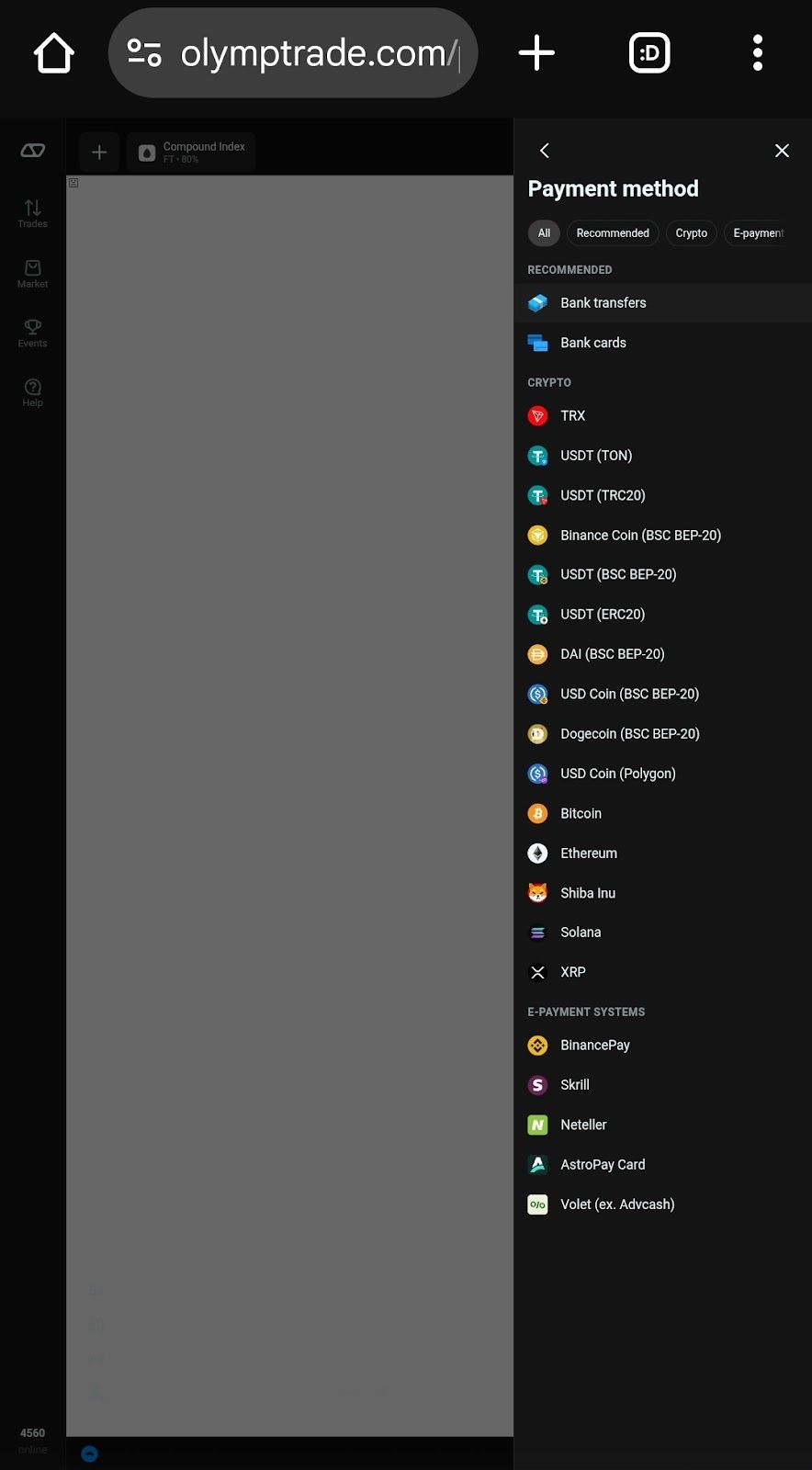
- Crypto – TRX, USDT, BNB, ETH, DAI, USDC, DOGE, BTC, SHIB, SOL, XRP
- E-payment systems – BinancePay, Skrill, Neteller, AstroPay Card, Volet
Withdrawals
The procedure of withdrawing money from Olymptrade is faster when the same payment option is used. For crypto and e-wallets, the request is usually processed on the same day. However, a bank transfer could take up to three business days.
The maximum withdrawal limit is based on your banking option, as Olymptrade doesn't impose any. However, you'll be asked to verify your account before a withdrawal request. This is due to KYC and AML policies.
Minimum Order & Lot Size
- Minimum Order Sizes
- Fixed Time Trading (FTT): A minimum $1 investment
- Forex Mode: A minimum $1 trade amount
- Stocks, Commodities, Indices, ETFs: 0.01 of a share
- Cryptocurrencies: 5 USDT
- Lot Sizes and Leverage
- Forex Mode: Leverage up to 1:500
How to Deposit Crypto
Depositing with cryptocurrencies at Olymptrade has many perks. The major ones include ease and speed. Here's how to complete a crypto deposit:
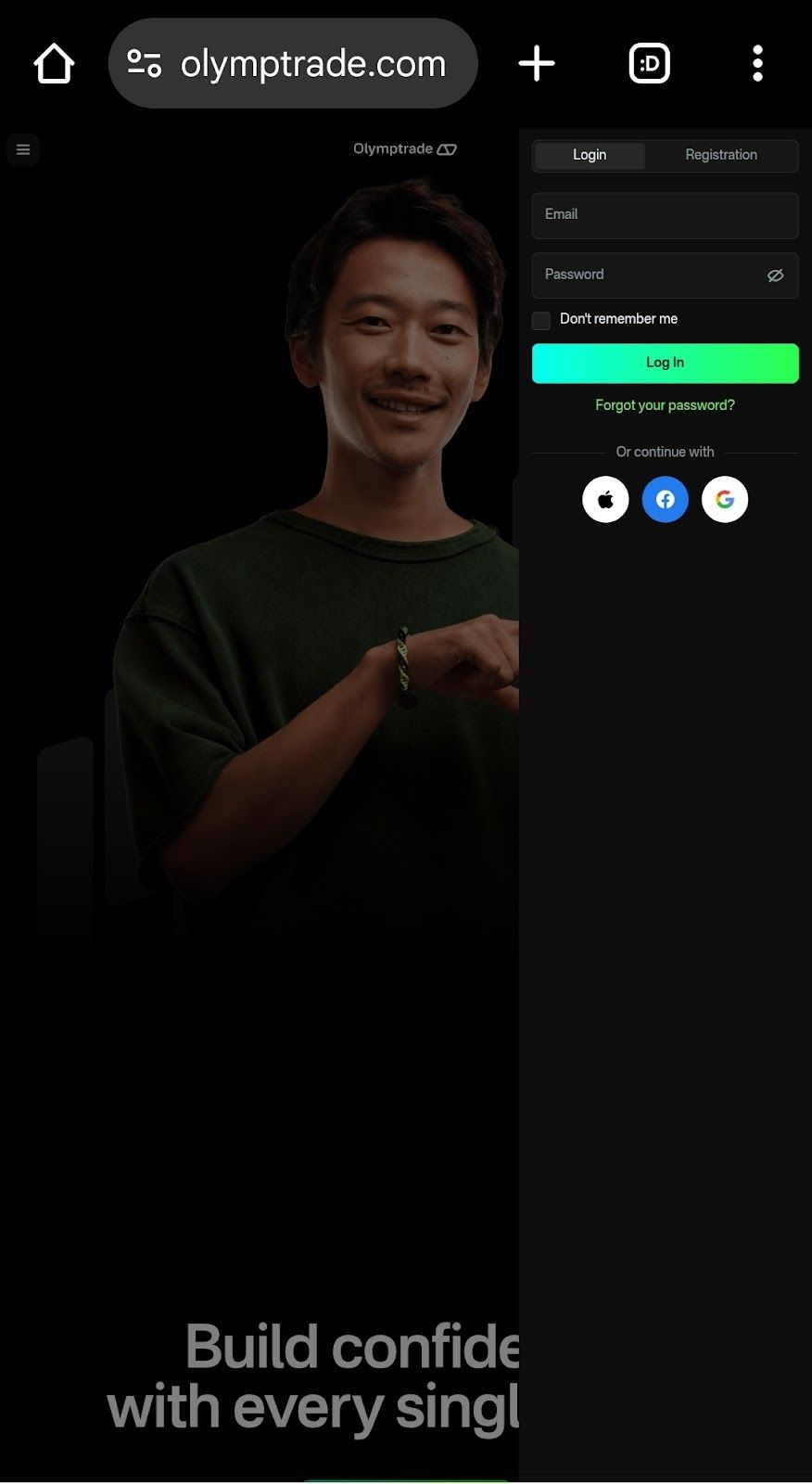
- Log in to your account: Input your email and password, then click “Log In.” You can use your Apple ID, Google, and Facebook accounts.
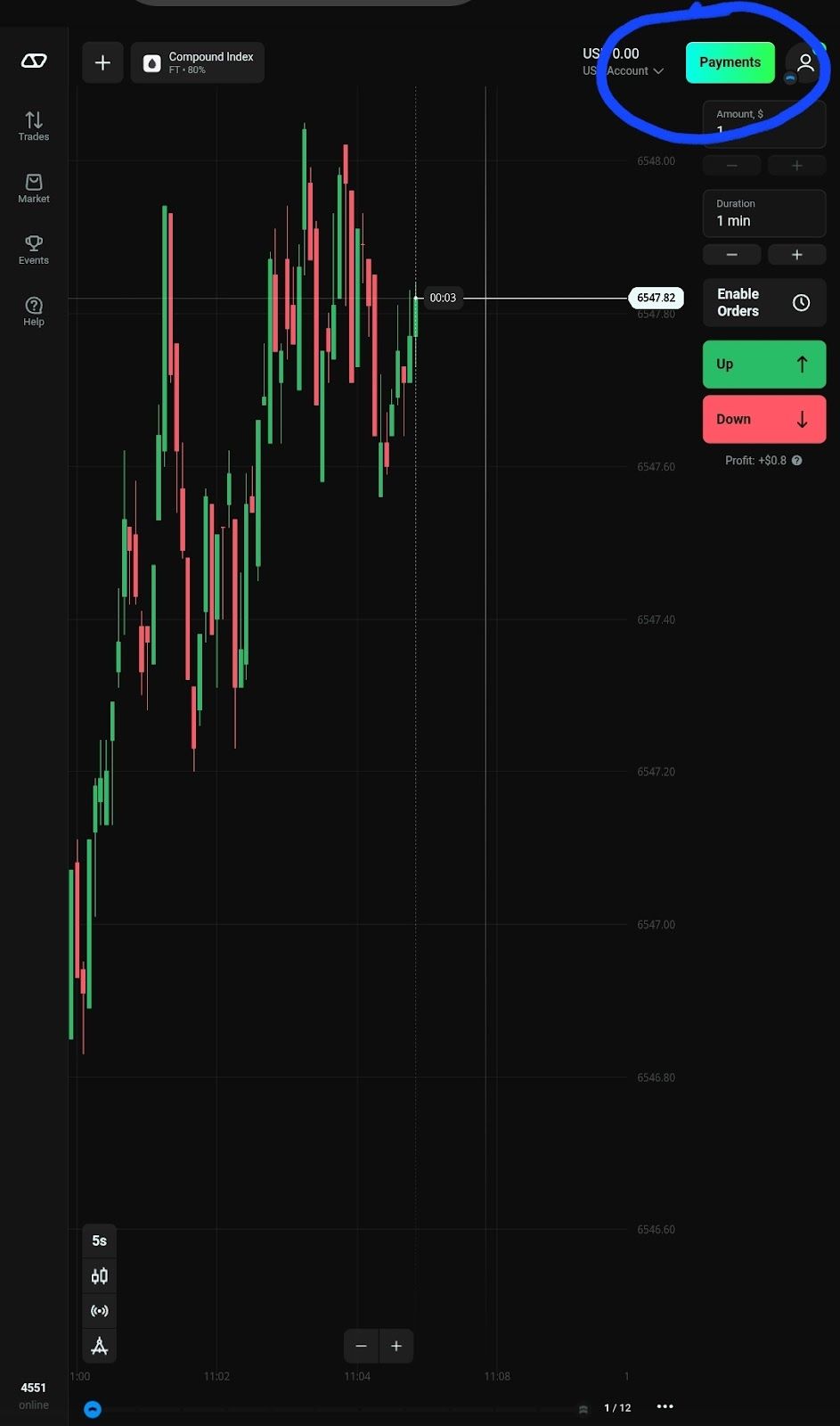
2. Go to the cashier section: Click “Payment” highlighted in green and located at the top right corner. It will redirect you to Olymptrade's payment options.
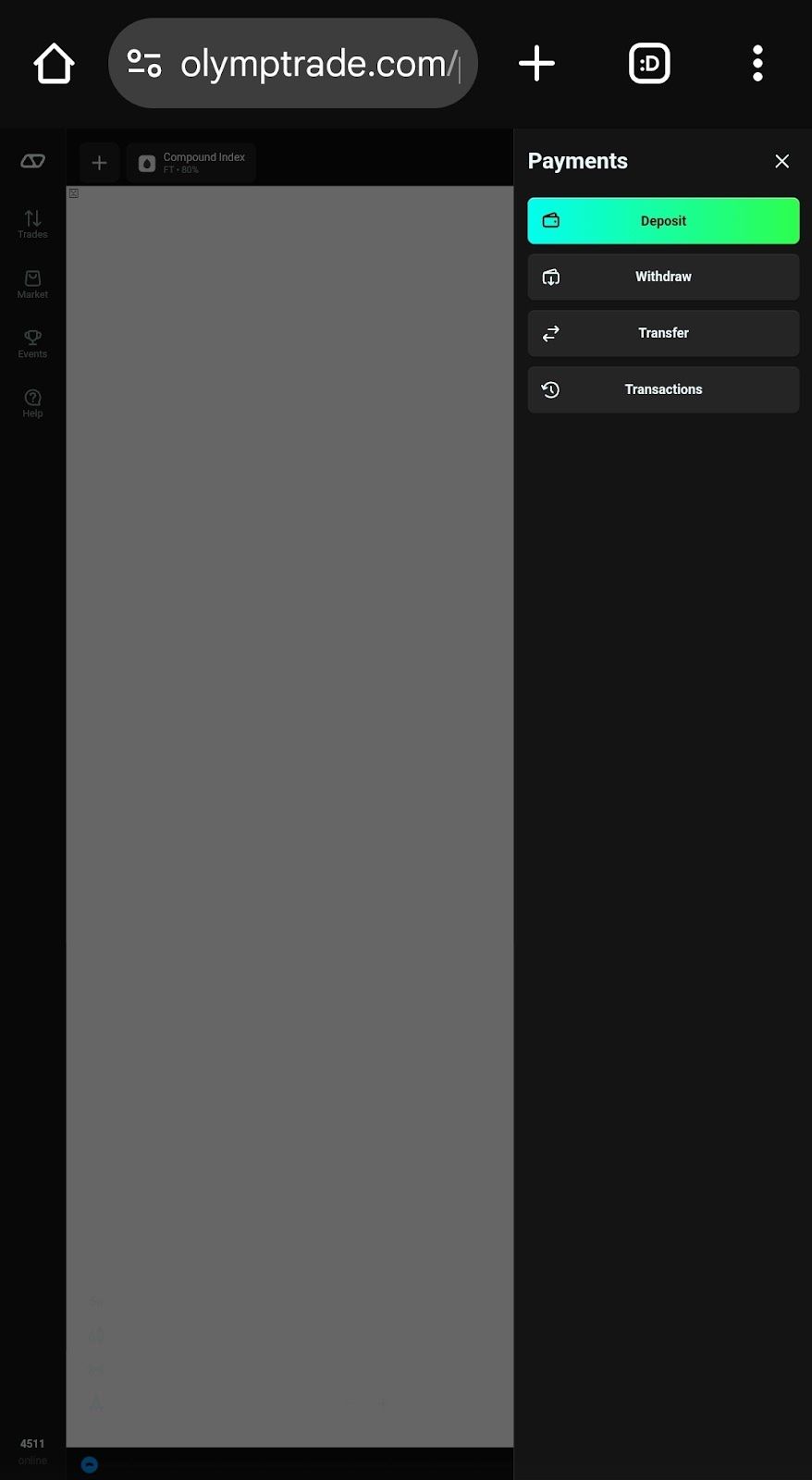
3. Select “Deposit” from the available options.
4. Choose your crypto option. Deposits can be made via Bank transfer, cards, e-wallets, and cryptos. There are 10+ crypto assets to choose from. Coins like USDT and USDC can be used on different networks. Select a cryptocurrency for which you have a wallet.
5. Input the deposit amount and click “Next.” There's a chance you can input a promo code if you have one.
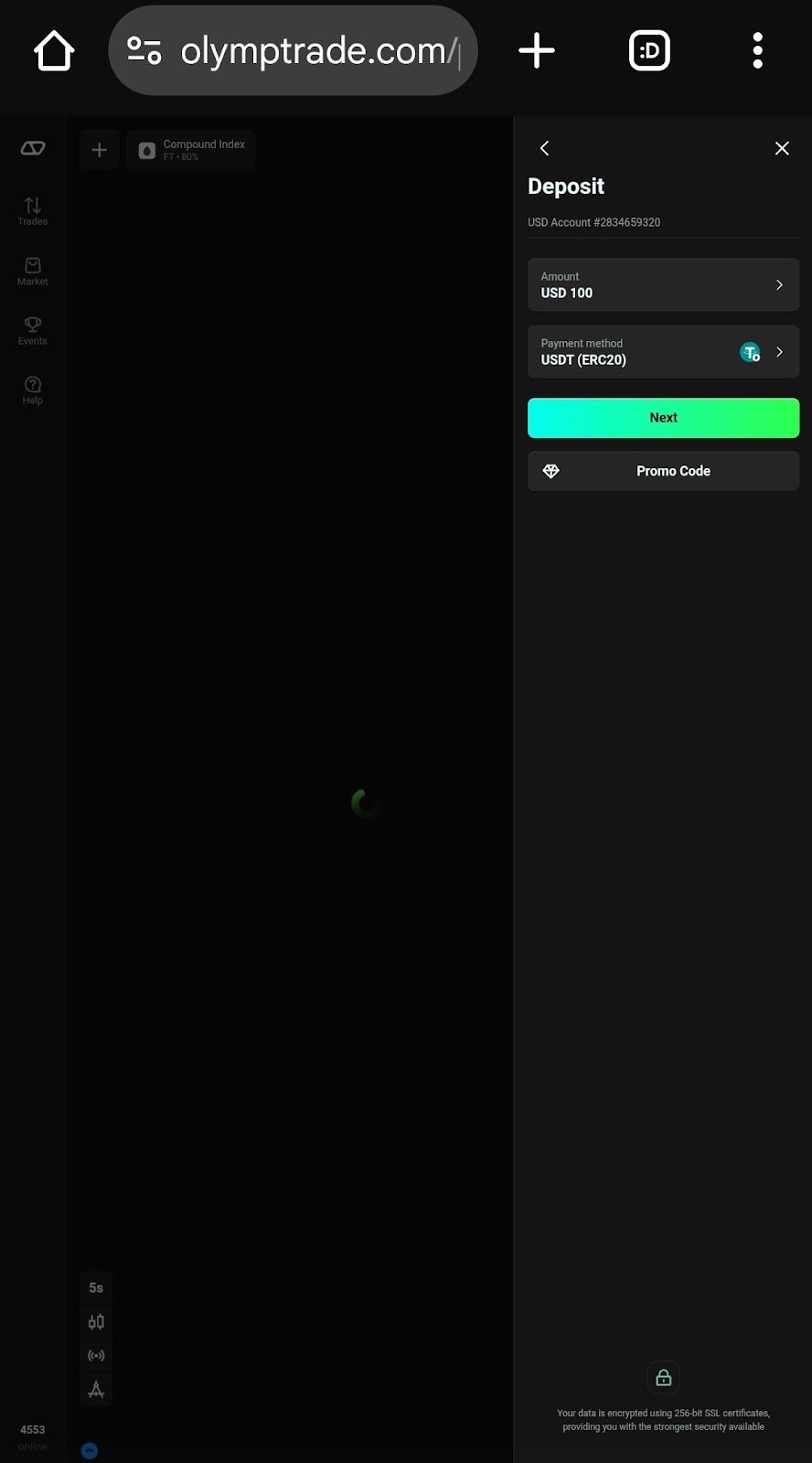
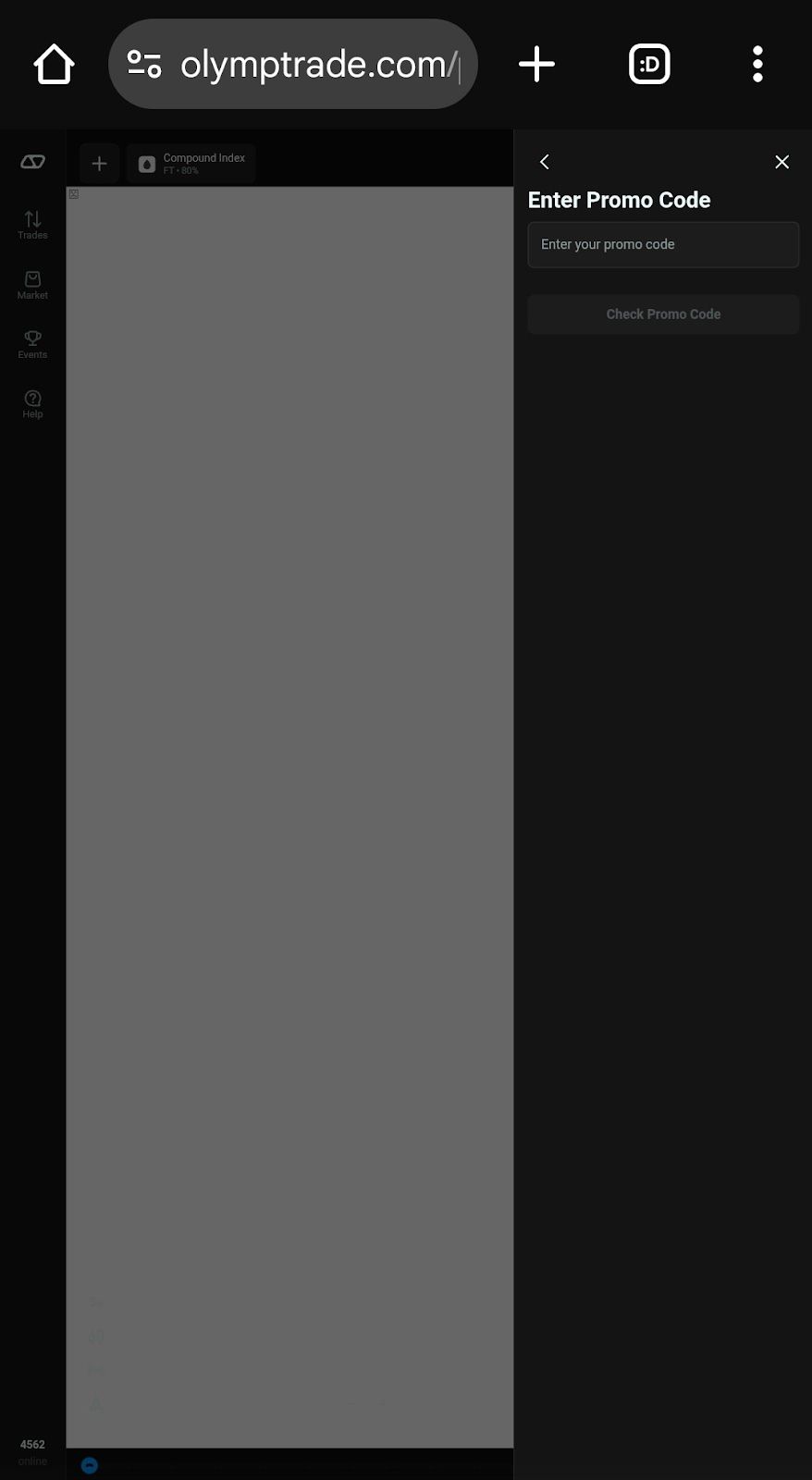
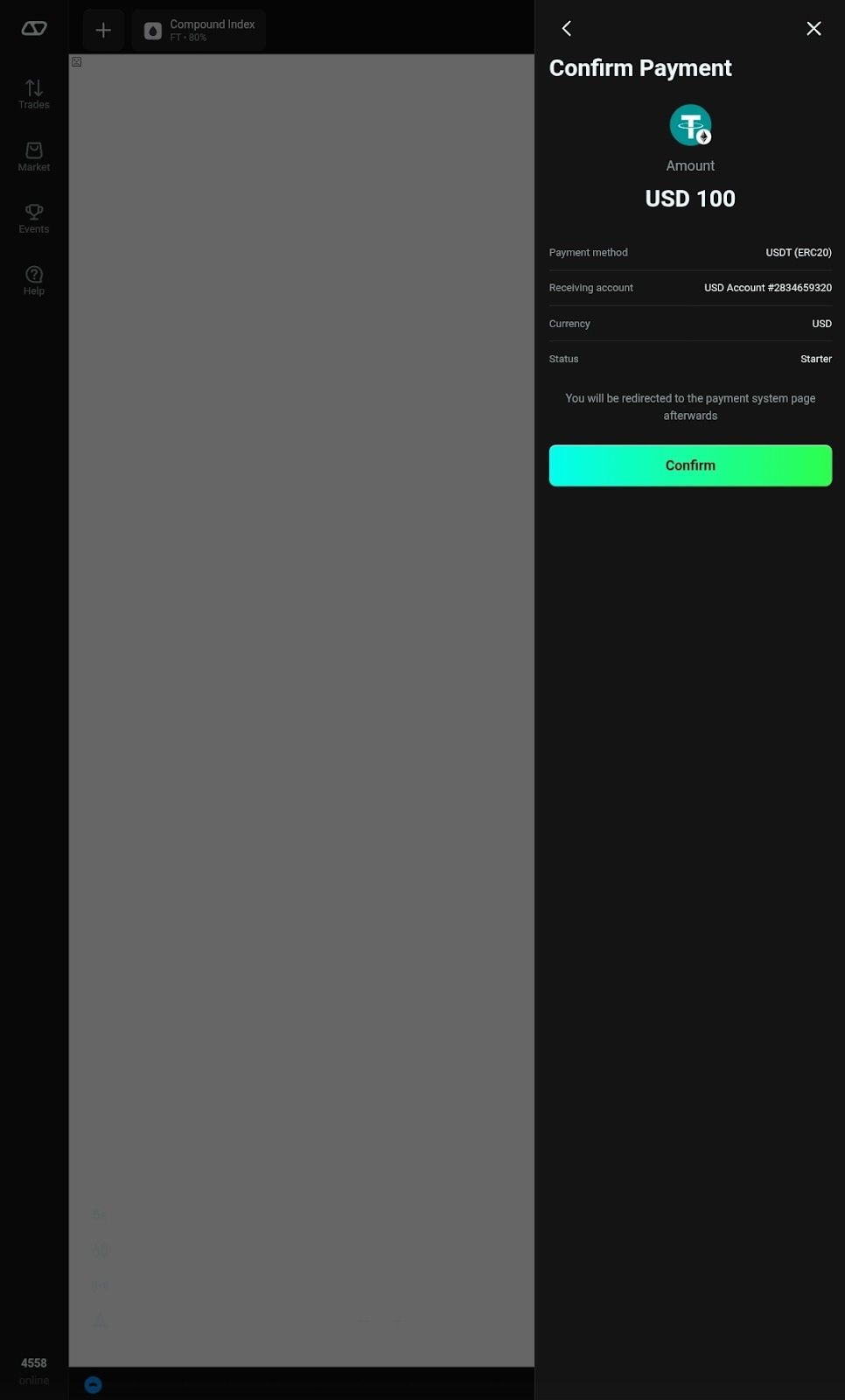
6. Confirm the payment method, receiving account, and currency. You'll be redirected to the payment system page after clicking “Confirm.”
7. Follow Olymptrade's crypto deposit prompt.
a. Copy the wallet address. Scan the QR code or manually copy and paste the address into your crypto wallet.
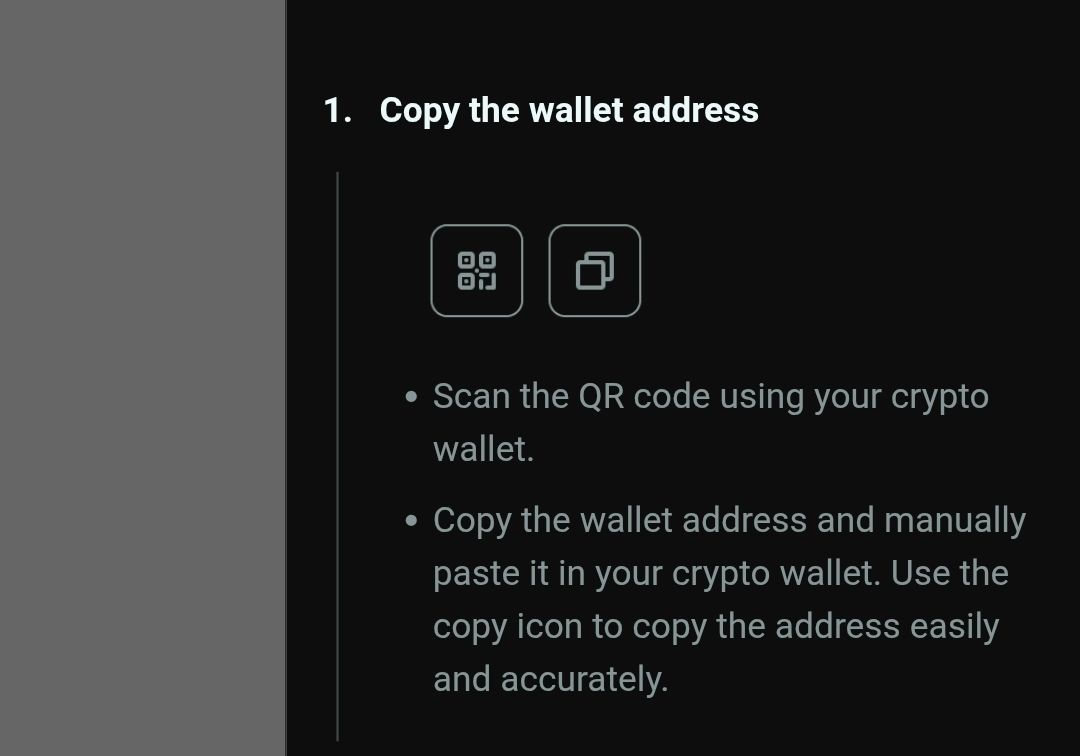
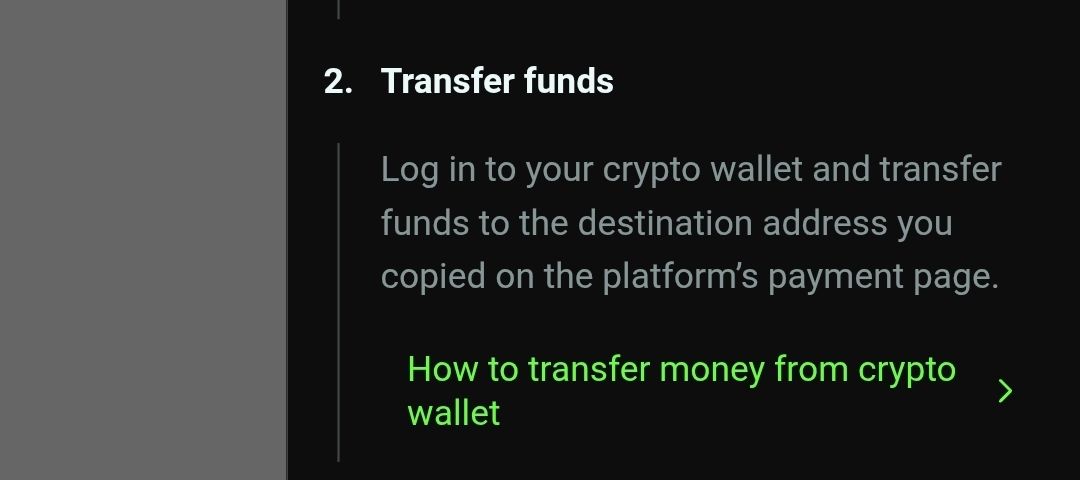
b. Transfer funds. Sign in to your crypto wallet and transfer funds to your Olymptrade wallet. Olymptrade also offers a dedicated tutorial.
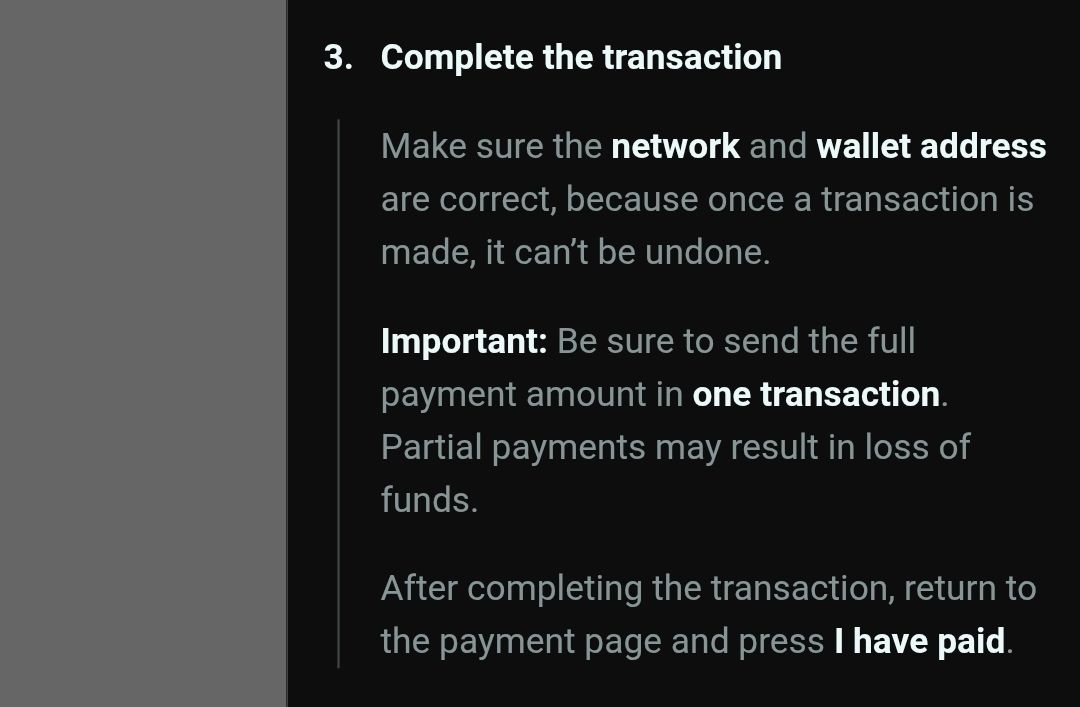
c. Complete the transaction, return to the payment page, and press “I have paid.” The funds will be reflected in your Olymptrade account shortly.
Analytical and Trading Resources
Olymptrade offers a range of tools that help you make better decisions when executing trades. Here's a breakdown:
Technical Analysis Tools
- Chart Types: choose from various chart types (Heikin Ashi, Bars, Area Chart, etc.)to envision price movements.
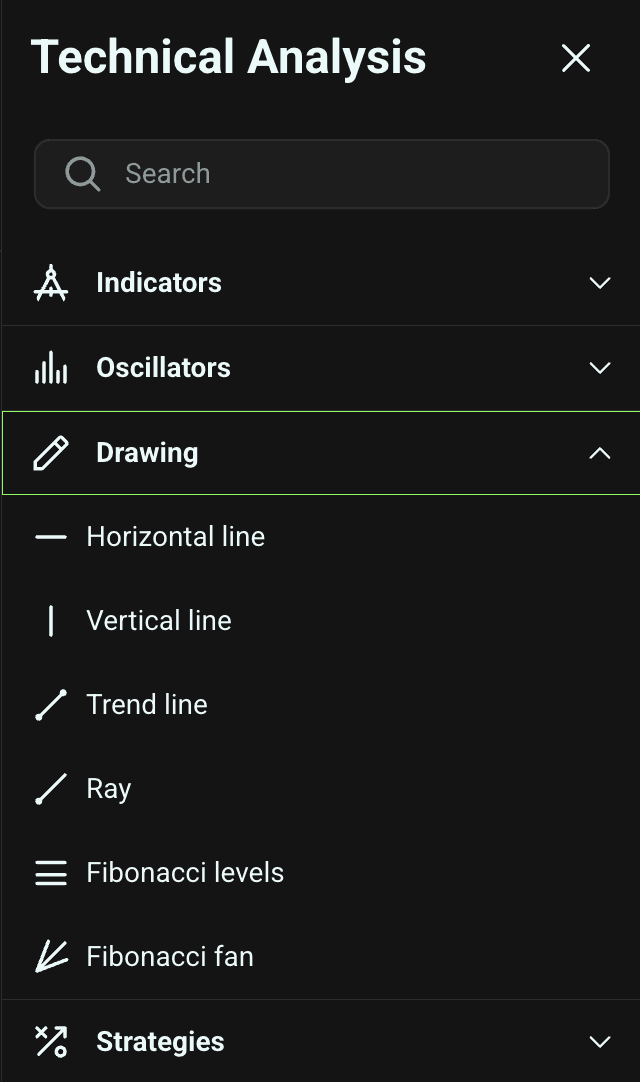
- Drawing Tools: use instruments like Fibonacci retracements to locate key areas.
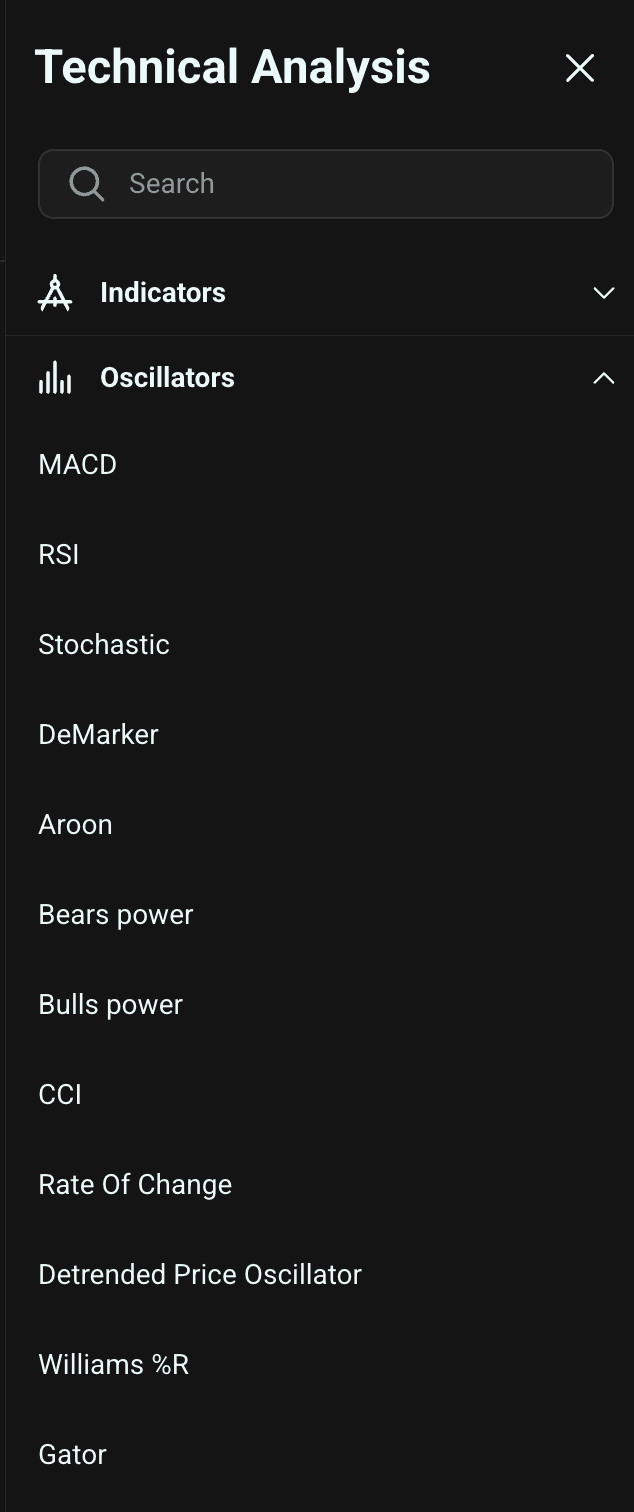
- Indicators: leverage moving averages, MACD, RSI, and Bollinger Bands, among others.
- Stochastic oscillator notifies you of assets that are overbought or oversold.
- Candlesticks show patterns that tell you where the market is headed.
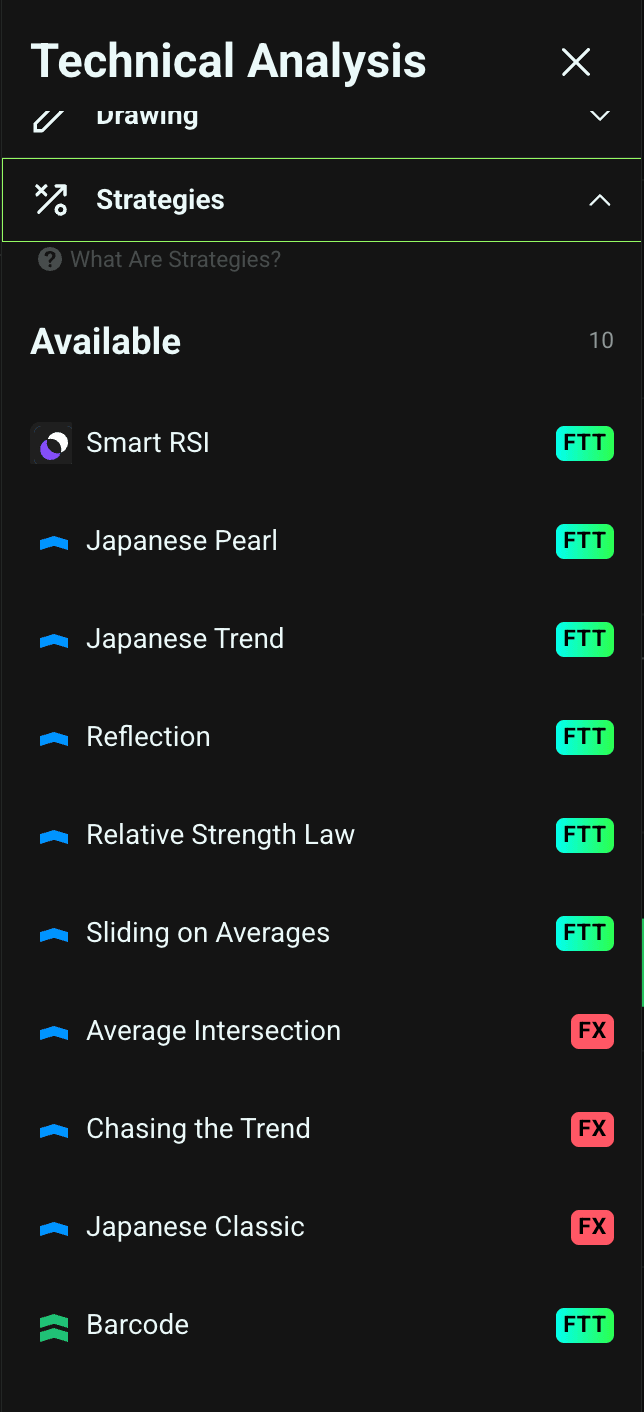
Fundamental Analysis Resources
- Insights Tool: offers expert reviews, market news, and forecasts.
- Economic Calendar: track upcoming economic events that may affect market conditions.
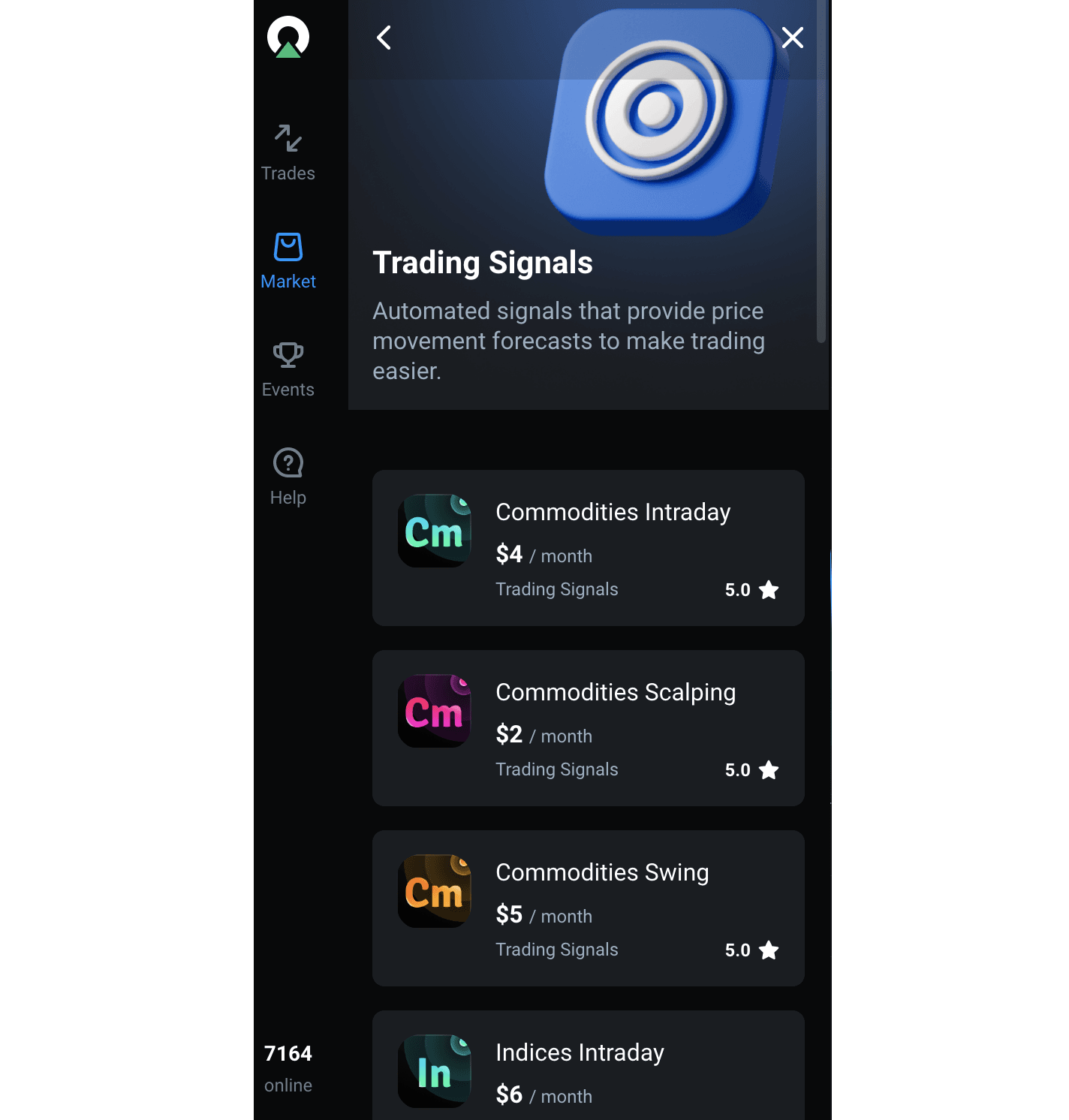
Trading Signals
- Signal Types are available for various assets, including forex and stocks.
- Signal Cost: starting from $2, depending on the asset and timeframe.
- Timeframes: signals are generated for various timeframes to accommodate numerous trading styles.
Competitions and Additional Incentives
Olymptrade offers tournaments and contests, which can be found in the Events section. At the moment, there's no ongoing event. This is subject to change, so you should constantly check the section for the latest tournament updates.
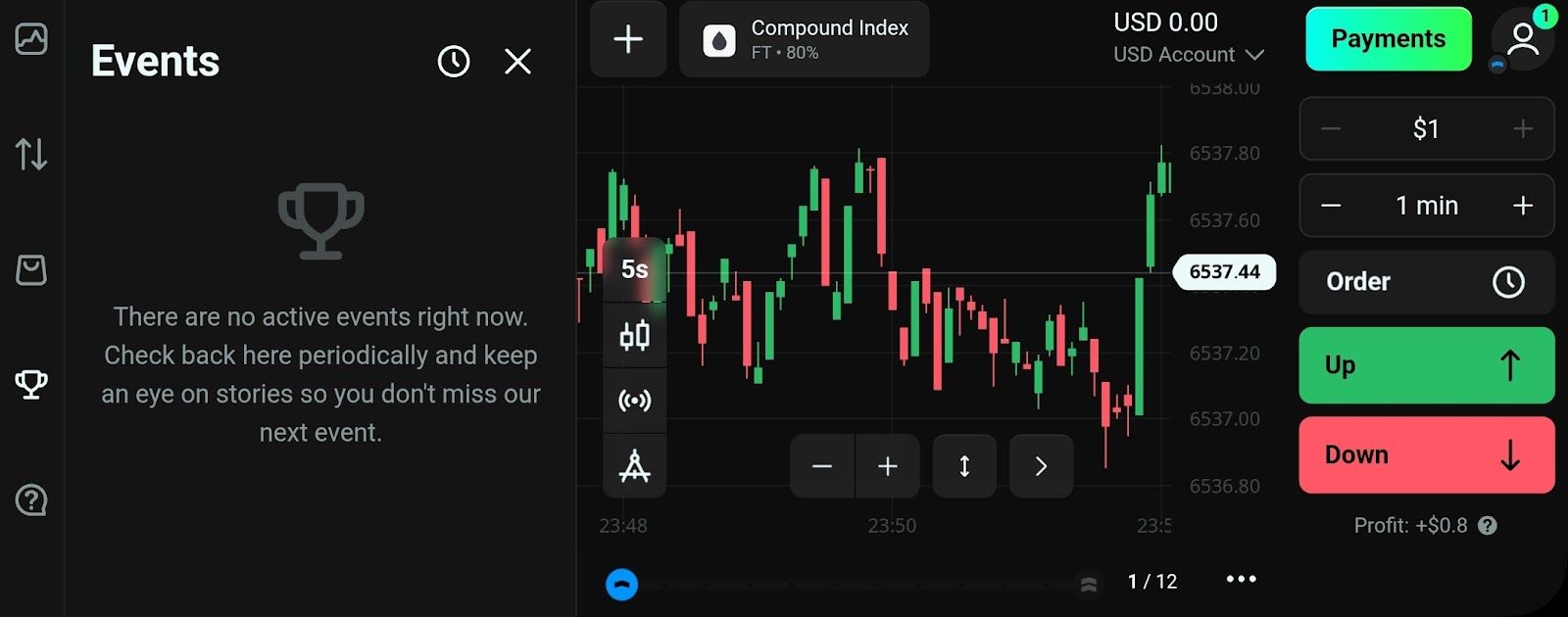
If you join any tournament, I advise you to read and understand the rules carefully. Certain events may require you to trade daily to stay eligible.
Another way you can earn an incentive is through the Referral Program. You earn bonuses by inviting friends and family.
How the Referral Program Works
Start by depositing money into your live account and making a trade (not applicable to stocks and forex). Next, request your unique link and share it with interested parties.
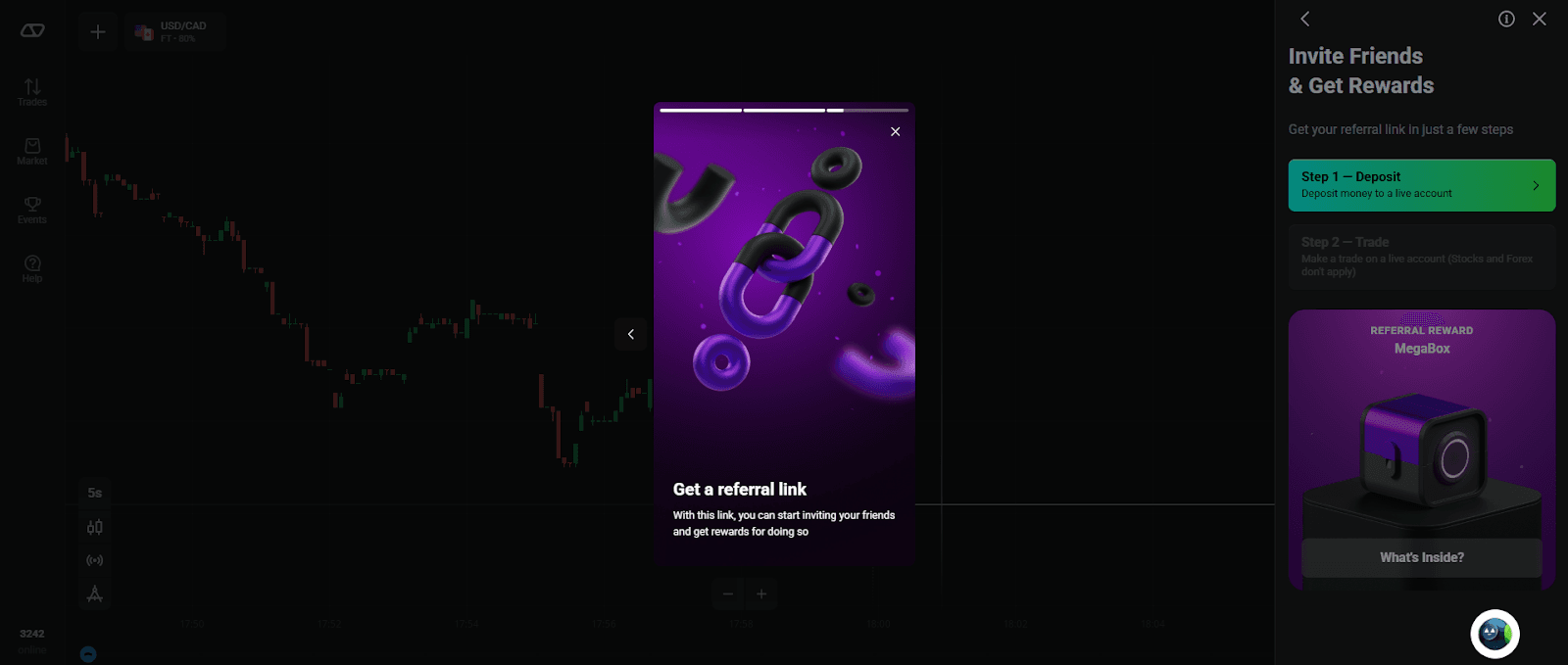
When someone clicks your link, registers, and completes a live account trade, you will both receive a MegaBox. This is a special type of the Boost Cube. Inside the box are several random items, with possible rewards such as;
- XP: up to 2,000
- Risk-free traders: up to $150
- Strategy: From Advanced or Expert status
The best part of the referral program is that there isn't an expiration date. However, you cannot share your link via paid advertisements or misleading content.
Customer Assistance and Service Quality
Olymptrade offers customer support through live chat and email. The brokerage has an expert team always on hand to answer inquiries and solve issues.
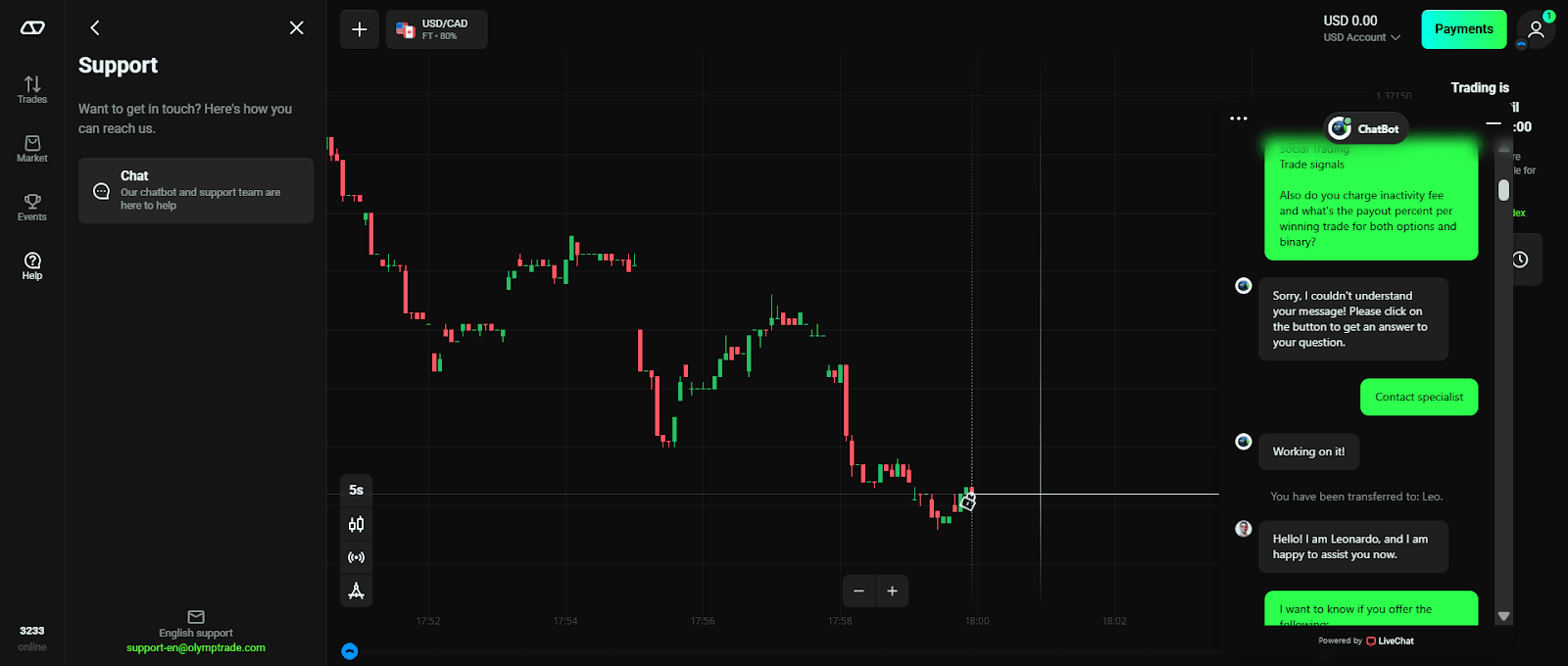
Support Channels
- 24/7 Live Chat. Starts with a chatbot that offers answers on deposit, withdrawal, verification, and deposit time frame. If the chatbot’s answers aren't enough, you'll be redirected to a specialist. Response time is usually less than 20 seconds.
- Email. For general support, contact support@olymptrade.com. Although the response via mail is detailed, it's slower than live chat. Typical mail responses take 24 to 48 hours.
Customer support speaks many languages, including English, Spanish, and French. This serves the platform's global user base, ensuring everyone can access quality support.
Additional Resource
- Help Center. Here you'll find essential topics on crucial aspects of the platform, such as deposits, statuses, and trading assets. I advise you to consult the help center before reaching out to support. The answer to the query might be there.
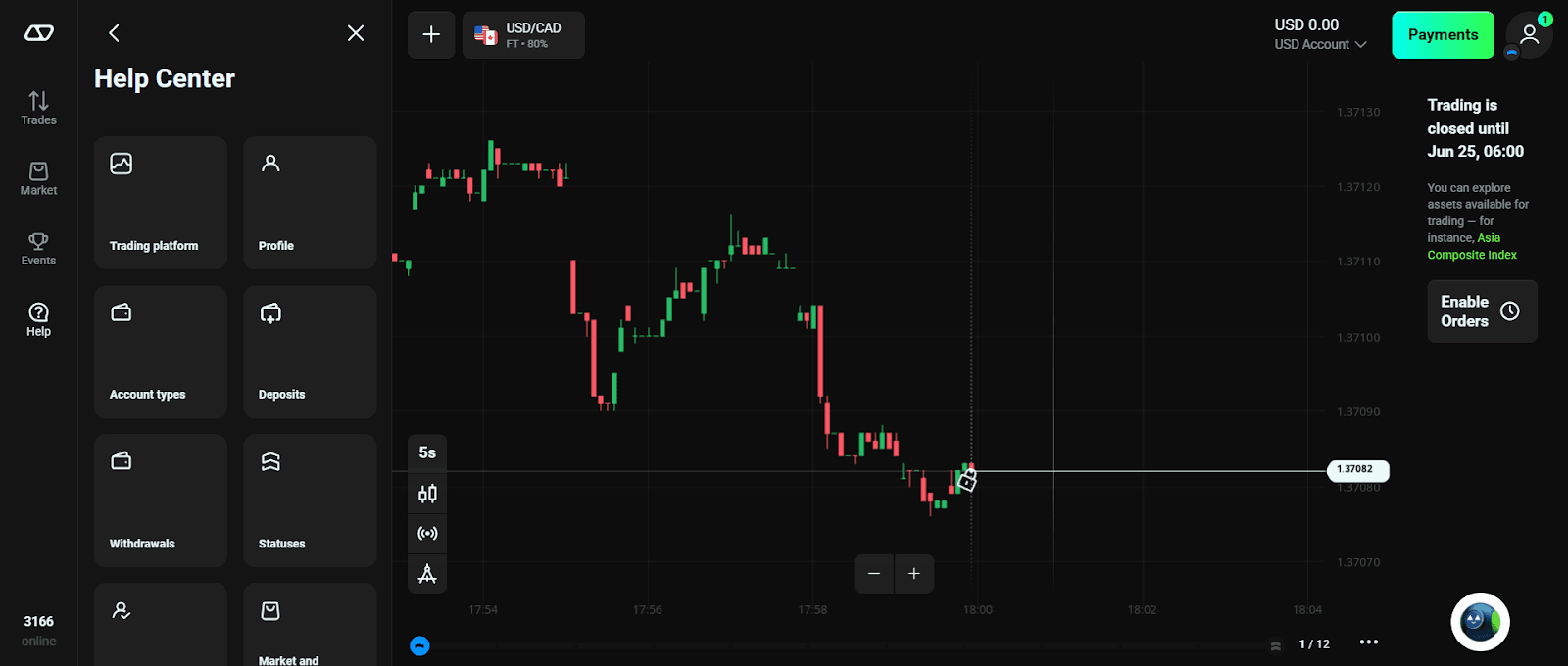
My Experience with Customer Support: Olymptrade’s customer representatives are top-notch and ready to serve their users irrespective of status. During my review, I reached out to two staff members – Leo and Sabina. They were helpful and answered all my inquiries about the brokerage and its operations.
Tutorials
Another important aspect of the platform is its intensive user training. Before you start, equip yourself with a wealth of information and vital trading abilities. This way, you'll be able to survive in the dynamic trading world.
Two options on the help page offer tutorials – Education and Trading Tutorials.
- Education: there are 14 categories featuring extensive topics to broaden your knowledge:
- How to start trading
- Fixed time guide
- Fixed time strategies
- Forex guide
- Forex strategies
- Stock guide
- Risk & money management
- Fundamental analysis
- Technical analysis
- Chart
- Japanese candlesticks
- Drawing tools
- Indicators
- Oscillators
- Trading Tutorials: here, you'll find information on how to open a Fixed Time trade. You'll be redirected to a new page.
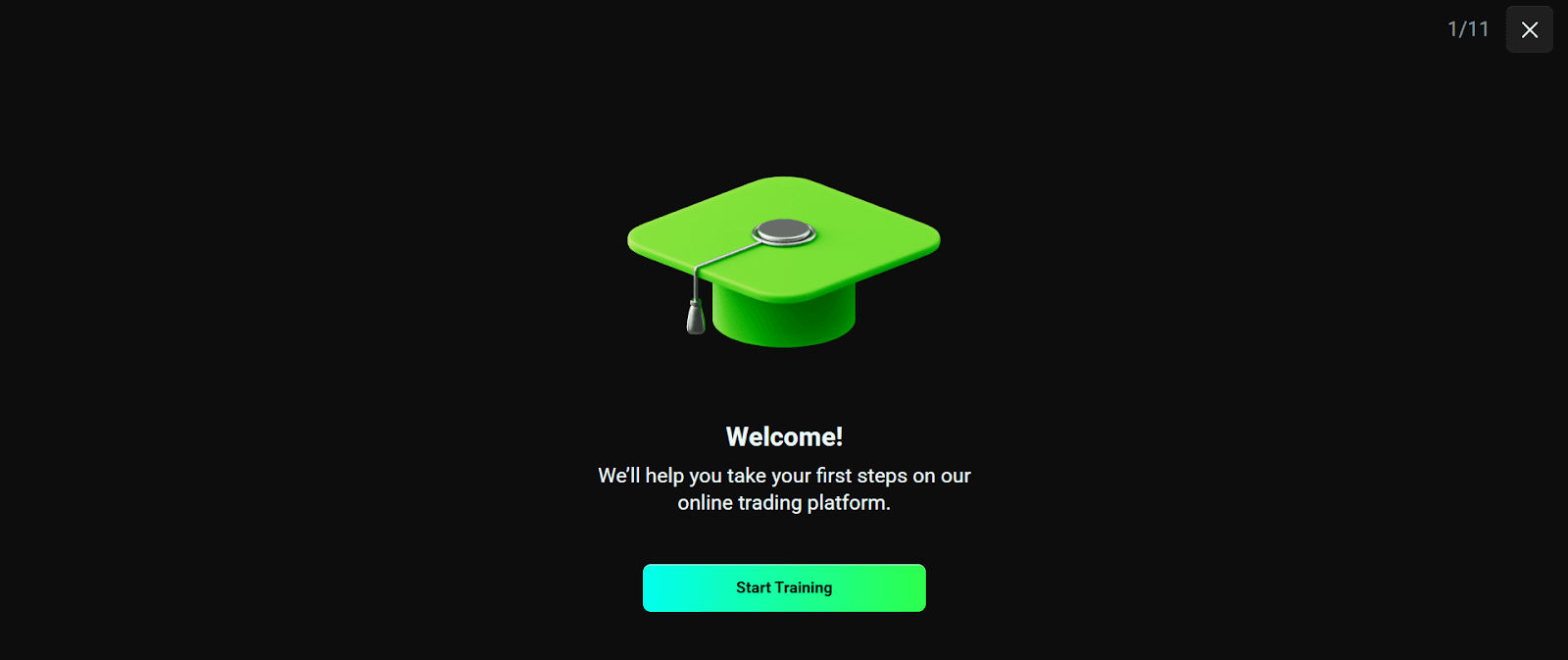
There's a 9-page slideshow that introduces you to fixed-time trading. You'll get little information about commodities and how to read the charts. Finally, you learn about the FTT profitability, how to set the amount, and duration.
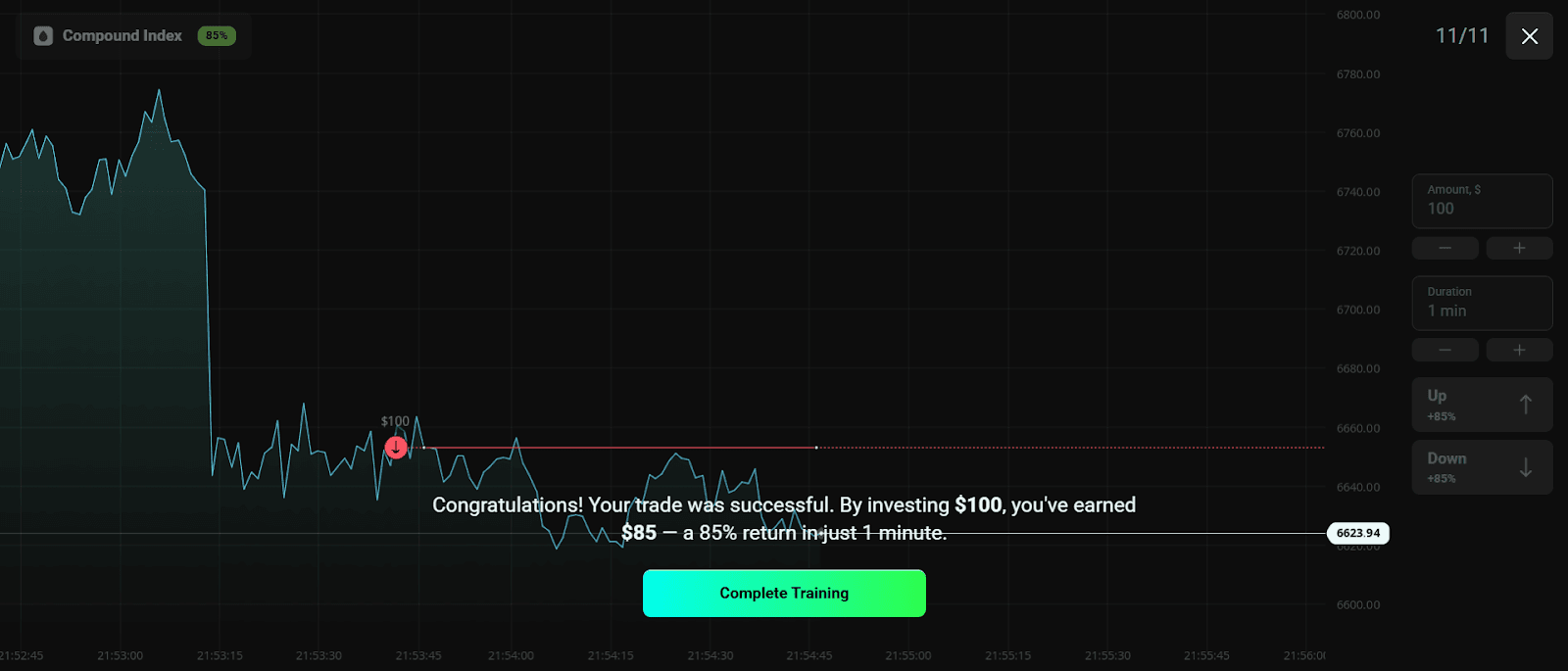
Mobile vs Web Versions of Olymptrade
Olymptrade is fully functional on the web and mobile. The web version is designed for PCs and mobile phones (adaptable). There's also a mobile app that functions on Android and iOS devices (available in the Google Play and Apple App Store).
This section covers the operation of both versions, with insights into their similarities and differences.
Web Platform Features
- Access. Available via any modern browser. The web platform provides a comprehensive trading environment.
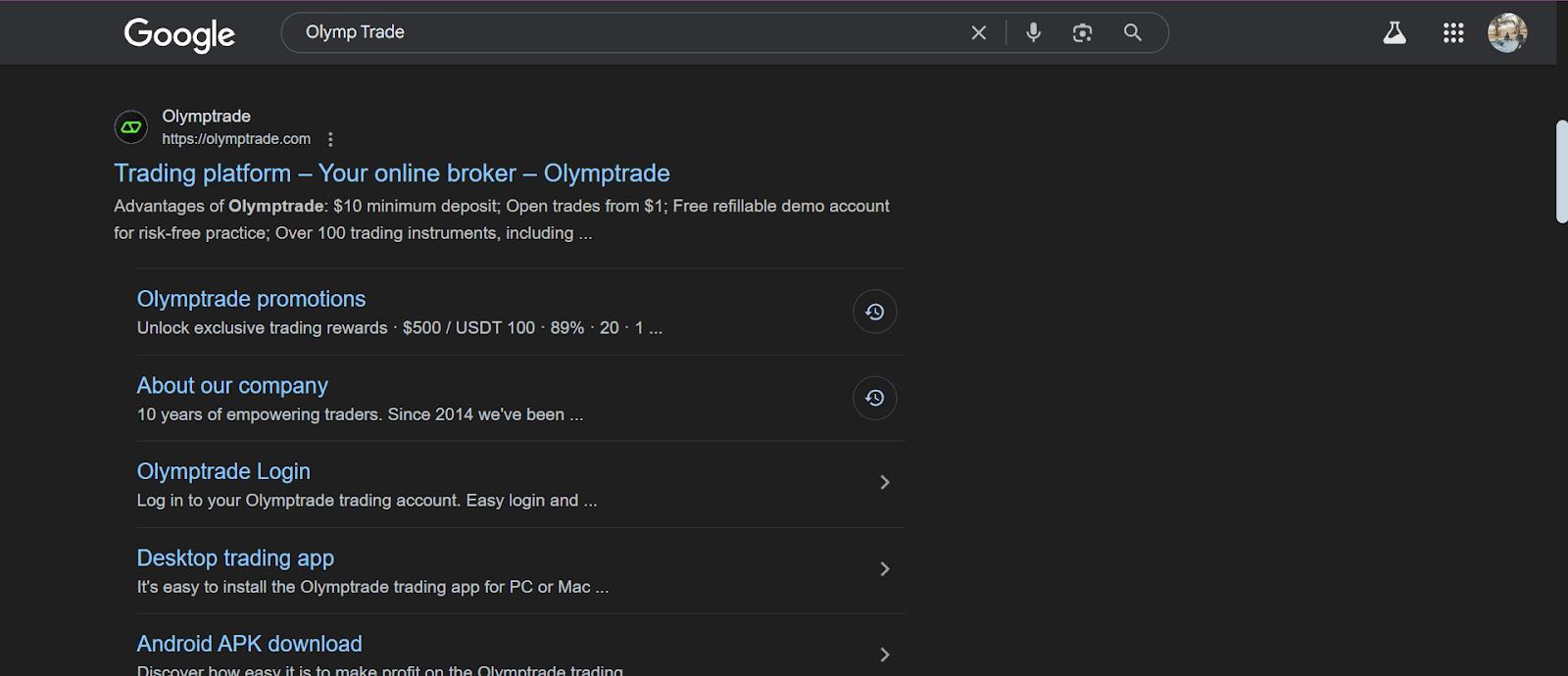
- Interface: features a clean layout with a left-side menu for asset selection, a central charting area, and a right-side panel for trade execution and account details.
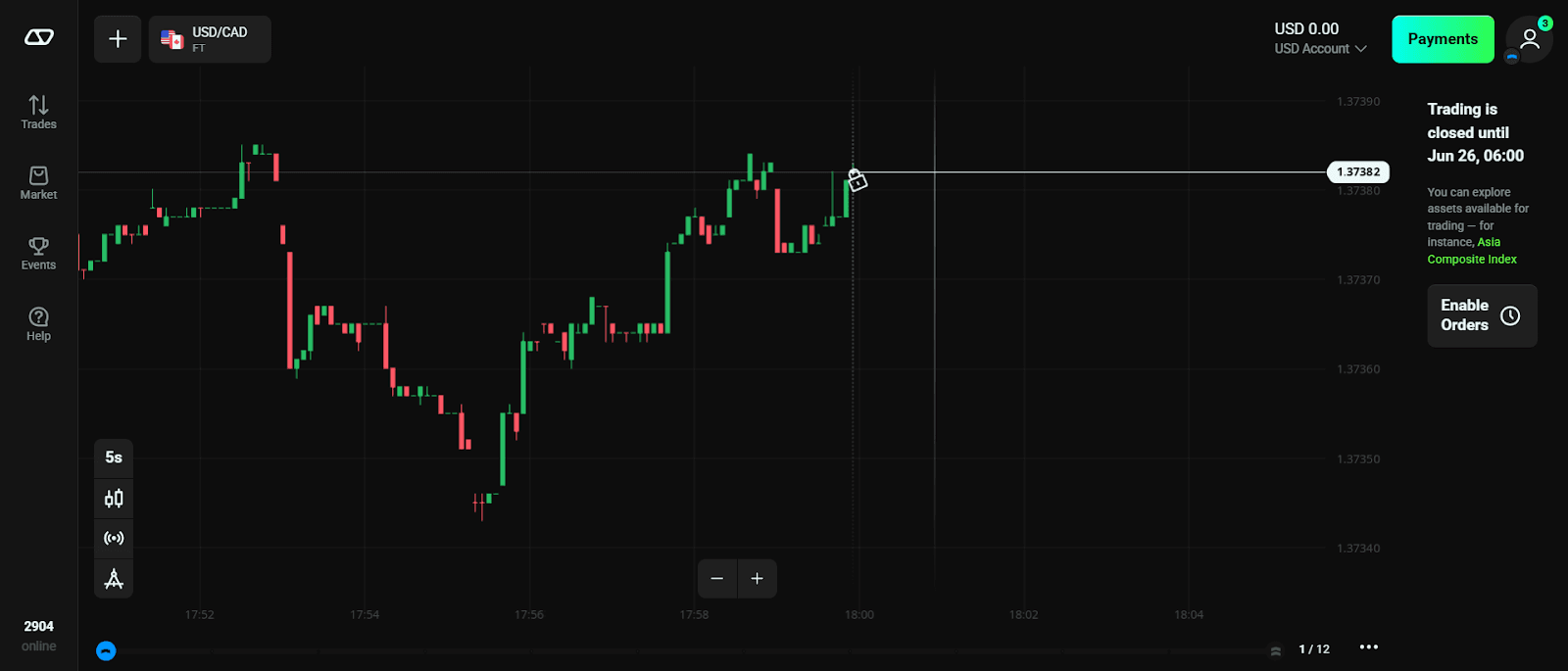
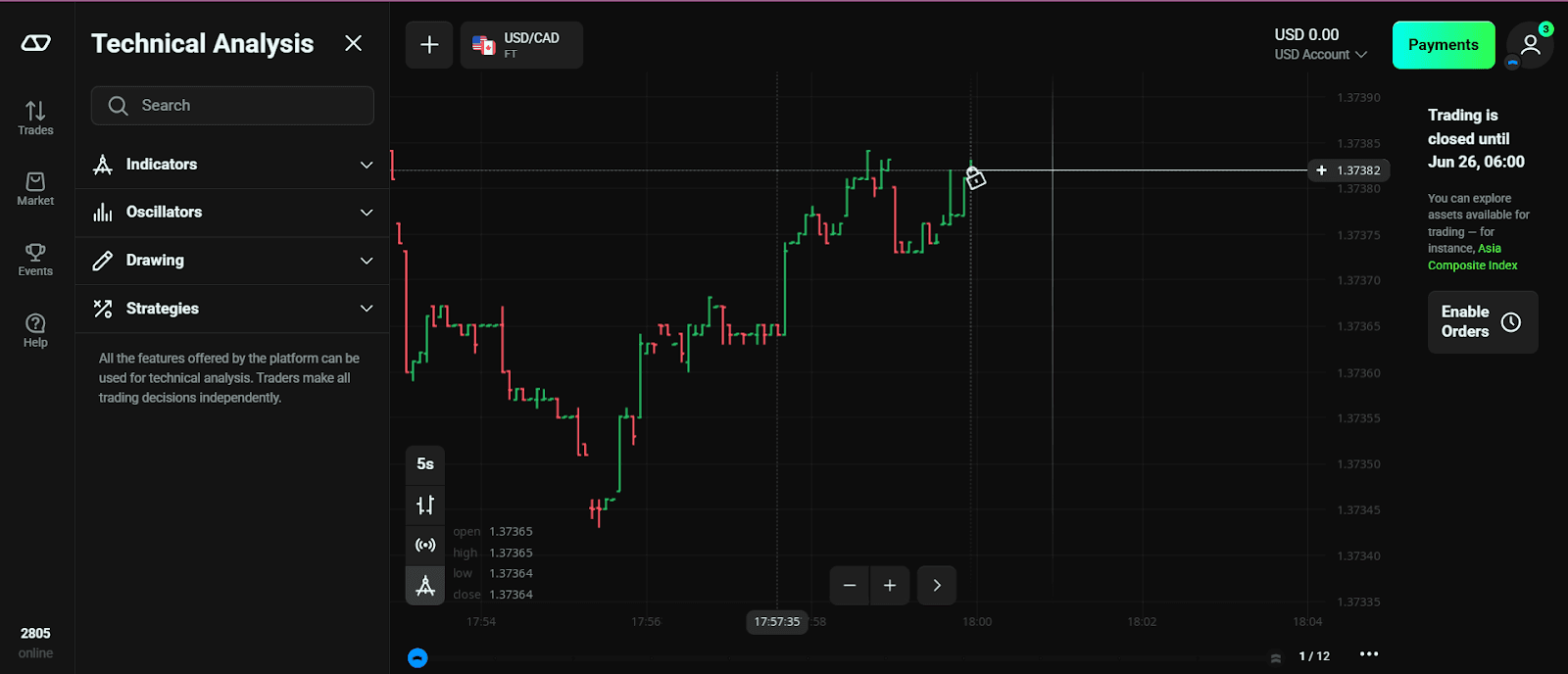
- Tools: offers a wide array of technical analysis tools. This includes various chart types, indicators, and drawing tools.
- Account Management: alows easy access to account settings, deposit/withdrawal options, and trading history.
Mobile App (Android & iOS)
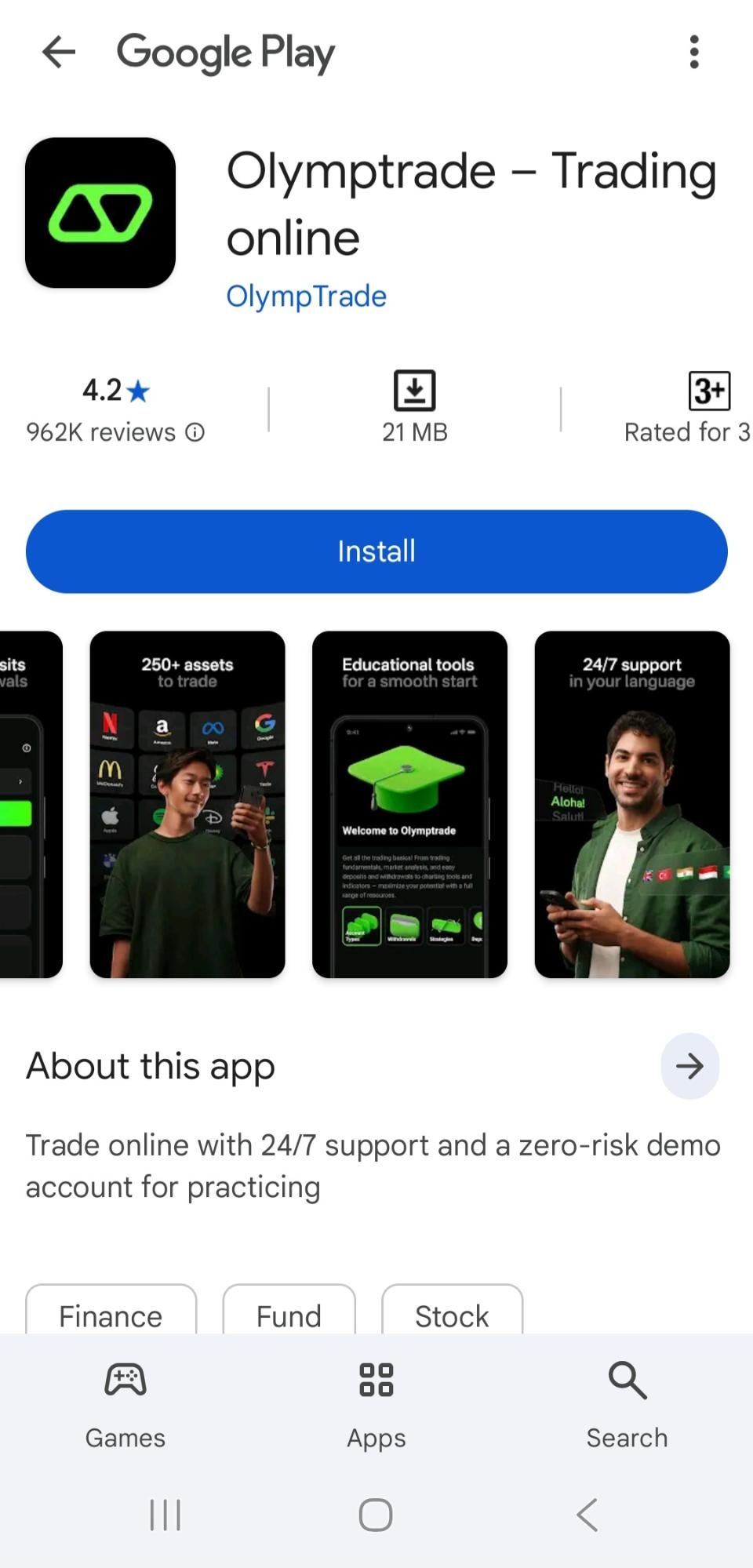
Check Google Play or the App Store to download the mobile app. The reviews are excellent, with the Android app having 4.2 stars and the iOS version having 4.8 stars.
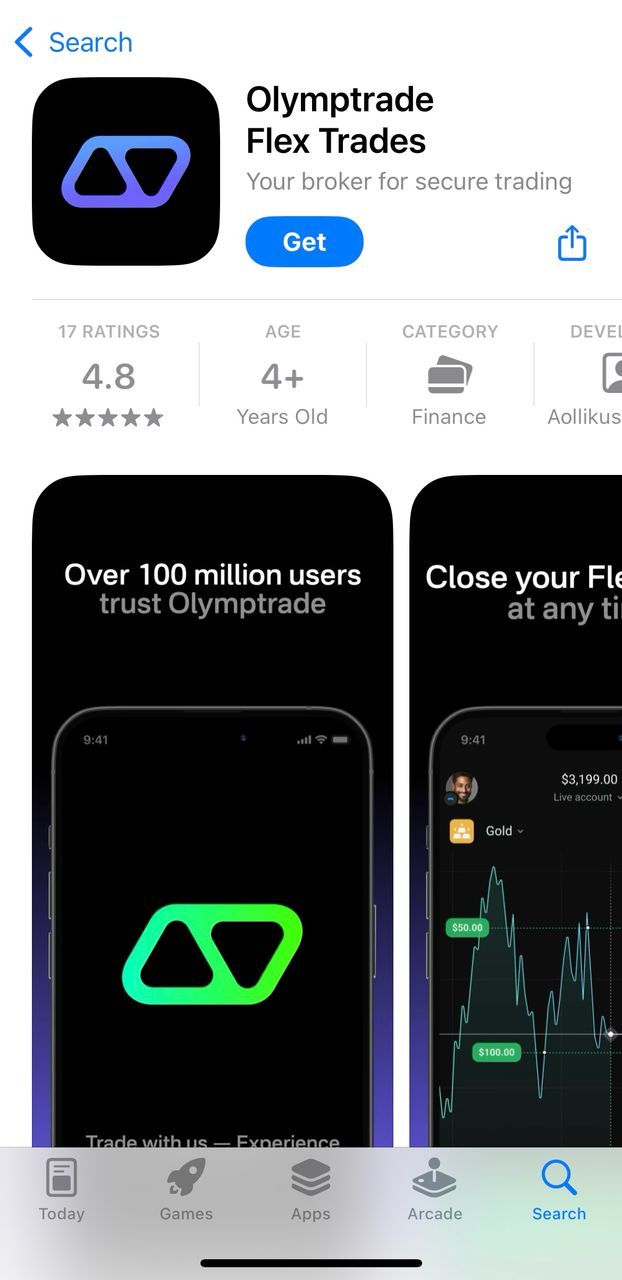
Registration and Verification
After downloading the app, the brokerage first offers a tutorial on how to trade. This is similar to the steps from the tutorial section. Then you are asked to sign up.
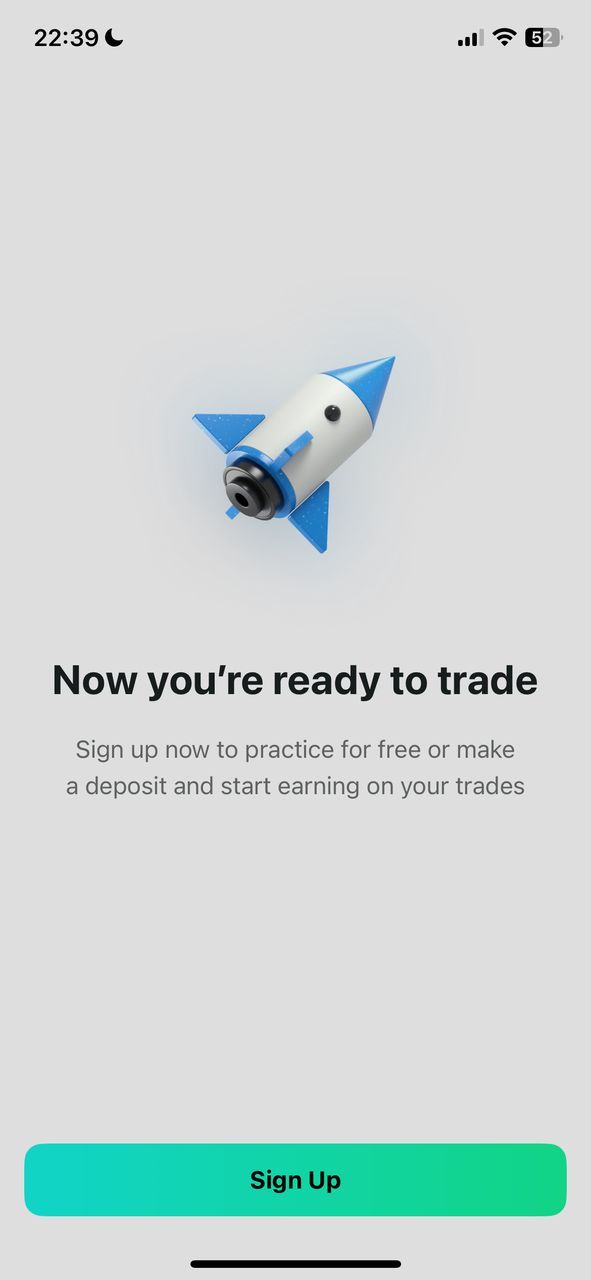
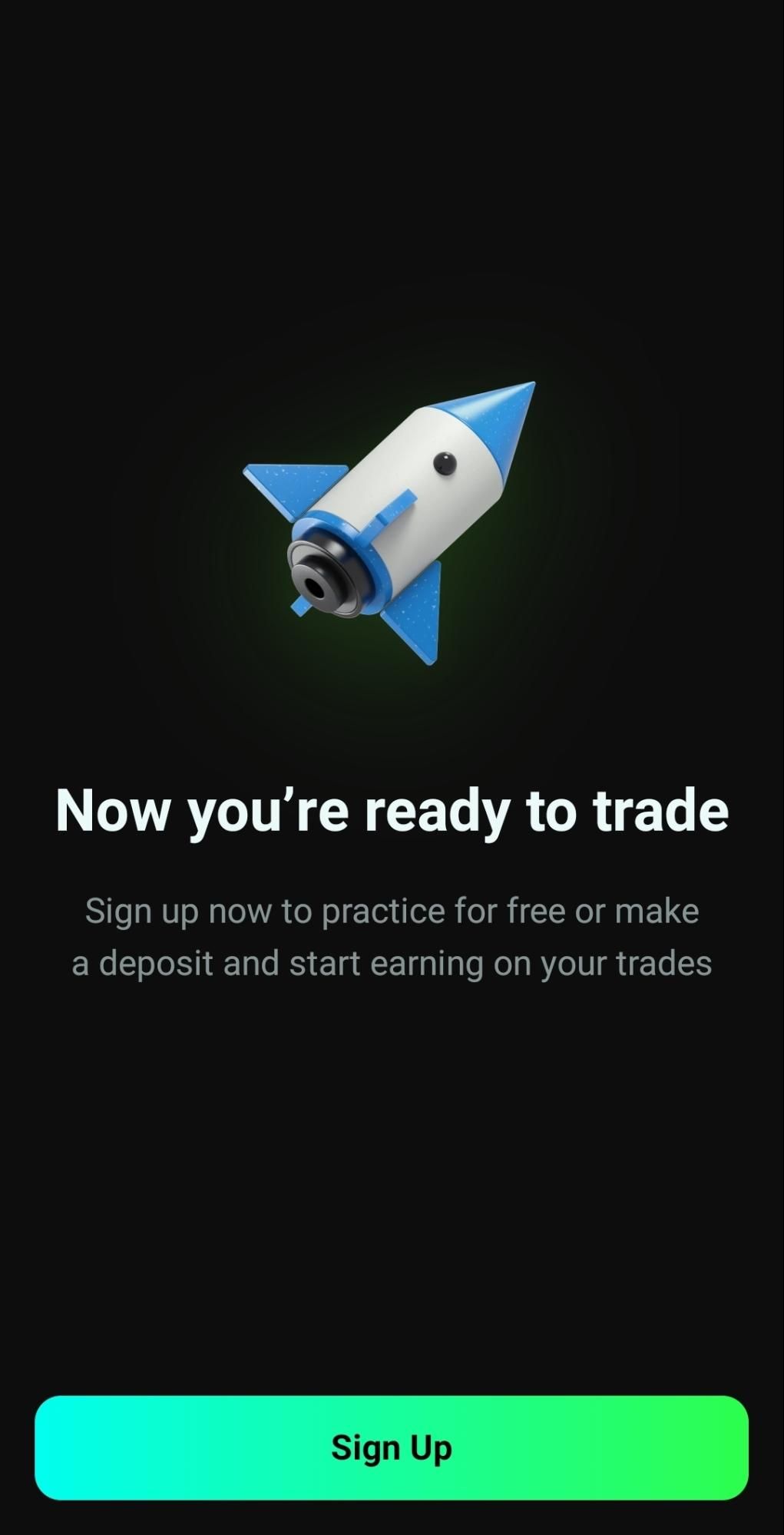
The sign-up process is the same as the web version. You are to provide your email address and a secure password. You can also create an account via Apple ID, Google account, or Facebook.
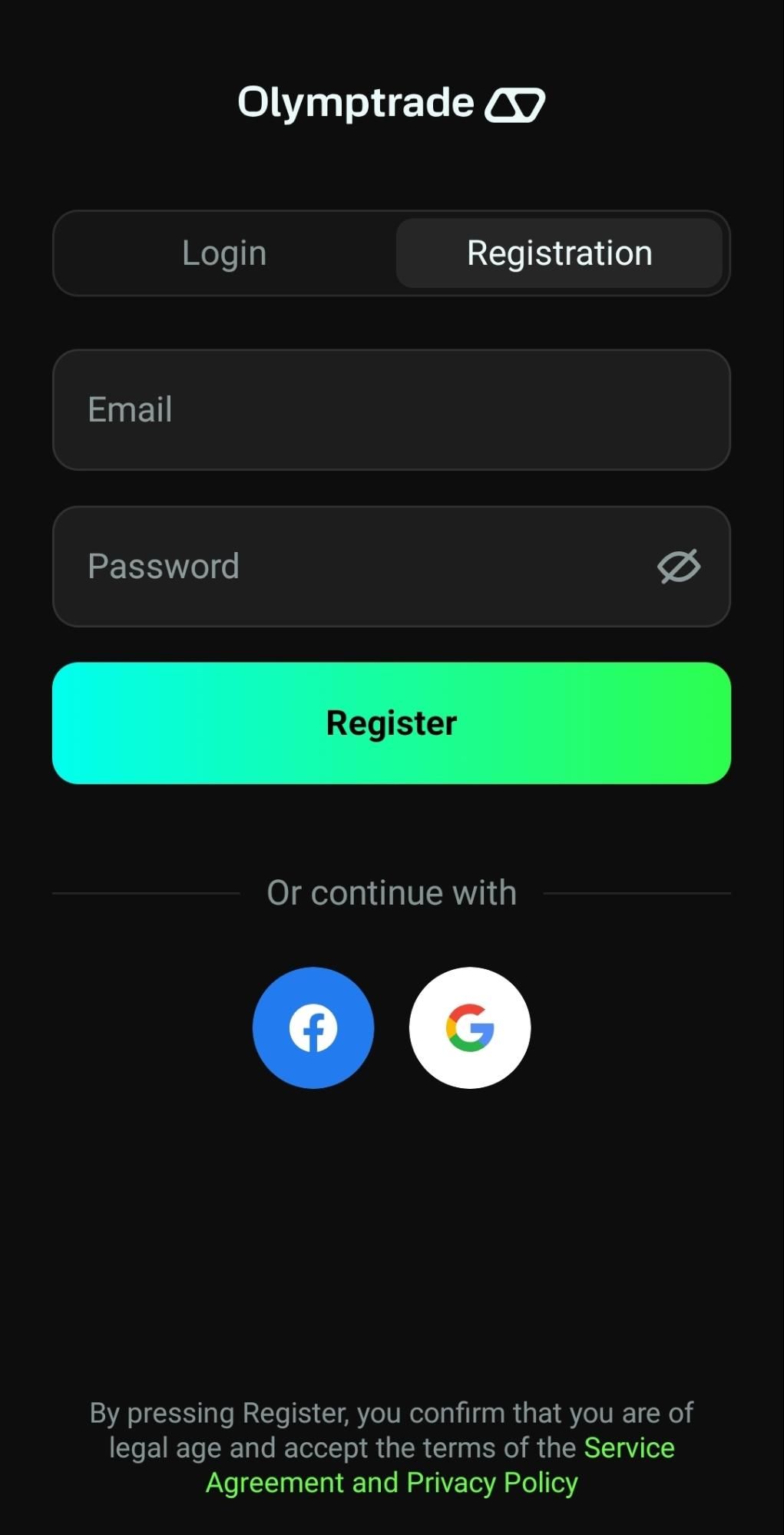
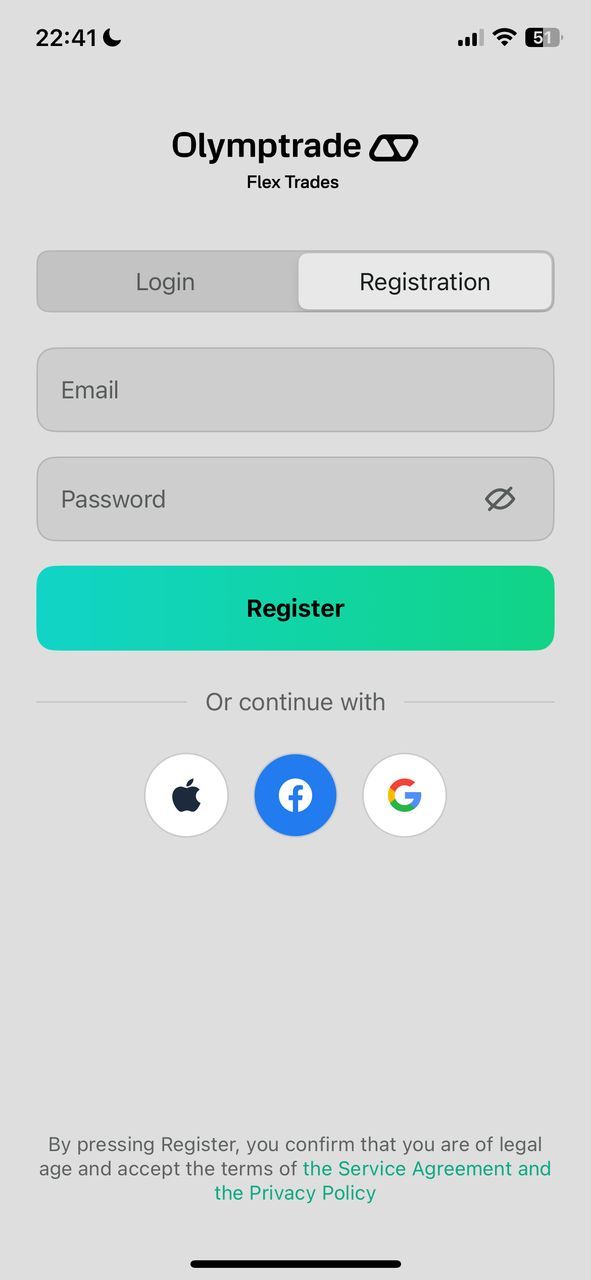
Verify your email using the confirmation link sent. Complete the KYC procedure by submitting your ID and proof of address.
Placing Orders
- Select an asset from the Assets tab.
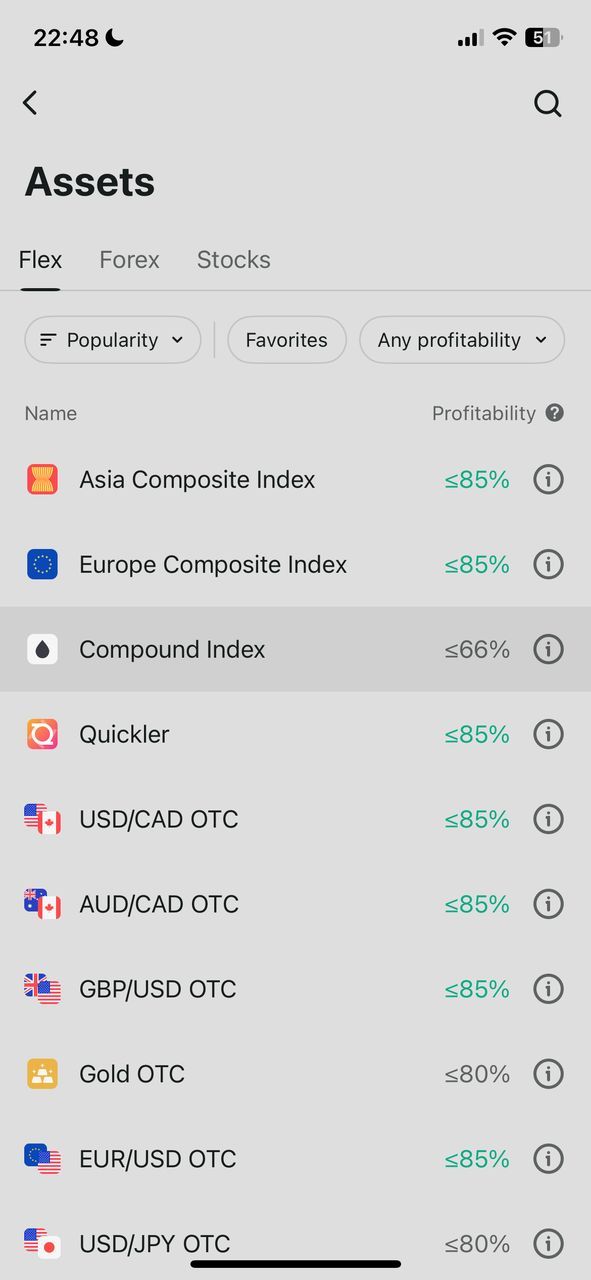
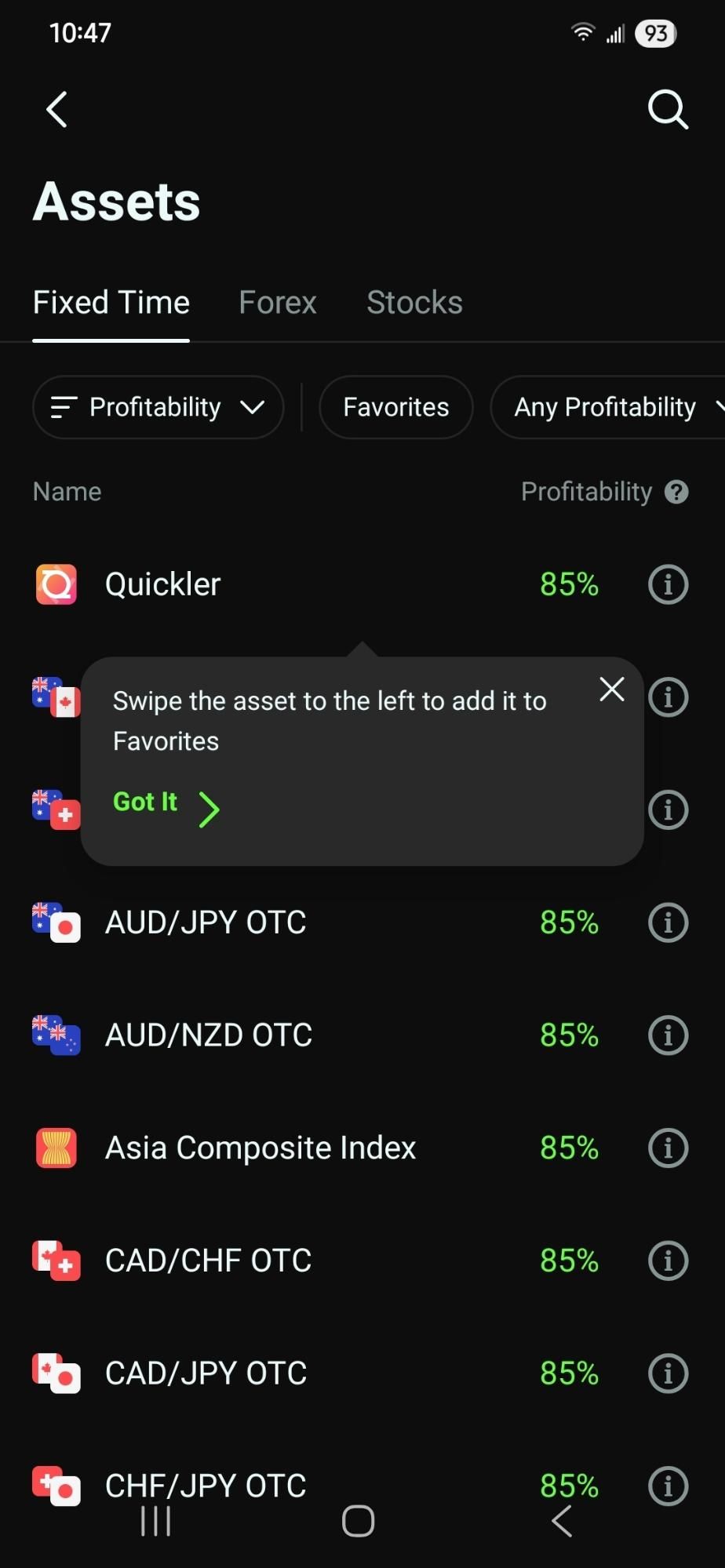
- Choose your trade type (e.g., Fixed Time or Forex).
- Set the amount, duration (for Fixed Time), and direction (Up/Down).
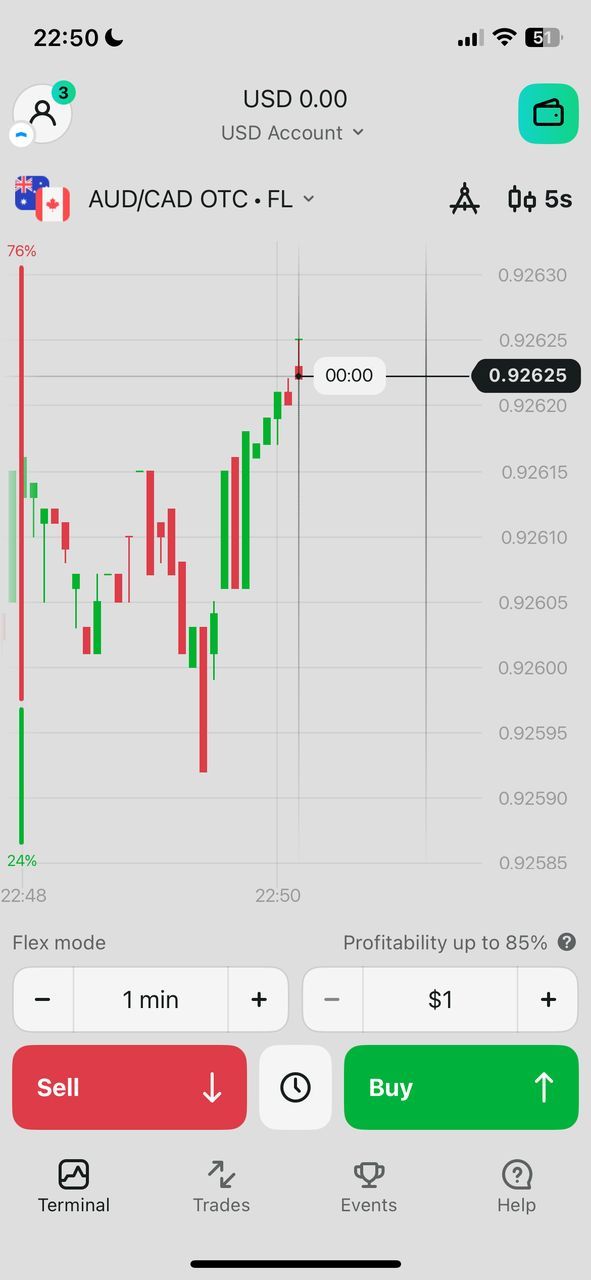
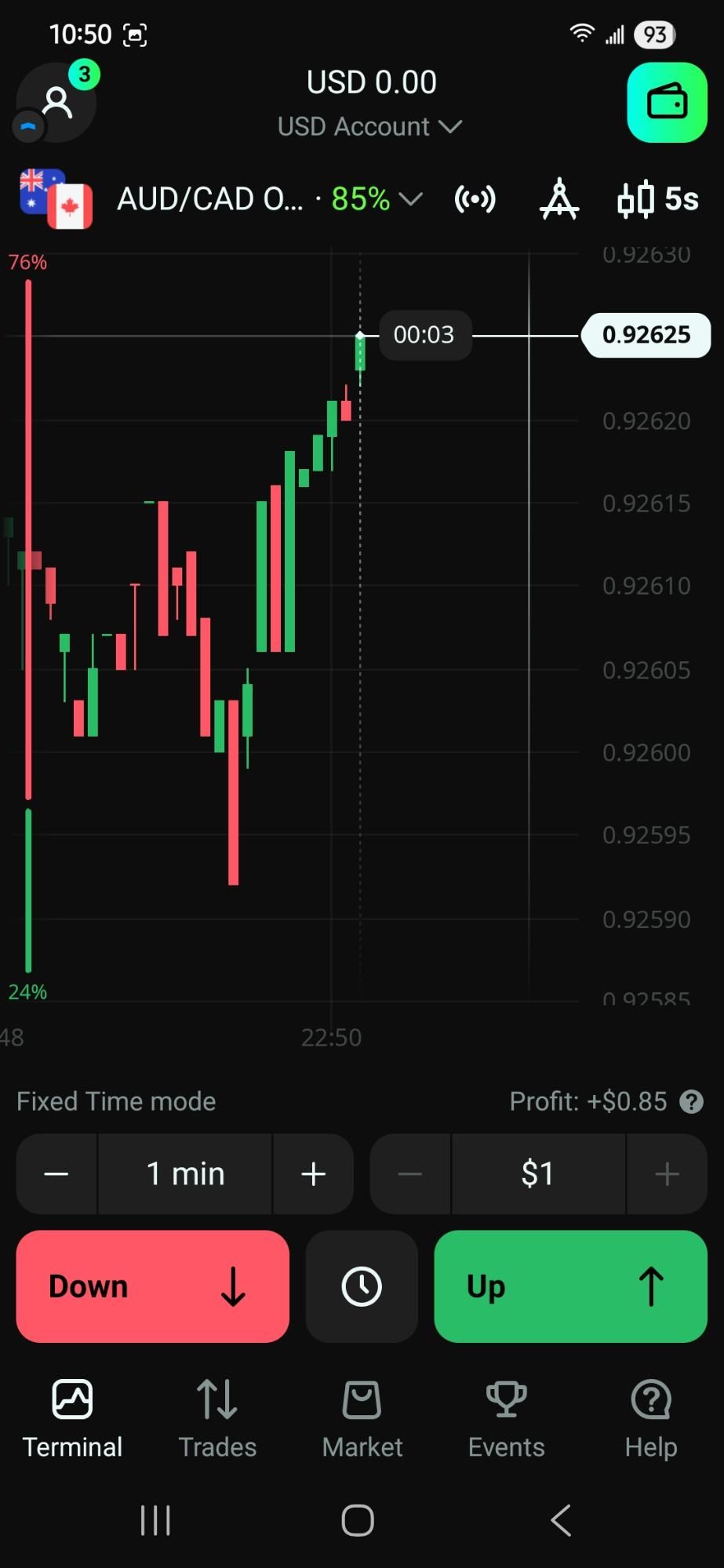
- Tap "Buy" to execute the trade
Deposits & Withdrawals
- Click the wallet icon to enter the payment section.
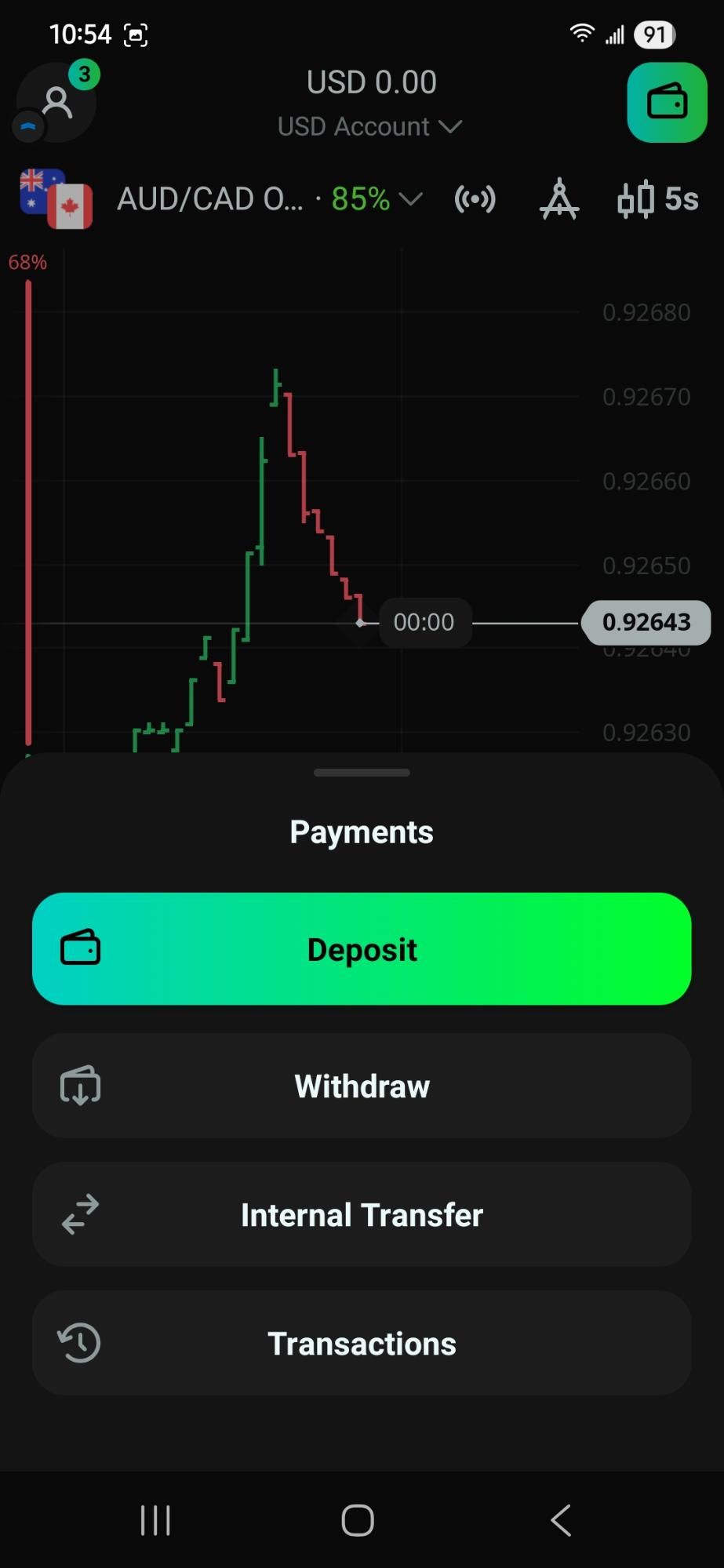
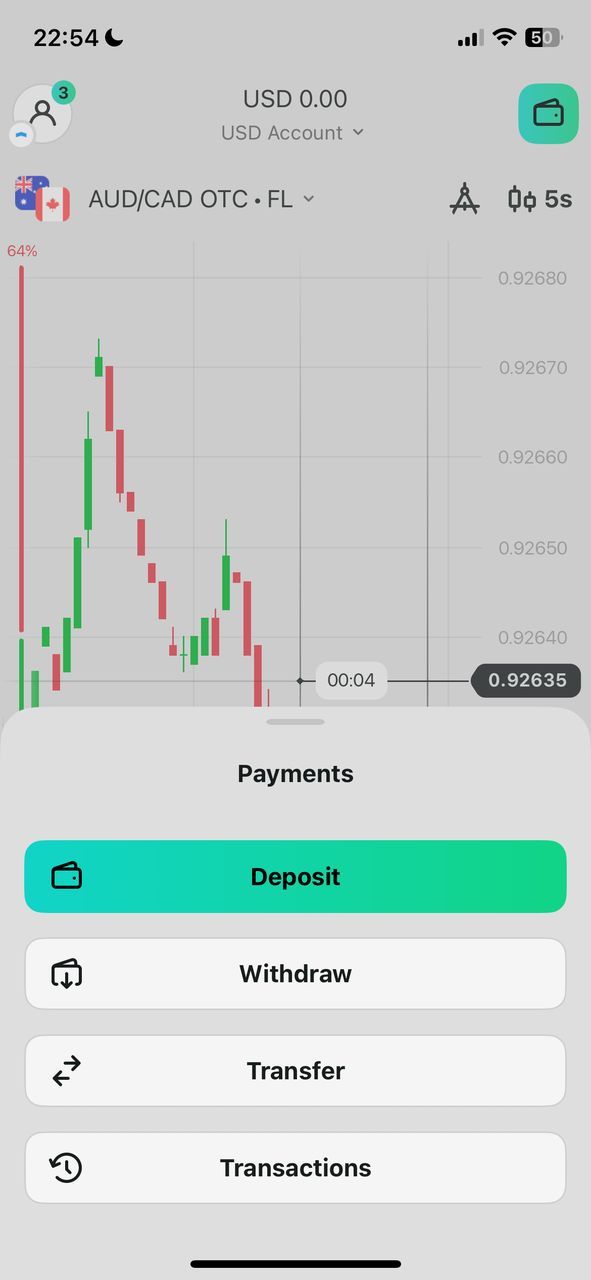
- Choose your preferred method.
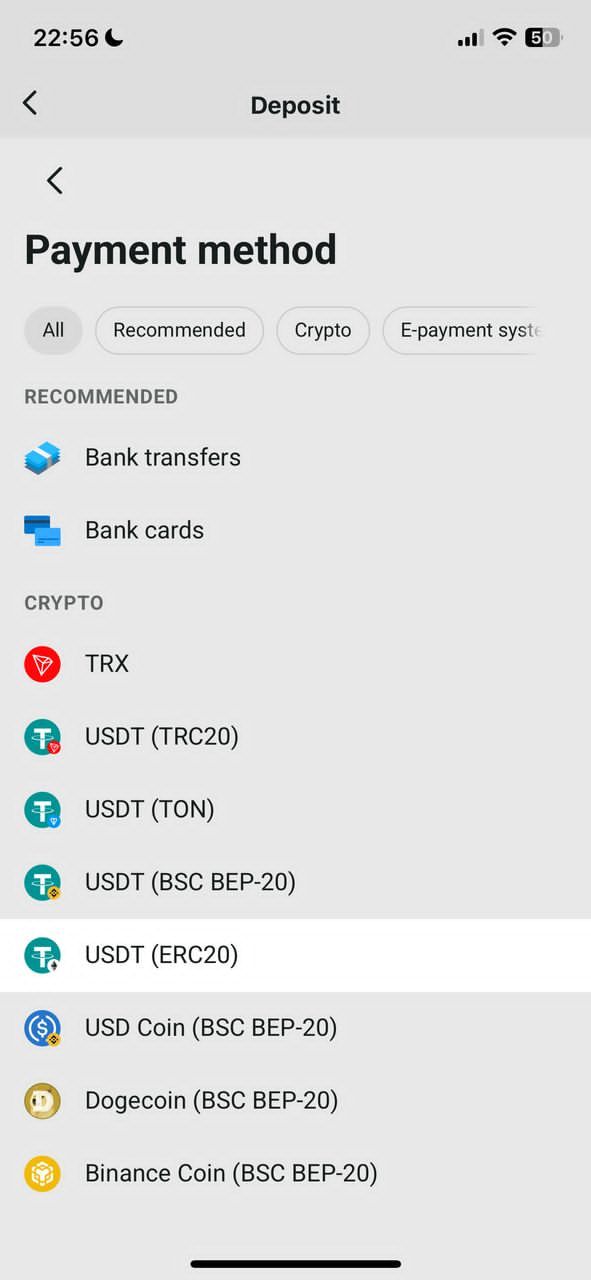
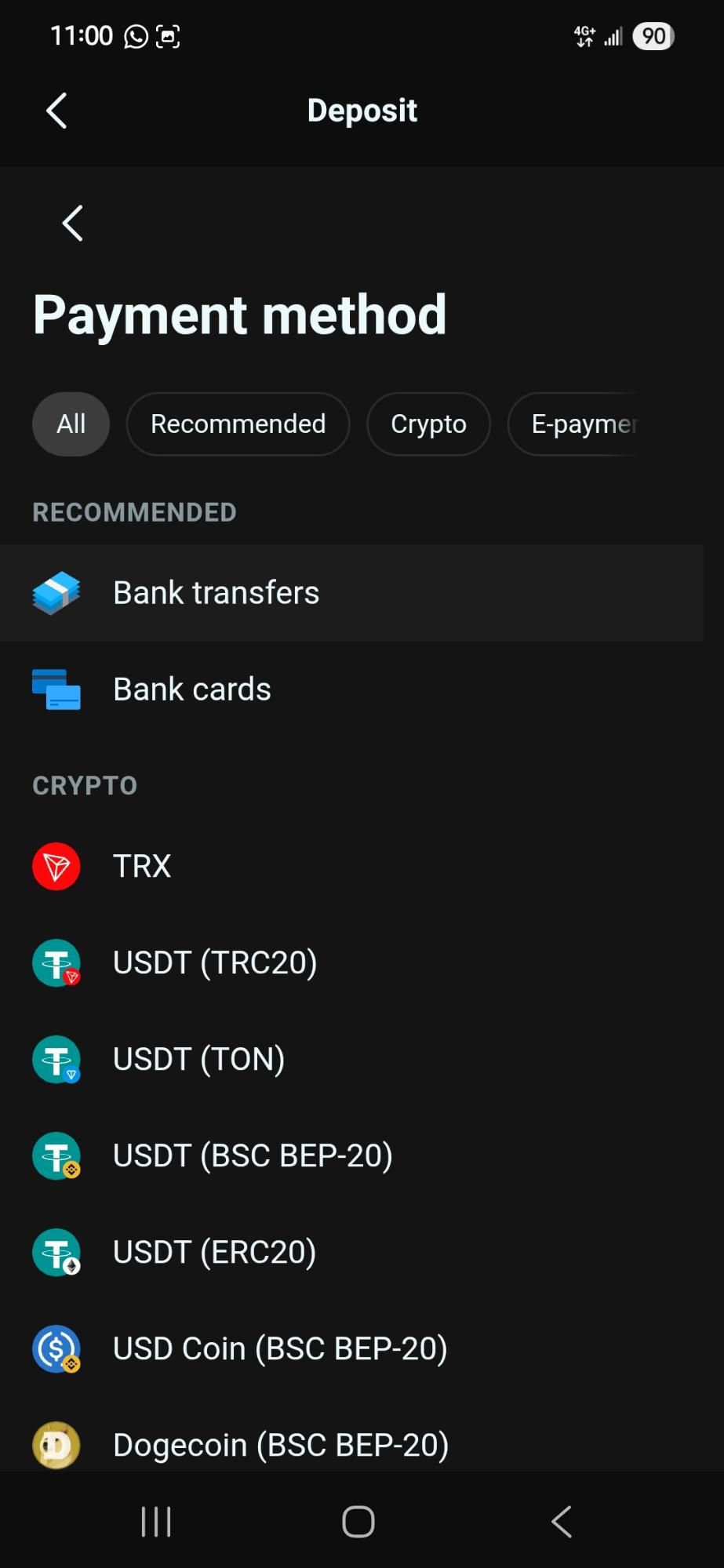
- Enter the amount and confirm the transaction.
Comparison: Web vs. Mobile
| Feature | Web Platform | Mobile App |
| Interface | Full-screen, detailed | Compact, touch-optimized |
| Tools | Extensive, advanced | Streamlined, essential |
| Accessibility | Ideal for in-depth analysis | Convenient for on-the-go trading |
| Performance | Stable, high-speed | Optimized for mobile use |
What Is Forbidden? Why Could Your Account Be Banned
Olymptrade's Service Agreement outlines specific actions that can lead to you being kicked of their server temporarily or permanently. Here's a simplified summary of prohibited activities:
- Fraudulent or Illegal Transactions. Olymptrade monitors account transactions for illegal activities like money laundering. This is why you'll be asked to complete KYC and AML requirements before withdrawal.
- Third-Party Funding and Trading. Managed accounts by third-party firms are prohibited. Also, you cannot deposit or transfer funds to third parties via your Olymptrade wallet.
- Inaccurate Personal Information. Providing false or misleading identification details during registration or verification processes can lead to account suspension.
- Collusion or Manipulation. Coordinating with other clients to manipulate trades or cause financial harm to Olymptrade is prohibited.
- Use of Scripts or Unapproved Software. The use of automated tools, bots, scripts, or unauthorized plugins is not permitted. Olymptrade's infrastructure is designed for manual use, and any effort to override or abuse its intended functionality—especially to generate artificial activity or mimic user behavior.
- Violation of Terms. Any Service Agreement or Non-Trading Transactions Regulation breach can lead to account termination. This includes duplicating your account, exploiting platform flaws, or trading from a restricted country. To know more about Olymptrade terms, click the link – https://olymptrade.com/pages/about/legal/
- Prolonged Inactivity. Accounts that remain inactive for a year (with no trades or deposits) and show a balance of zero can be closed automatically. This is part of Olymptrade’s policy on dormant accounts and applies even if the user hasn’t manually requested closure.
- Access from Prohibited Regions. If you are in, or attempt to access Olymptrade from a country in which the service is prohibited, your account may get suspended or disabled. During registration all users need to confirm their country of residence, and verification can be asked for at any time. As of right now, the EU, UK, US, Canada, Australia, and Japan are not eligible to use the platform. Trying to access via VPN or from your end would result in either all access being restricted or the account being canceled altogether.
You don't want to be on the wrong side of the law when trading with Olymptrade. Ensure to abide by their guidelines and reach out to support if any condition is unclear. This way, you maintain a healthy portfolio and trading career.
Common Questions About Olymptrade
The features at Olymptrade are those of a top and reliable broker. This makes the platform appeal to every form of trader, novice or experienced. On Olymptrade, you'll find abundant learning resources to help your trading journey.
However, note that trading involves significant risk. Before executing a trade, consider your investment objectives. Conduct research, consult professional advice, and don’t trade with money you cannot afford to lose.
Here are the answers to some of the most common questions regarding Olymptrade.
How does Olymptrade work?
Olymptrade is an online brokerage platform allowing the trade of financial instruments. This includes forex, stocks, cryptocurrencies, and commodities.
Is Olymptrade safe?
Olymptrade is regulated by the Vanuatu Financial Services Commission (VFSC). However, the oversight is less stringent. The broker also uses encryption technology to protect players’ financial and personal information.
Do you have a mobile application?
Yes, Olymptrade has a mobile app for Android and iOS devices. The app functions similarly to the desktop version, allowing you to carry your portfolio in your palms.
What are the benefits of trading on Olymptrade?
There are numerous advantages of using Olymptrade, such as a low minimum deposit and hundreds of trading instruments. A tutorial section also offers educational content to help you become a better trader.
How do I withdraw money from my trading account?
To withdraw funds, log in to your Olymptrade account and go to the "Withdraw" section. Select your preferred option (bank transfer, e-wallet, or cryptocurrency). Follow the prompts and ensure you meet all verification requirements.
What is the minimum deposit amount?
It is just $10. This makes it accessible for new traders to begin without a significant initial investment.
Start Trading Today – Maximize Your Profits!
Unlock powerful tools and insights to boost your trading success
* General Risk Warning: Your capital might be at risk
Discover top binary options brokers tailored to your region. Browse our curated lists by country: