


4.8/5


Available in null
About Broker
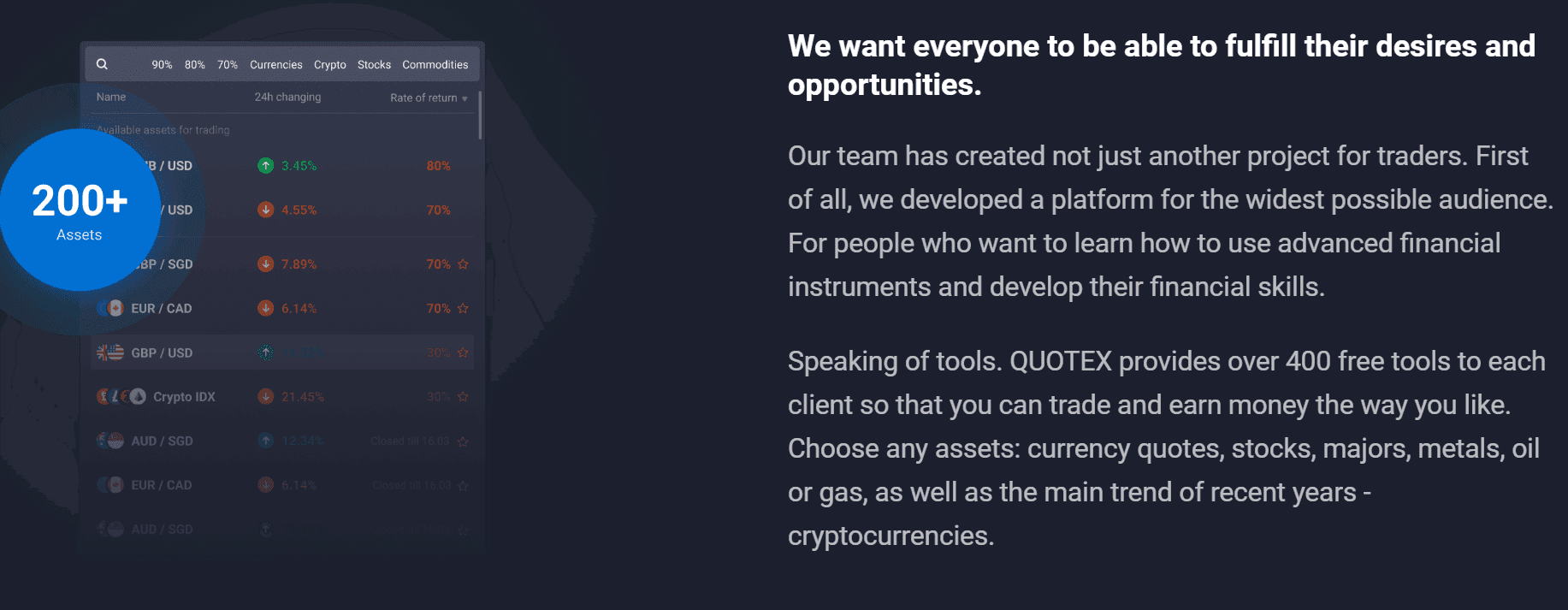
The Quotex project was launched by a team of top-notch specialists in 2019. Since then, Quotex has been helping traders realize their desires and opportunities. Not only does the platform have over 200 tradable assets, but it is also committed to…
Min. deposit
$ 10
Languages

About Broker
The Quotex project was launched by a team of top-notch specialists in 2019. Since then, Quotex has been helping traders realize their desires and opportunities. Not only does the platform have over 200 tradable assets, but it is also committed to…
Min. deposit
$ 10
Languages
Available in 192 countries except

* General Risk Warning: Your capital might be at risk
*The amount that will be credited to the account in the case of a successful deal

Saqib Iqbal
Author and Expert at Trading.biz
Updated October 23, 2026
The Quotex project was launched by a team of top-notch specialists in 2019. Since then, Quotex has been helping traders realize their desires and opportunities. Not only does the platform have over 200 tradable assets, but it is also committed to educating users on how to develop their trading and financial skills. This is why it has dozens of tools allowing users to trade and earn as they desire.
The result of this level of efficiency and commitment to customer satisfaction is why Quotex has positive ratings on several review sites, including Trustpilot, where it has a 4.7 rating from 4,665 reviews. We will provide a comprehensive Quotex review, highlighting why it is unique, its regulatory status, security, key features, how to start trading on the platform, and more.
Founded: 2019
Regulation: none, no financial regulator stands behind the platform
Minimum deposit: 10 dollars
Trade size: 1 dollar minimum, 3,000 dollar maximum
Account tiers: Standard from 10 dollars, Pro needs a 5,000 balance, VIP needs 10,000
Broker fees: nothing on deposits, withdrawals, trading or maintenance. Payment providers still charge their own
Payout rates: vary by asset and tier, with Pro adding 2 percent and VIP 4 percent over Standard. Exact percentages are not published, so check on the broker's site
Assets: over 200 across currency pairs, commodities, indices, shares and crypto
Deposits: Visa, Mastercard, local debit cards, bank transfer, around twenty cryptocurrencies
Withdrawal: back through the deposit method, up to 3 business days
Verification: up to 5 days
Platform: own web terminal plus an Android app, iOS still unfinished
Support: round the clock in 20+ languages, ticket and email only
Availability: everywhere except the EEA, Russia, Israel, Indonesia and Hong Kong
Welcome bonus: 30 percent on the first deposit, with promo codes monthly
Last updated for 2026.
quotex-project.png
When we talk about the legitimacy of a broker, oftentimes people confuse it with regulation. Although regulation serves to enhance the legitimacy of a platform, it is not the only defining factor. Let’s quickly understand what regulation is all about.
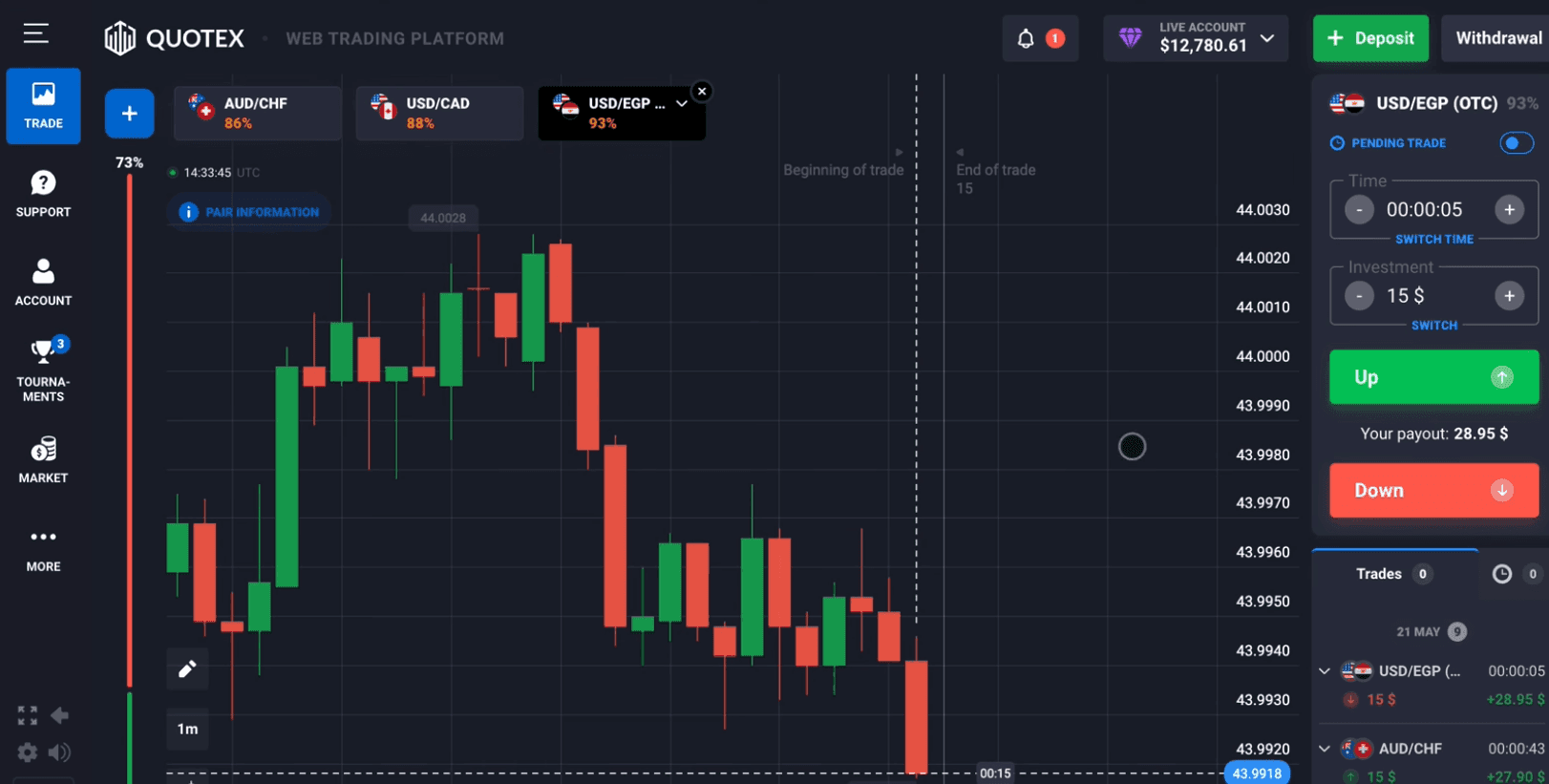
image36.png
A regulated platform is one that is regulated or controlled by a financial authority that ensures the broker complies with strict standards and guidelines.
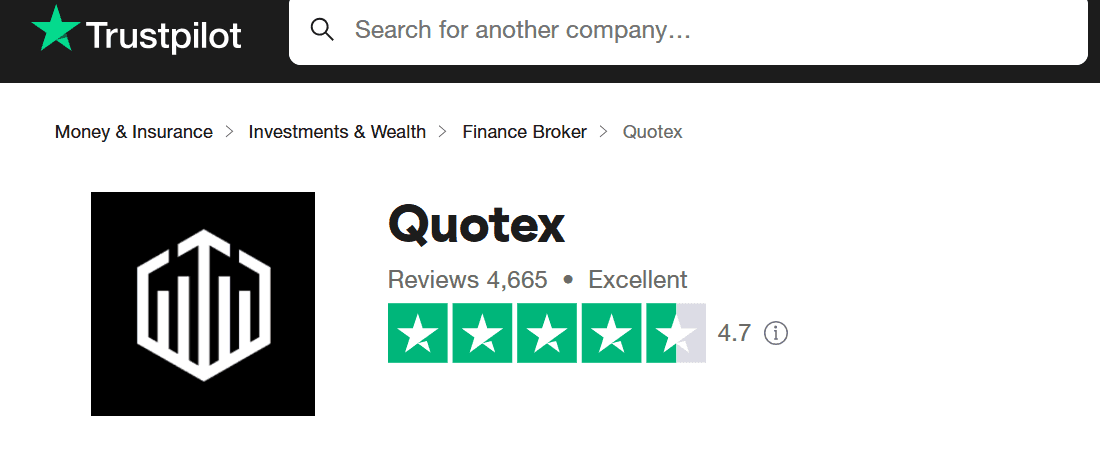
image23.png
So is Quotex legit? Quotex is not regulated by any financial body, which is why some individuals question its legitimacy. This is not so much of an issue as many other renowned brokers are not regulated. So far, Quotex has been providing top-quality services with more positives than negatives based on its ratings on review sites like Trustpilot. One can argue that the platform is legitimate despite not being regulated.
However, given that some financial authorities have called out Quotex in the past for not being regulated, it’s recommended that users proceed with caution when trading on the platform.
It is worth being concrete about what that absence costs you, because reviews tend to skate over it. No compensation scheme if the company fails. No independent ombudsman if a dispute goes badly. No external audit of client fund segregation. And enforcement of the terms sits entirely with the company, including its right to restrict a withdrawal or ask for extra verification.
None of that predicts a problem, and the platform has run since 2019 with a 4.7 Trustpilot average across 4,665 reviews. It does define what happens if a problem arrives, and that is the calculation to make before depositing rather than after. If regulatory protection is a requirement for you, our brokers hub lists authorised alternatives.
Quotex’s policies cover account verification, trading terms, withdrawals, and risk disclosure. You need to read and understand these policies to ensure a smooth trading experience. For instance, if you don’t complete the Quotex verification process, you cannot trade on the platform.
Here’s how to go about it:
Step 1: After you have completed the registration and the Quotex login process, the trading terminal will open.
Step 2: Click on the menu icon in the top left corner.
Step 3: Select “Account”.
Step 4: To verify your account, you have to provide certain identification documents and submit personal information. This includes your nickname, first name, last name, date of birth, and address.
Step 5: After filling in the information, click “Save.”
Step 6: The next step is to provide a valid identification document, such as a civil passport, driving license, or National Identity card. Click “Upload Documents” to begin.
Step 7: Choose your country of residence, and then click on “Continue.”
Step 8: Select your document type and then click “Next.”
Step 9: Upload a photo of your document; both the front and back sides are required, and then click “Next.”
Step 10: Quotex will then process your verification application. The verification will be completed within 5 days, and then you can start trading fully on the platform.
The trading policies of Quotex set the guidelines for doing transactions on the platform. Key points include:
General Trading Provisions
Clients must trade using only their own funds; insufficient balance prevents trading.
image52.png
Every trade is logged on the corporate server and given an ID.
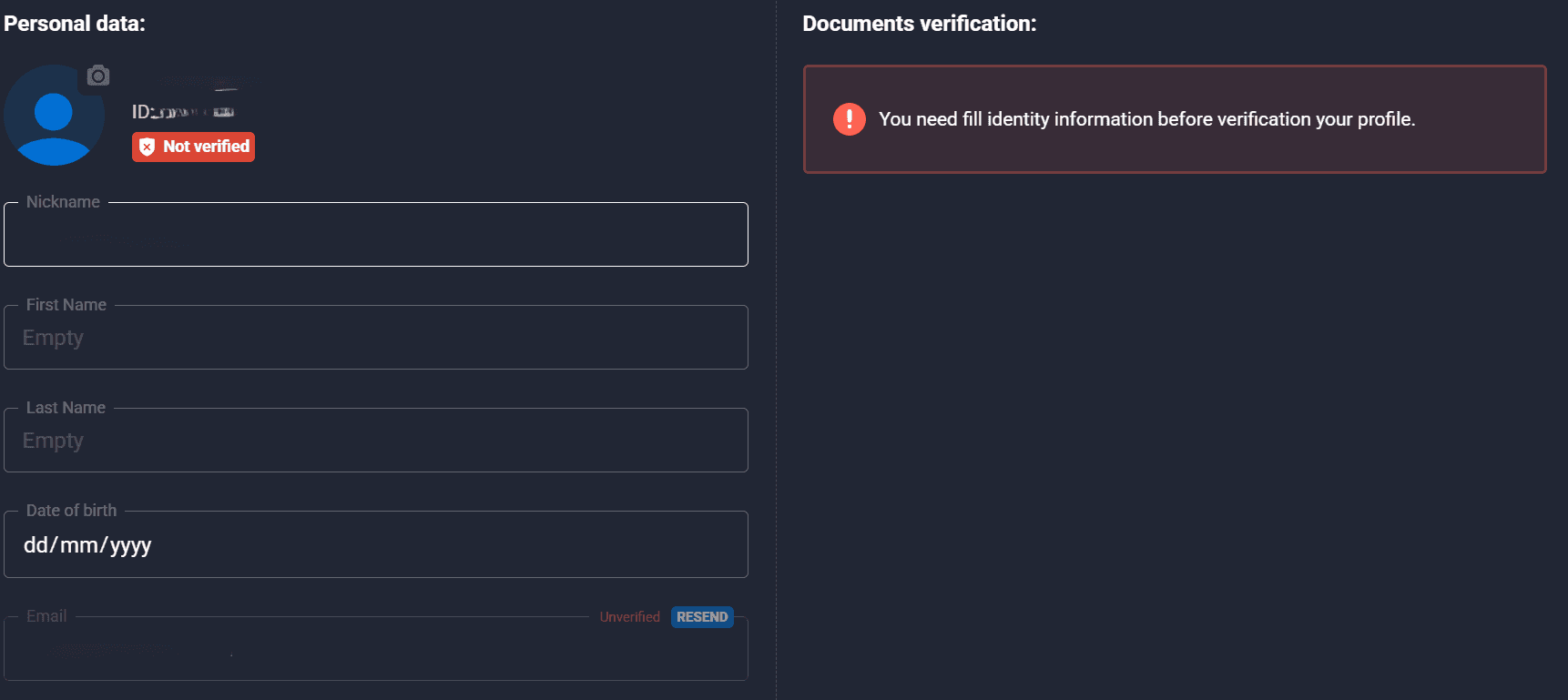
image70.png
Customers cannot manipulate trades, participate in fraud, or use automated trading systems.
Trading Execution Rules
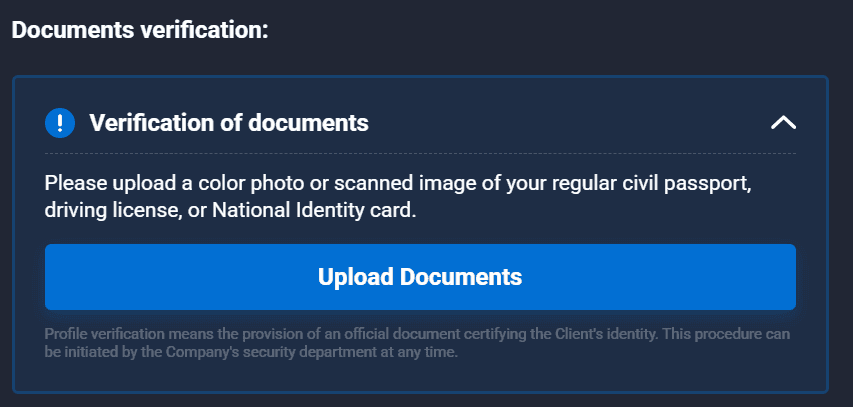
image43.png
Trade requests cannot be canceled once they have been turned in if already carried out.
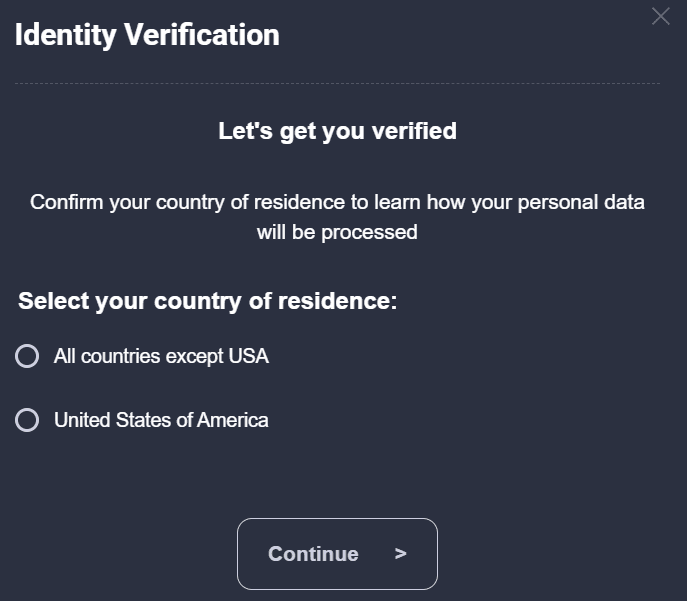
image13.png
Regardless of external pricing variances, the company's server is the only certified trading data source.
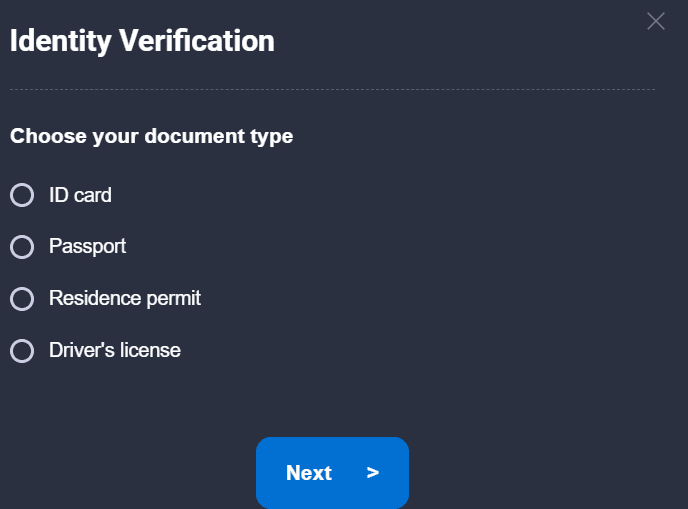
image63.png
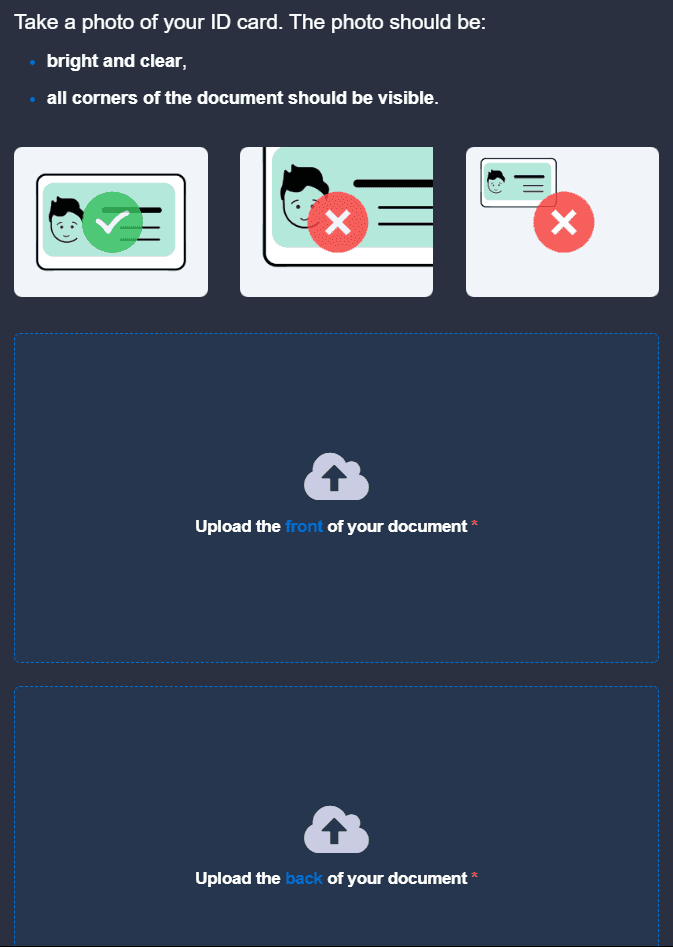
image55.png
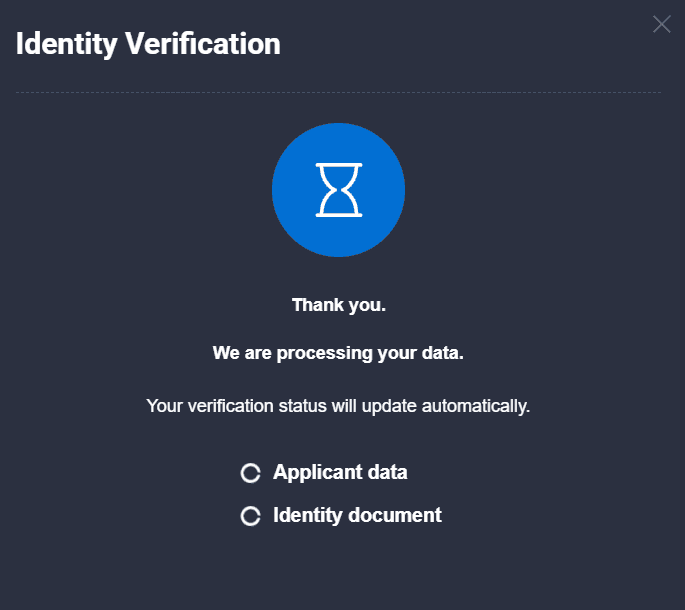
image25.png
Along with Quotex's financial responsibilities to customers, its payment policy details the processes for depositing and withdrawing money. Before starting actual trading, you must fund your trading accounts; the selected deposit method also acts as the withdrawal method. You bear all related risks; the company does not take liability for payment system issues.
When making deposits, you have to make a request via your personal accounts, choosing a payment method and currency. The selected payment method determines the processing time; electronic payments are instantaneous while bank transfers can take up to 5 days.
Particularly for bank card transactions, withdrawals require a formal request that meets legal and corporate policy requirements, and the company may limit withdrawals to the deposit method used or demand extra verification.
Quotex does not take liability for the activities of third-party agents engaged in withdrawals. Withdrawals are processed in the account currency; conversions are based on company-defined exchange rates, which could vary from official prices.
To guarantee adherence to legal frameworks meant to combat financial crimes, including money laundering and terrorism funding, Quotex strictly enforces Know Your Customer (KYC) and Anti-Money Laundering (AML) policies.
You have to verify the legal origin of your funds, submit necessary identity documents upon request, and avoid fraudulent financial activities on the platform.
Quotex actively monitors non-trading activities, including deposits and withdrawals, to adhere to AML regulations and implement measures to detect and prevent financial abuse.
Should compliance concerns surface, the corporation can ask for documents proving a client's financial situation, refuse suspicious transactions, or restrict account access.
Another top concern is data protection; all client data is managed safely to prevent unwanted access. Through these measures, Quotex conforms to international financial security guidelines and protects its platform from illegal activity, therefore guaranteeing regulatory compliance.
There are no Quotex fees for deposit, withdrawal, trading, or account maintenance. You need to remember, though, that third-party payment solutions that you use might charge these fees.
The real cost on a binary platform is not a fee at all, it is the payout percentage. A losing contract takes 100 percent of your stake while a winning one hands back less than that. Say the payout is 80 percent: you now have to be right roughly 56 times out of 100 simply to stand still. Drop to 70 and the bar moves to nearly 59. That is why the two and four point tier uplifts matter more than they look on paper.
As we stated earlier, there are lots of asset choices available on the platform. Here is a complete list of the available Quotex assets:
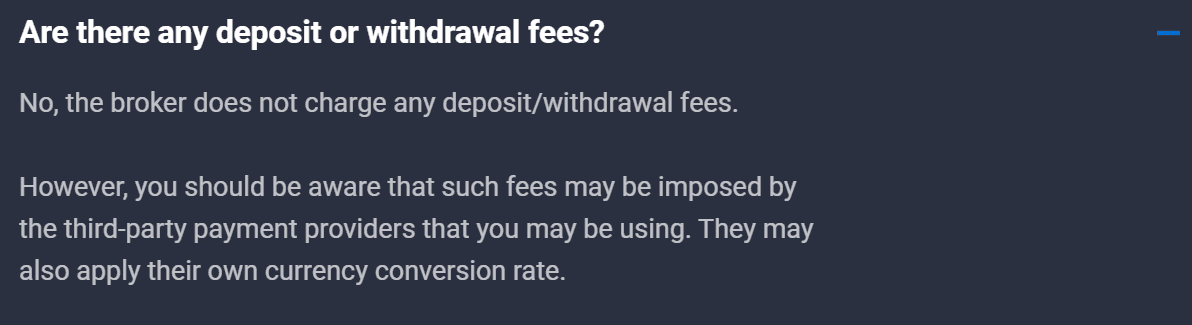
image24.png
Currency Pairs:
EUR/USD
GBP/USD
USD/JPY
USD/BRL
USD/BDT
USD/COP
USD/ARS
USD/DZD
USD/CAD
USD/CHF
USD/EGP
USD/IDR
USD/INR
USD/PHP
USD/ZAR
USD/NGN
USD/MXN
USD/TRY
USD/PKR
AUD/USD
NZD/USD
EUR/GBP
EUR/JPY
GBP/JPY
AUD/JPY
GBP/CAD
GBP/CHF
GBP/NZD
GBP/AUD
EUR/AUD
EUR/CAD
EUR/CHF
EUR/NZD
EUR/SGD
AUD/CAD
AUD/CHF
AUD/NZD
CAD/CHF
CAD/JPY
CHF/JPY
NZD/CAD
NZD/CHF
NZD/JPY
Commodities:
Gold
Silver
Crude Oil
Brent Oil
Indices:
American Express
S&P 500
Dow Jones Industrial Average
NASDAQ 100
FTSE 100
FTSE China A50 Index
DAX 30
CAC 40
Nikkei 225
Hang Seng
Hong Kong 50
ASX 200
Euro Stoxx 50
IBEX 35
MIB 40
S&P/TSX
S&P/ASX 200
Russell 2000
KOSPI
Stocks:
Apple
Microsoft
Amazon
Alphabet (Google)
FACEBOOK Inc
Tesla
Alibaba
Berkshire Hathaway
Johnson & Johnson
JPMorgan Chase
Visa
Walmart
Nestlé
Procter & Gamble
Roche
Intel
Cisco Systems
Oracle
IBM
Netflix
PepsiCo
Coca-Cola
Pfizer Inc.
Novartis
Toyota
Samsung
AT&T
Verizon
Chevron
ExxonMobil
Bank of America
Wells Fargo
Citigroup
HSBC
Royal Dutch Shell
BP
Total
L'Oréal
Unilever
Siemens
Boeing
McDonald's
Nike
Adobe
Salesforce
PayPal
Uber
Lyft
Snap
X
Spotify
Shopify
Zoom
NVIDIA
AMD
Qualcomm
Cryptocurrencies:
Bitcoin
Ethereum
Litecoin
Ripple
Dogecoin
Shiba Inu
Floki
Pepe
Solana
Toncoin
Trump
Bonk
Dogwifhat
In this section, we’ll provide a breakdown of Quotex’s key features.
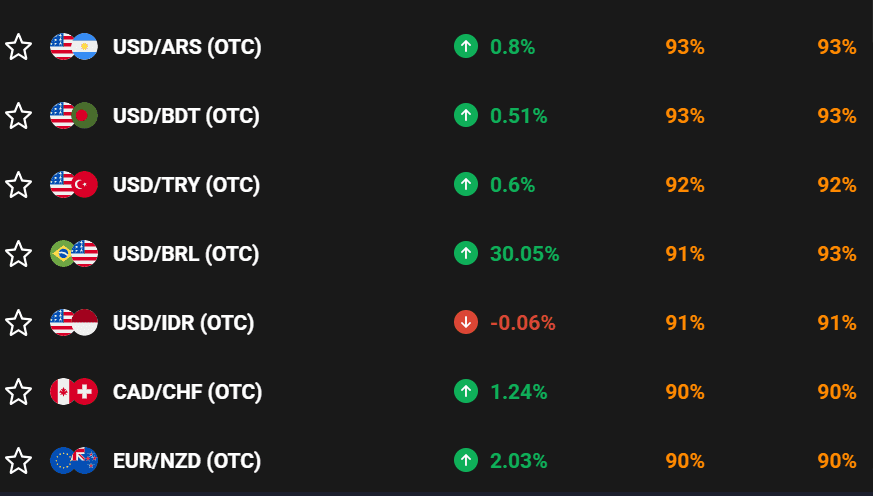
image69.png
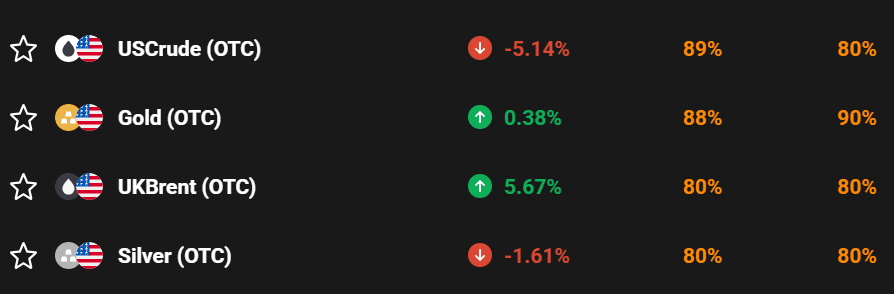
image35.png
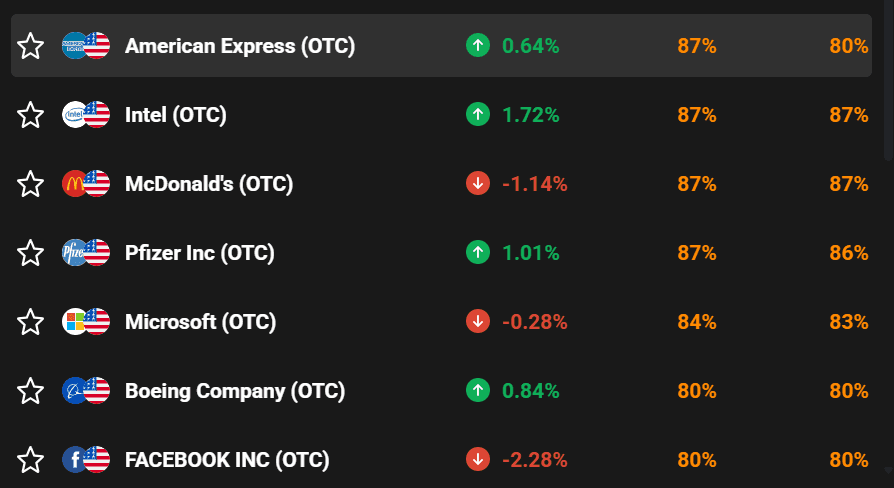
image59.png
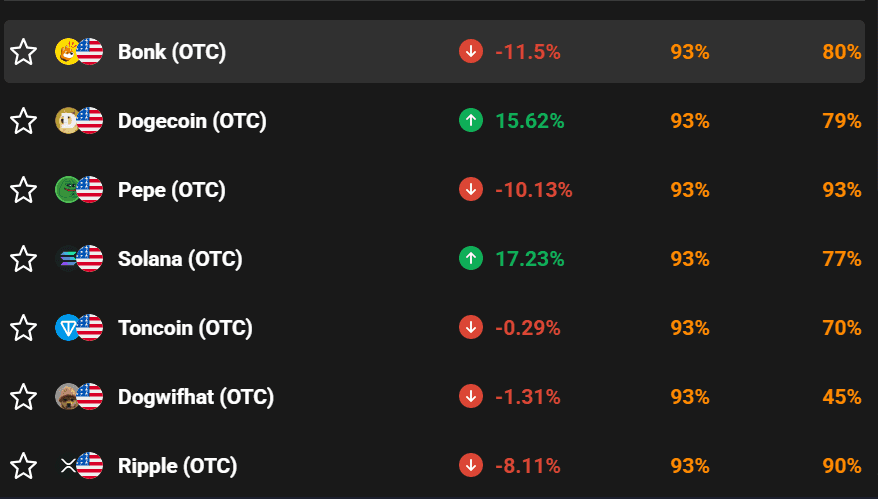
image49.png
Quotex offers a simple trading interface meant for both novice and expert traders. To help customers vary their portfolios, the platform offers currencies, cryptocurrencies, commodities, and indices, among other assets. To enable traders to make wise judgments, the trading platform offers customized charts, real-time market data, and multiple order execution options.
Users can apply several timeframes, place market and pending orders, and utilize risk management options, including stop-loss and take-profit settings. Customizing Quotex's range of technical indicators, such as moving averages, RSI, and Bollinger Bands, allows one to match various trading strategies.
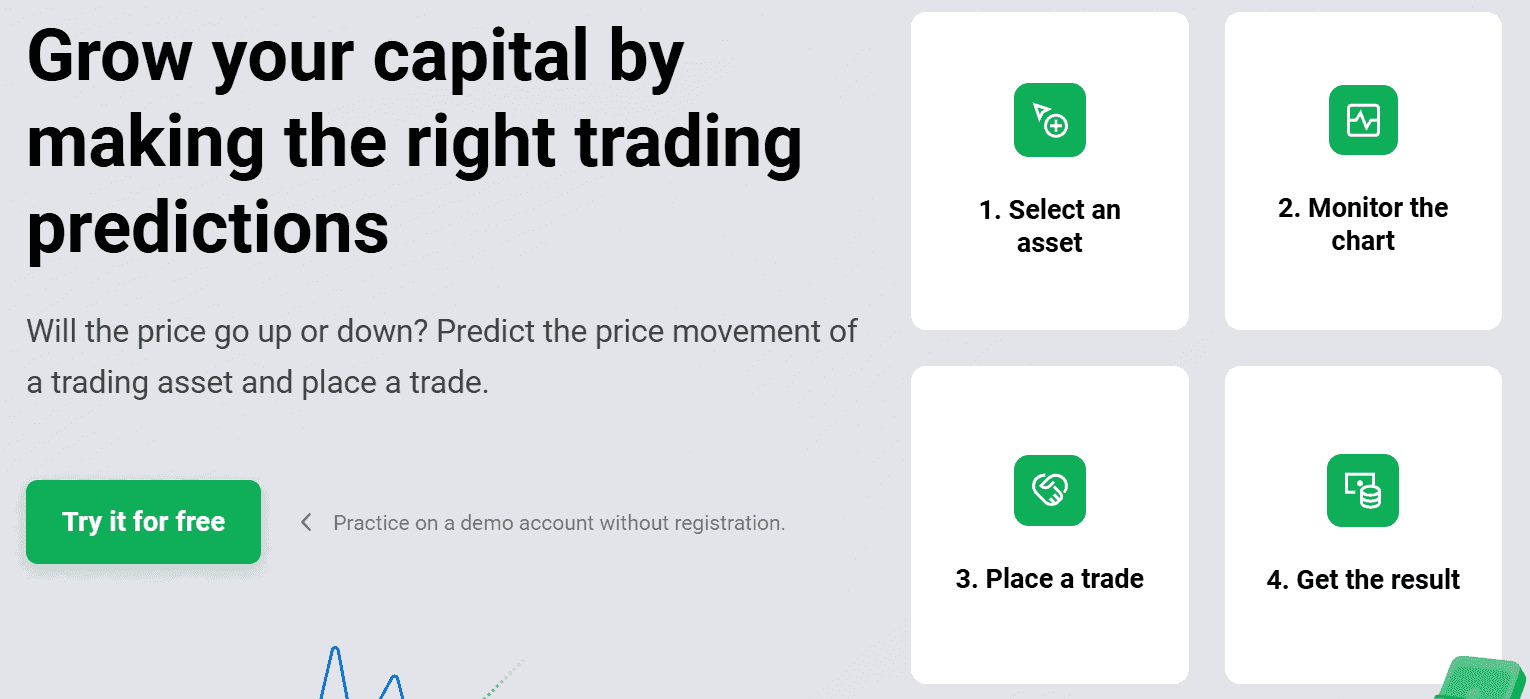
image62.png
The platform has three types of real accounts:
Standard: This account is made for beginners, as the minimum deposit amount is just $10. Its trade probability percentage is limited, as one might expect. When you trade, you get a basic percentage of profitability for all trading tools
Pro: If you are already an active trader, this should be your pick. Although you’ll have to maintain a balance of at least $5,000 to use this account, it has its advantages. First of all, the profitability is increased (+2%), and you will get promo codes.
VIP: The VIP account is where professionals do their magic. As far as the probability percentage is concerned, none of the other accounts come close. There is an extra 4% added, but you’ll have to maintain a balance of at least $10,000.
Before chasing a tier, do the arithmetic on what the upgrade buys. On a baseline payout of 80 percent, VIP's extra 4 points takes it to 84, which shifts break-even from about 55.6 percent to 54.3. Genuinely useful if you place hundreds of contracts a month. Close to meaningless if you place twenty.
And the requirement is a maintained balance, not a one-off deposit, so VIP means keeping 10,000 dollars sitting with an unregulated broker. Weigh that against the payout gain rather than treating the tier as a status upgrade.
Apart from the deposit bonus of 30% on your initial deposit, Quotex provides customers with promo codes they can use to get exciting bonuses. These promo codes are released monthly on the platform’s Telegram channel.
Bear in mind that each promo code lasts for a limited time and will expire when activated by a certain number of users. Therefore, you need to take advantage of them as soon as they are released to enjoy the special bonuses they offer.
The following are the additional bonuses you can access using promo codes:
Risk Free. If you lose a trade, you can use this bonus to cancel it. It can only be used for non-hedge trades, and the amount must not exceed your promo code’s maximum value.
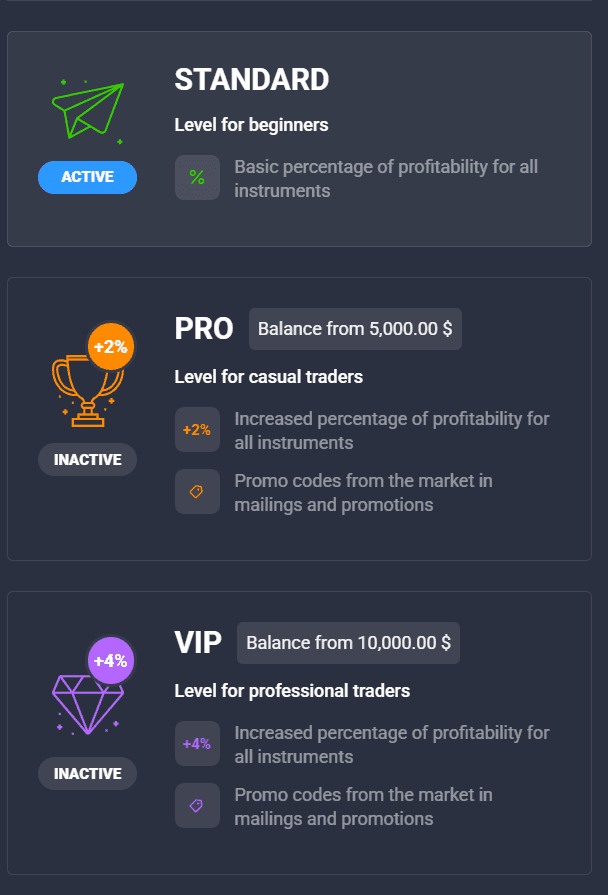
image5.png
Cashback: When a promo code is active and you lose a trade, you’ll be given back a percentage of the amount lost.
Percentage of Turnover. For every trade you open, you get back a percentage of your funds into your account.
Balance Bonus. Rather than waiting for a bonus turnover, Balance Bonus allows you to transfer your bonus funds straight to your account balance.
Cancel X Points. This automatically cancels your loss trades with a difference of a few points. Your promo code value determines the number of points you get.
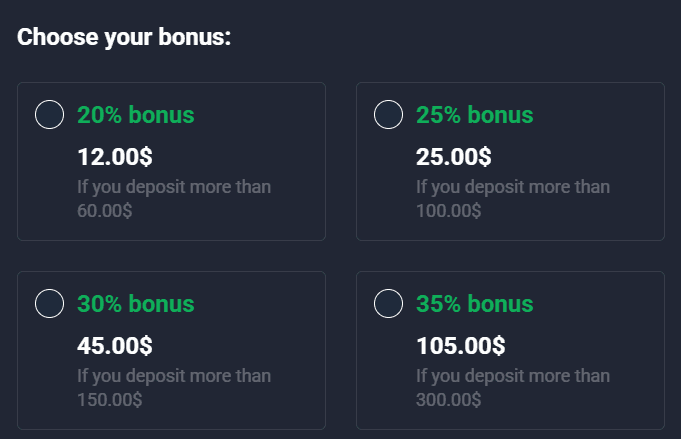
image28.png
Below is a list of all the deposit methods supported by the platform:
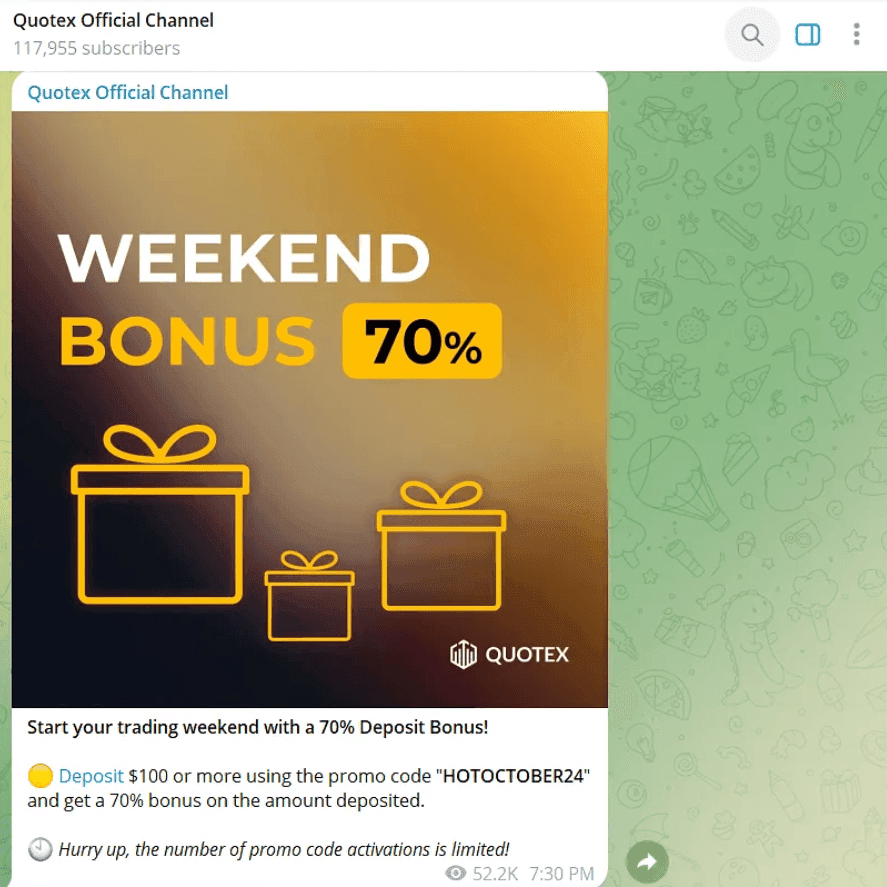
image19.png
Bank Cards:
Visa
Mastercard
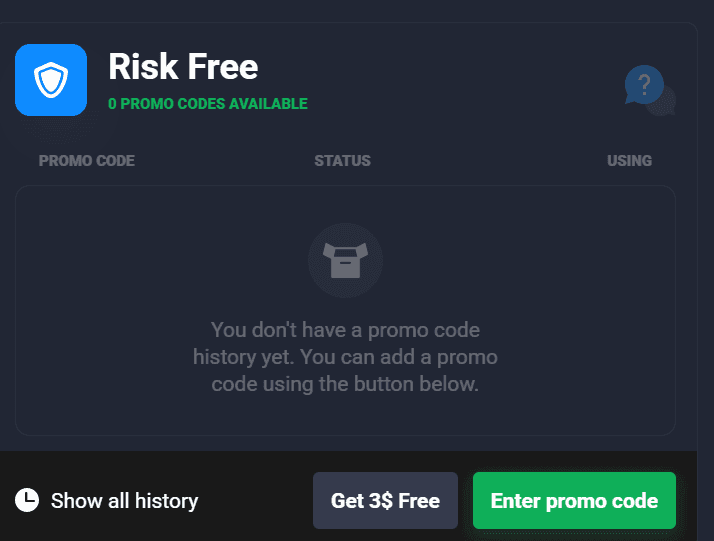
image10.png
The minimum deposit amount for Visa and Mastercard is $10.00, and the maximum is $1,000.00.
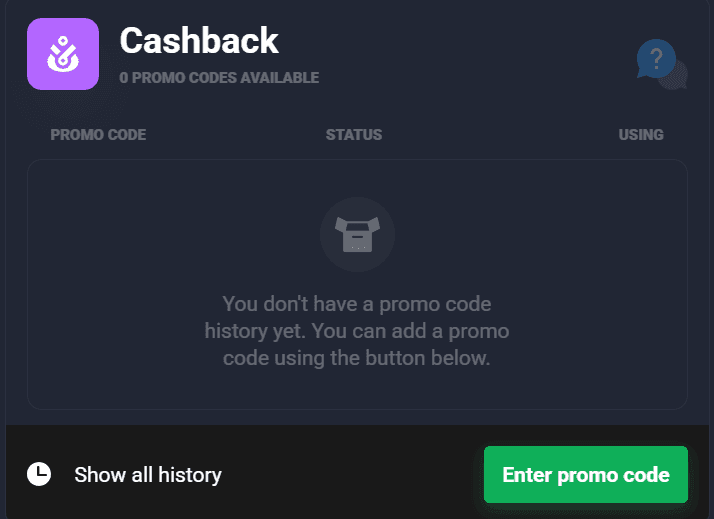
image21.png
Local Debit Cards
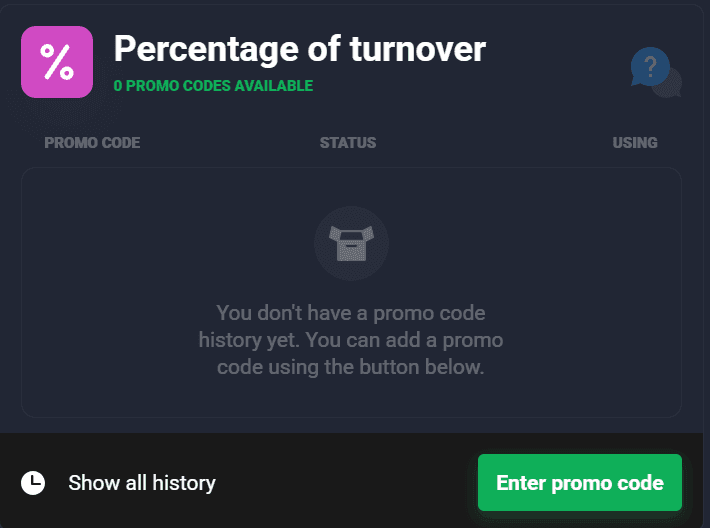
image30.png
The minimum deposit amount for Visa and Mastercard is $10.00, and the maximum is $655.00.
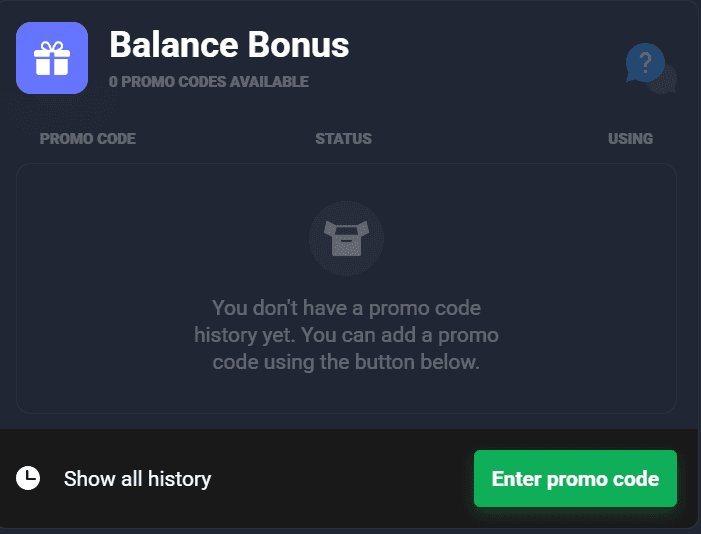
image1.png
USD Tether (TRC-20)
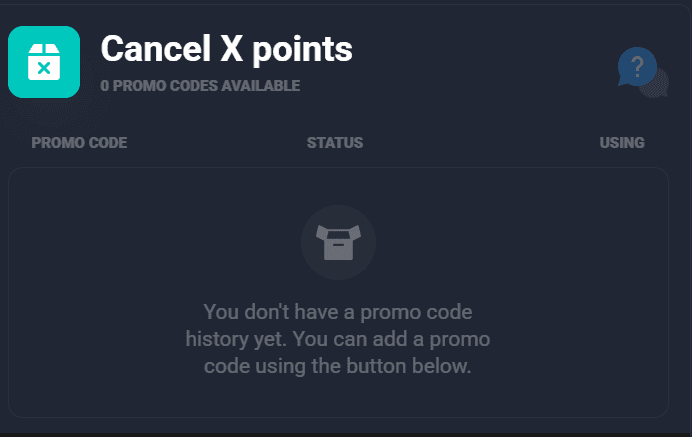
image54.png
USD Tether (ERC-20)
USD Tether (Polygon)
USD Coin (ERC-20)
USD Coin (Polygon)
Binance Pay
Litecoin (LTC)
Bitcoin Cash
Tron (TRX) Dash
Polygon (MATIC)
Dai
Polkadot
Zcash (ZEC)
Apecoin (APE)
Uniswap (UNI)
Avalanche (AVAX)
The minimum deposit amount for USD Tether (TRC-20), USD Tether (ERC-20), USD Tether (Polygon), USD Coin (ERC-20), USD Coin (Polygon), Binance Pay, Litecoin (LTC), Bitcoin Cash, Tron (TRX), Dash, Polygon (MATIC), Dai, Solana, Polkadot, Zcash (ZEC), Dogecoin, Ripple, Apecoin (APE), Uniswap (UNI), and Avalanche (AVAX) is $10.00, and the maximum is $50,000.00.
USD Tether (BEP-20)
The minimum deposit amount for USD Tether (BEP-20) is $20.00, and the maximum is $50,000.00.
Bitcoin (BTC)
Ethereum (ETH)
The minimum deposit amount for USD Tether (BEP-20) is $50.00, and the maximum is $50,000.00.
Shiba Inu (ERC-20)
The minimum deposit amount for USD Tether (BEP-20) is $100.00, and the maximum is $50,000.00.
Bank:
Bank Transfer
The minimum deposit amount for bank transfer is $11.00, and the maximum is $655.00.
The method you use to deposit funds is the same method you will use to withdraw funds. For instance, if you made a deposit using Bitcoin, you will have to withdraw using Bitcoin as well.
Bear in mind that your withdrawal request will be processed within 3 business days. If you still haven’t received your money after the third day, you can contact Quotex customer support.
To deposit crypto, follow the steps below:
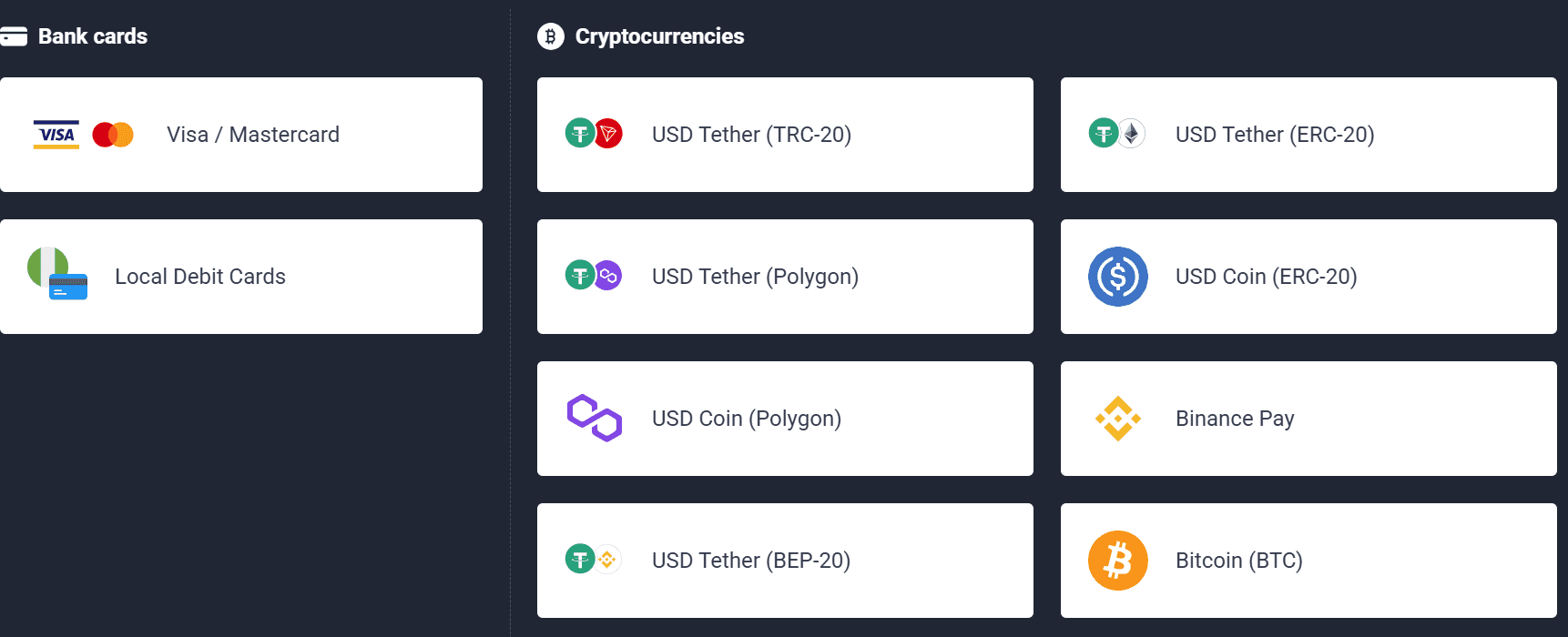
image2.png
Step 1: Click on “Deposit” from the trading terminal.
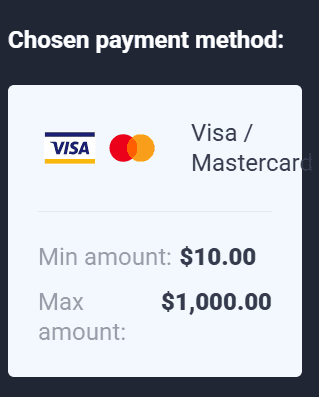
image33.png
Step 2: Select your preferred crypto from the list of available cryptocurrencies.
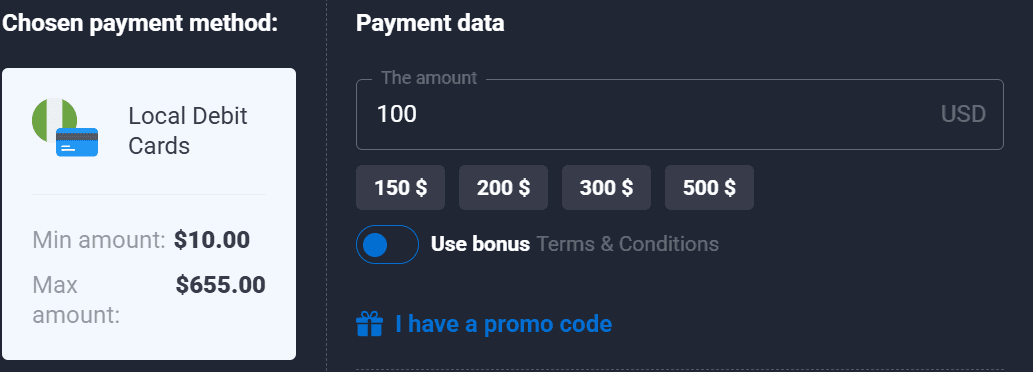
image9.png
We choose Bitcoin.
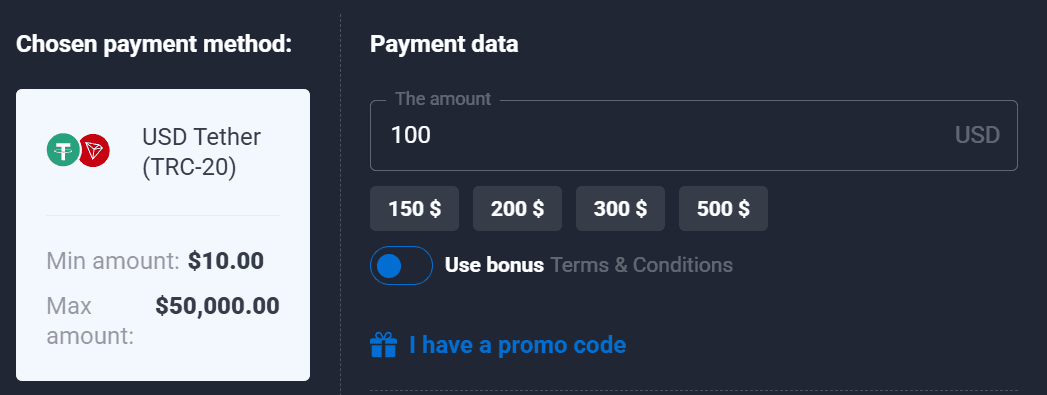
image26.png
Step 3: Enter the amount you want to deposit in your preferred currency. We are using USD.
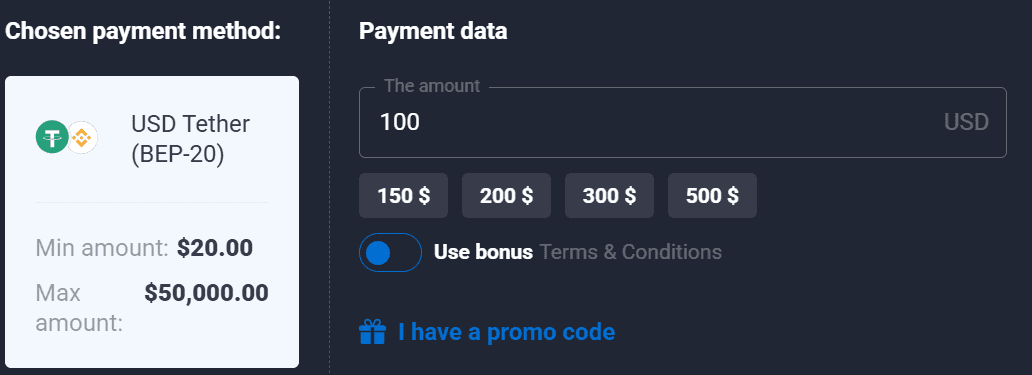
image29.png
Remember that the minimum deposit is $50.
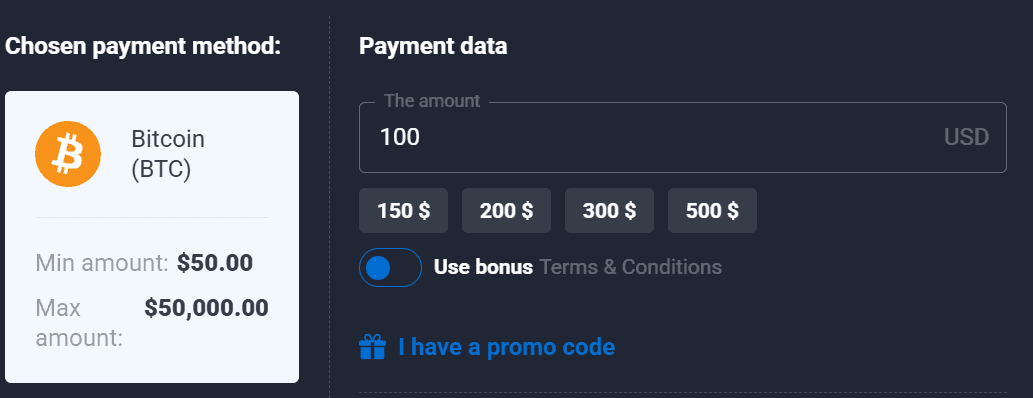
image41.png
Step 4: Toggle the “Use Bonus” button if you have a promo code.
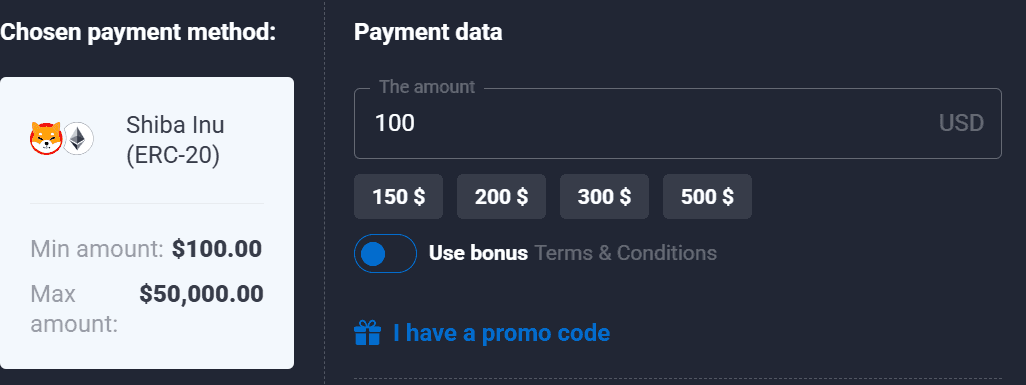
image53.png
Step 5: Enter the promo code if you have one, then click on “Apply promo code.”
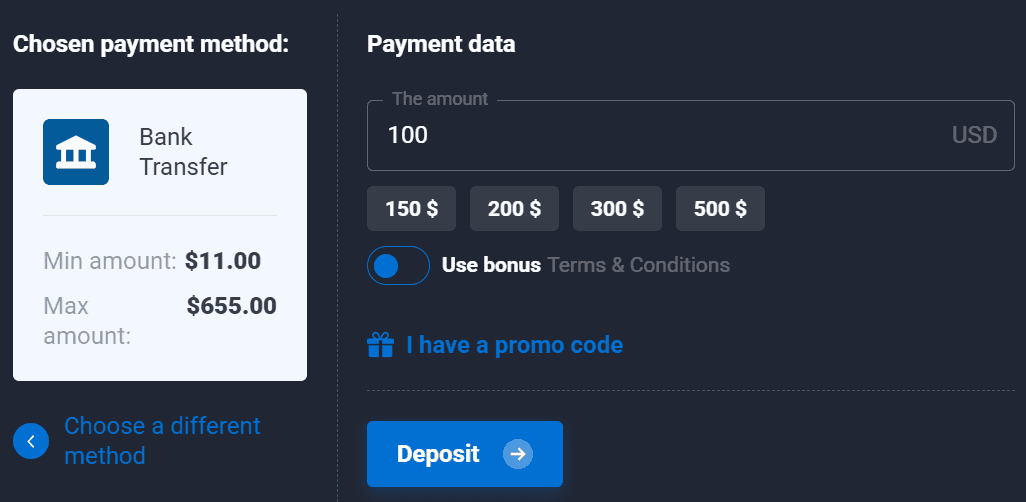
image15.png
If you don’t, skip this step.
Step 6: If this is your first deposit on Quotex, choose your bonus based on how much you are depositing.

image45.png
If this is not your first deposit, you won’t see this option because you’d have already used it.
For the first-time deposit, once you select your bonus, a promo code will automatically be applied.
Step 7: Click “Deposit.”
Step 8: Fund your account by transferring the exact amount of crypto indicated to the address provided.
Bear in mind that you need to complete the transfer within 24 hours.
Quotex provides a set of advanced trading tools meant to improve decision-making and optimize trade strategies. They include trading signals, a wide selection of technical indicators, and customizable charting.
image50.png
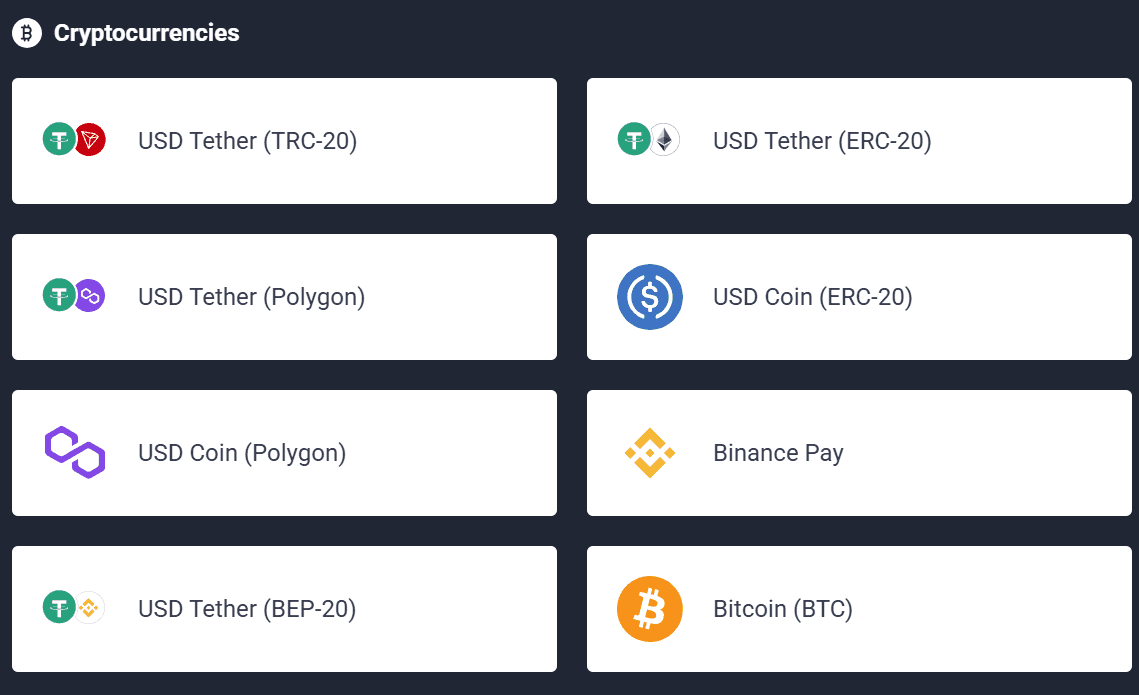
image65.png
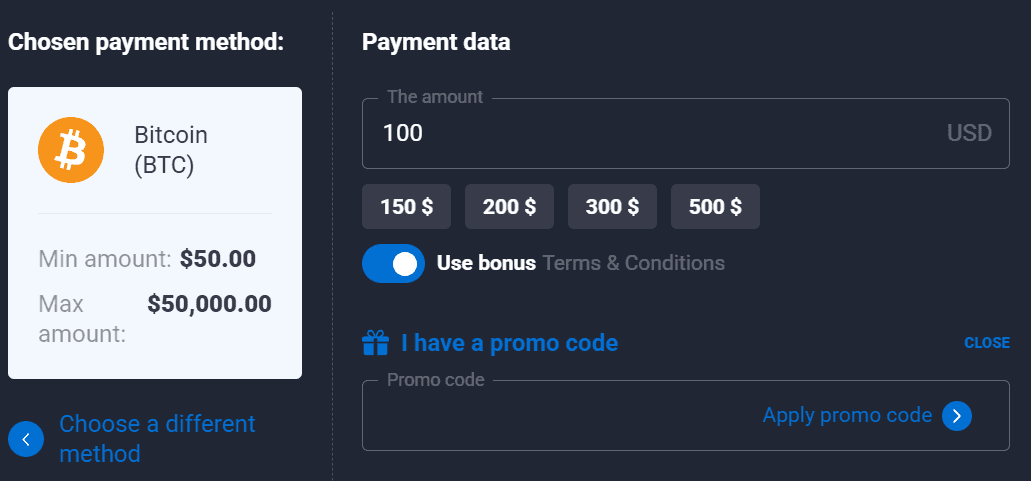
image37.png
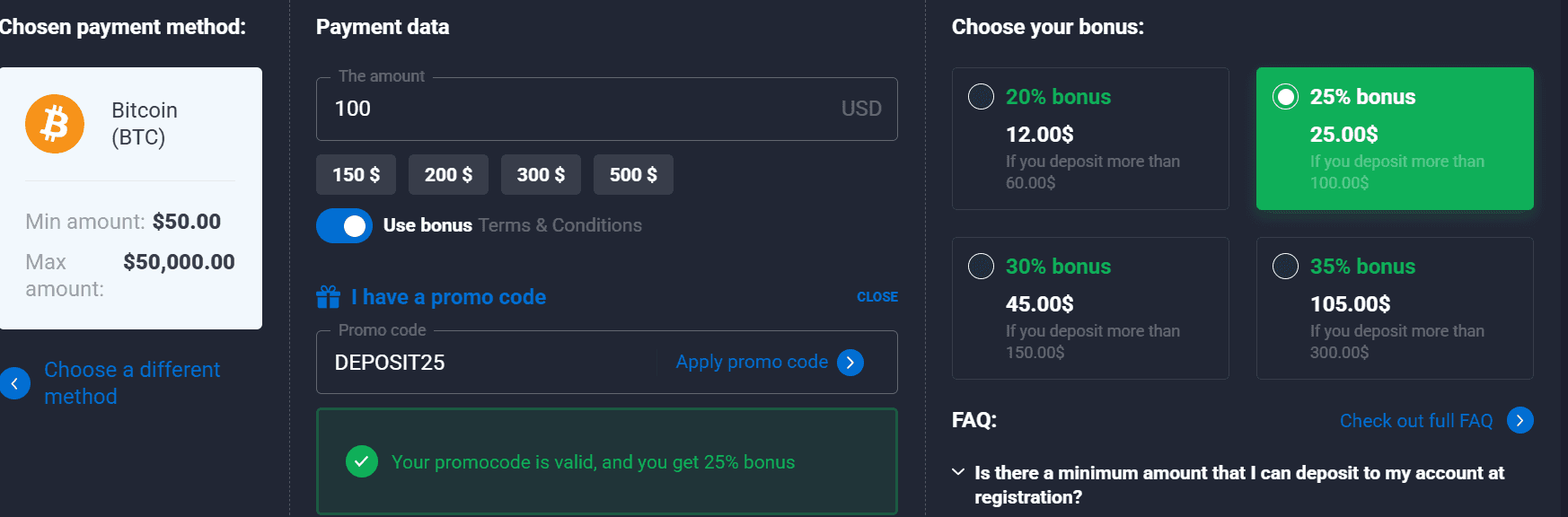
image42.png
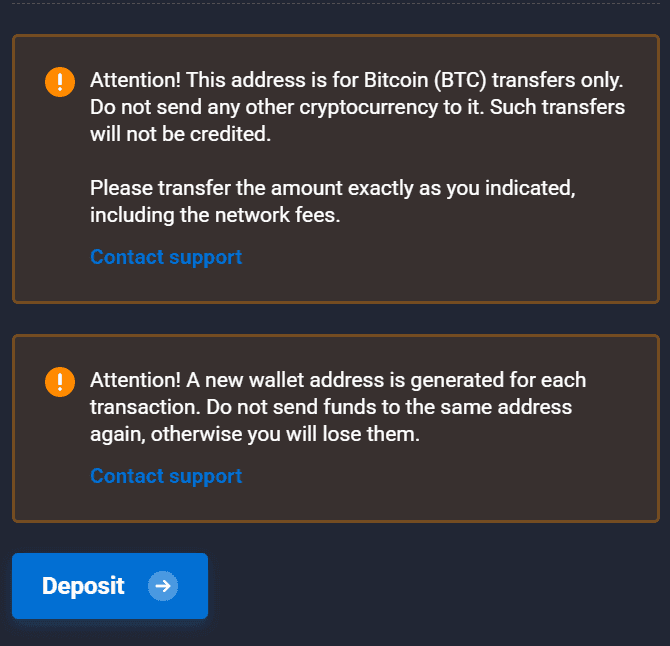
image16.png
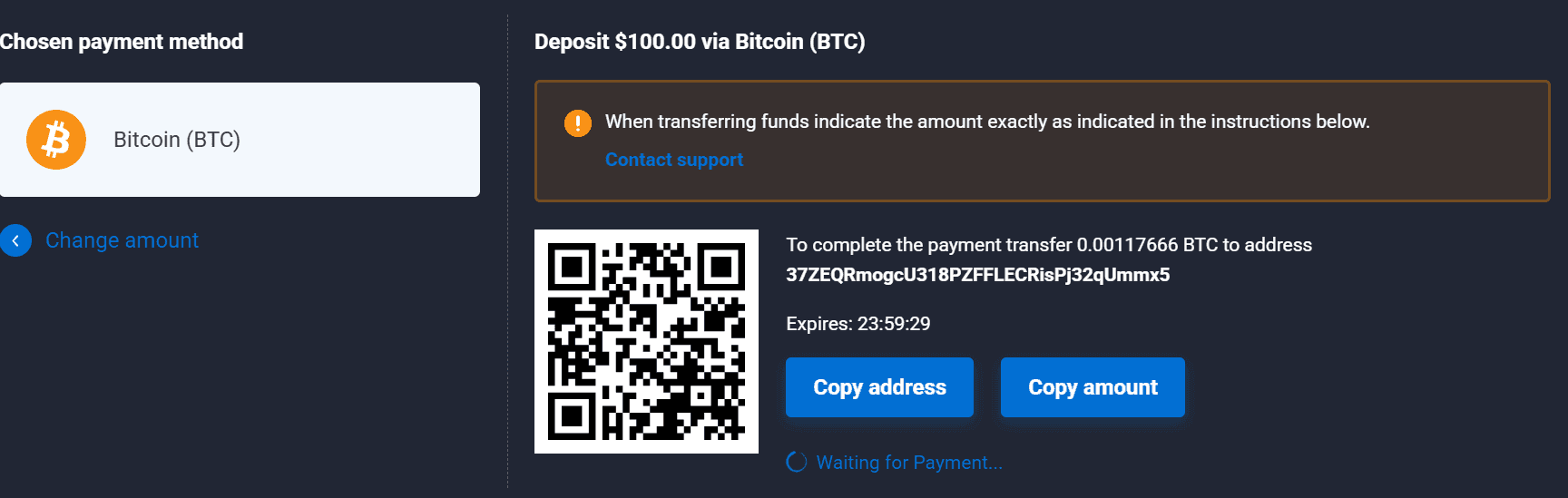
image31.png
Quotex helps traders find potential trading opportunities, thanks to its built-in trade signals. Based on technical analysis and market patterns, these signals provide information on prospective points of entry and exit. The tool lets traders filter and choose relevant opportunities by asset type.
Quotex provides a whole range of technical indicators to improve traders' analytical skills. The platform offers the following trend indicators and oscillators.
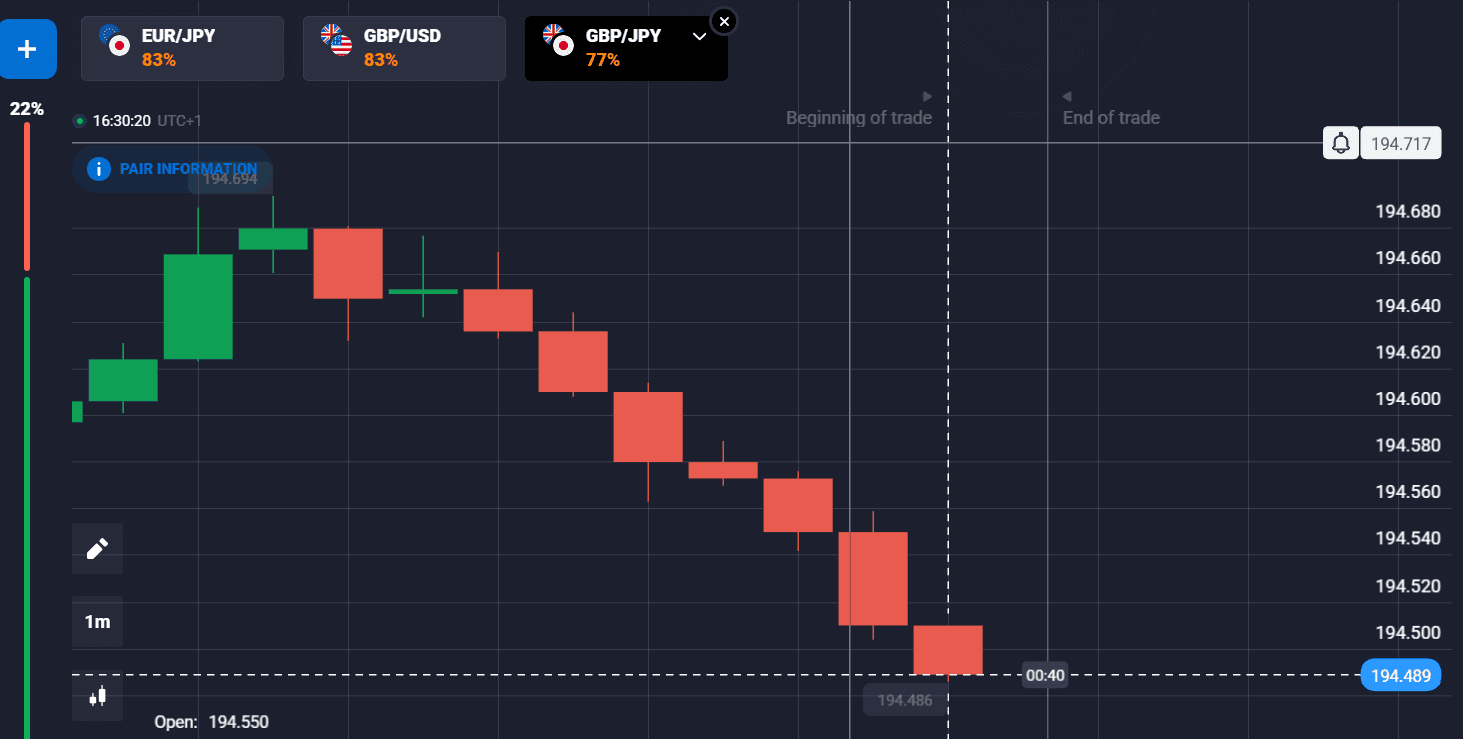
image61.png
Trend Indicators:
Alligator
Bollinger Bands
Envelopes
Fractal
Ichimoku Cloud
Keltner channel
Donchian channel
Supertrend
Moving Average Parabolic SAR
Zig Zag
Oscillators:
ADX
Aroon
Awesome Oscillator
Bears power
Bulls power
CCI
DeMarker
ATR
MACD
Momentum
RSI
Rate of Change
Stochastic Oscillator
Schaff Trend Cycle
Vortex
Volume Oscillator
Williams %R
Weis Waves Volume Oscillator
They help traders identify market trends, momentum, and potential reversal points, thereby facilitating informed decisions.
With a range of chart time frames, Quotex allows traders to analyze price movements over several periods. For quick trades, the platform includes short-term time frames, including 5 seconds, 15 seconds, and 1 minute. There are even longer options like 5 minutes, 15 minutes, and 1 hour. You can select 4 hours and even 1 day for a more detailed market analysis.
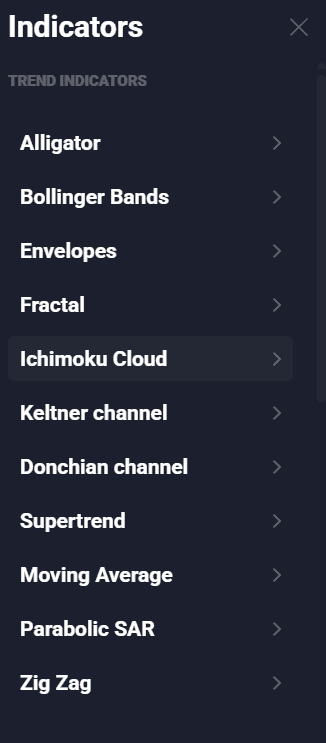
image51.png
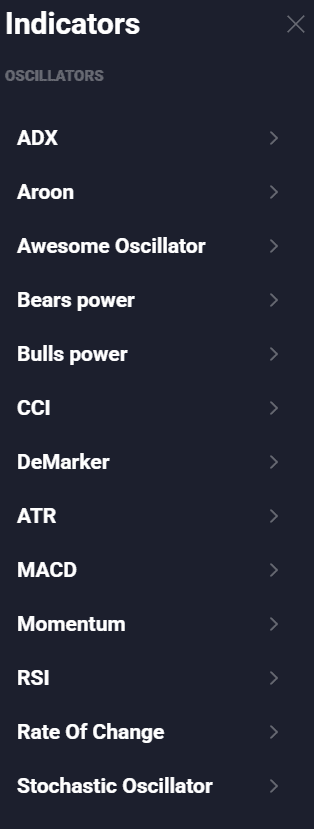
image44.png
Quotex offers a range of chart styles to suit various trading styles and analytical requirements. The platform offers four main types of charts:
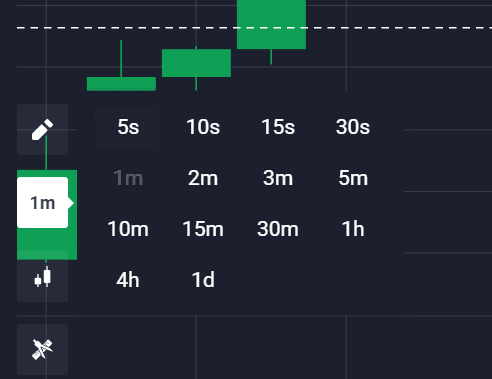
image27.png
Area chart
Candlestick chart
Bar chart
Heiken Ashi chart
These diverse charting options let traders choose the best visualization tools for their analysis, improving their capacity to understand market data.
Tournaments are occasional events that can be accessed on the left-hand panel of the trading terminal.
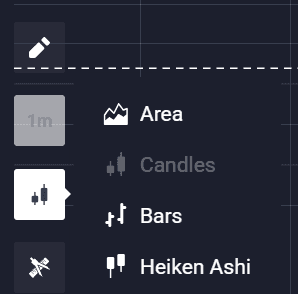
image39.png
Once you click on it, you’ll find the tournaments that are currently active as well as the following information about each event:
The name of the tournament
How many days are left until it starts
The prize pool
The entry fee
Number of participants
Duration of the tournament
You can then click on “Details” on any of the current tournaments to find out more about them. The new page will reveal additional details that weren’t displayed earlier, such as:
Rebuy cost
The exact time the tournament starts
When and what time the tournament will end
The number of rebuys
Quotex makes sure users can get help when needed by providing several support channels. The platform is accessible to a worldwide audience since its customer care is open 24/7 and supports over 20 languages.

select-account.png
Quotex Support Channels
Ticket system. Users can generate support tickets straight from their accounts, enabling real-time tracking of the status of their inquiries.
Email support. For formal or complex problems, users can send an email to support@quotex.io or info@quotex.com.
image3.png
Social media. Quotex is active on important social media platforms.
Mail correspondence. Users can reach Quotex at Main Street, P.O. Box 625, Charlestown, St. Kitts and Nevis for corporate or important matters.
Although Quotex does not provide live chat or phone help, its multi-channel strategy and round-the-clock availability give consistent client service. This is one of the reasons why not many people believe the Quotex fraud claims made by certain reviewers.
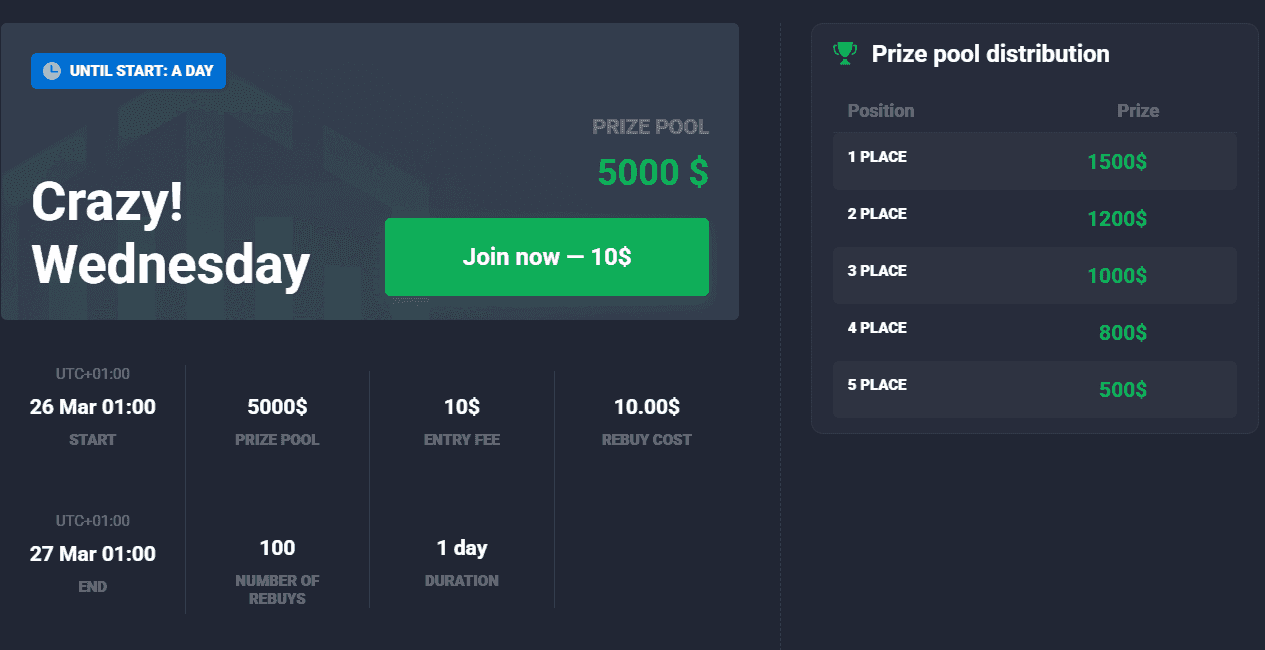
image71.png
image48.png
Quotex provides tutorials on how to trade and how to pass verification.
To access these tutorials, click on “Support” on the left panel.
Then, click on “Tutorials.”
Quotex doesn’t have tutorials or educational videos like some other platforms do.
Quotex has a mobile app for Android users, which can be downloaded from the Play Store. The iOS version is still in development. Regarding trading capability, the mobile app reflects the web version in all respects.
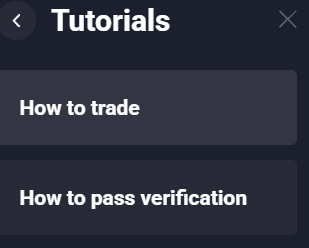
image12.png
When we compare the mobile and web versions, the only difference is the interface design. For instance, on the web version, the terminal icons are arranged on the left panel. On the mobile version, these icons are found at the bottom panel. Such changes make the platform more user-friendly.

image68.png
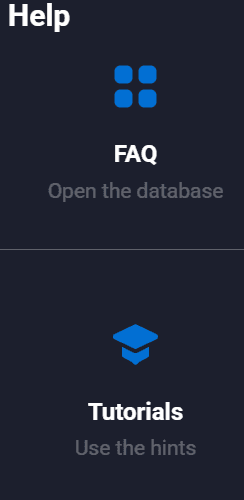
image20.png
Furthermore, some sections of the app may send visitors to the web version. For example, you will be sent to the web version at the final stages of depositing funds to your account.
Step 1: Download the app from the Play Store.
Step 2: The registration page will be displayed when you open the app.
Step 3: Choose your country, enter your email address and password, and then select your preferred currency.
Step 4: Confirm that you are 18 years old, and then tap “Register.”
Step 5: The Quotex login page will now be displayed. Choose your country and enter your email and password.
Step 6: Tap “Login to Account.”
Step 7: Go to your email and then tap on the link to verify your account.
Step 8: Come back to the trading app and tap on the “Profile” icon at the bottom of the screen.
Step 9: Enter the following information: nickname, first name, last name, date of birth, and address.
Step 10: Tap “Save” to complete the personal data verification process.
Step 11: The next thing is to verify your documents. Tap “Upload Documents.”
Step 12: Choose your country of residence and then tap “Continue.”
Step 13: Select the document you want to upload.
Step 14: Upload the front and back sides of the document.
Step 15: Tap “Next.” Quotex will then process your verification application. The verification will be completed within 5 days, and then you can start trading fully in the app.
Step 1: Enter the amount you want to trade.
Step 2: Check the bottom left section of the terminal and choose the assets to trade.
Step 3: Tap the green up button or Quotex down green button.
Once you do this, your trade will begin.
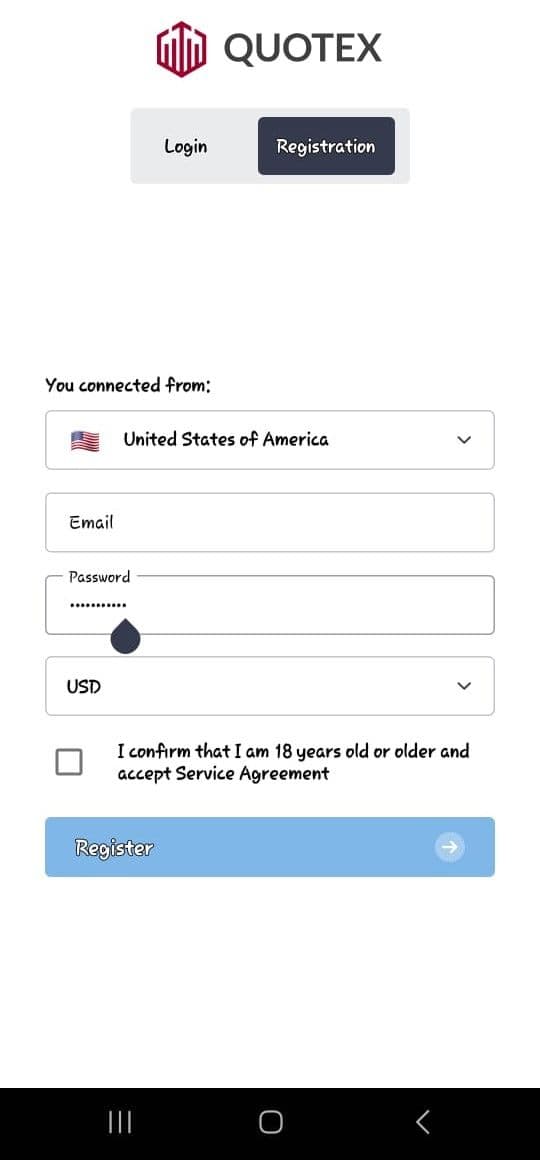
image18.jpg
Step 4: To use technical analysis tools, tap the indicators icon on the left side of the terminal. The icon is the last of the four you’ll see there.
Step 5: Pick any of the indicators and then apply it.
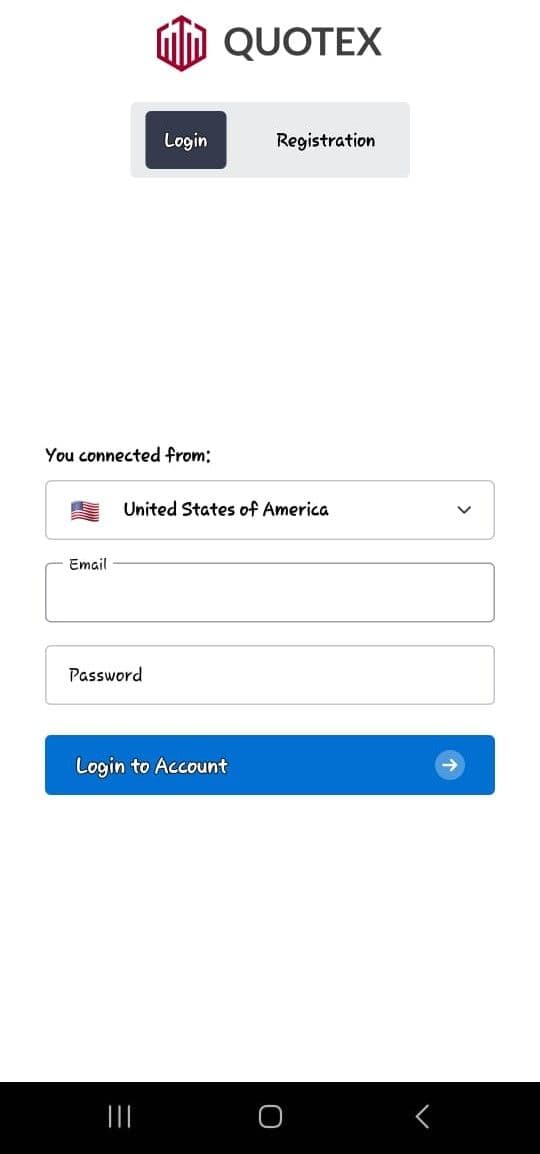
image4.jpg
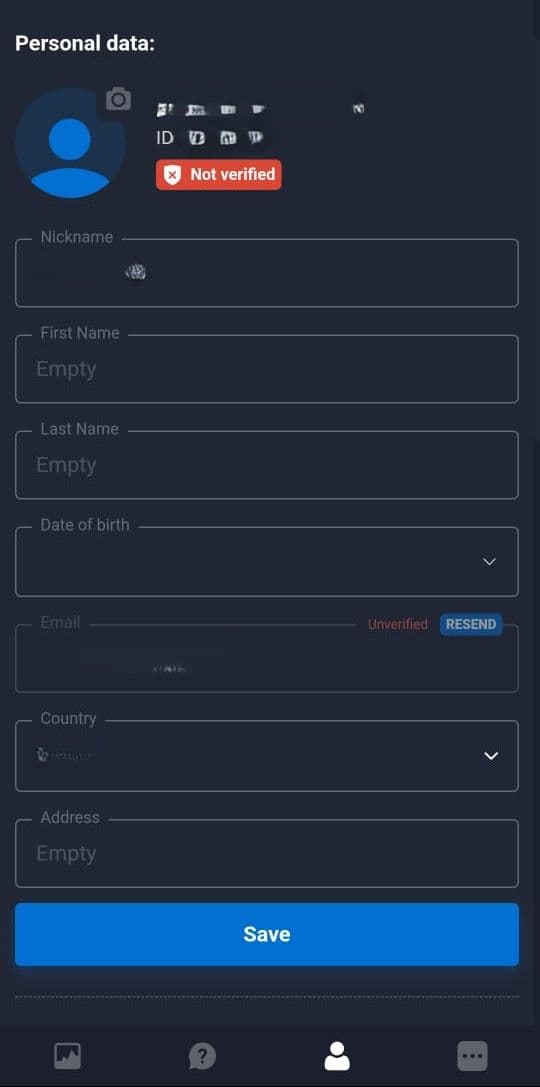
image7.jpg
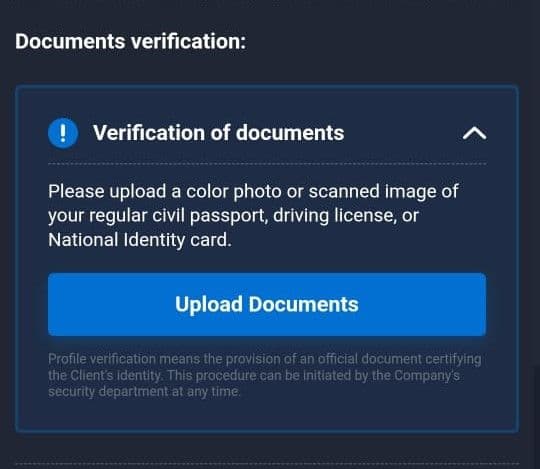
image14.jpg
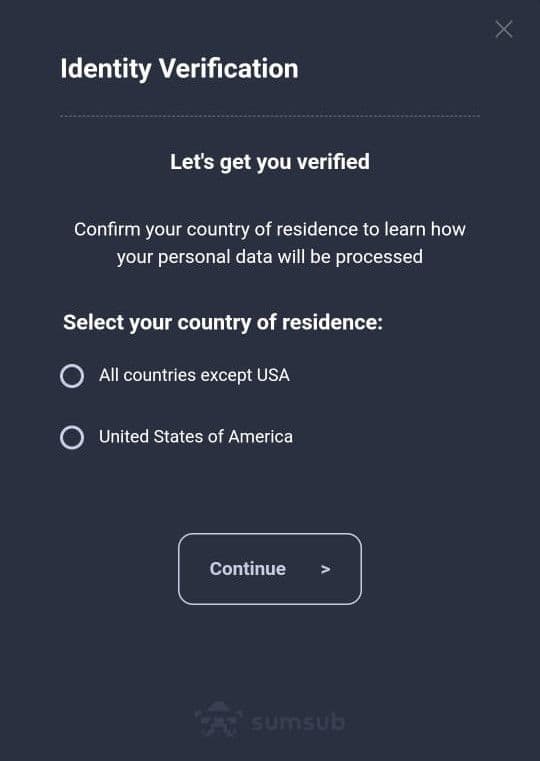
image6.jpg
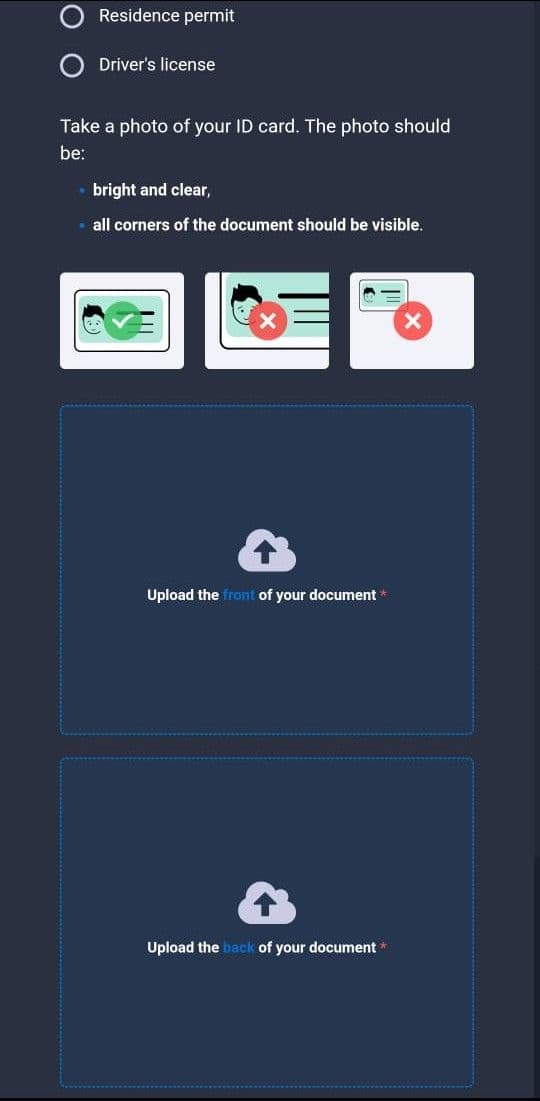
image67.jpg
Step 1: Tap “Deposit” in the top right corner of the trading terminal.
Step 2: Choose from any of the listed deposit methods.
We chose local debit cards.
Step 3: Enter the amount you want to deposit.
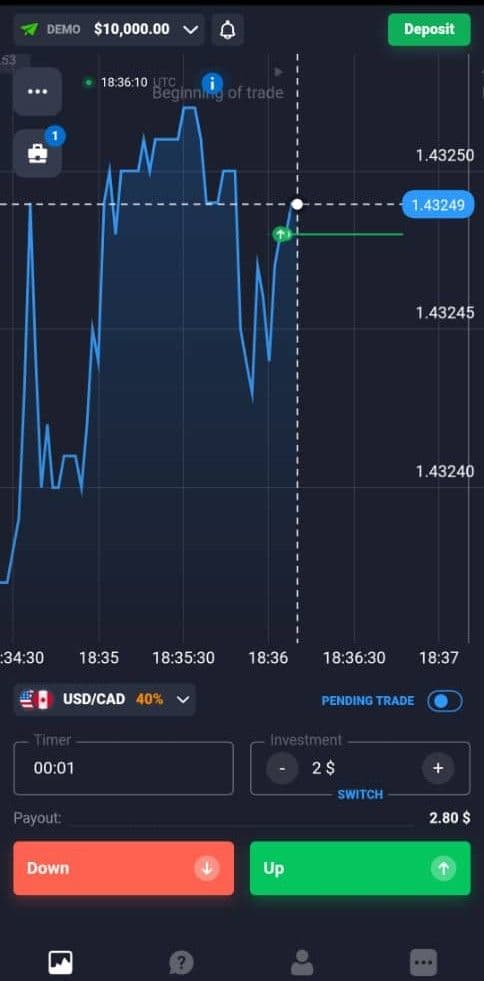
image58.jpg
Step 4: If it is your first deposit on the platform, ensure you choose your bonus. This will give you an automatic promo code.
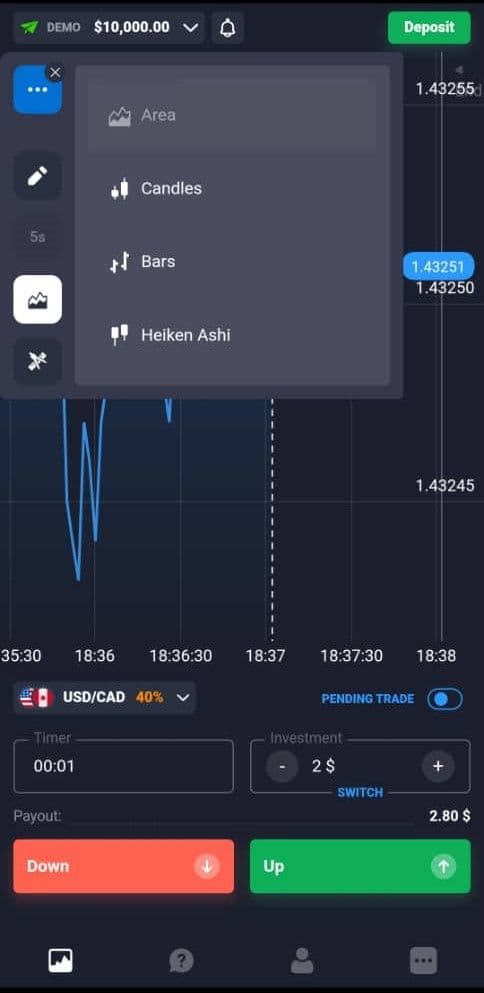
image47.jpg
Step 5: Tap “Deposit.”
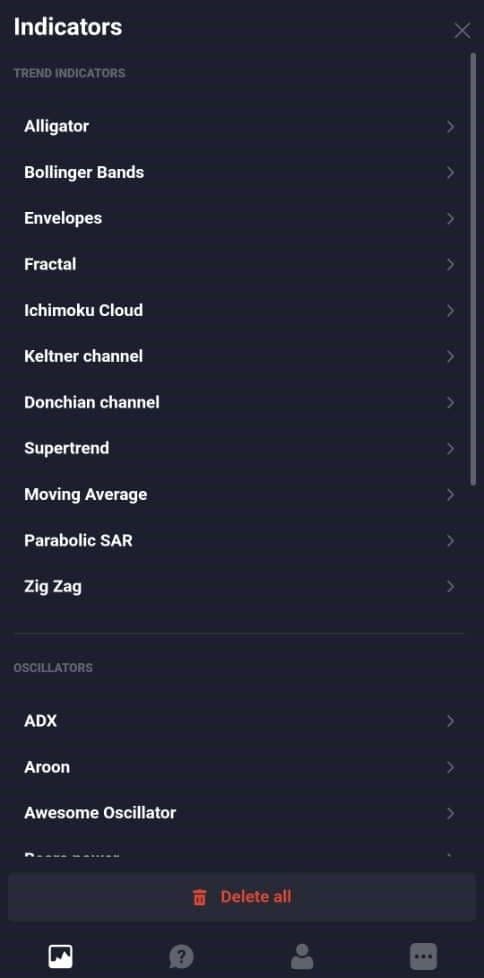
image11.jpg
Step 6: You’ll be directed to a payment portal. Fill in all the necessary information and make the deposit.
For withdrawal, simply go to your profile, choose withdrawal, and then follow the same process as the website version we discussed earlier. Bear in mind that you can only use the same method you used for deposit when withdrawing. Your request will be handled within 3 business days.
It’s necessary to understand Quotex’s policies so that you can avoid violations that can cause account restrictions or bans. Here are some of the ways to comply with the trading rules:
Account Verification. You have to submit personal details and valid identification as part of the identity verification process. This verification must be completed before you can fully trade, deposit, and withdraw funds from the platform.
Third-Party Payment Methods. All deposits and withdrawals must be made using payment accounts registered in your name. Using someone else’s bank card, wallet, or account is not allowed and may result in transaction rejection or further verification checks.
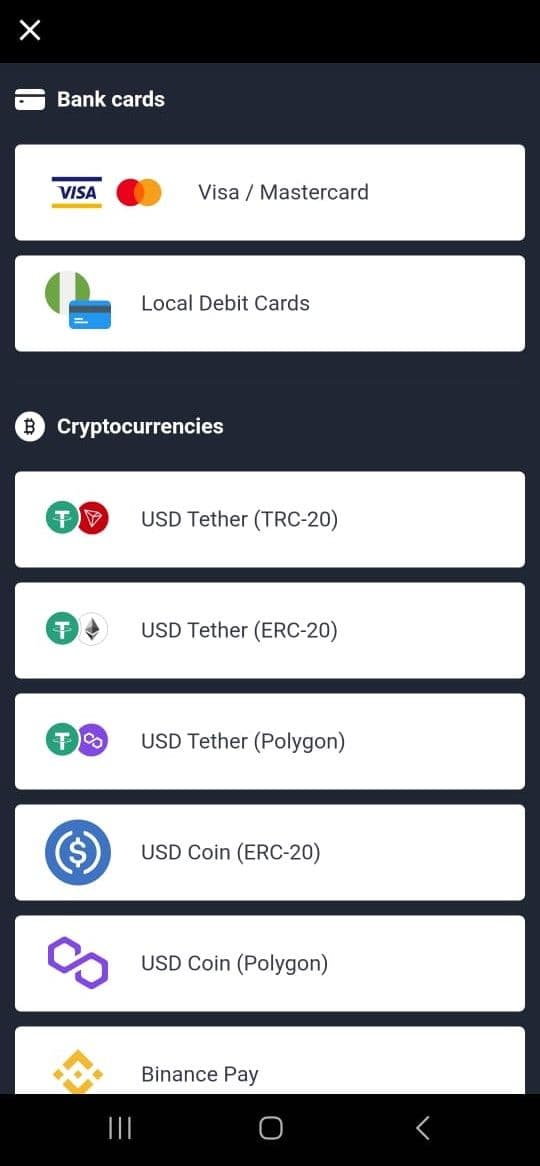
image8.jpg
Inactivity and Zero Balance. If your account remains inactive and has no balance for six consecutive months, Quotex may close it.
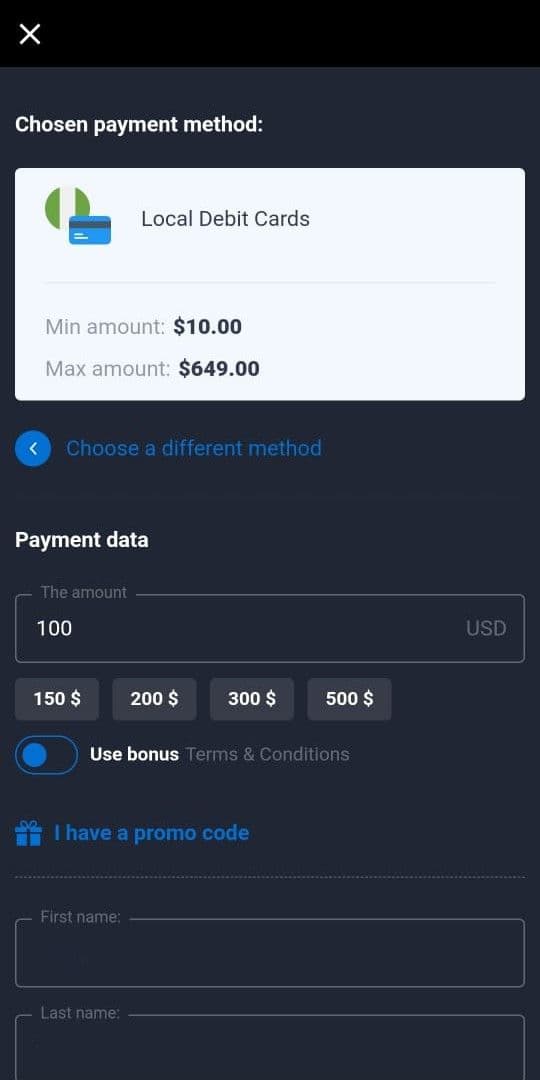
image34.jpg
Trading Rules. You must carry out trades using only your personal funds. Do not use automated bots or trade manipulation, as these fraudulent activities are prohibited. Using the platform for unlawful purposes, fraud, or any activity that violates local regulations may result in permanent account closure.
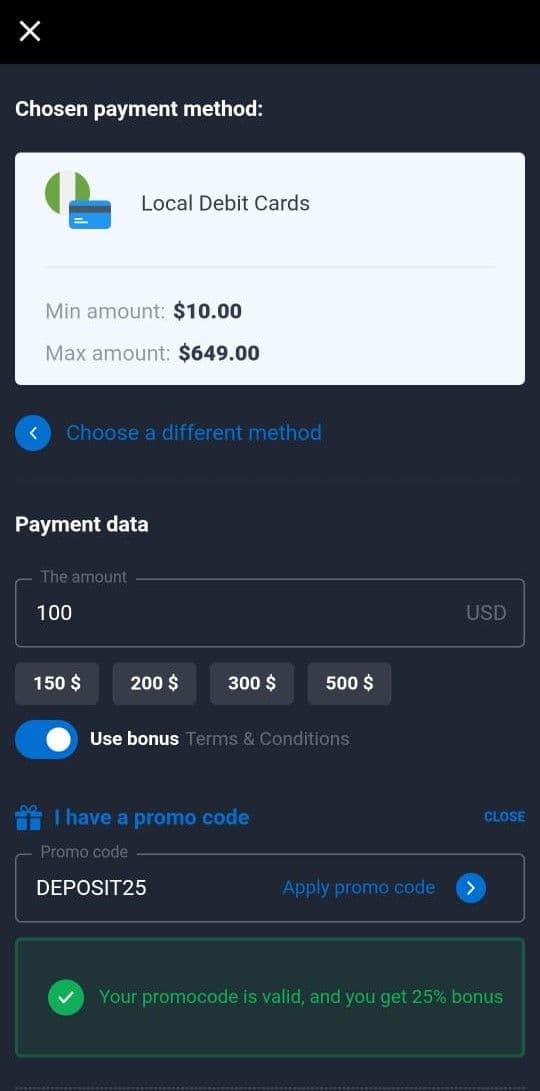
image40.jpg
image22.jpg
Employed by a Municipality. You must not be a state (municipal) employee or a state (municipal) institution employee.
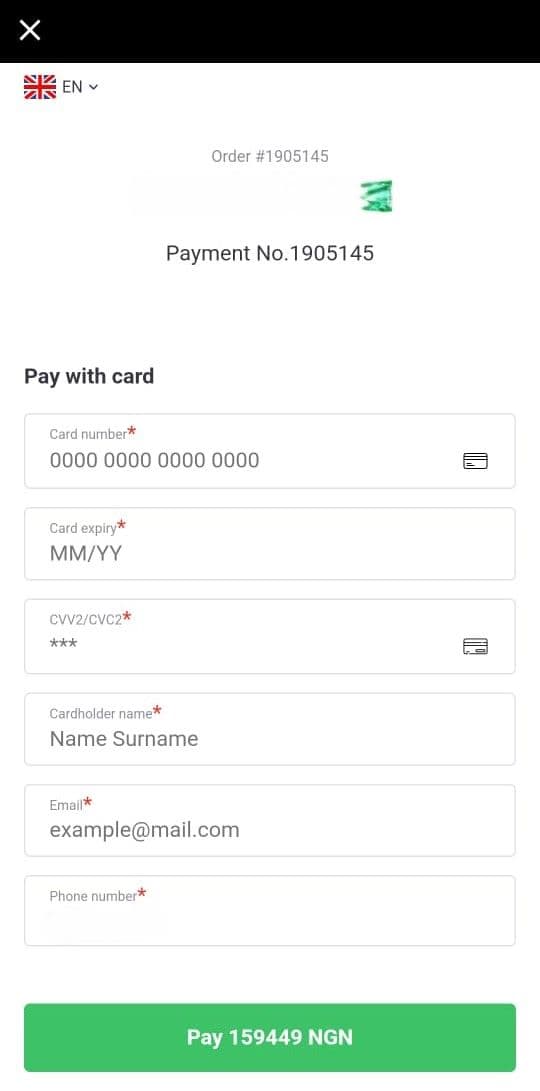
image46.jpg
Links to a Politician. You must not be a politician, a family member, or a relative of a politician. Generally, you shouldn’t have any connection with a politically significant person.
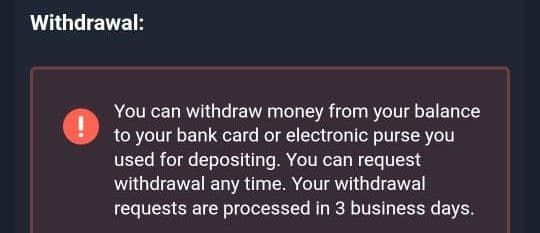
image66.jpg
Resident of Certain Regions. There are certain regions Quotex doesn’t allow, and if you are a resident of such regions, you can be banned. These regions are:
American Samoa
Northern Mariana Islands
Puerto Rico
US Virgin Islands
US Outlying Islands
Andorra
Austria
Belgium
Bulgaria
Croatia
Cyprus
Czech Republic
Denmark
Estonia
Finland
France
Germany
Greece
Hungary
Ireland
Italy
Luxembourg
Malta
Netherlands
Norway
Poland
Portugal
Romania
Russia
San Marino
Sweden
Switzerland
United Kingdom
Afghanistan
China
Hong Kong
Iran
Iraq
Israel
Japan
Lebanon
Myanmar
North Korea
Singapore
Australia
New Zealand
Guinea Bissau
Libya
Mali
South Sudan
Sudan
Democratic Republic of Congo
British Virgin Islands
Caribbean Netherlands
Cuba
Haiti
Honduras
Nicaragua
Confidentiality. You must maintain confidentiality of physical, technical, financial, economic, and other internal information of Quotex. Such information must not be disclosed to third parties.
Pros:
The interface is the first thing people mention, and fairly: it is clean enough for a beginner and quick enough that experienced traders do not fight it.
Ten dollars gets you in. For anyone testing the waters with limited capital, that is about as low as this market goes.
Quotex itself charges nothing to deposit or withdraw. Your payment provider might, but the broker takes no cut either way.
Cons:
No regulator stands behind it. For some traders that alone is disqualifying, and it is the single biggest thing to weigh.
Where you live decides whether you can use it at all, since a number of countries block their residents from the platform.
Options trading carries real risk of losing the full stake, and short expiries make that risk arrive quickly. It does not suit every investor.
It fits a trader who wants a low entry point, works short-expiry contracts on currency pairs, funds and withdraws in crypto, and understands exactly what an unregulated counterparty means. On those terms the conditions are competitive and the platform is capable.
It does not fit anyone who needs regulatory protection, wants to park a substantial balance with the broker, trades from an iPhone, or expects phone support when something goes wrong.
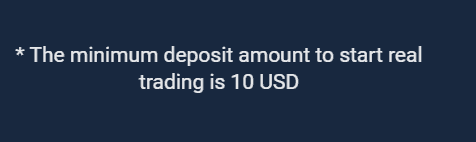
image56.png
Whatever you decide, the sequence is the same: deposit the 10 dollar minimum rather than your intended capital, complete verification early since it takes up to five days, place a few small trades, then withdraw part of the balance. Three business days later you will know more about this broker than any review can tell you, including this one. The Quotex affiliate programme is covered separately if the partner side interests you.
Quotex holds no licence from any financial regulator, and no amount of internal policy substitutes for that. What the company does have is a set of security and data-protection practices it applies voluntarily, plus a long operating record. Whether that is enough is your call, and it is a different question from whether the platform is legal where you live.
Quotex supports all countries except EEA countries, Russia, Israel, Indonesia, and Hong Kong.
Required identity verification documents include a national ID card, residence permit, and driver’s license.
Visa, Mastercard, local debit cards, bank transfers, and cryptocurrencies are among the presented options.
The minimum trade amount is $1 and the maximum trade amount is $3,000.
The main difference is the icon interface layout.
No, bonus money can only be used for further trading on the app.
Start Trading Today – Maximize Your Profits!
Unlock powerful tools and insights to boost your trading success
* General Risk Warning: Your capital might be at risk
Discover top binary options brokers tailored to your region. Browse our curated lists by country:
