Updated:October 19, 2026

10 min
10 min

The password is correct, but Quotex login still fails. You may be using a different email or trying password login for an account created through Google. This 2026 guide covers registration, PC and mobile access, switching to demo and getting back into the account you already have.

Author
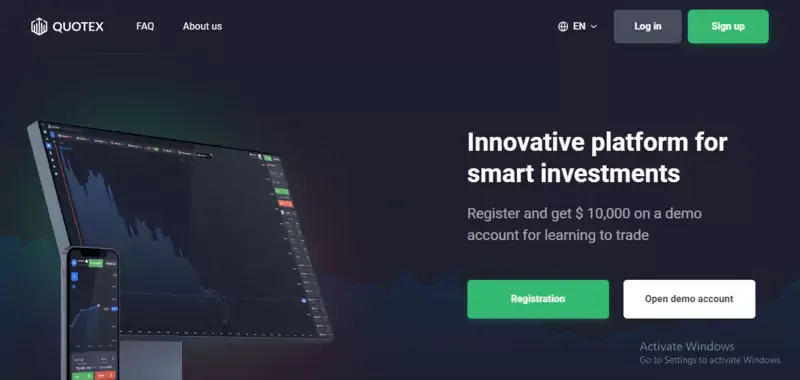
If you already have a Quotex account, go straight to Log in. Registration creates a new account; it is not a way to recover the old one. A second profile can leave your balance and payment history in the account you still cannot reach.
For a new account, open the provider's website and select Registration. Enter the details requested by the form, choose a password and read the agreement before accepting it. Use an email inbox you control, because password recovery will depend on access to it.
Where the form offers Google or Facebook registration, you can use that route instead. The provider asks you to choose or sign in to the social account and approve the requested connection. Remember which profile you selected. On a computer with two Google accounts, choosing the other one later can take you to a different account.
After registration, the dashboard may open immediately. That gets you into the platform, while identity verification remains a separate account requirement. A short sign-up form does not mean the provider will never ask for documents.
Quotex also has residence restrictions, including the USA, Canada, Hong Kong, EEA countries, Israel and Russia in its published terms. The country availability guide covers that question before funding. Use your actual residence and identity details when registering.

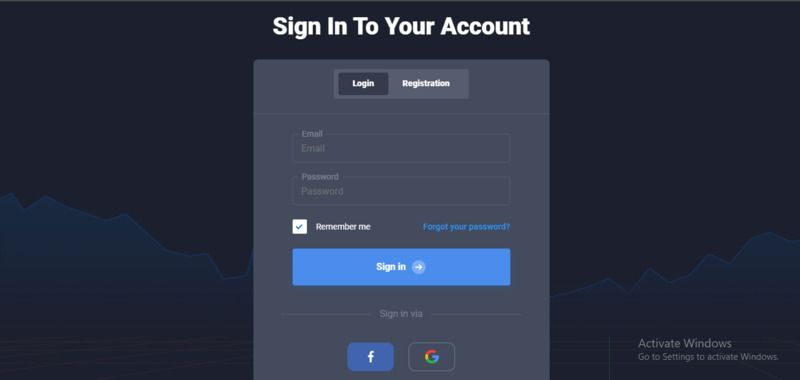
Open the website you used to register and select Log in. Enter the account email and password, then complete any security prompt. Once the dashboard opens, look at the account name and balance before placing an order.
Use the original sign-in method. If you registered through Google, choose Google and select the same profile. If you registered with email and password, use those credentials. Switching between the two routes without knowing how the account was created can make a login problem look like a lost balance.

A password manager helps here: it stores both the credentials and the website they belong to. If it refuses to fill an apparently familiar page, inspect the address before typing the password yourself.
The browser route is enough to use Quotex on a PC. For installation options, our Quotex PC guide covers the separate app question. There is no need to install a random download just to open the login form.
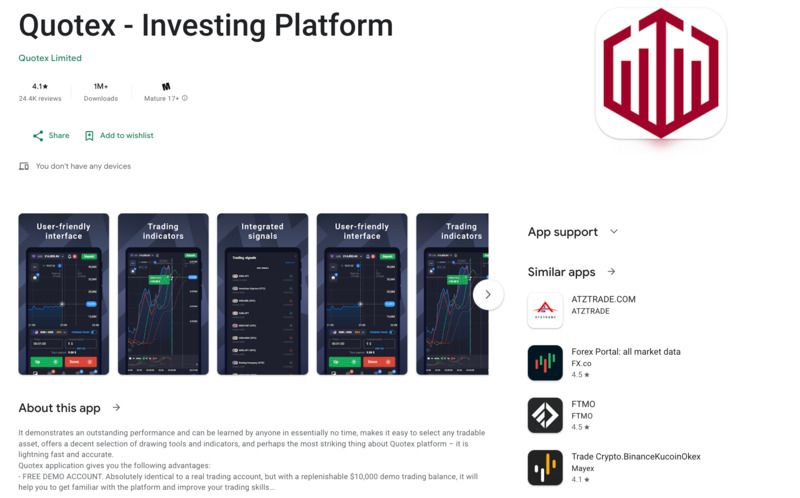
You can begin in the phone's browser. Open the provider's website, expand the menu if needed and choose Log in. Enter the same credentials used on your PC. The screen is narrower, but you are accessing the same account.
If you use an app, follow the download route linked by the provider. The official download link used on Trading.biz is retained here so you can follow the intended route rather than a similarly named search result. App availability can differ by device and region.
On a shared phone or tablet, pay attention to social login. The Google or Facebook profile already signed in on that device may belong to somebody else. Choose your own profile instead of accepting the first account offered.
After access is restored, open the balance selector. A mobile layout can hide the demo or live label behind a menu, so confirm the selected balance before entering a stake.
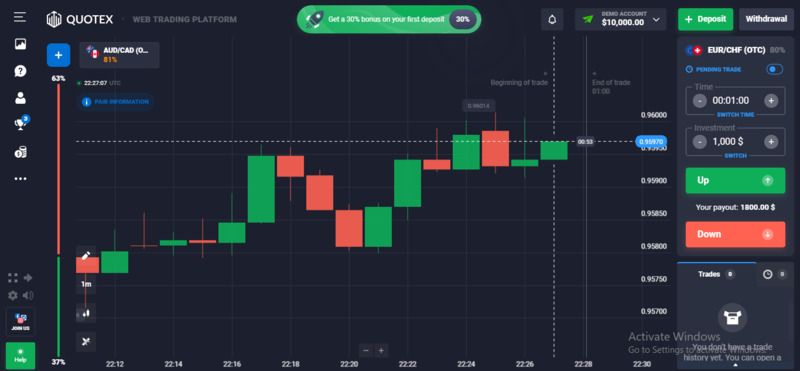
The demo is reached from the account selector inside the platform. Sign in, open the balance menu and choose Demo account. The label should change to show that orders will use virtual funds.
You do not need a separate demo password. The selector changes the balance used by the trading screen. To return to live trading, open it again and choose the live account.
For a first practice order, choose one instrument and a small virtual stake. Read the expiry and quoted payout, then follow the trade through to settlement. If you entered $2, look at both possible outcomes before repeating the exercise: the return shown for a winning trade and what happens to the stake when it loses.
The Quotex demo walkthrough goes further into practising a strategy. A virtual win helps you understand what the controls did. It does not tell you whether a series of real trades will make money.
Check the demo label again after changing devices. An account menu you know well on a laptop may sit elsewhere on your phone.
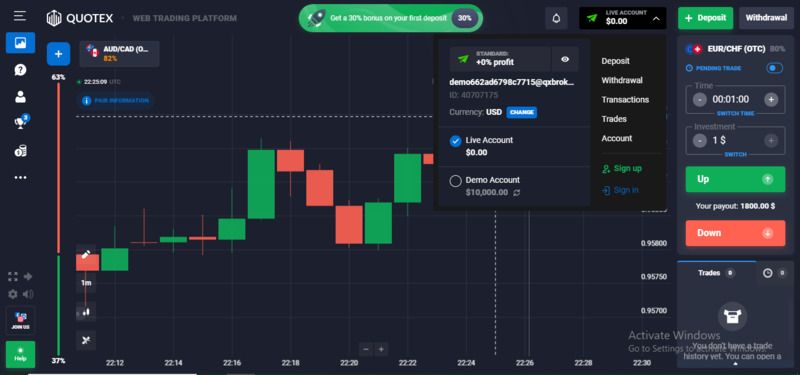
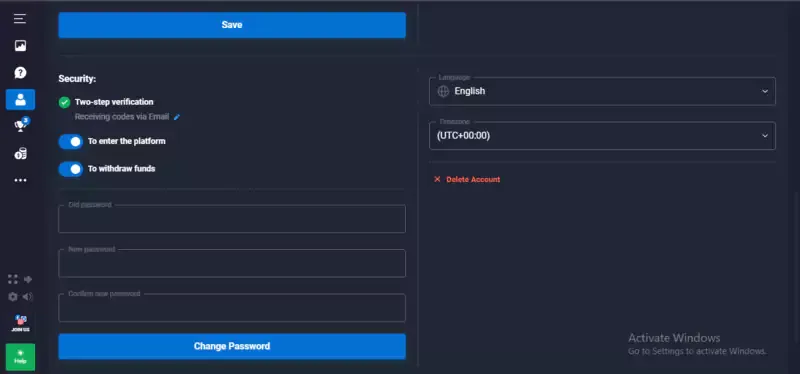
Open Account and find the Security settings. Enable the two-factor authentication options offered there, following the instructions for your account. If the settings distinguish login from withdrawals, look at both. Protecting access and confirming a payment are different actions.
Keep recovery details somewhere you can reach if the phone is lost. For example, storing the only recovery copy on the same phone as the authenticator leaves you with the same problem twice.
Use a unique password for the platform and protect the associated email inbox. An attacker who can reset the password through your email may bypass the benefit of a strong trading password. Change it when it has been exposed or reused; an arbitrary three-month schedule is no substitute for that.
Keep authentication codes private. A support conversation may need the account email or an error screenshot, but a stranger asking for the current login code is asking for access. Open support through the platform instead of continuing that exchange.
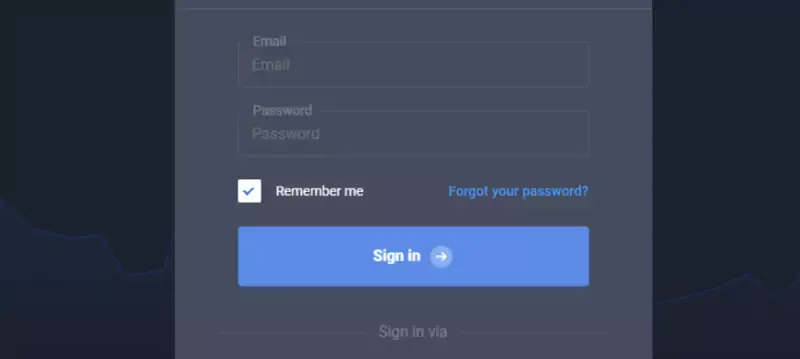
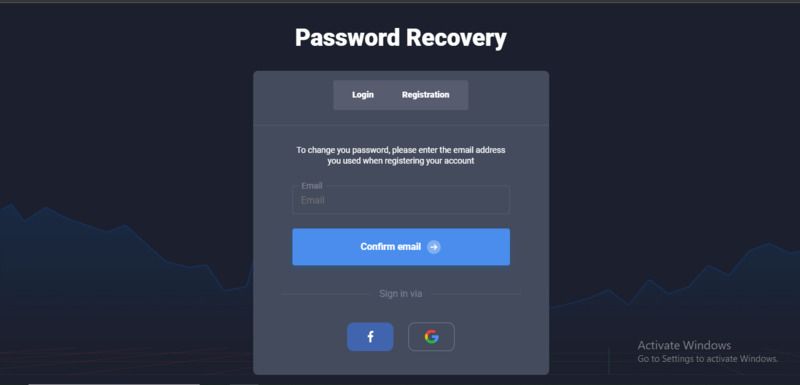
On the login form, choose Forgot password. Enter the email used for the account and request the recovery message. Open the link, choose a new password that meets the displayed requirements, then save it in your password manager.
If the email does not arrive, check spam and search the inbox for previous Quotex messages. That can also reveal whether the account was registered under another address. Correcting a mistyped email is more useful than requesting the same reset repeatedly.
For an account created through Google or Facebook, start by restoring access to that original sign-in method. A Quotex password reset may not solve a problem with the social account used for authentication.
Once the reset succeeds, return to the login page and try the new credentials. If the message says the account is restricted, save that message and contact support. A restriction requires an explanation of the account's status. Resetting the password again will leave it unchanged.
For payment access after recovery, our Quotex withdrawal guide covers the next process separately.
Start with the account you want to reach. If the old balance was attached to your usual email, write down that address before trying another route. On a device with several Google profiles, also identify the one used at registration.
Open the provider's site or supported app, select Log in and use that original method. Complete the security prompt on your own device. If a password manager fills the form, make sure it has selected the intended entry rather than an older account.
When the dashboard appears, confirm the account name and switch to the balance you want. For practice, the selector should say Demo. A zero balance after choosing a different social profile is a reason to check the account identity before depositing.
Save the working sign-in route once access is restored. That gives you the same starting point on the next device.
Use the error to choose the next step. An incorrect-password message calls for checking the email, keyboard layout and saved password. If those are correct, use password recovery.
A page that hangs or loops back to login may have a browser-session problem. Try a private window or another supported browser. If that works, remove the affected site's stored data in the original browser, then sign in again. Make sure you know the password before clearing a working session.
If the dashboard opens with an unfamiliar balance, check which email or social profile is signed in. Creating another profile to search for the money can make that confusion worse.
For a blocked account or country restriction, contact support with the exact message, device and time of the attempt. A VPN will leave the residence attached to your identity documents unchanged.
Check the address before entering credentials, especially after following a message or advert. A copied logo can make a different site look familiar. Your saved bookmark or password-manager entry provides a more consistent route.
Keep a recovery email and an authentication code out of public screenshots. If somebody offers to fix Quotex login through a private chat, they do not need either to explain a browser problem. Do not install remote-control software for an unsolicited helper.
Account security also has a boundary. A protected login reduces the chance of somebody accessing your profile, while the provider's financial authorisation determines a different set of protections. Our Quotex review discusses the platform more broadly. For an Indian resident, the RBI Alert List entry is material regardless of how securely the password is stored.
Once you can reach the correct account, save the method that worked. Keep the account email, website and recovery route together in your password manager. If you used Google, note the selected profile so the next login on a phone does not lead somewhere unfamiliar.
Then make one deliberate choice inside the platform: Demo or live. For a practice session, select Demo and confirm the label before entering an order. There is no deposit needed to learn where the expiry, stake and payout appear.
If access remains blocked, send support the exact error and account email. Keep the conversation about that original account. The questions below cover the distinctions that most often decide which recovery step to use.
It is the sign-in process for an existing Quotex account. Use the email and password or social profile chosen at registration. After signing in, the account selector lets you choose the demo or live balance. Registration is a separate route for creating an account, so it should not be used to recover one.
Open the provider's website or supported app, choose Log in and enter the credentials linked to your account. Complete any authentication prompt, then confirm the account and balance. On a phone the controls may sit inside menus, but the account identity remains the same as on your PC.
A working login cannot establish financial authorisation. That depends on the company, service and country. For example, Quotex is included on India's RBI forex Alert List. Separately, use a unique password and available two-factor authentication to protect access. Live binary-options trades can lose the full stake.
Start with the message shown. Common possibilities include a wrong email or password, a different Google or Facebook profile, a stale browser session or an account restriction. Try recovery for a credential problem. For a restriction, ask support about the stated reason rather than creating another account.
Select Forgot password on the login form and enter the account email. Follow the recovery link, choose a new password and save it. Check spam if no message arrives. If you registered through a social account, restore access to that original provider as well; its credentials may be the part that needs recovery.
Find Your Perfect Broker: Explore Our List Now!
Choose the best with our expert-selected options


Find Your Perfect Broker: Explore Our List Now!
Choose the best with our expert-selected options
Discover top binary options brokers tailored to your region. Browse our curated lists by country:
10724