Updated:October 15, 2026

11 min

10310
Download Quotex Trading for PC (2026)
In this guide, I'll show you how to download the Quotex trading app on your PC and why you should consider this option. This is your complete download quotex trading for pc walkthrough – where to get it, how to install it safely, and what to do once it's running. Keep reading to learn where to get the Quotex trading app.

Semelyuk Alexandra
Author

I've been using the Quotex website for several months now. It's a convenient way to access the Quotex platform because I can log in quickly from any device with a web browser. The web app has everything I need to start trading, including charts, a trading dashboard, and analytics.
However, you can get an even better trading experience by downloading the Quotex trading app on your PC. Although there's no official desktop app available for Windows or Mac, the process for Quotex download for PC allows you to install the Android version on your Windows PC. An emulator presents a solution for Android users who want to try out a desktop trading environment.
Finding user reviews takes a lot of work because the app isn't available on the Windows Store. However, I downloaded the latest version on my PC and have used it for quite a long time. Here are some key features I found that they do better in the PC app than the web app:
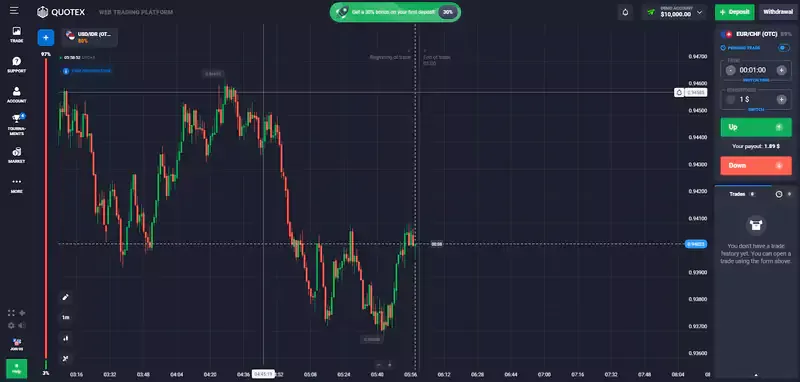
- Faster loading speeds. Your PC can allocate more system resources to a standalone app than a web app, which has to share resources with other tabs and other open apps.
- Better performance on poor internet. If you have an unstable internet connection, the Quotex trading app for PC can give you a smoother trading experience because it's optimized to work well on mobile devices, even when they have weak signals.
- Push notifications. The Quotex app also supports push notifications, which can help you keep track of market trends without actively looking at the platform. You can set notifications for when a particular asset reaches your desired price and do something else, allowing users to make informed decisions.
Trading in the financial markets carries significant risk. Download the latest version of the app to avoid malware or scams. You can do it from official sources and not from third-party websites.

Quotex Download for PC: Steps to Follow
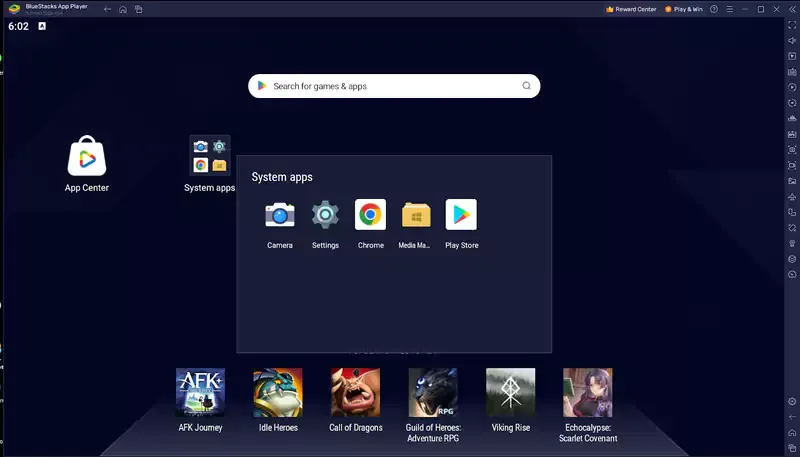
Quotex doesn't offer a dedicated desktop app for Windows or Mac. However, you can use emulators like Nox and Bluestacks to handle the app download of the Android version of the app and use it on your PC like you would on your phone.
Emulators are like virtual Android devices that use your computer's hardware to create an Android device within your system. You can use the device to download and run various Android apps, including the Quotex app download. The emulator can provide a larger screen for trading.
Worth being precise about the search term that got you here: quotex app download for pc and quotex app download both point at the same emulator-based process described below, since Quotex has no native Windows or Mac installer to speak of. If you'd rather confirm the app works for you before setting up an emulator, testing the same interface through a demo account costs nothing and needs no installation at all.
How to Download the Quotex App with BlueStacks
Bluestacks is the world's most popular Android emulator for Windows. I love it because it offers a clean Android experience on my big monitor and offers various features with a few performance issues. The emulator also offers a vast app selection, including all the apps on the Google Play Store. It's also easy to download. Here's how you do the Quotex app download:
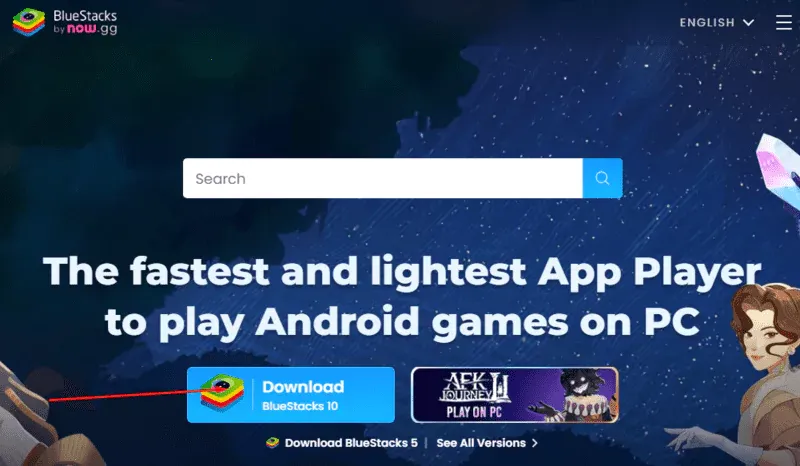
- Use your PC's browser to open Bluestacks' official site.
- Click on "Download Bluestacks 10."
- Once the download is complete, click on it to start the installer.
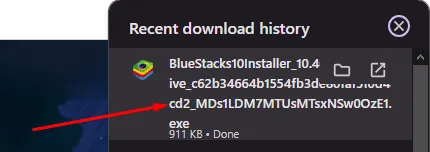
- The installer will start downloading and installing Bluestacks on your computer.
- Once the installation is finished, open Bluestacks and the Google Play store.
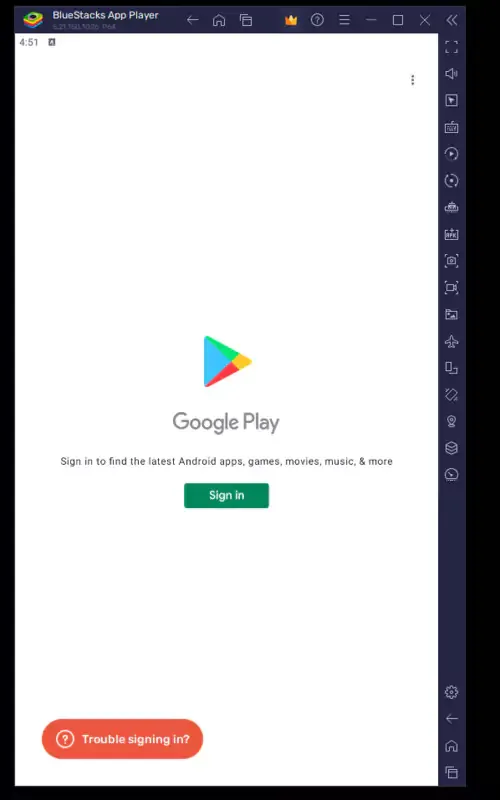
- Click "Sign In" and log in to your Google account. This will allow you to install Quotex from the Play Store.
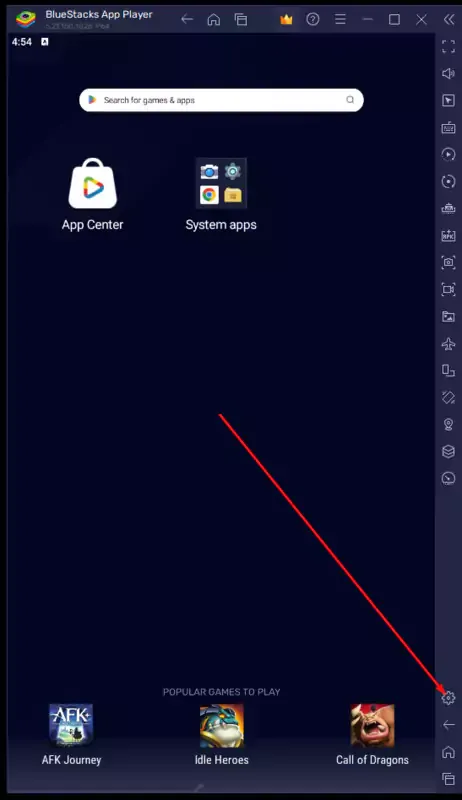
- Click on settings (gear icon).
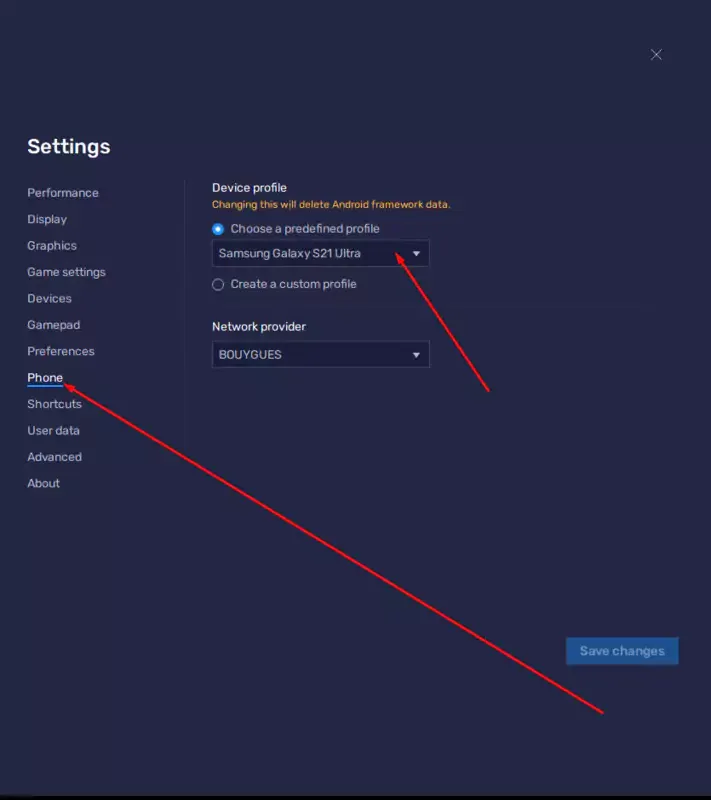
- Click on the "Phone" section and note your virtual phone's model. This information will be important when installing the app from your PC's browser.
- Use your computer's browser to log on to Quotex's official website and ensure you're signed into your Google account.
- Scroll down and find the mobile download section. Note that while this section may reference the Apple App Store for an iPhone or iOS version, the current focus is on Android desktop app downloads.
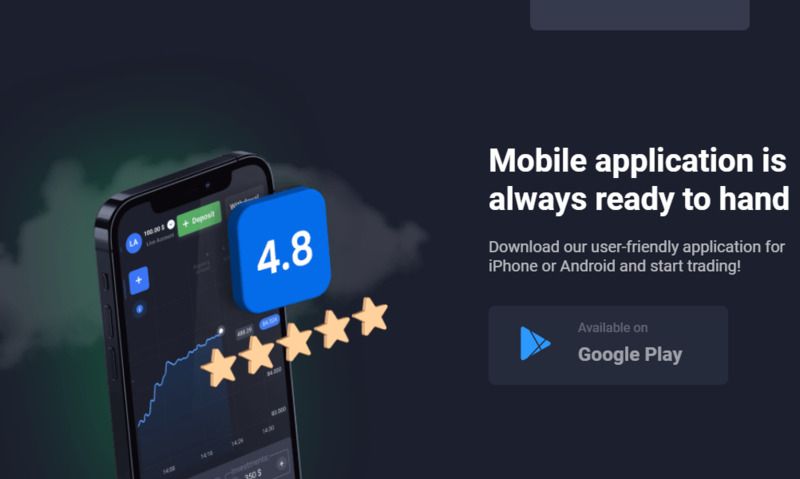
- Select "Google Play."
- The site will redirect you to Quotex's listing on the Google Play store.
- Select to install on the device model you saw earlier on Bluestacks. You can then tap the icon to launch the app on your virtual screen.
Although you can search for Quotex installation directly from the Play Store on Bluestacks, getting the link from Quotex's official website is safer to avoid downloading a cloned app. It ensures you get the official Quotex Limited product.
This BlueStacks path works the same whether you're specifically after a quotex app download for pc windows 10 setup or a quotex app download for pc windows 11 one – BlueStacks supports both current Windows versions identically, so the steps above don't change based on which one you're running.
How to Download the Quotex Trading App with Memu
Memu is another popular Android emulator that allows you to run applications like Quotex on your PC. Some people prefer Memu to Bluestacks because it's less intensive on system resources, making it smoother on slow computers.
Bluestacks also performs poorly on some devices with AMD graphics cards, making Memu a good option for a desktop setup. Downloading Quotex from Memu is straightforward, too. Go to Memu's official website.
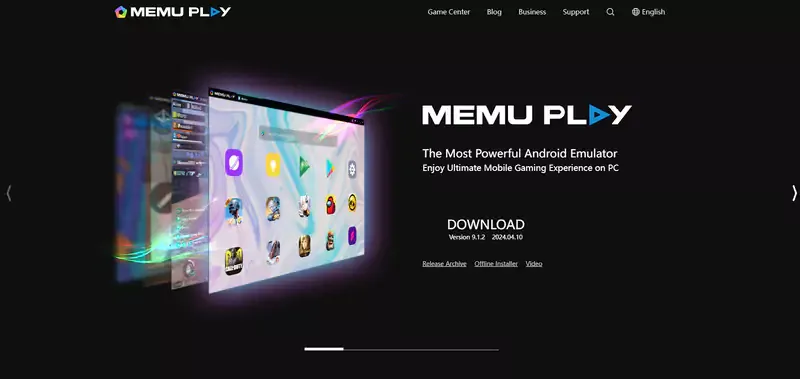
- Click on "Download."
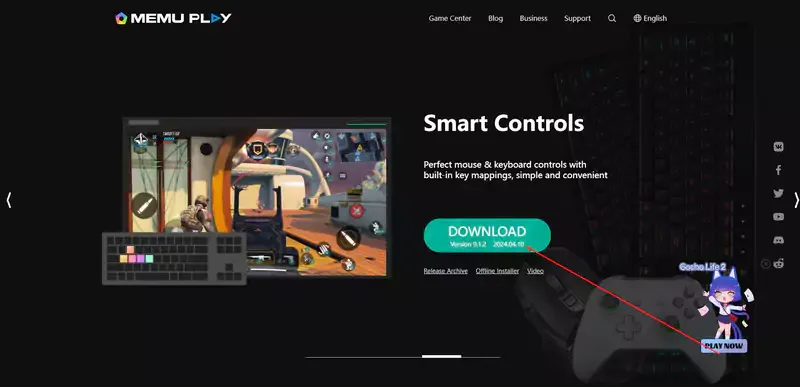
- Once the download is complete, click on it to start the installer. Depending on your internet speed and PC specs, the installation process could take a while.
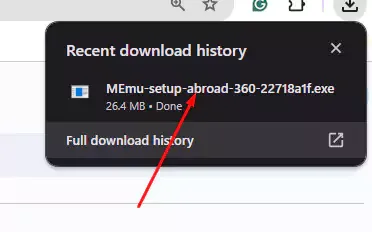
Once Memu is installed in your system, you can use the steps I explained in the Bluestacks section to download the Quotex app from your PC's browser.
Memu tends to be the better quotex app download for laptop option specifically, since laptops with integrated graphics and less RAM handle its lighter footprint more comfortably than BlueStacks' heavier one.
Emulator Comparison: Bluestacks vs Memu vs Nox
Bluestacks and Memu both get the job done, but they suit different setups. Here's the short version if you're deciding between them, plus Nox as a third option worth knowing about.
| Emulator | Best for | System load |
| Bluestacks | Newer PCs, more features, larger app library | Heavier |
| Memu | Older or lower-spec computers | Lighter |
| Nox | A middle ground between the two | Moderate |
None of the three is officially affiliated with Quotex, so download each only from its own official site rather than a bundled installer from somewhere else.
If your PC struggles with either Bluestacks or Memu specifically, Nox is worth trying before assuming the app itself is the problem. All three run the same Android build of Quotex identically once installed, so performance differences come down to the emulator you picked.
Steps to Get Started Trading on the Quotex Trading App for PC
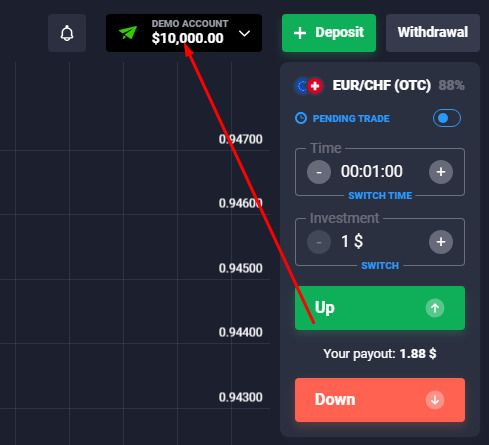
For beginner users or new traders, the Quotex trading app is one of the best trading platforms to start with. It's one of the highest-rated options brokers worldwide. The Quotex website accommodates everyone from experienced traders to people who want to know how the market works. The platform offers:
- Trade Forex.
- Currency pairs.
- Commodities.
- Stocks.
- Indices.
- Crypto assets.
- Binary options.
I'd recommend creating a demo account to learn how the platform works and practicing your trading strategy.
With Quotex, you can set up and place trades with just a few taps. The demo account simulates real-time data and gives you $10,000 in virtual cash to practice. This allows you to trade freely without risking losing real money.
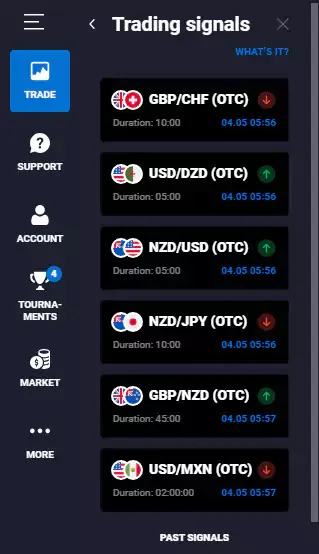
The Quotex trading app for PC also offers trading signals, which are analyst recommendations to trade on various financial markets. Quotex has charting tools like Bollinger Bands and supports multiple timeframes. Of course, signals are not instructions to trade, but they can guide you and help you understand how to analyze the markets in your early days on the app. Experienced traders can benefit from its fast execution and low minimum deposit. You can also set up Two-Factor Authentication for added security.
Everything above describes the same quotex trading app running through an emulator layer rather than a separate PC build of the software. Once you've got the quotex trading app for pc working the way you want, testing your setup on a demo account first confirms the emulator, your connection, and the interface all behave the way you expect before you fund anything.
Common Download Problems and Fixes
A stalled Bluestacks or Memu install is almost always antivirus or firewall interference rather than a corrupted download. Both emulators create a virtual Android environment, which some security software flags automatically. Temporarily allowing the installer through your antivirus, then re-enabling protection afterward, resolves this in most cases.
If Quotex won't open inside the emulator after installing, check that Google Play Services finished updating first. This happens in the background and can take several minutes on a fresh emulator install before any Android app runs properly.
Landed here after searching quotex trading app is legal in india specifically? That's a different question from installing the app on PC. Our dedicated legality breakdown covers the regulatory side in full.
If performance still lags after trying a different emulator, check how much RAM your PC has allocated to the emulator in its settings. Increasing this within the emulator's own configuration menu often fixes stuttering that looks like an app problem but is actually a resource one.
Final Words
Quotex is a solid trading platform with a website sufficient for all your trading needs. However, if you'd like some of the unique key features of mobile users' experience, like push notifications and better performance on slow internet, consider downloading the app version on your PC as the way to go. Quotex has various services available, and you can contact support 24/7 if needed.
The beauty of emulators is that there are dozens available for free. Therefore, if Bluestacks and Memu don't work well with your system, you can try other emulators that allow you to install apps from the Play Store to master your trading strategies online.
Whether you searched quotex trading app download for pc or just quotex app download pc, the destination is the same: an emulator running the Android app on your desktop rather than a dedicated Quotex build for Windows or Mac. A few common questions about that setup, answered next.
FAQ
What is download quotex trading for pc?
It's the process of running the Quotex Android app on a Windows or Mac computer through an emulator like Bluestacks or Memu, since Quotex doesn't publish a native desktop version for either operating system.
How does download quotex trading for pc work in 2026?
The mechanics are unchanged: install an emulator, sign into Google Play through it, then install Quotex the same way you would on a phone. What's improved over time is emulator stability itself rather than anything about Quotex's own app.
Is Quotex safe and legit?
It's a real, operating platform, not a front for fraud, but its regulatory standing is thin – its main registration sits with Seychelles' FSA rather than a tier-one regulator like the FCA. That's a separate question from whether the PC download itself is safe, which it is, provided you install from official emulator and Quotex sources only.
How do I get started with download quotex trading for pc?
Pick an emulator based on your hardware (BlueStacks for newer PCs, Memu for older ones), install it from the official site, sign into Google Play inside it, then install Quotex the same way you'd install any Android app.
Is it good for beginners?
Yes – the interface is identical to the mobile app, so nothing about using it on PC through an emulator adds extra complexity. The demo account remains the better starting point regardless of which device you trade from.

Find Your Perfect Broker: Explore Our List Now!
Choose the best with our expert-selected options


Find Your Perfect Broker: Explore Our List Now!
Choose the best with our expert-selected options
Discover top binary options brokers tailored to your region. Browse our curated lists by country: