Updated:November 11, 2026

10 min

Olymp Trade app in 2026: mobile, desktop and MetaTrader compared
Olymp Trade is a popular Binary Options broker, and while its web interface offers a host of trade-specific attributes, nothing beats the app version. This guide walks through every Olymp Trade app on offer, mobile, desktop and MetaTrader, so you can tell them apart and pick the one that matches how you trade in 2026.

Rahul Nambiampurath
Author
Updated October 23, 2026
Olymp Trade is a popular Binary Options broker, and while its web interface offers a host of trade-specific attributes, nothing beats the app version. This guide walks through every Olymp Trade app on offer, mobile, desktop and MetaTrader, so you can tell them apart and pick the one that matches how you trade in 2026.
An app for every season
Even though the Olymp Trade app isn’t compulsory, as the web interface is good enough, it helps regular traders place quick orders. The app lets you manage trades on the go and ensures you never miss out on key trading opportunities. Plus, all the website-specific tools and resources are also available.
Still unsure about getting the Olymp Trade app? Well, here are some of the features that only the app (s) let you experience to the fullest:
-
Access to push notifications
-
Seamless device optimization
-
Access to top-up trades
-
Offline analysis mode
-
Instant account deletion support
Create an Olymp Trade account first and then compare the features to the app (s).
App features in detail: Olymp Trade.
Types of apps
Unlike some of the other Binary Options brokers around, Olymp Trade offers a desktop app in addition to the mobile apps. Here is everything you need to know about the offerings:
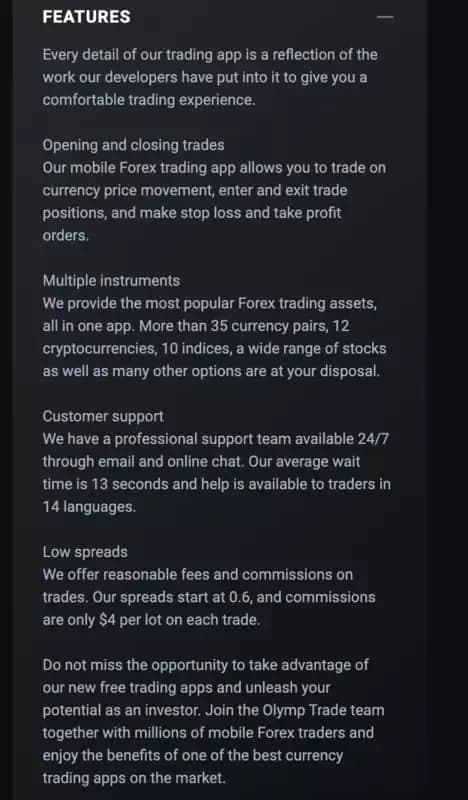
Mobile App (s)
Smooth performance with faster load times
The facility to top-up open trades
Quick access to the demo account
Easy-to-find analysis tools
Multilingual support
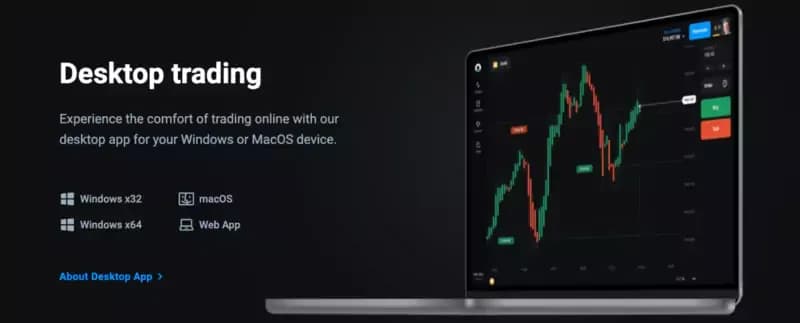
Desktop app (s) (Windows and macOS)
Increased app-usage speed
Feature-packed platform
Access to regular updates
Integrated demo account
Desktop app
MetaTrader App
Olymp Trade desktop app
Access to expert advisors
It can be accessed on multiple devices - desktop and mobile
Seamless account management
Support for advanced trading tools
The app you choose depends on your trading preferences, platform, and personalized needs.
The Olymp Trade mobile app (s) feature the “direct delete” feature, helping you discontinue your existing account in one click.
Create an Olymp Trade account and explore the apps.
How to use the Olymp Trade app?
Using the Olymp trade app requires you to follow the steps:
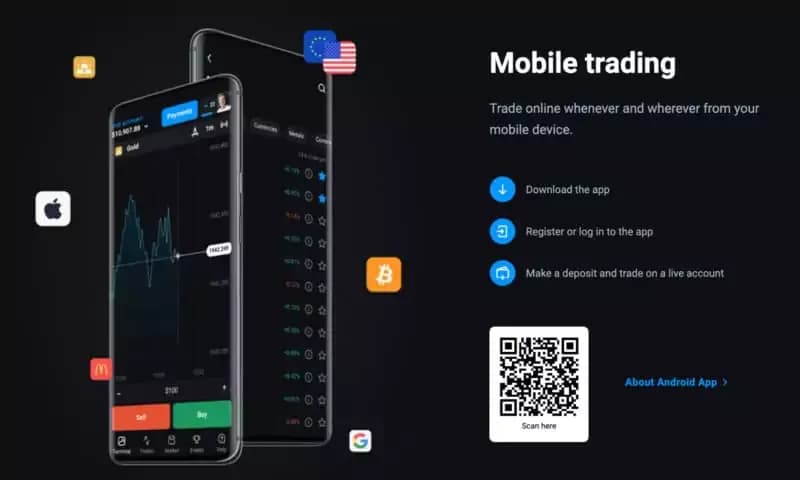
Head over to the app store of choice - Play Store for Android and App Store for iOS.
Once there, download the app, register using your email credentials, and start by making a deposit.
To make the first deposit, go to the Payments section-a uniform segment for every app.
How to use the Olymp Trade app?
A worked example: what your first trade actually costs
Numbers make this concrete. The minimum deposit is $10 and the smallest trade is $1, so the setup can be tested for the price of a coffee. Say you fund $50 and cap risk at 5 percent per position, which is $2.50. At the quoted payout of up to 92 percent, a winning $2.50 trade returns about $2.30; a losing one costs the full $2.50. That asymmetry is what beginners miss: you need better than a coin flip simply to break even, roughly 52 wins in every 100 trades.
So start on the demo account, which carries $10,000 in virtual funds. Trade it for two weeks at the same $2.50 size and count how many positions closed in profit. Under 52 and the strategy is not ready.
Olymp trade mobile application
App vs. website
Still on the fence about using the Olymp Trade application. Well, here are the key differences between the website and the app (s) which can help you make a more informed choice:
-
Gives you increased trading mobility, allowing you to try different instruments without opening the laptop.
-
Even though the website lets you set alerts, apps ensure you never miss out on any trading opportunity, all thanks to push notifications.
-
Apps are great if you want to see and experience content optimized specifically for mobile devices.
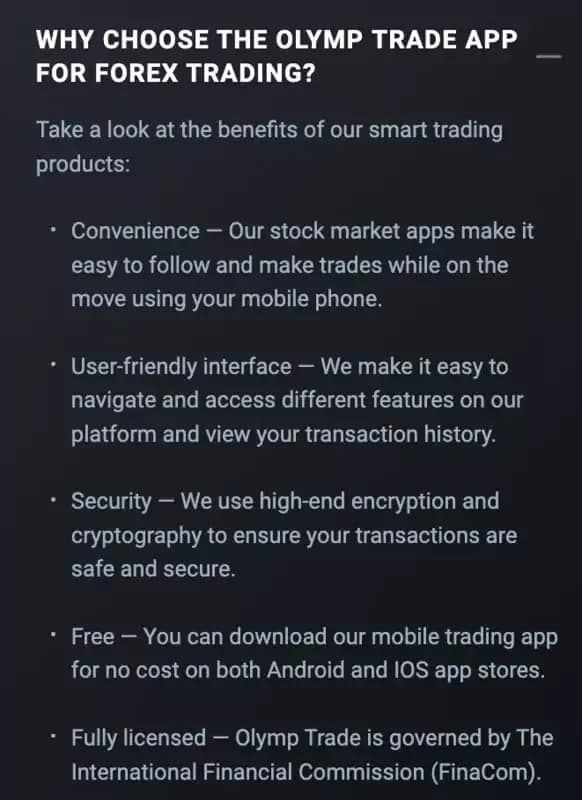
Why choose the Olymp Trade app?
The website offers a more stable trading experience if you take internet connectivity into the equation.
The Olymp Trade app (s) offers excellent in-app support. Even though the website matches it, bit by bit, nothing feels better than having someone by your side at every step of the way.
Olymp Trade apps offer excellent security standards, including the ability to set biometrics and two-factor authentication, which helps establish better trading safeguards.
The app (s) offer a separate forex trading mode if you are a forex trader.
In summary, apps are better if you prefer flexibility over screen-specific real estate.
Understanding the Olymp Trade app (s) better
Now that you know the app’s benefits, it all boils down to features in play. Here are a few that, I feel, make sense to discuss:
User Interface
Every Olymp Trade app boasts a clean design and responsive interaction with the user. The layout is as minimal as it gets. Unlike the web interface, where you reach out for specific features like payment methods, the app serves everything up front.
Features
In case you are looking for the features on offer, Olymp Trade does have a few to offer. These include:
Real-time market data
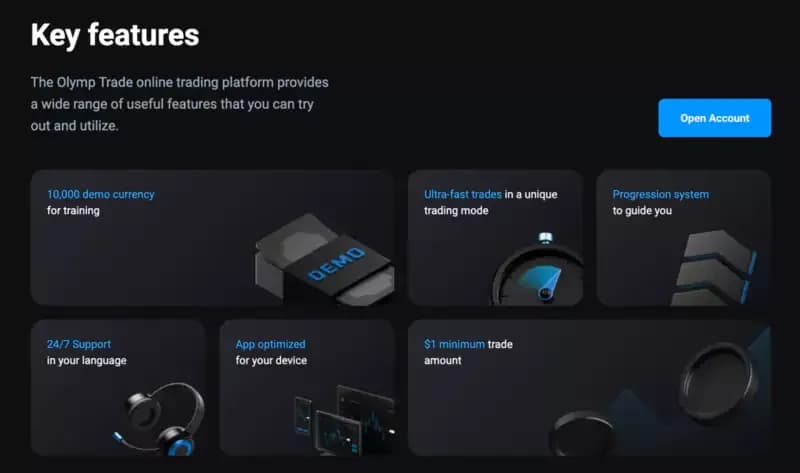
Olymp trade app key features
One-click trading support
Push notifications
Advanced charting features and indicators
Exclusive app-specific features
Access to Instruments
Even though the access to instruments isn’t exclusive to the Olymp Trade app, it is good to know about the options. Olymp Trade offers access to the following instruments:
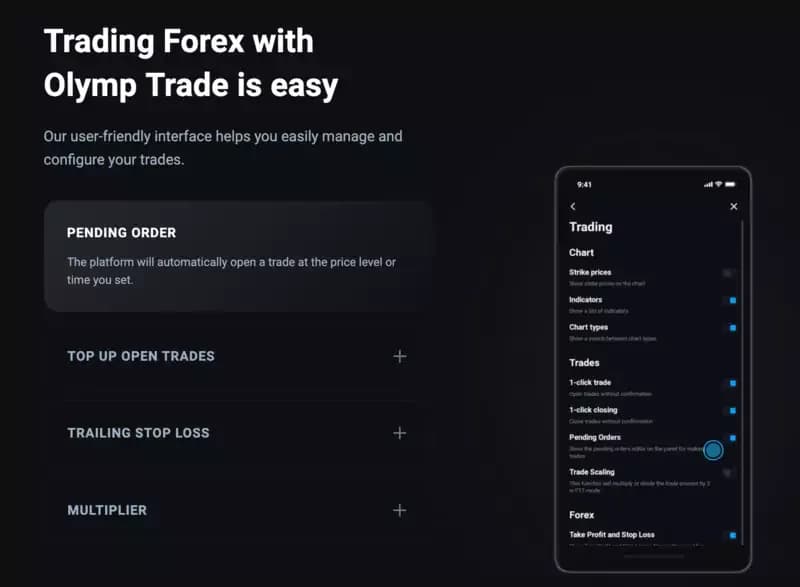
Olymp trade app forex trading mode
Forex
Stocks
Indices
Commodities
Cryptocurrencies
A separate forex trading mode
Both groups are available as Binary Options and as CFDs.
Create an Olymp Trade account and explore the options ASAP!
Trading strategies on display
As a trader, Olymp Trade lets you time the market precisely, and that involves using the extensive array of technical analysis tools in play. Even though the app doesn't let you read up on the market through news feeds - a feature available only on the web version - every risk management tool is there.
Accessing customer support on the app

Olymp trade app illustration
I have seen people lose sleep over the customer support options available with specific brokers. For Olymp Trade users, the app offers one-stop access. On the dashboard, you have the “Help” section, which if you access, you can directly ask the 24×7 chat agent. Or, if you have a more descriptive query, you can even send a detailed email.
But then, unlike the web interface, the FAQ section and the set of guides aren’t available. For that, you will need to open the laptop.
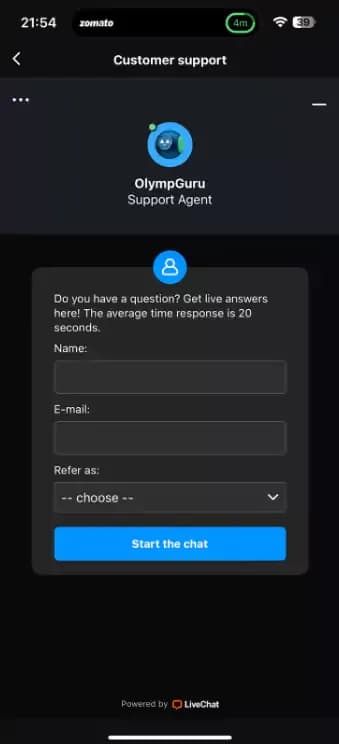
Olymp trade app support
App-specific customer support
Sign up on Olymp Trade and try out the apps, right away!
Olymp Trade app vs. other Binary Options Brokers
Yes, Olymp Trade apps are pretty cool. But what about other brokers? Here is a quick table I put together to help you make better calls while choosing a broker on app and trading-specific features:
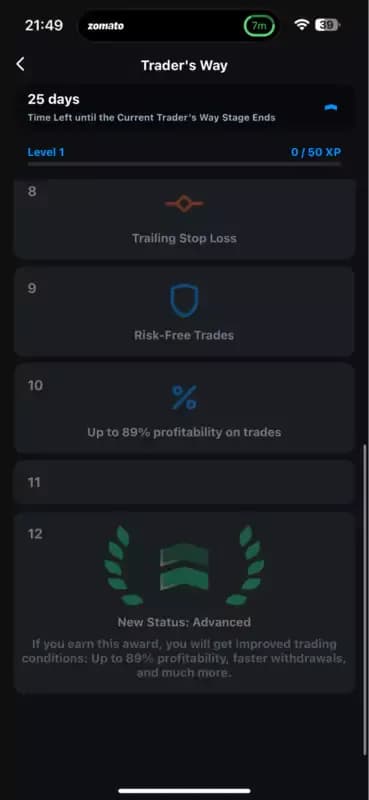
Olymp trade app trader’s flow
Feature Olymp Trade IQ Option Binomo Expert Option Pocket Option Binary.com Platform Availability Mobile (iOS, Android), Desktop (Windows, macOS), Web Mobile (iOS, Android), Desktop, Web Mobile (iOS, Android), Web Mobile (iOS, Android), Desktop, Web Mobile (iOS, Android), Web Mobile (iOS, Android), Desktop, Web User Interface Intuitive, clean, customizable dashboard User-friendly, customizable, interactive charts Simple, easy-to-navigate Modern design, customizable Clean and simple interface Professional, customizable charts Minimum Deposit $10 $10 $10 $10 $10 $5 Minimum Trade Amount $1 $1 $1 $1 $1 $1 Demo Account Yes, $10,000 virtual funds Yes, $10,000 virtual funds Yes, $1,000 virtual funds Yes, $10,000 virtual funds Yes, $10,000 virtual funds Yes, $10,000 virtual funds Asset Variety Forex, Stocks, commodities, Indices, Cryptocurrencies Forex, Stocks, commodities, Indices, Cryptocurrencies Forex, commodities, Indices, Cryptocurrencies Forex, Stocks, commodities, Indices, Cryptocurrencies Forex, Stocks, commodities, Indices, Cryptocurrencies Forex, Stocks, commodities, Indices, Cryptocurrencies Technical Analysis Tools Advanced charting tools, multiple indicators Wide range of technical analysis tools Basic indicators, fewer chart options Comprehensive technical analysis tools Multiple indicators, customizable charts Advanced charting and analysis tools Trading Strategies Supports technical and fundamental analysis, risk management Supports various strategies, including scalping and hedging Basic strategies, limited educational resources Supports multiple strategies, educational resources Supports various strategies, social trading features Wide range of strategies, educational resources Mobile-Specific Features Push notifications, top-up open trades, trailing stop loss Push notifications, customizable alerts Push notifications, basic charting Real-time alerts, advanced trading features Push notifications, social trading Real-time notifications, automated trading Customer Support 24/7 live chat, email, phone support, multi-language 24/7 live chat, email, phone support, multi-language 24/7 live chat, email support, limited phone support 24/7 live chat, email, phone support, multi-language 24/7 live chat, email support, phone support 24/7 live chat, email, phone support Regulation International Financial Commission (FinaCom) Cyprus Securities and Exchange Commission (CySEC) International Financial Commission (FinaCom) Vanuatu Financial Services Commission (VFSC) International Financial Market Relations Regulation Center (IFMRRC) Malta Financial Services Authority (MFSA) Unique Features Device optimization, demo account, educational resources Wide range of educational materials, tournaments Simple interface, low minimum trade amount Social trading, multiple account types High payout rates, social trading Advanced algorithms, professional tools Payouts Up to 92% Up to 95% Up to 90% Up to 95% Up to 92% Up to 90%
Trader’s flow as depicted on the app
Impressed by what Olymp Trade has to offer! Create an account or locate the app to get started right away.
Final Thoughts
Olymp Trade would still be a capable Binary Options broker with nothing but its web interface. Having the right app for every platform simply makes the day-to-day easier for traders like us.
Which one to install comes down to how you work. Mobile suits traders who check positions between other things and want push notifications. Desktop suits anyone who keeps a chart open all day. MetaTrader makes sense if you run expert advisors. Installing two is fine, since the account syncs across them.
The sensible order: read the full Olymp Trade review and check the terms, install the version that fits your routine, then spend a fortnight on demo before funding anything. Still comparing platforms? The roundup of binary options brokers is a better place to start.
FAQ
What is the Olymp Trade app?
It is the broker's trading platform packaged as software rather than a website. Three versions exist: mobile for Android and iOS, desktop for Windows and macOS, and MetaTrader. All three carry the same account and instruments as the web interface, plus push notifications and biometric login.
How do I get started with the Olymp Trade app?
Download it from Google Play or the App Store, register with your email, then open the Payments section to fund the account. The minimum deposit is $10 and the smallest trade is $1. The demo account with $10,000 in virtual funds is available before you deposit anything.
What are the common mistakes?
Skipping the demo, sizing every trade by feel rather than a fixed percentage, and forgetting that a payout below 100 percent means a coin-flip win rate still loses money. One more: expecting the app to replace the website, when the FAQ section, guides and news feeds live only on the web version.
Is the app suitable for beginners?
Yes. The layout puts payment methods, instruments and analysis tools up front instead of behind menus, the demo is one tap away, and in-app chat runs around the clock. Trading itself is no easier on a phone, so the demo period still matters a lot.
Find Your Perfect Broker: Explore Our List Now!
Choose the best with our expert-selected options
Find Your Perfect Broker: Explore Our List Now!
Choose the best with our expert-selected options
Discover top binary options brokers tailored to your region. Browse our curated lists by country: