Updated:October 16, 2026

10 min
10 min

When most people think of trading, they picture a desk and a huge computer monitor. But I visualize trading on my phone, and I realized that ExpertOption mobile trading is a good choice for traders who are often on the go.

Author

If you've used ExpertOption, you know it's one of the best trading platforms in 2026. Keep reading to learn everything you need to know about ExpertOption mobile and how you can join the growing ExpertOption community.
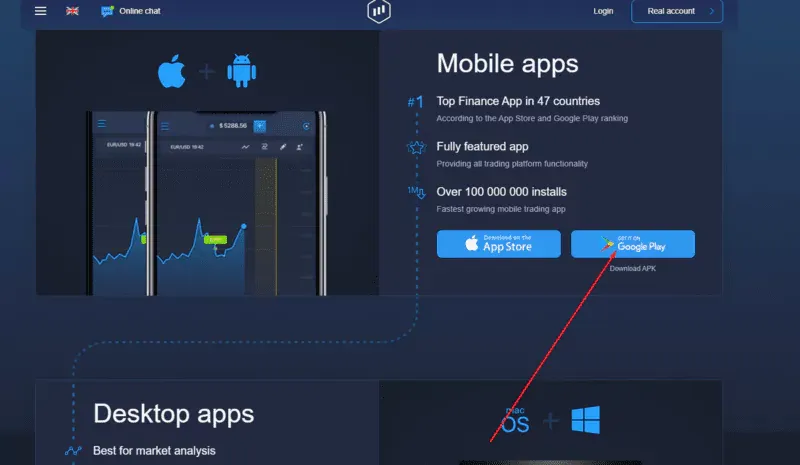
ExpertOption is a top binary options trading platform used by people from all over the world. Although it's known for its online site, it has dedicated Android and iOS apps that allow you to trade directly from your phone.
The Android and iOS apps have a similar UI and layout, but they offer mobile-specific features.
For more context on Expert Option mobile trading and the broker itself, see our Expert Option review.
The ExpertOption platform has all the tools a trader needs to make online trading easier. Therefore, it's understandable to wonder why anyone should download the mobile app. Fortunately, I've used the mobile app and found some benefits.
I also found many positive reviews of the ExpertOption mobile app. For example, Mesrop Karapetyan on Quora says, “The primary reason why mobile trading on ExpertOption is genuine is that the team did everything to transfer the same experience from the web app.”
If you want to compare the app with the full Expert Option trading workflow, see our Expert Option trading guide.
Let's look at other benefits of using the ExpertOption mobile app:
Although the ExpertOption online platform is intuitive and easy to use on computers, it's not designed for small-screen devices. The app, however, fills that void.
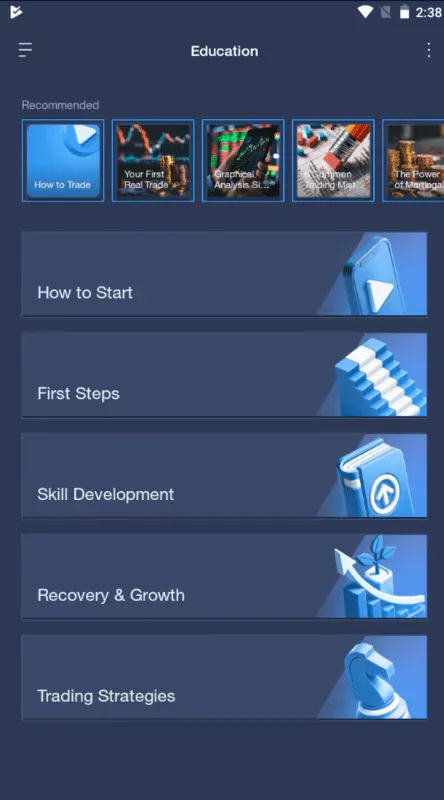
ExpertOption has vital resources for new users. There's also an option to enable push notifications to be notified whenever something happens.
The platform also has guides on how to analyze even the global markets. The ExpertOption mobile app allows you to take these resources everywhere and improve your strategies.
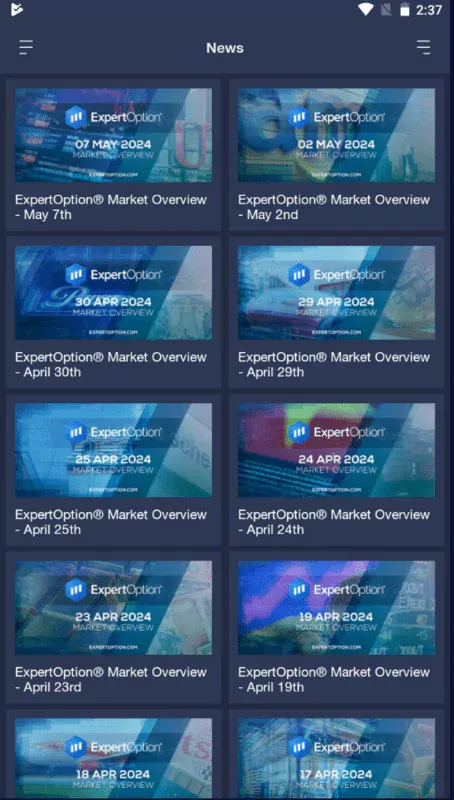
In addition, the mobile app has a news section that updates traders on the latest market-related stories. Therefore, you can use the mobile app if you're going somewhere but need to be updated on the market.
I use the ExpertOption Android app on my tablet for the extra features. You need to download the latest version that contains performance and stability improvements to enjoy a smooth Expert Option trading experience. If you have an Android device, you can download the latest version on the Play Store if your Android version is above 4.4 (KitKat), and enjoy an excellent, user-friendly interface.
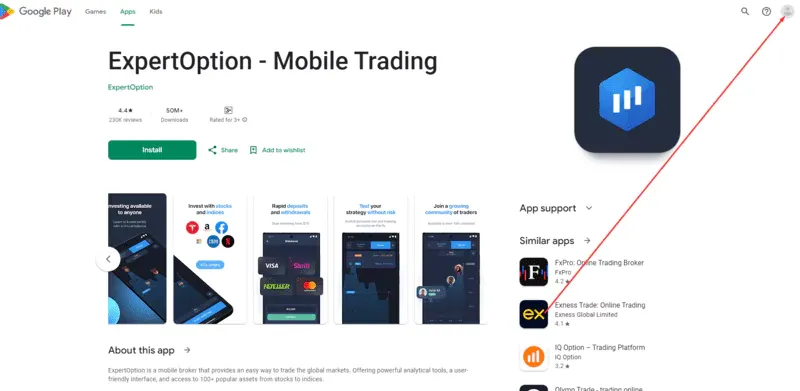
1. Open this link to ExpertOption's listing in the Google Play Store. If using a different device, click on the profile icon and log in to your Google account.
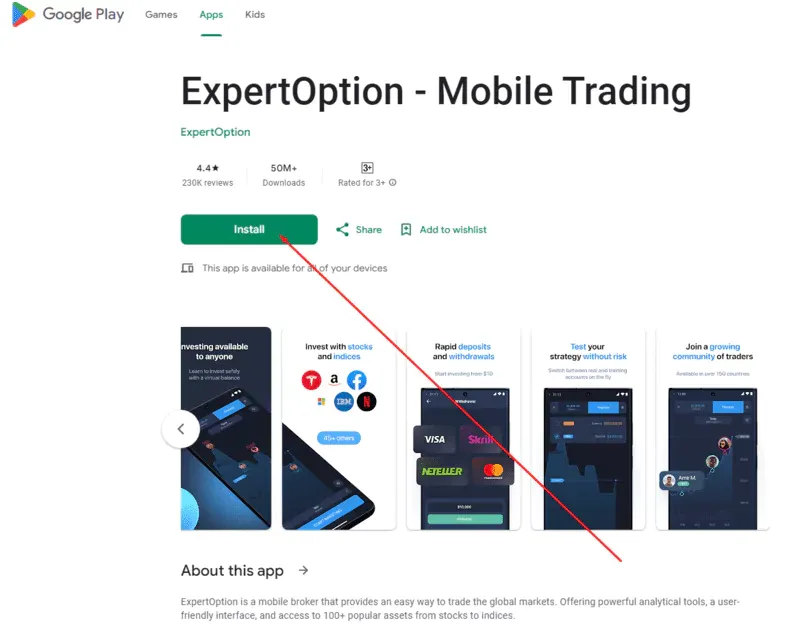
2. Select “Install.”
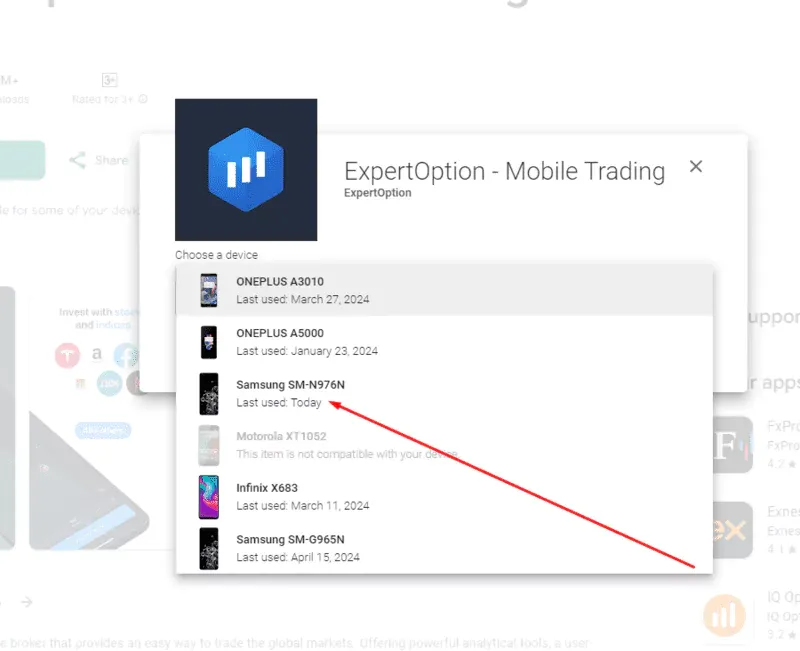
3. Choose which Android device you want to download ExpertOption on.
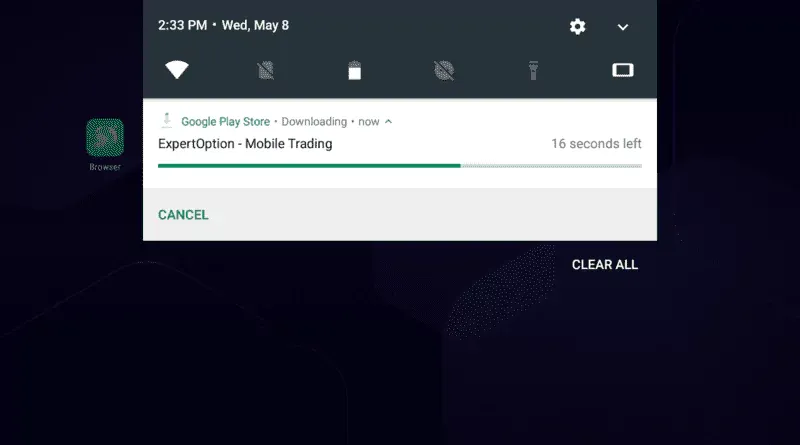
4. The app will start downloading on your Android phone.
If you have an iPad or an iPhone, the download process is just as simple:
Now that you know how to get ExpertOption on your device, it's time to learn how to hold positions on various markets on the app.
While ExpertOption is generally a safe app, you can take extra precautions to keep your deposits safe.
ExpertOption offers a $10,000 virtual balance to help beginners learn how to trade on the app. Here's how you use it:
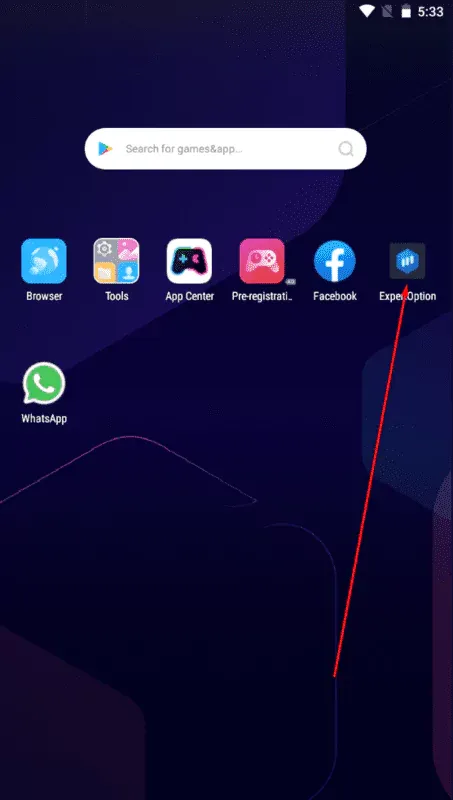
Open Expert Option.
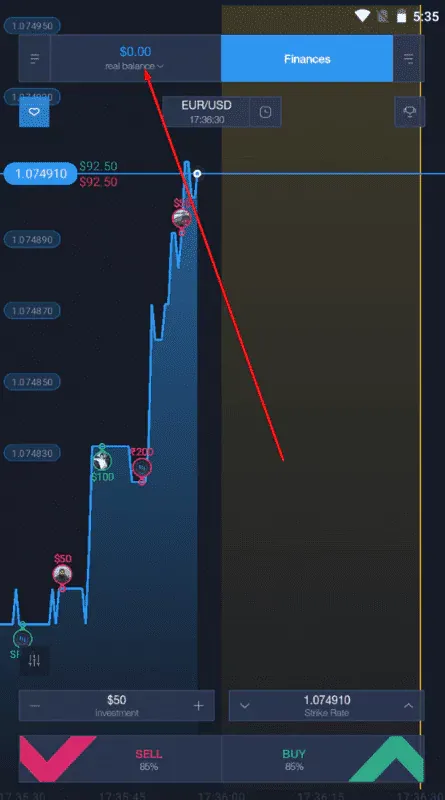
On the dashboard, tap on “Real Balance.”
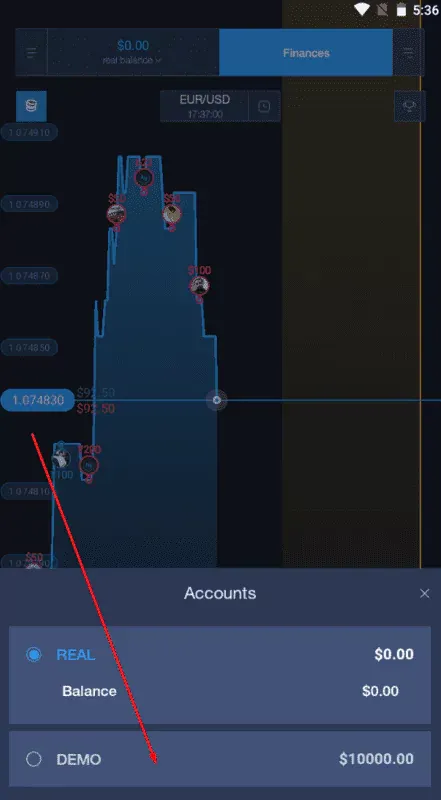
Select “Demo.”
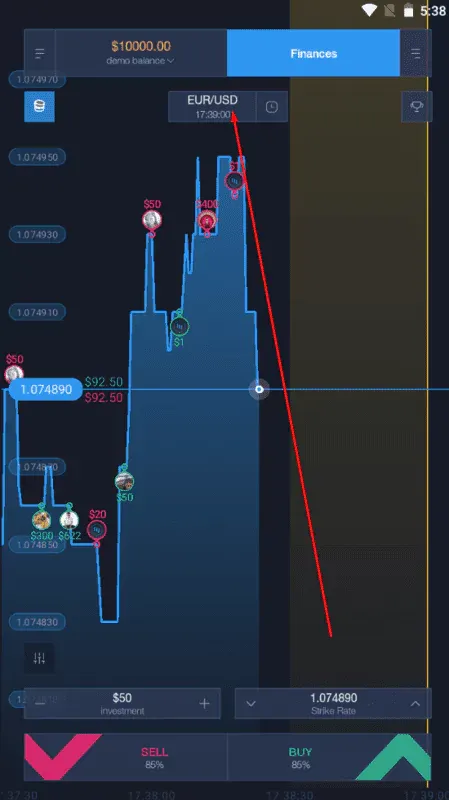
You can now trade with the account. If you spend all your balance, you can close and reopen the app to refresh it. It's a completely risk-free environment and a beginner-friendly way of crunching financial data. This demo and real accounts have the same trading conditions and trading commissions, and you can use them to execute single trades or track market movements.
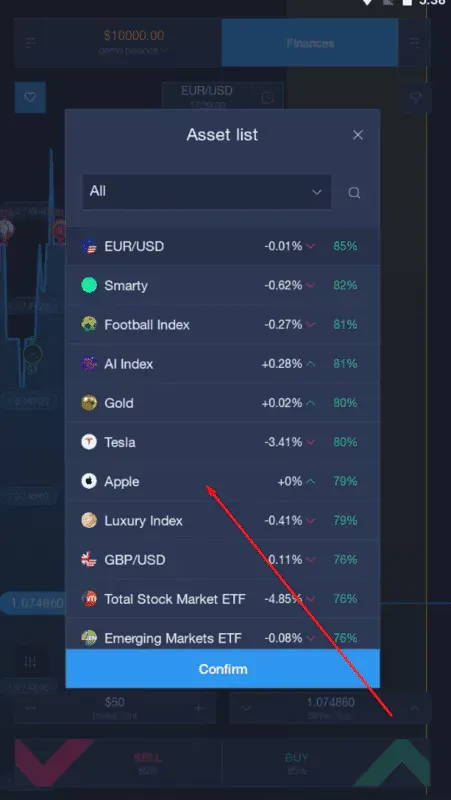
If this is your first time on ExpertOption mobile trading, I recommend going through the comprehensive guide, but if you're a licensed financial dealer, then dig in with your real accounts. But first, deposit money into your ExpertOption account. Then, tap on the asset below the balance (typically EUR/USD) to change which FTTs you want to sell or hold.
Choose the asset you want to trade. For example, I chose Apple.
Enter your investment amount, then tap “Strike Rate” to predict the asset's movement.
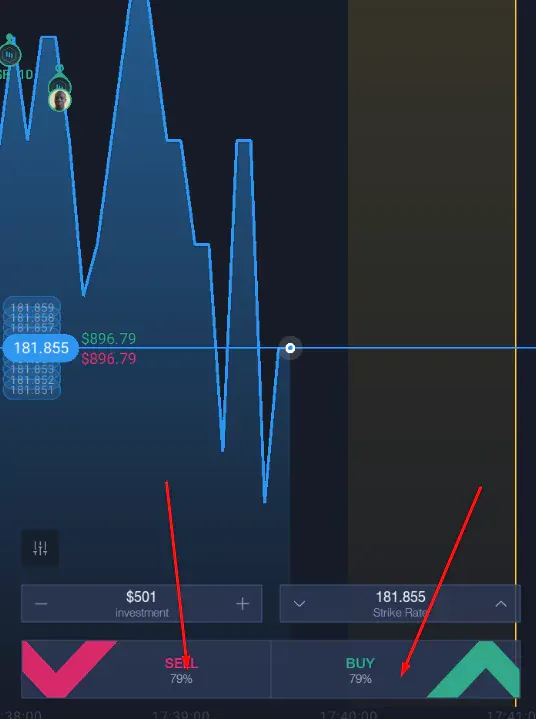
Select “Buy” or “Sell” based on whether you think the price will increase or decrease when the time runs out.
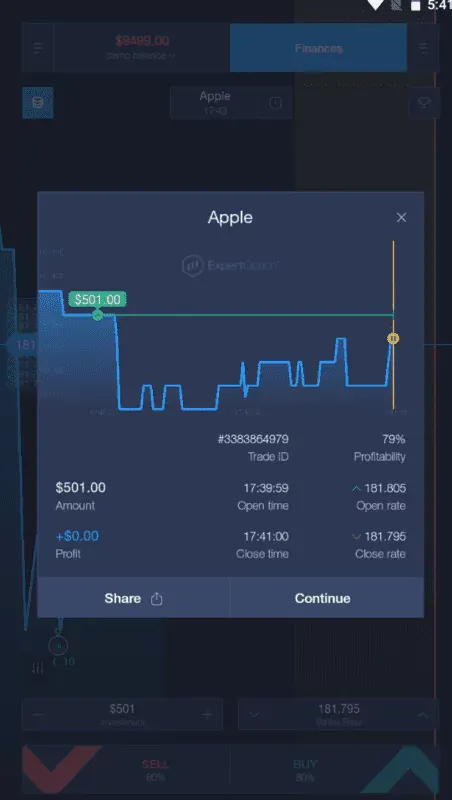
Once the timer runs out, you'll get a report on whether you had a winning or losing position.
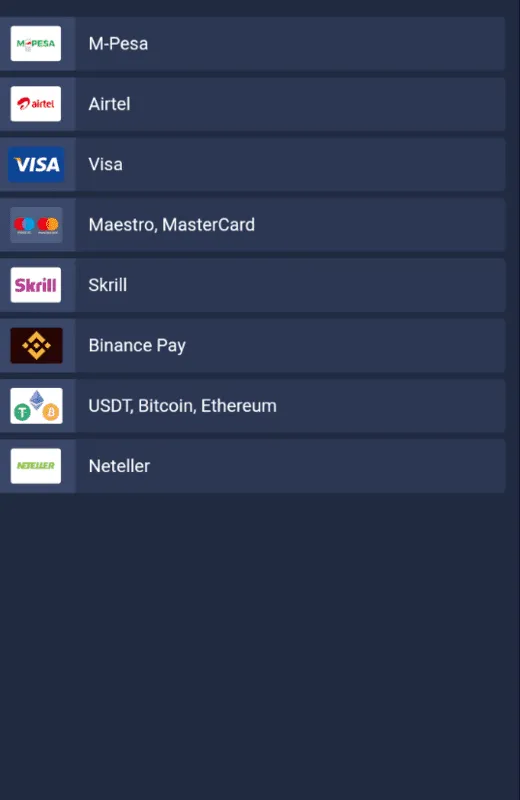
After practicing, users can make a deposit in the ExpertOption app and start moving like a mobile broker or follow successful traders. The minimum deposit and withdrawal amount is $10. However, you can use as little as $1, as it's the affordable minimum investment amount. ExpertOption has many convenient payment, deposit, and withdrawal methods:
Depositing and withdrawing money on Expert Option’s mobile app is also easy. Here’s how you do it:
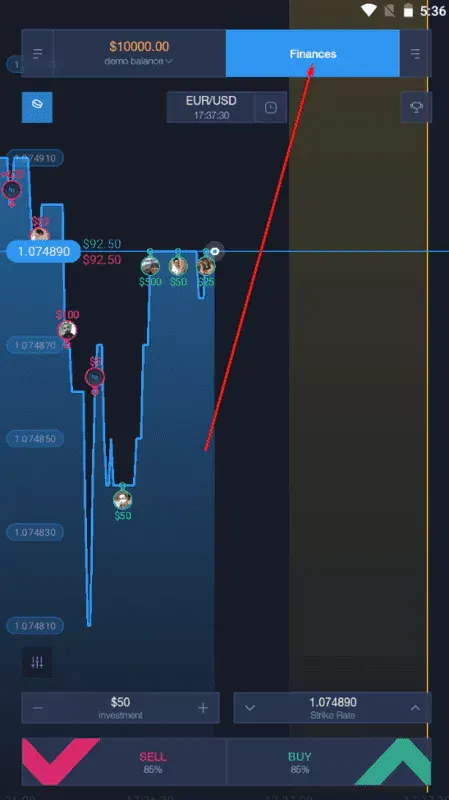
Open the ExpertOption app and tap on "Finances."
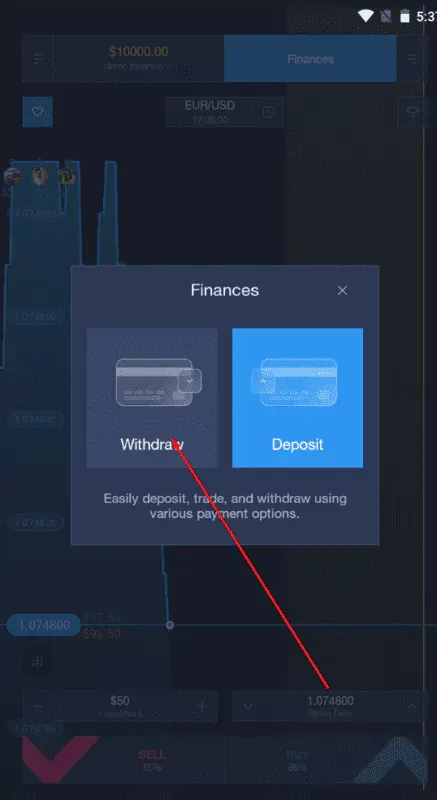
Tap on “Withdraw” or “Deposit” to perform those actions.
First-time deposits or withdrawals require KYC, like confirming your phone number and uploading ID documents. You won't need to go through this process again in most regions in the world where ExpertOption services are almost as popular as Coca-Cola.
For the full payment flow, see our Expert Option withdrawal and deposit guide.
Open the Expert Option demo account and choose a liquid asset with an active market session. For example, suppose EUR/USD is moving upward, then pulls back toward a price area that previously acted as support. Instead of entering immediately, zoom out and check whether the broader move is still intact.
Add one indicator you already understand, such as RSI or a moving average, and compare it with the price action. If the price holds above support and starts forming higher candles again, you have a clearer reason to consider an upward trade. If support breaks, skip the setup rather than forcing it.
Before confirming the position, set the trade amount and expiry time, then review both fields once more. Use the Expert Option demo first so the example can be repeated without putting real funds at risk.
A common mistake is moving from the demo balance to a real account after only a few successful trades. A short winning streak says little about whether a method will work over a larger sample. Keep a simple record of the setup, asset, entry reason, expiry, and result.
Another mistake is changing the trade amount after a loss to recover money quickly. That can turn one bad decision into a much larger drawdown. Decide the maximum amount for one position before opening the app and keep it consistent.
Mobile traders also tend to act on notifications without checking the chart first. A price alert is useful, but it is not a complete trading signal. Open the chart and check the current market context before entering. If deposits or withdrawals are involved, review the Expert Option withdrawal and deposit process before submitting the transaction.
More experienced users usually treat the mobile app as a trading terminal, not as a reason to trade more often. They prepare a small watchlist, wait for a defined setup, and open the app when the market reaches an area they already planned to monitor.
They also separate analysis from execution. A trader may review the broader chart on a larger screen, then use Expert Option mobile trading to monitor the position or place a planned order away from the desk. This helps reduce rushed decisions made from a small screen.
Position size matters as much as the entry. Many disciplined traders decide the amount they can lose before they decide how much they hope to make. They also use the demo account to test changes to a strategy before applying them with real funds. For a fuller workflow, use this related guide to Expert Option trading.
Although there are many trading platforms, ExpertOption is different from its competitors in terms of easy accessibility and use. It has dedicated mobile apps for iOS, Android, Windows, and Mac. So, there's something for everyone wanting to be a good stock trader. It offers powerful analytical tools, access to valuable knowledge, and additional information, which can make it easier to analyze a trade and manage risk.
The mobile trading ExpertOption app is easy to use on the go. However, even if you prefer to do your business at your desk and execute client trades, having the app on your phone is advantageous.
Before using real funds, test the process with the Expert Option demo and decide how much you can risk on one trade. If you plan to deposit or withdraw through the app, check the payment rules for your region first. The FAQ below covers the main setup and safety questions.
Frequently Asked Questions
Expert Option is an online trading platform with web, desktop, Android, and iOS access. It offers a free demo balance and access to more than 100 assets on its proprietary platform.
You choose an available asset, set the trade amount, select the expected price direction, and confirm the position. The mobile app also provides charts, account funding, and withdrawals from the same Expert Option account.
Expert Option operates as a trading platform and states that it is a member of the Financial Commission. That membership includes an independent dispute-resolution framework, but it is not the same as supervision by a government financial regulator. Trading.biz also notes the absence of regulation by a recognized national authority.
First check whether Expert Option serves your country. Then use the demo account to learn the interface. If you move to a real account, the current stated minimum deposit is $10, and verification may be required depending on the payment method.
The $10,000 virtual demo balance makes it easy to learn the platform without using real money. That does not make live trading low-risk. Beginners should use the demo first and avoid treating a few wins as proof that a strategy is reliable.
Find Your Perfect Broker: Explore Our List Now!
Choose the best with our expert-selected options


Find Your Perfect Broker: Explore Our List Now!
Choose the best with our expert-selected options
Discover top binary options brokers tailored to your region. Browse our curated lists by country:
4342