Updated:September 23, 2026

9 min

Pocket Option Demo Account: Features & How to Create One
A demo account is a virtual environment where you can try various trading strategies without any risk whatsoever. The Pocket Option demo lets you explore the platform and place practice trades without risking real money. The standard Quick Trading demo starts with $50,000 in virtual funds and includes charts, indicators, trade controls, and a broad selection of assets. You can access it through a web browser or supported mobile devices, refill the virtual balance, and switch between demo and real modes from your account. However, virtual results do not guarantee success with real money. This guide explains how the Pocket Option demo account works in 2026, how to start, how to reset the balance, and what changes when you move from practice to live trading.

Joel Lim
Author

Does Pocket Option Offer a Demo Account?
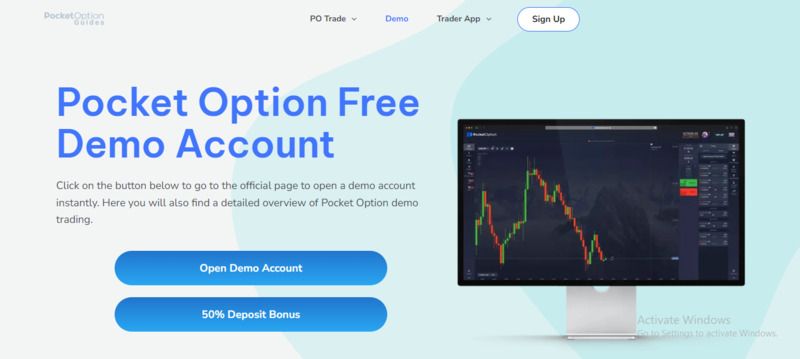
Yes. Pocket Option provides a free demo account with virtual funds, so you can learn how the platform works before you make a deposit. You can open the guest demo to explore the interface or create a profile if you want to save your settings and switch between account modes.
The Pocket Option demo trading environment suits beginners who want to understand the controls and experienced traders who want to test a new method. For a broader look at the platform, features, and account conditions, read our Pocket Option review.
What Does Pocket Option’s Demo Account Include?
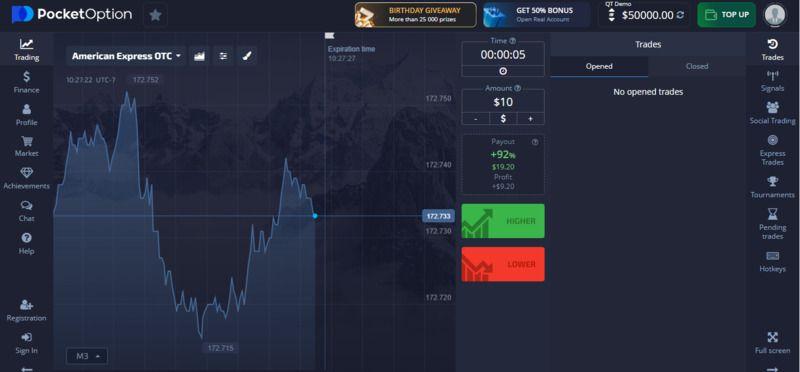
The standard Pocket Option demo account starts with $50,000 in virtual money. These funds have no cash value and cannot be withdrawn, but you can use them to place simulated trades under conditions designed to resemble the real platform.
The demo includes:
- Price charts and adjustable timeframes
- Technical indicators and drawing tools
- A selection of currencies, cryptocurrencies, stocks, commodities, and indices
- Trade amount and duration controls
- Buy and sell or higher and lower trade directions
- Open and closed trade history
- The ability to refill the virtual balance
- Access through supported web and mobile versions
Pocket Option states that its demo provides live quotes and tools similar to those available in real mode. Even so, real trades can feel different because actual money creates emotional pressure, and live execution may involve practical factors that a simulation cannot reproduce.
Use the account to test one method at a time rather than placing random trades. Our guide to Pocket Option trading strategies can help you create a more structured practice plan.
How Do You Create a Pocket Option Demo Account?
You can start a Pocket Option demo through the website in a few steps:
-
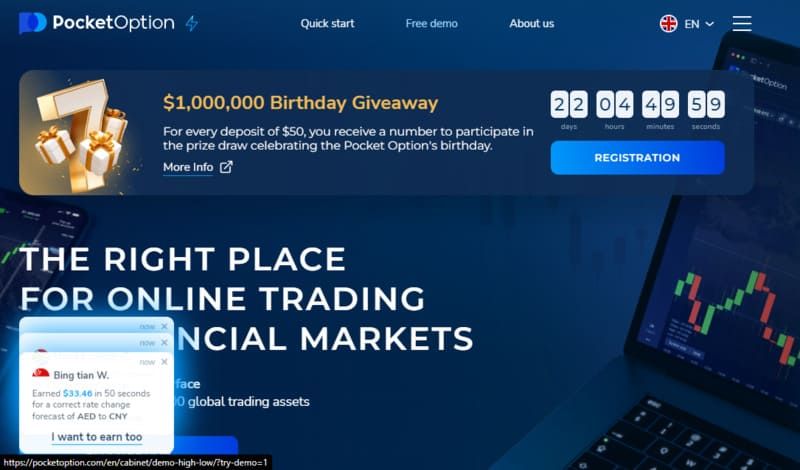
Visit the Pocket Option website. If you don’t have a Pocket Option account, click on the Free Demo button at the top of the screen.
-
Wait for the practice platform to load.
-
Review the short platform tutorial.
-
Select an asset, trade amount, and closing time.
-
Use the buy or sell controls to place a virtual trade.
A quick guest demo may open without a deposit or payment card.
Do You Need to Sign Up to Start Trading with the Demo Account?
You do not always need to register just to open the basic guest demo. However, registration gives you a personal profile and makes it easier to return to the platform, manage account modes, and access additional features.
To create a registered account, enter your email address, choose a password, accept the platform terms, and confirm the registration. You can then use the account selector to open the demo balance. Our Pocket Option login guide explains the login, registration, password recovery, and account-security steps in more detail.
Do not add money simply because you have opened a profile. First use the demo, check whether Pocket Option accepts customers from your country, and read the current service terms. When you decide to explore real-account funding, our Pocket Option deposit guide explains the available steps and payment considerations.
How to Use the Pocket Option Demo Account
The demo interface follows the same basic trade process as the real platform:
- Choose an asset. Open the asset menu and select the market you want to study.
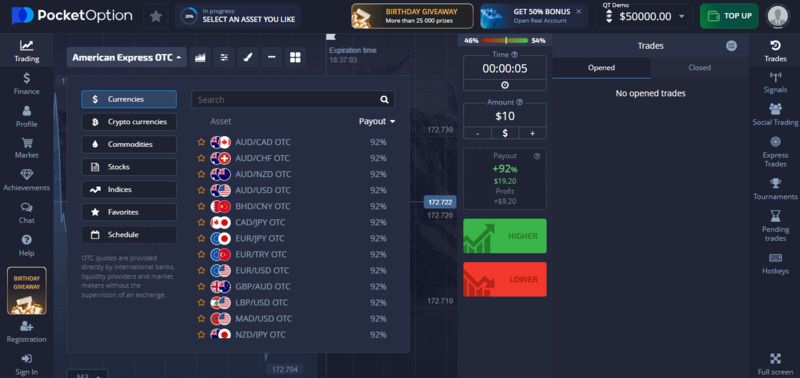
2. Check the payout. The displayed percentage shows the potential return if your forecast proves correct.
3. Read the chart. Review the price direction, timeframe, indicators, and recent market movement.
4. Set the trade amount. Pocket Option’s current materials state that trades can start from $1, although limits may vary by account or region.
5. Choose the closing time. Select when the platform should evaluate the trade.
6. Make a forecast. Choose buy or higher if you expect the price to rise, or sell or lower if you expect it to fall.
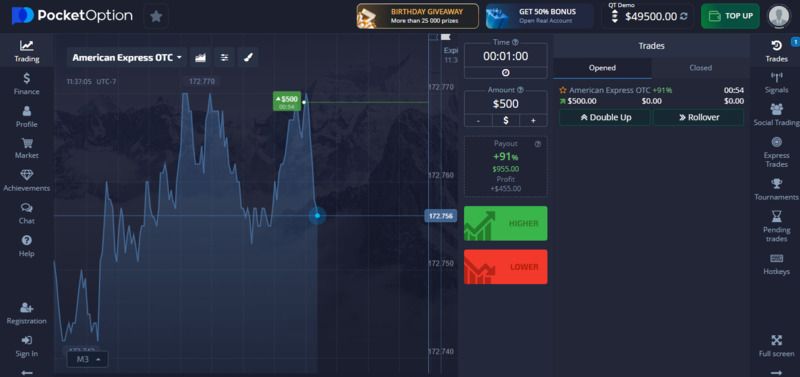
7. Review the result. Once the trade closes, check the history and record why the forecast worked or failed.
Avoid using the full $50,000 as though it were an unlimited game balance. Set a realistic practice amount and apply the same limit to every trade.
Can You Use the Demo Account on Mobile?
Yes. You can access the Pocket Option demo through a mobile browser and supported official applications. App availability may differ by device, operating system, and country.
Open the official platform, log in if necessary, tap the account balance, and select Demo Account. You can then choose an asset, adjust the chart, set the virtual trade amount, and review your trade history from the mobile interface.
Use only the official website or a verified App Store listing. Avoid APK files, social-media links, or messages that ask for your password, verification code, or account payment.
Pocket Option Demo vs Real Account
The demo and real accounts may look similar, but they serve different purposes.
| Feature | Demo Account | Real Account |
| Balance | $50,000 in virtual funds | Money deposited by the account holder |
| Financial loss | No real-money loss | You can lose the amount placed on a trade |
| Withdrawals | Not available | Available after meeting account and payment requirements |
| Verification | Usually not needed for basic practice | May be required for account use and withdrawals |
| Emotional pressure | Limited | Higher because actual money is at risk |
| Practice value | Platform training and strategy testing | Real market exposure and financial consequences |
A profitable demo record does not prove that the same method will earn money in a live account. Traders often take larger risks with virtual funds, ignore losses, or open more trades than they would with their own money.
A Pocket Option withdrawal to a bank account or another payment method only applies to a funded real account. Pocket Option may require identity checks and may direct withdrawals back through the payment route used for the deposit. Review our Pocket Option withdrawal guide before you fund an account.
How to Reset the Pocket Option Demo Balance
Pocket Option lets you replenish the practice balance when it drops below the demo limit. You do not have to open another profile or create multiple accounts.
To add more virtual funds:
- Open the Pocket Option trading interface.
- Make sure you have selected the demo account.
- Click or tap the balance at the top of the screen.
- Select Top Up, Replenish, or the equivalent option shown in your interface.
- Confirm the virtual balance refill.
The exact button name may change between the browser and app versions. Pocket Option’s official guidance states that the standard demo balance can be replenished once it falls below $50,000.
Before you reset it, save your trade history or write down the results. A refill can hide poor position sizing if you repeatedly restore the balance without reviewing why it fell.
Pocket Option Demo on PC and Mobile
The web version works well for detailed chart review because a larger screen gives you more room for indicators, drawing tools, and trade history. You can open it through a supported browser without installing desktop software.
The mobile version offers faster access when you are away from a computer. It suits basic chart checks and account review, but a small screen may make detailed analysis harder. Avoid placing rushed trades simply because the app is easy to open.
Registered users can access the demo through their Pocket Option profile and switch between account modes by selecting the balance at the top of the platform. Guest sessions may not preserve every preference across devices, so create a profile if you want a more consistent setup.
Whether you use a PC or phone, confirm that you have selected Demo Account before placing a trade. The interface should show a virtual balance rather than deposited money.
Final Words
The Pocket Option demo gives you $50,000 in virtual funds and access to the platform’s main trade controls without exposing your own money. It can help you learn the interface, compare assets, test indicators, and identify errors in a strategy.
Treat the demo like a practice account, not a game. Choose a realistic virtual balance, use consistent trade sizes, record each decision, and review enough trades to see whether your method produces repeatable results. A winning streak over several trades does not establish a reliable strategy.
Open the free demo and learn how each feature works before you consider a deposit. Then check your country’s rules, the platform’s current eligibility terms, and the financial risks of short-duration derivatives. The FAQ below answers the most common questions about Pocket Option demo access, safety, and beginner use.
FAQ
What Is Pocket Option Demo?
Pocket Option demo is a free practice environment that uses virtual money instead of deposited funds. The standard Quick Trading demo provides a $50,000 virtual balance for testing the platform, charts, indicators, assets, and trade controls. Virtual profits cannot be withdrawn or converted into real money.
How Does Pocket Option Demo Work in 2026?
You select an asset, choose a virtual trade amount and closing time, and forecast whether the price will rise or fall. The platform closes the simulated trade at the selected time and records the result in your practice history. You can replenish the balance when it falls below the demo limit.
Is Pocket Option Safe and Legit?
Pocket Option is an operating platform whose website identifies Infinite Trade LLC, registered in Costa Rica, as its brokerage provider. However, company registration does not provide the same protection as authorization from a major national financial regulator.
Pocket Option also restricts services in several jurisdictions, and its derivatives carry a high risk of loss. Check the current terms, confirm that the platform may serve your country, and do not deposit money that you cannot afford to lose.
How Do I Get Started With Pocket Option Demo?
Open the official Pocket Option try-demo page or create an account with your email address. Select the demo balance, choose an asset, set a small virtual trade amount, and place your first practice trade. No real-money deposit should be necessary to use the standard demo.
Is Pocket Option Demo Good for Beginners?
It can help beginners learn the interface and understand how trade amounts, durations, charts, and payouts work without risking cash. It cannot remove the risk of real trading or guarantee profitable results. Beginners should use fixed practice limits, keep a trade journal, and avoid moving to real money after a short winning streak.
Find Your Perfect Broker: Explore Our List Now!
Choose the best with our expert-selected options


Find Your Perfect Broker: Explore Our List Now!
Choose the best with our expert-selected options
Discover top binary options brokers tailored to your region. Browse our curated lists by country: