
4 min

0
How to Connect Exness to MT5? (Everything You Need to Know)
Regardless of whether you’re new to trading or have been engaging with it for a while, you must have heard about MT5 or Meta Trader 5 at some point. There is certainly a lot of upside to trading with MT5, so in this review, I will take you through how to connect your Exness account to MT5, why you should do so, and how to begin trading there. Let’s dive in.

Author

Why Connect Exness to MT5?
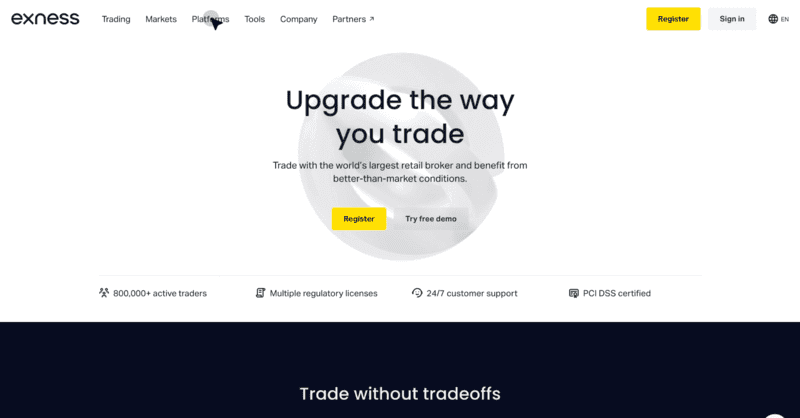
Before we get into all that, though, let’s talk about why you should connect your Exness account to MT5. As I mentioned earlier, MT5 possesses a lot of advanced capabilities that can vastly improve your trading experience. It is designed to cater to the needs of the modern-day trader and will help you maximize your trading potential.
With MT5, you gain access to a broad network of financial markets, advanced technical and fundamental tools, and a host of other functionalities that will help you be the best trader you can be. To put things into perspective, there are 38 built-in technical indicators on MT5, all of which exist to provide deeper insights into market trends and directions.
Furthermore, the charting experience on MT5 is simply unbelievable. With over 40 graphical objects, including advanced and specialized drawing tools like geometric shapes, channels, Fibonacci, Gann and Elliot wave analysis, you will be able to predict future price movements with greater accuracy.
How to Connect Exness to MT5?
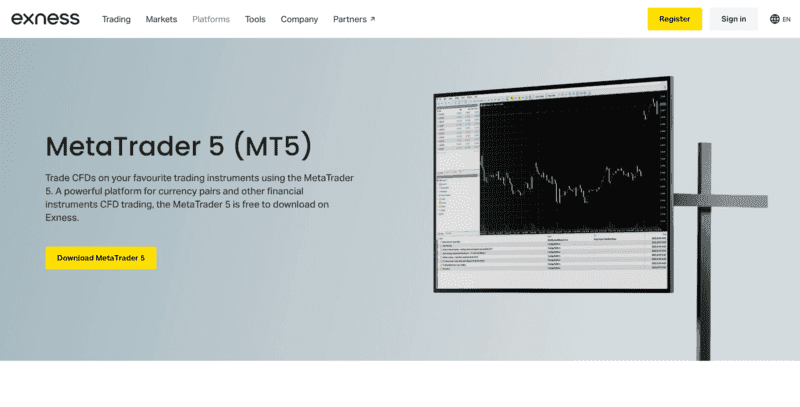
Now, to the main event – how do you connect your Exness account to MT5? Follow these simple steps, and you’ll be good to go.
- First, you need to install the MT5 program on your computer. To do this, open your browser and go to the Exness landing page. On the page, click the Platforms button at the top of your screen, then click Meta Trader 5.
- On the next page that appears, click on the Download Meta Trader 5 button to download the application. Once the download is complete, click the newly downloaded file to begin the installation. Follow the on-screen instructions to install the application on your computer successfully.
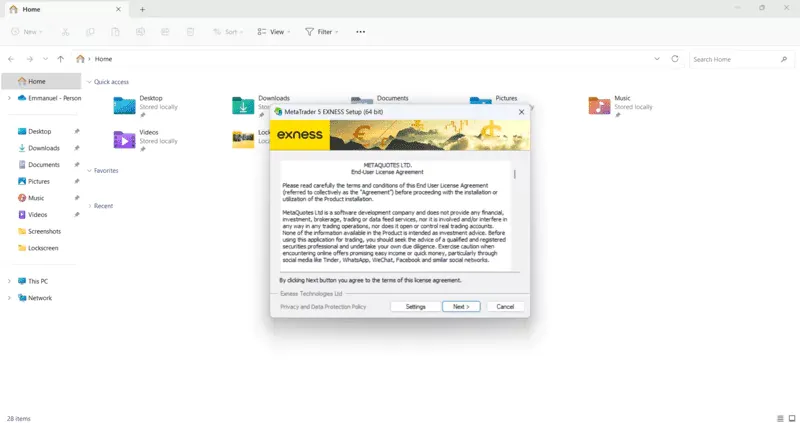
- Once the installation is complete, click the Finish button on the pop-up screen on your computer to complete the process and launch the application.
- The next thing to do at this stage is log in to your Exness account on MT5. Open your Exness account on your web browser and navigate to the Exness Personal Area page. Once inside, navigate to “My Accounts” and click on the 3-dot icon next to the trading account you want to log in to on MT5. Select Account Information to get the MT5 Login details and the Server.
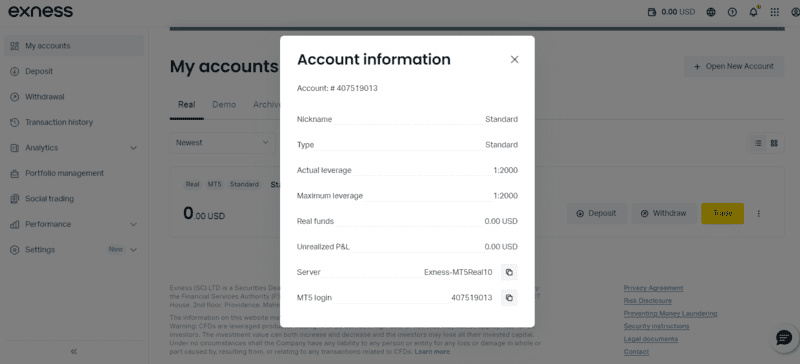
- Back inside the MT5 application, click on File and select Login to Trade account. Enter your trading account login, password, and server in the form that appears. Click on Okay to initiate the process. If it is successful, you will hear a confirmation chime.
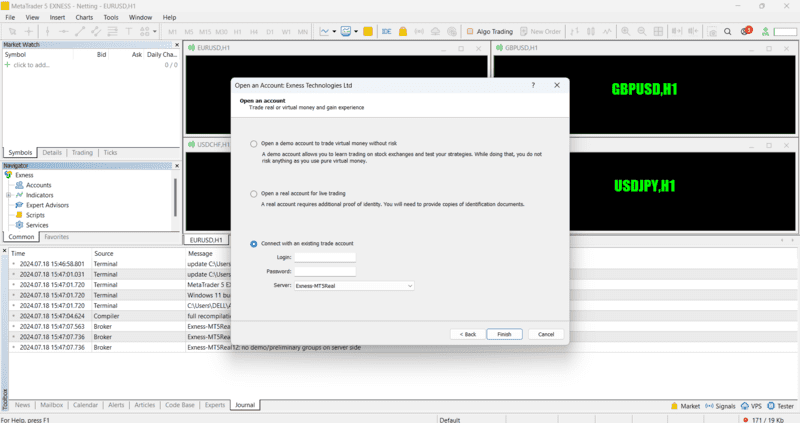
- Congratulations! You have successfully logged into MT5 with your trading account.
Steps to Trade on MT5
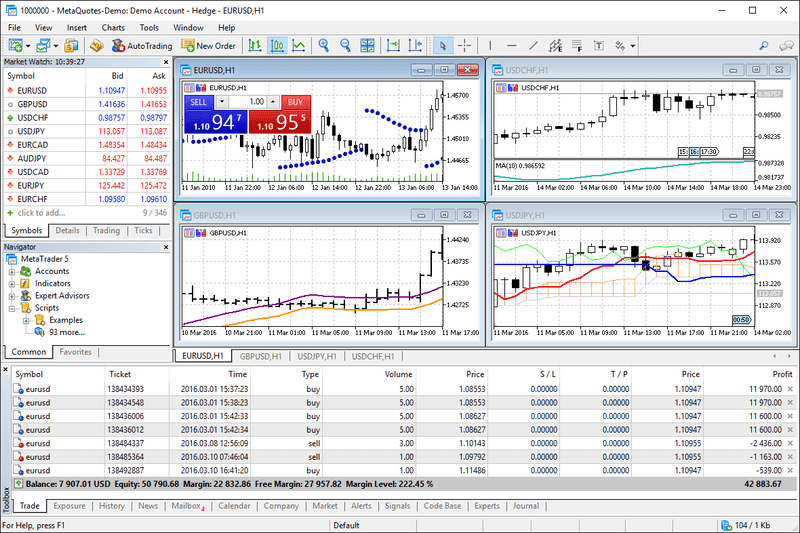
Connecting MT5 to your Exness account is only the first step. Next, you’ll need to learn how to trade on the platform. Let’s go through how to open an order on MT5.
- There are four different ways to open a new order on MT5. You can either click new order in the toolbar, click F9 on your keyboard, navigate to the market watch window, right-click on the trading instrument you want to trade and click new order, or double-click the trading instrument you wish to trade on the market watch window.
- Each of these methods opens the New Order window. Once inside, set all the trade parameters, such as the preferred symbol and volume and Stop Loss and Take Profit levels.
- Once you’ve done this, click Sell by Market or Buy by Market to place the order.
Next, let’s discuss how to close an order on MT5. These simple instructions will help you do so easily.
- Just like opening an order, there are multiple ways to close it. Double-click the order you want to close in the Trade tab and click the Close by Market button.
- Right-click the order you wish to close in the Trade tab, then select Close order and confirm it.
- Click the X button on the right of the order in the trade Tab.
Final Words
MT5 is an advanced trading platform with many features and additional capabilities tailored to help the modern trader achieve the best results. If you want to reach your maximum potential as a trader, MT5 is the platform for you.
This review discusses some of MT5’s capabilities. It also provides the step-by-step process for connecting your Exness account to MT5 and covers how you can begin trading with the platform.
Find Your Perfect Broker: Explore Our List Now!
Choose the best with our expert-selected options


Find Your Perfect Broker: Explore Our List Now!
Choose the best with our expert-selected options
Discover top binary options brokers tailored to your region. Browse our curated lists by country: