Updated:November 25, 2026

9 min

0
How to choose a crypto cold wallet: Ledger, Trezor, Tangem
A hardware wallet protects signing keys, while your recovery procedure determines whether you can regain access after losing the device. Compare Ledger, Trezor and Tangem by the transactions, phones and backup methods you actually plan to use.

Emma Collins
Author
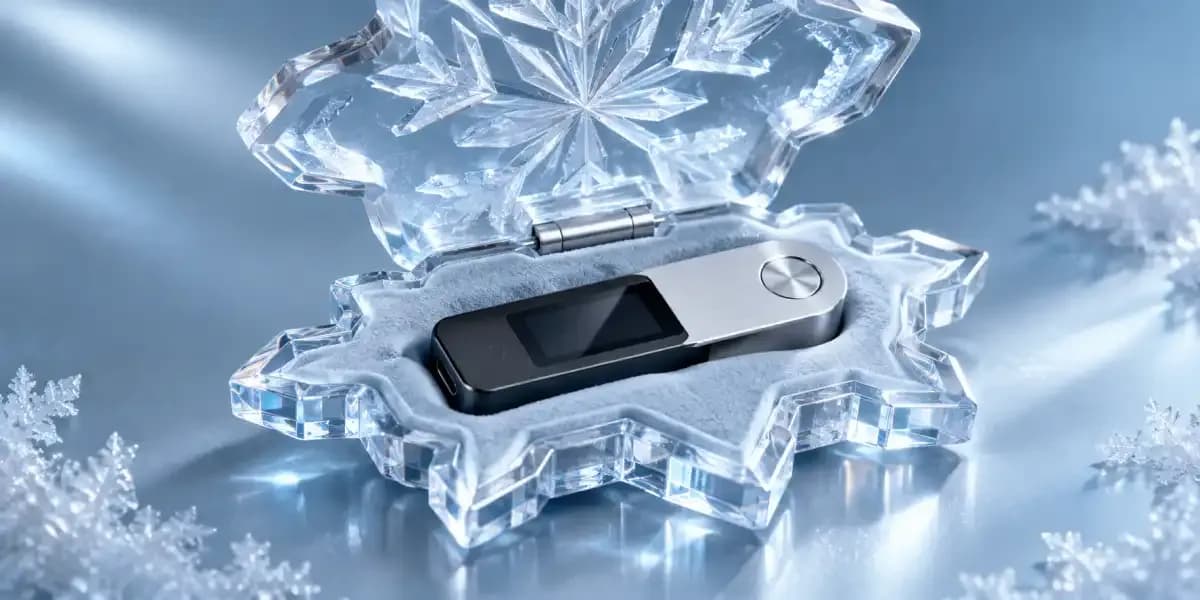
A phone breaks. The wallet app disappears with it. Whether your crypto remains accessible depends on the keys and recovery material you kept elsewhere, plus the steps required to use them.
Choosing a crypto cold wallet begins with that recovery scenario. A polished app and an attractive device still need to fit the way you will receive, sign and recover transactions.
What a cold wallet is and how it differs from a hot wallet
A wallet manages keys and transaction signing. The coins remain recorded on their blockchain. A cold storage wallet keeps the relevant private keys isolated from ordinary internet-connected software, while a hot wallet keeps signing capability in an online environment such as a phone or browser.
A hardware wallet can connect to an online computer without handing its private keys to that computer. The computer prepares or relays a transaction, and the device signs according to its design and your approval. USB, Bluetooth or NFC describes a communication method; inspect the complete security architecture before judging the device.
The host can still present a malicious transaction. If you approve a transfer to an attacker's address, secure key storage cannot turn that signature into the transfer you intended. Verification of the destination, amount and permissions remains essential.
An exchange account has another custody arrangement. The provider normally controls the withdrawal infrastructure and keys behind your account balance. Moving assets to a self-custody wallet transfers recovery and signing responsibilities to you.
Cold wallet crypto options: hardware, paper and air-gapped
A hardware wallet uses a dedicated signing device. Screen-equipped models can provide a separate place to inspect transaction details. Card-based models use a different approval interface and rely more heavily on the connected phone's display.
A paper wallet records key material or a recovery secret physically. Generating and printing a private key on an ordinary connected computer can expose it before the paper reaches the drawer. Recovery, change handling and compatibility can also be awkward, particularly for a beginner.
An air-gapped wallet exchanges transaction data through a method such as QR codes or removable media without a normal network connection. The workflow still needs trusted software, correct transaction interpretation and protected recovery material. A QR code can carry an instruction you should refuse to sign.
For someone making a few long-term transfers, a supported hardware wallet with a tested recovery process is often easier to operate consistently than a homemade paper-key arrangement. The useful comparison is the complete process from purchase to recovery.
Ledger, Trezor and Tangem compared
Compare specific models and backup modes. Product names within one brand can describe different connectivity and recovery features, and the current catalogue extends beyond older comparison articles.
| Device or family | Practical difference | Check before buying |
|---|---|---|
| Ledger Nano X | Screen-equipped device with Bluetooth and USB connectivity | Phone compatibility and transaction-display support |
| Ledger Nano S Plus | USB-connected model without Nano X's wireless workflow | Required cable, host device and supported applications |
| Trezor Safe family | Screen-equipped models with differing controls and connectivity | Exact model, asset support and backup format |
| Tangem hardware cards | NFC phone workflow with card backups and optional seed mode | Phone compatibility, backup cards and chosen recovery model |
Ledger's Nano X page describes Bluetooth support and compatibility with iOS, Android and desktop use. Its Nano S Plus documentation should be checked separately. An older listing saying Ledger Nano S does not identify the Nano S Plus.
Trezor's current comparison includes Safe 3, Safe 5 and Safe 7, with different screens and connectivity. For example, iPhone functionality differs between these models. Check the exact action you need, such as signing a send transaction, instead of treating balance viewing as full compatibility.
Tangem's hardware-wallet setup guide describes optional 12- or 24-word seed-phrase setup and backup cards. Its seedless setup uses a different recovery arrangement. Tangem's separate mobile software wallet should also be distinguished from the hardware-card product.
There is no single Trezor vs Ledger result for every workflow. A desktop user signing occasional Bitcoin transfers and an iPhone user frequently interacting with applications have different requirements.
How to choose: coins supported, security model and price
List each asset together with its network. USDT on Ethereum and USDT on another chain require support for the relevant network and transaction type. Seeing the ticker in a marketing list does not establish every network, staking feature or application integration.
Then test the signing experience. Can you verify the full receiving address? Does the device decode the transaction you intend to make? What remains visible only on the host? Complex smart-contract approvals deserve particular attention because permissions can expose assets beyond the immediate transaction amount.
Evaluate recovery next. A BIP39 phrase and a SLIP39 backup are different standards. Trezor's backup guide explains 12-, 20- and 24-word formats; current Safe devices default to a 20-word SLIP39 arrangement. Verify which replacement devices can restore the format you choose.
Price includes the delivered device, applicable tax, shipping and any backup accessories. Compare the official checkout in your country on the day of purchase. Seasonal promotions, currency conversion and bundles can change the difference between two models.
For an illustrative budget, a $100 device, $15 delivery and $40 backup accessory total $155. A $130 device with included delivery and the same accessory totals $170. These hypothetical figures show why the first product price is an incomplete comparison.
The best crypto cold wallet for your needs is the one you can verify, back up and recover correctly. A costly screen cannot compensate for a phrase stored in an unprotected cloud photo album.
Setting up a hardware wallet and backing up the seed phrase
Buy through the manufacturer's official route or a reseller it identifies as authorised. Follow the current authenticity and setup checks for the model. A device arriving with a completed recovery phrase or instructions to use a supplied private key is a reason to stop.
Install the official application through a verified manufacturer link. Check the domain carefully before downloading. Set up a new wallet using the model's documented process and establish the device PIN or access controls.
For screen-equipped wallets, generate and confirm the backup using the authorised device workflow. Tangem's optional seed mode creates the phrase through its app, so that mode introduces a different phone-related trust requirement. Understand the selected method before generating keys.
Write the recovery material in the exact order required. Keep it private and protect it against physical loss, damage and unauthorised access. A passphrase, if enabled, adds another recovery requirement; losing it can make a correctly recorded base backup insufficient.
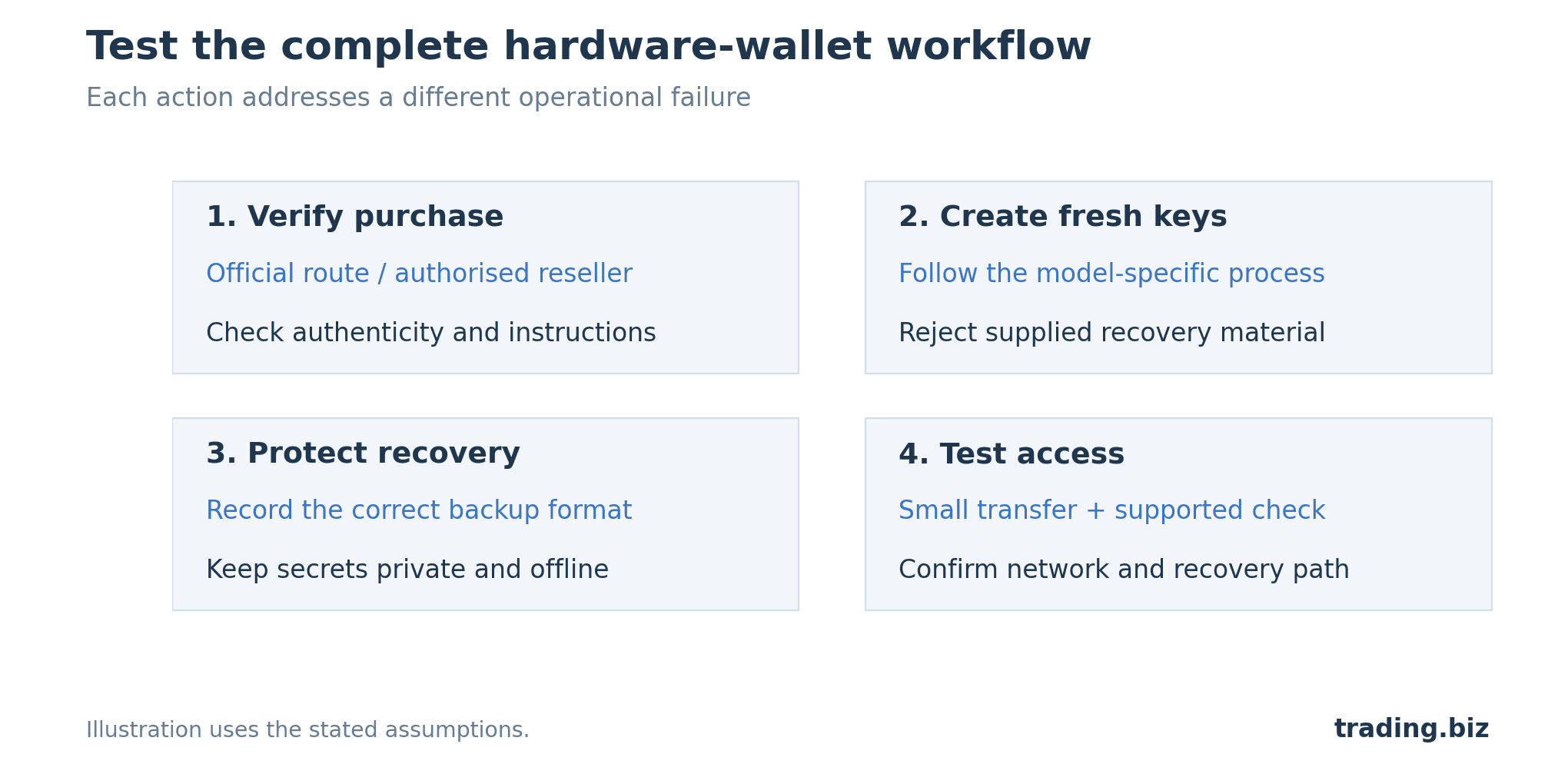
Figure 1. Four checks in a hardware-wallet workflow: verified purchase, fresh setup, protected recovery material and a small transfer with a recovery check. Each step addresses a different operational failure.
Use the manufacturer's supported backup-check procedure before transferring substantial value. Check the receive address through the wallet's intended trusted interface. Send a small test amount on the correct network, wait for confirmation and verify that you can spend it as intended.
Do not wipe your only working device with substantial assets just to improvise a recovery test. Use the documented check or a carefully planned recovery rehearsal while you still have access. Keep device and backup locations sufficiently separate that one lost bag does not remove both.
For seedless Tangem setups, protect and test the authorised backup cards according to the product's rules. A missing paper phrase is part of that chosen recovery model. Losing every usable card and access path can be final.
Give the recovery instructions a dry run using a written inventory that contains no secrets. It can identify the device model, backup standard, networks used and whether an additional passphrase exists. A person following it should know which official documentation to consult without being handed a photograph of the recovery words.
Also rehearse a routine send. A supported token may require the network's native asset to pay transaction fees. Holding the token alone can leave you unable to move it until the address receives that fee asset. Check that requirement before withdrawing a larger balance into the new wallet.
Common mistakes and fake wallet scams
A search advertisement can imitate the manufacturer's support page. The fake app then asks you to enter the recovery phrase for an update or security check. Anyone obtaining that phrase may restore the wallet and move the assets.
Another scam supplies a preconfigured device or recovery card. The attacker already knows the key material. Creating your own fresh wallet through the verified setup process is essential; a sealed-looking package alone cannot establish safety.
Importing an old hot-wallet seed into hardware also retains the consequences of any earlier exposure. A fresh hardware-generated wallet and a verified on-chain transfer create a different key history. Record the transaction before retiring the old address.
Address substitution and blind signing create separate risks. Inspect the address and permissions when approving. Keep a smaller transaction wallet for frequent experimental application use so an approval mistake has a defined exposure limit.
Plan access after illness or death without distributing a usable secret casually. A trusted person can know where recovery instructions are held while the actual signing material remains protected. Test whether the instructions explain the selected backup format and any extra passphrase.
Wallet terms used during setup
These terms refer to different controls and recovery materials. Confusing them can leave a backup incomplete even when every word was copied correctly.
| Term | Meaning |
|---|---|
| Private key | Secret enabling the relevant cryptographic signatures |
| Seed phrase | Word-based material from which wallet keys can be derived |
| PIN | Access control for a device, with model-specific behaviour |
| Passphrase | Additional secret that can select a separate wallet |
| Air gap | Separation from normal network connectivity in the signing workflow |
FAQ
What is a cold wallet for crypto if the coins stay on the blockchain?
It protects the keys used to authorise transactions. The wallet shows blockchain balances and signs instructions; moving the device does not physically move coins into it.
Does cold storage prevent every loss?
It addresses key exposure under its security model. Malicious approvals, lost recovery material, incorrect networks and stolen secrets can still cause losses. Review those failure paths during setup.
Can one backup restore every hardware wallet?
Compatibility depends on the backup standard and the replacement product. A 20-word SLIP39 backup needs compatible support. Check the format before assuming another device can restore it.
What should I test before moving the main balance?
Verify the destination network, receive address, small incoming transfer and a supported backup check. Resolve any recovery uncertainty while the test amount remains small.
Find Your Perfect Broker: Explore Our List Now!
Choose the best with our expert-selected options
Find Your Perfect Broker: Explore Our List Now!
Choose the best with our expert-selected options
Discover top binary options brokers tailored to your region. Browse our curated lists by country: