


3.9/5


Available in null
About Broker
This Coinbase review covers an American exchange founded in May 2012 to help everyone access crypto more easily. It is quite popular, and although it is primarily a cryptocurrency exchange, you can also trade commodities like gold and silver on futures…
Min. deposit
$ 1
Languages

Advantages
Highly regulated and a publicly traded company
Easy-to-use platforms and apps for all experience levels
Staking is available
The Advanced platform offers adequate trading tools and order management for experienced traders
Disadvantages
Extremely high trading costs and fees
Customer support is limited, and hard to get a hold of
About Broker
This Coinbase review covers an American exchange founded in May 2012 to help everyone access crypto more easily. It is quite popular, and although it is primarily a cryptocurrency exchange, you can also trade commodities like gold and silver on futures…
Min. deposit
$ 1
Languages
Advantages
Highly regulated and a publicly traded company
Easy-to-use platforms and apps for all experience levels
Staking is available
The Advanced platform offers adequate trading tools and order management for experienced traders
Disadvantages
Extremely high trading costs and fees
Customer support is limited, and hard to get a hold of
Available in 195 countries
* General Risk Warning: Your capital might be at risk
*The amount that will be credited to the account in the case of a successful deal

Cory Mitchell
Author and Expert at Trading.biz


Updated October 23, 2026
This Coinbase review covers an American exchange founded in May 2012 to help everyone access crypto more easily. It is quite popular, and although it is primarily a cryptocurrency exchange, you can also trade commodities like gold and silver on futures, as well as the Coinbase 50 index (COIN50), if you want to trade a crypto derivative.

What is Coinbase
Every figure below comes from Coinbase itself. Anything the exchange does not publish is flagged as such.
Minimum deposit: $1. Individual staking assets set their own higher minimums.
Trading fees: maker 0.05-0.60%, taker 0.00-0.40%, scaled by 30-day volume. The simple interface works out closer to 0.5-1.5% per trade.
Stablecoin pairs: no maker fee, reduced taker fee.
Staking commission: around 35% of rewards on ADA, ATOM, AVAX, DOT, ETH, MATIC, SOL and XTZ.
Asset recovery fee: 5% of the asset value when the amount is over $100.
Assets: more than 300 tradable, 132 eligible for staking, 90+ perpetuals and 18+ futures contracts.
Leverage: up to 20x on selected perpetual and futures contracts.
US payment methods: ACH free, instant cash out, debit card, wire transfer at $10 in and $25 out, PayPal, Apple Pay, Google Pay.
Canadian payment methods: Interac, EFT, credit card, PayPal.
Regulation: BitLicense from the New York Department of Financial Services since 2017, 44 US states plus Puerto Rico and Rhode Island, FCA registration in the UK as an Electronic Money Institution, plus licences in Germany and Ireland.
Subscription: Coinbase One at $4.99 a month, with Preferred at $29.99 and Premium at $299.99.
Support: help centre, 24/7 virtual agent and a phone line on +1 (888) 908-7930.
Withdrawal processing times: not published by the exchange. Check the current figure on the broker site before you cash out.
Our wider list of broker reviews is worth a look if you want to line these numbers up against another platform.
If you're considering getting into crypto but keep wondering, 'Is Coinbase legit?' The short answer is yes. Coinbase prides itself on being a very compliant exchange, and it is strongly regulated in the jurisdictions in which it operates. It was one of the first companies to get the BitLicense from the New York Department of Financial Services in 2017. This license provides a framework to protect users of virtual currency businesses in New York.
In the United States, Coinbase is regulated under the laws of each of the 44 states and two jurisdictions (Puerto Rico and Rhode Island) in which it operates. If you're a U.S. citizen and unsure if Coinbase is available in your state, you can find the full list of licenses for America here.
Coinbase is also well-regulated outside the United States. The American-based exchanges have licenses to operate in a number of European countries, including Germany, the UK, and Ireland. In the UK, it is regulated by the Financial Conduct Authority as an Electronic Money Institution. You can find all its European licenses here.
As for security, I did some digging because I kept wondering: Is Coinbase safe? They have strong security features, such as two-factor authentication and cold storage for most of their funds.
Coinbase boasts military-grade security, making it an excellent choice for those who prefer a crypto exchange with stringent security measures. Coinbase states that it holds users' assets one-to-one against real money, which provides a strong guarantee for the safety of user funds.
They also store assets in cold storage in tightly guarded facilities away from theft and use secure Multiparty Computation (MPC). Coinbase also became a publicly traded company in April 2021, which means its financial statements are public and audited, enhancing transparency.
On the user side of things, Coinbase provides you with an automatic 2-factor authentication system, which you can change or enhance at any time. You can use your registered phone number, passkey, biometric verification, or YubiKey to add extra security to your account.
As an additional security measure, Coinbase has an allowlist feature where you can add addresses you want to send money to and prevent sending to the wrong address. An attacker won’t be able to misuse your Coinbase wallet and send money to an address that's not on the list.
However, despite its tight security, Coinbase has experienced two major security breaches in the last five years, both of which involved a leakage of user data. In 2021, more than 6,000 Coinbase users lost their funds after attackers hijacked Coinbase’s 2FA system.
In May 2025, Coinbase experienced a huge data breach that affected almost 70,000 users over a period of 6 months. The exchange claimed that some criminals paid some overseas support agents to get access to user data, but they were unable to access Coinbase Prime or user wallets.
For now, Coinbase is reimbursing victims of the attack, conducting additional ID checks on accounts that were compromised or could still be compromised, tracing addresses that could be complicit in the breach, and working with law enforcement.
Coinbase requires you to verify your ID before you can buy or sell crypto on the platform. Generally, you need a proof of identity and a proof of address document not older than 3 months. While accepted identity documents typically vary by country, here’s a general list of required documents:
Drivers license
Government-issued ID
Bank statement
Utility bill
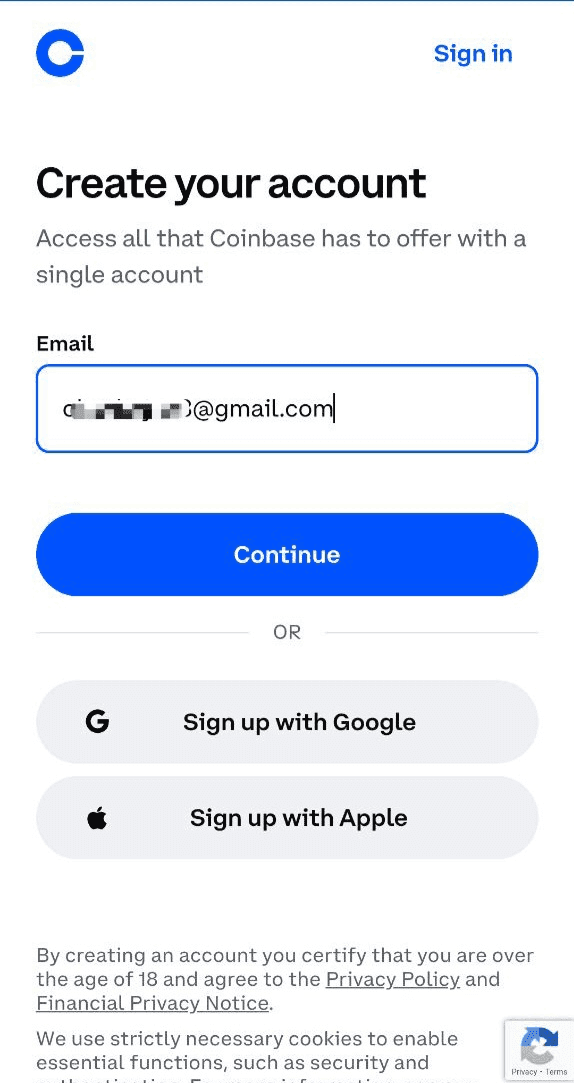
Coinbase KYC and Account Verification
Credit card statement
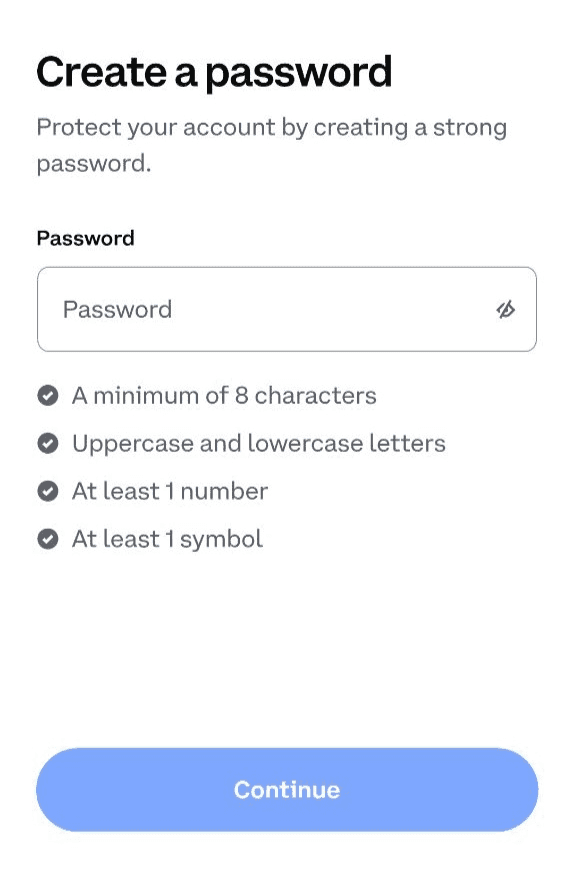
Choose a strong password
Not all countries can verify with an international passport. Check this list to see if your country's passport is eligible.
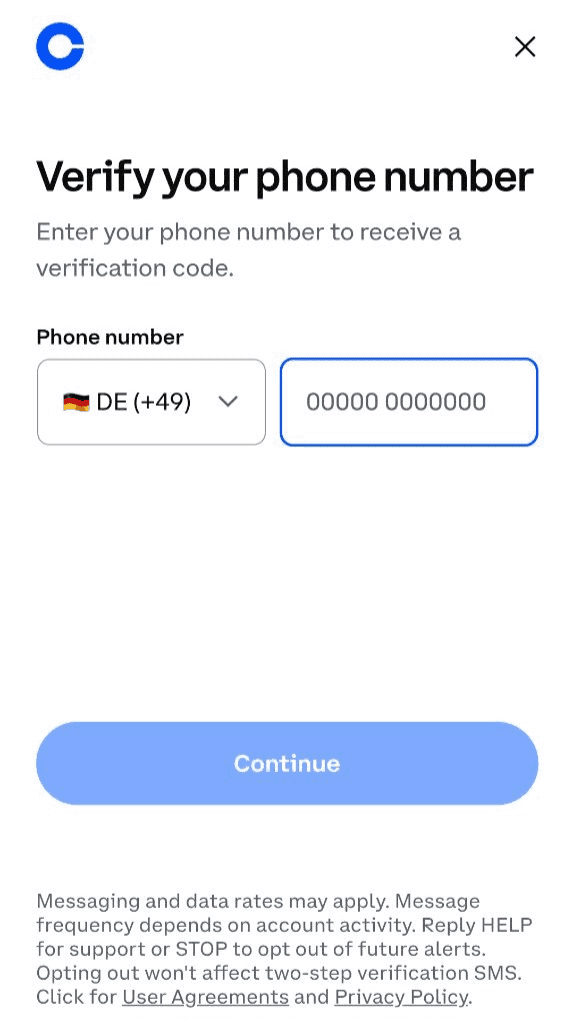
You have to verify your number to proceed
Before you begin your Coinbase KYC, note that the exchange does not accept IDs not issued by the government, including military IDS. Resident permits are not acceptable, but you can use a valid American Green Card if you have one. Ensure that all your details match your documents, as changing your name or country will require submitting additional identity documentation.
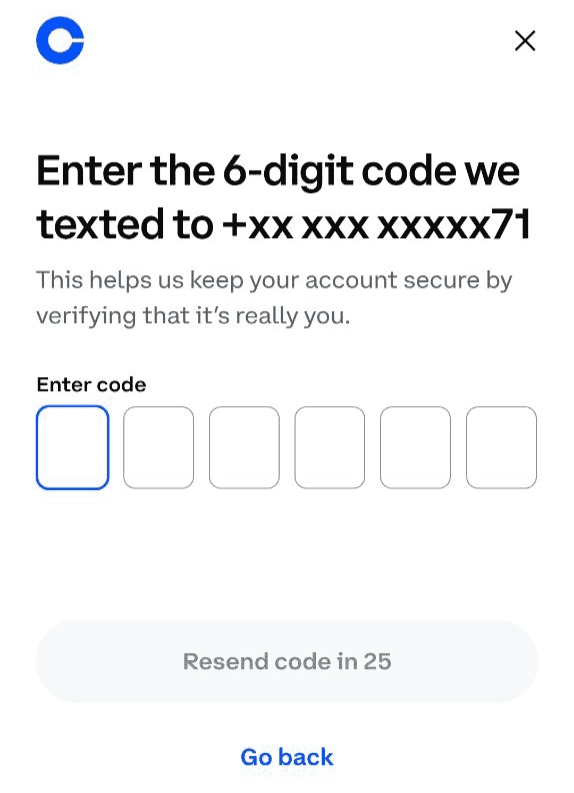
Check your SMS for an OTP code
Completing your Coinbase KYC can be overwhelming. Here’s a detailed walkthrough of how to verify your account in less than 5 minutes.
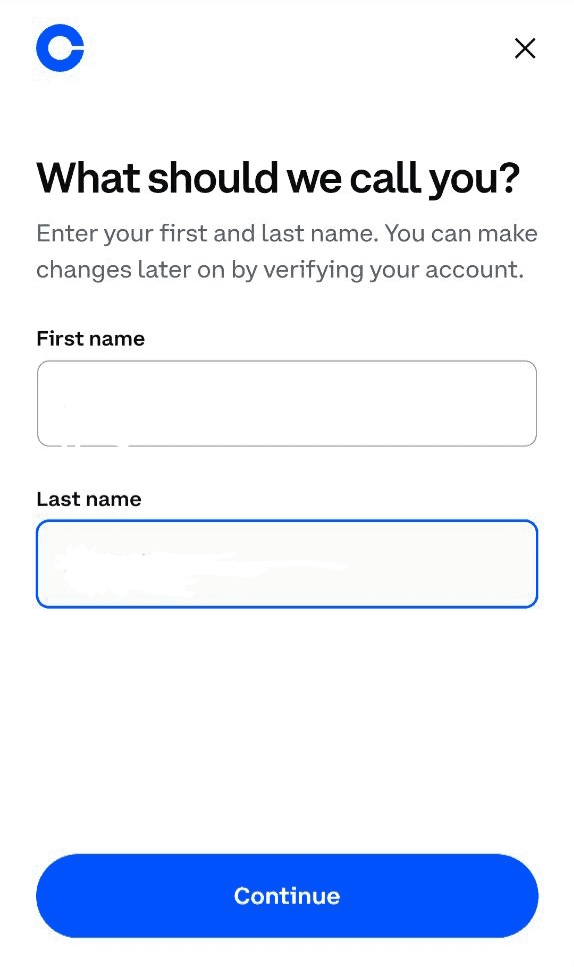
Put in your first and last name
Firstly, I put in an email address. You can also sign in with Google or Apple if you prefer those options.
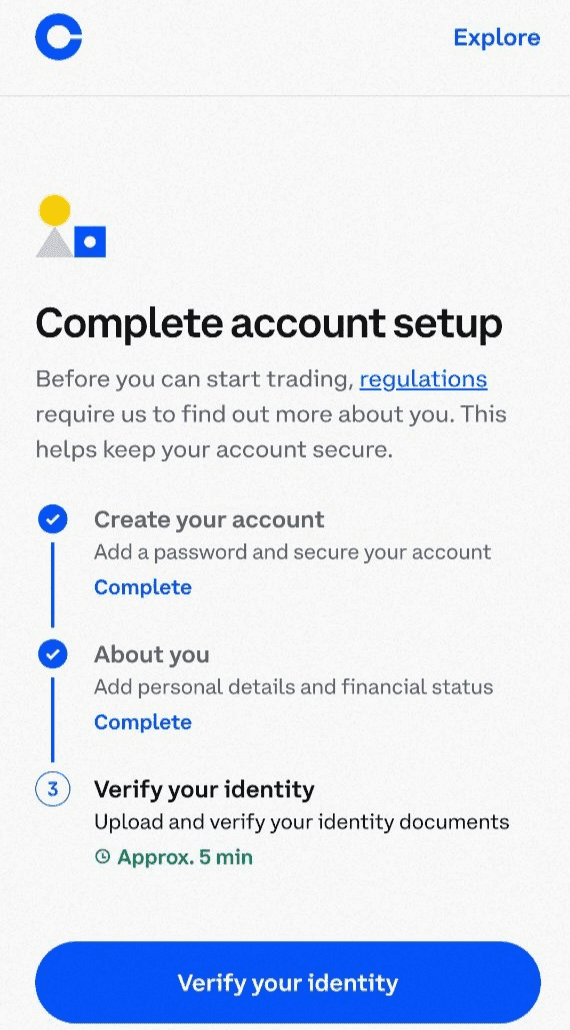
Ready to do KYC
Choose a strong password. I went with something I do not use on other sites.
You have to verify your number to proceed with any other action on your Coinbase account.
Check your SMS for an OTP code, then return to the app to enter it.
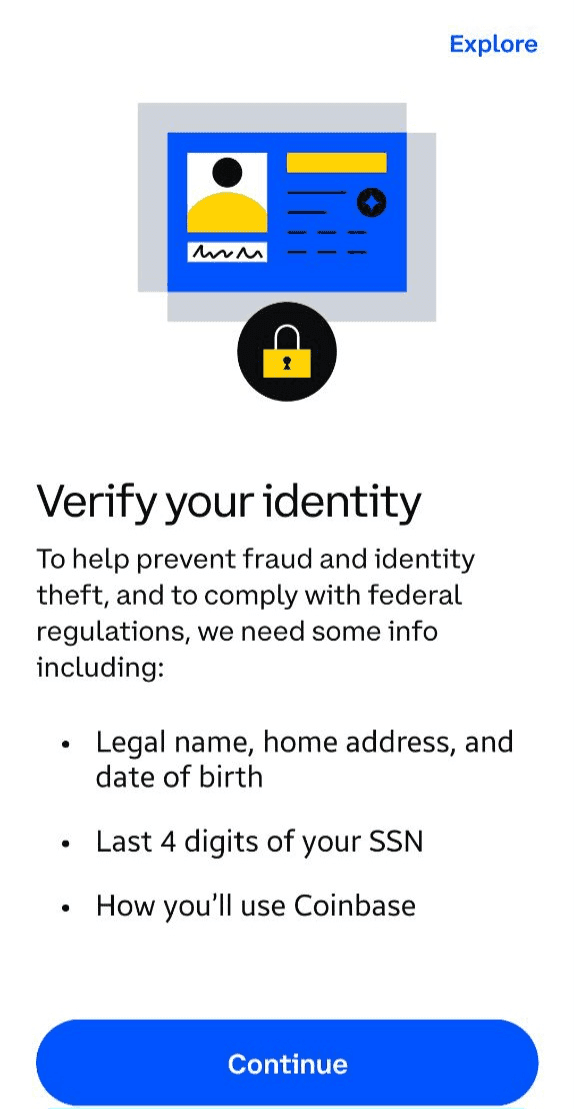
ID and proof of address
Put in your first and last name as they appear on official documents. I do not recommend using a nickname here.
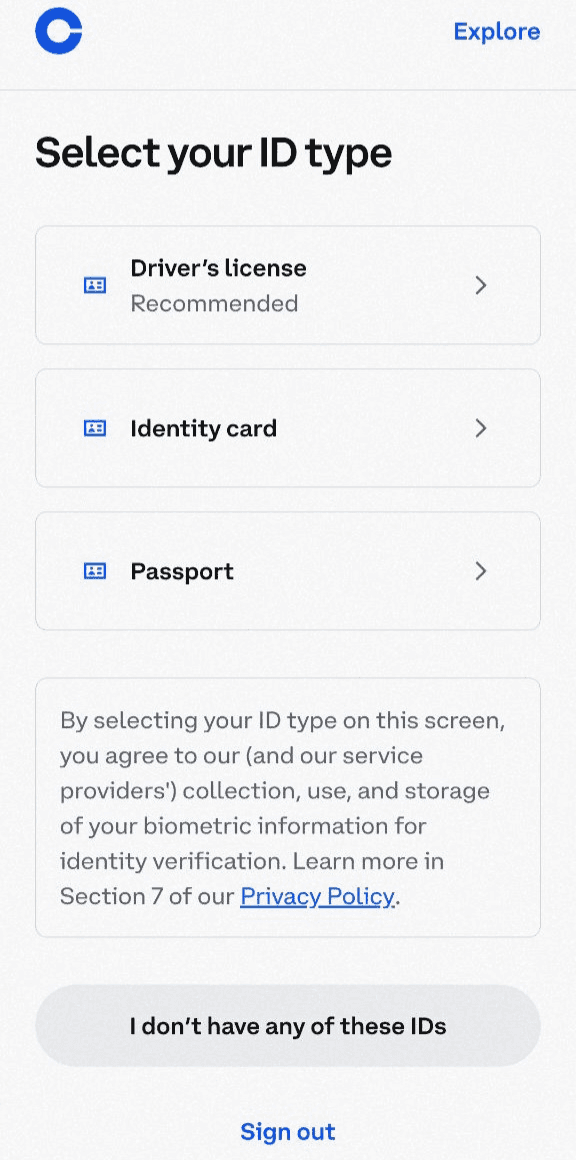
Click on ‘Verify your identity."
After you are done with inputting your personal information, you are now ready to do KYC.
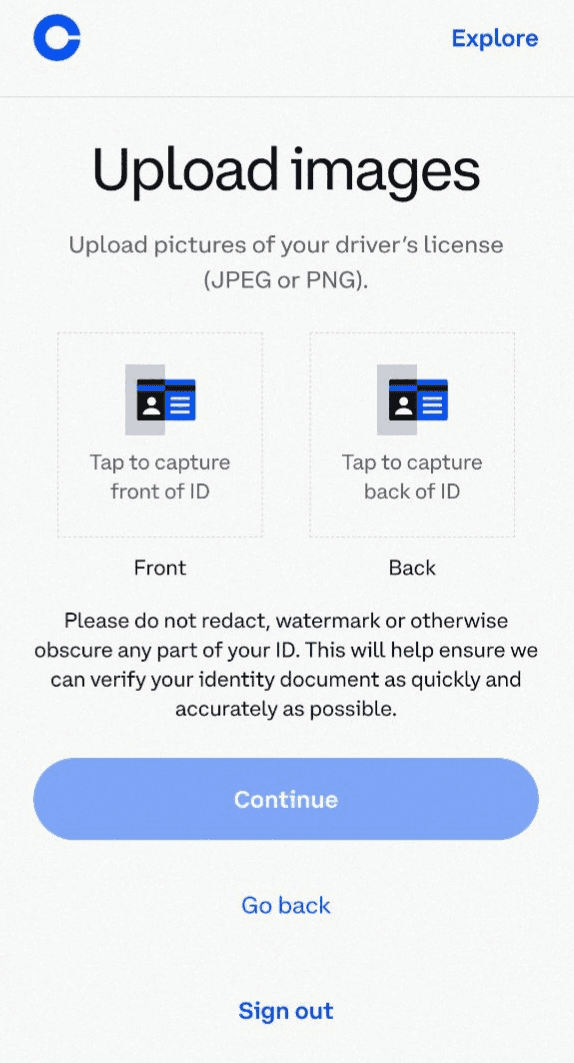
Select your ID type
Now that your account is verified, you can begin KYC.

Upload a picture of your ID
Before you complete your KYC, have your ID and proof of address ready and be prepared to take a selfie.
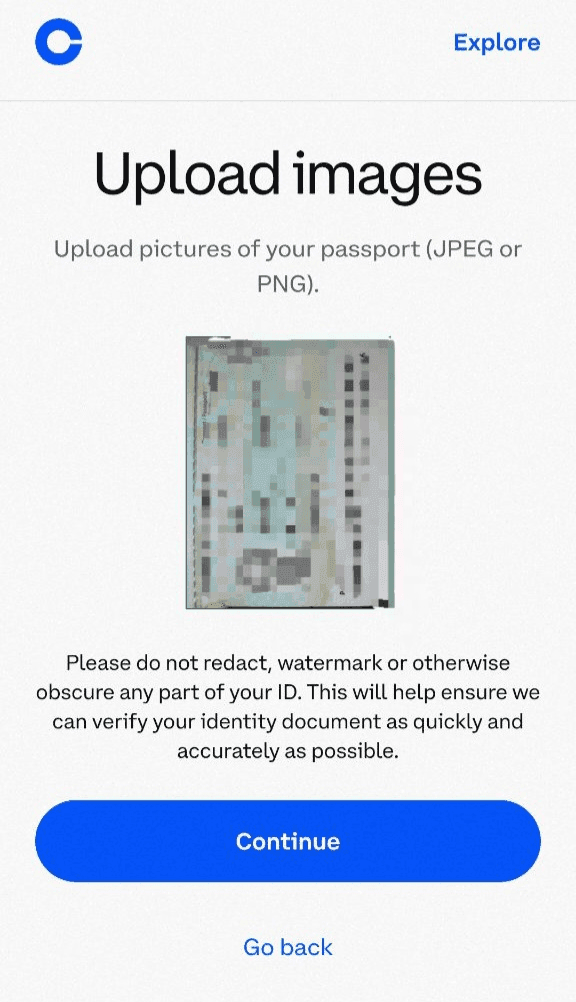
Take a clear selfie.
Click on ‘Verify your identity.’
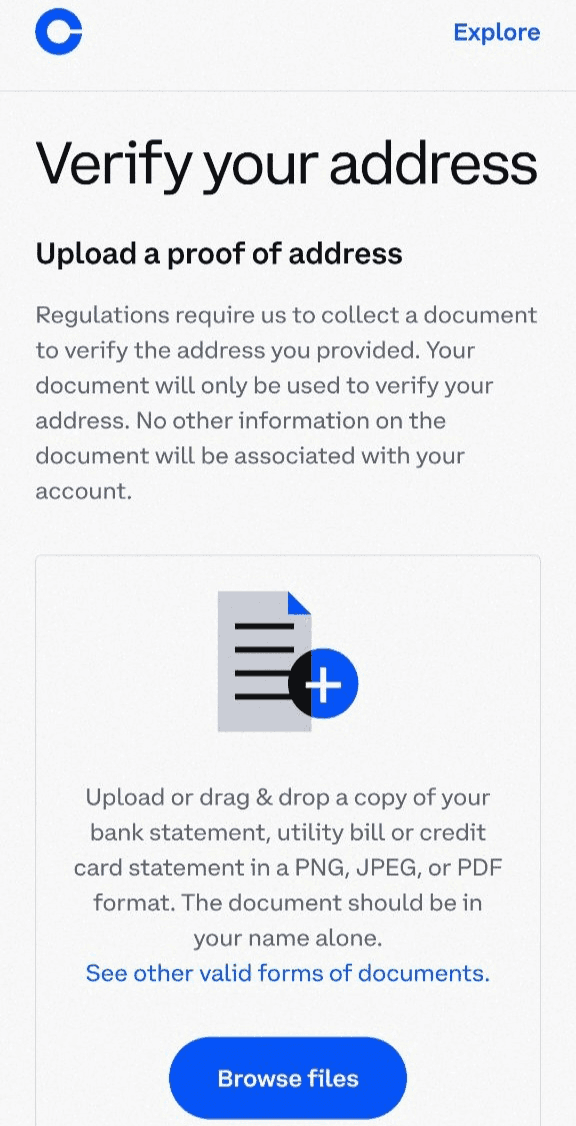
Proof of address
Select your ID type. I recommend a passport for faster KYC if your region allows it.
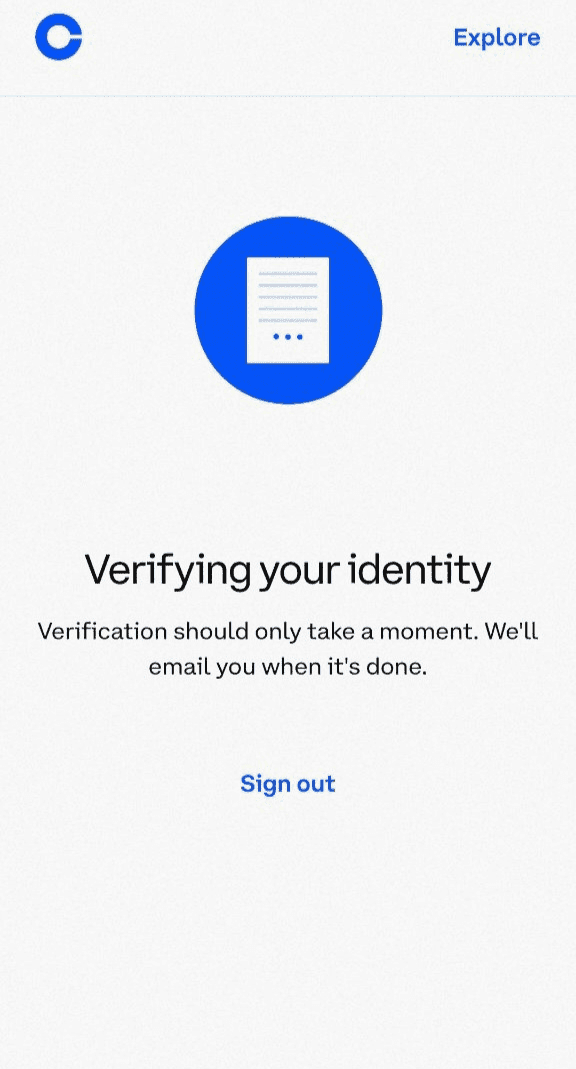
Get a message as shown below
Upload a picture of your ID or take one immediately with your device's camera, and then click 'Continue.'
Take a clear selfie.
Next, provide your proof of address, ensuring it lists only your name.
You will get a message as shown below. Once successful, you will get access to Coinbase’s full range of services.
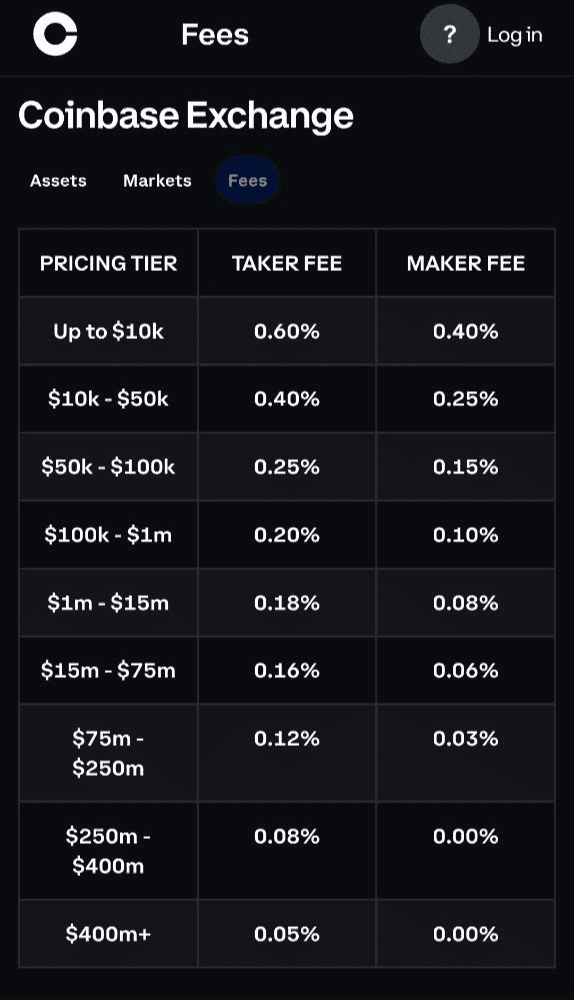
Coinbase Trading Fees and Costs
Coinbase has a complicated fee structure that involves maker and taker fees for trading. Maker and taker fees are typically between 0.05-0.60% and 0.00-0.40% respectively. The final amount you will be charged depends on the volume of your transaction, as shown below:
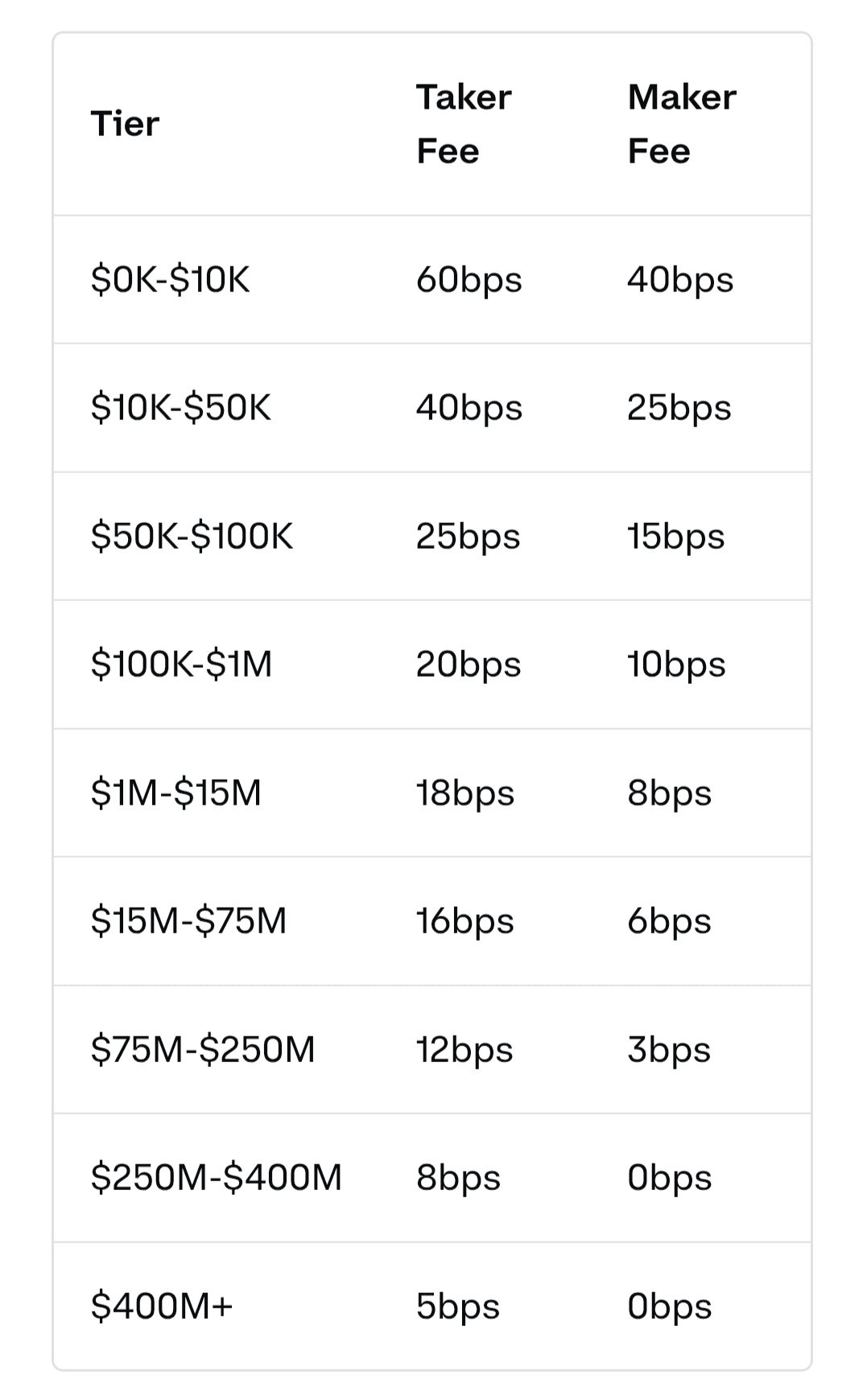
Coinbase has a complicated fee structure
Coinbase has a slightly different model for stablecoins. For these pairs, you can save on maker-taker fees as you pay no maker fees, and taker fees are estimated as displayed below.
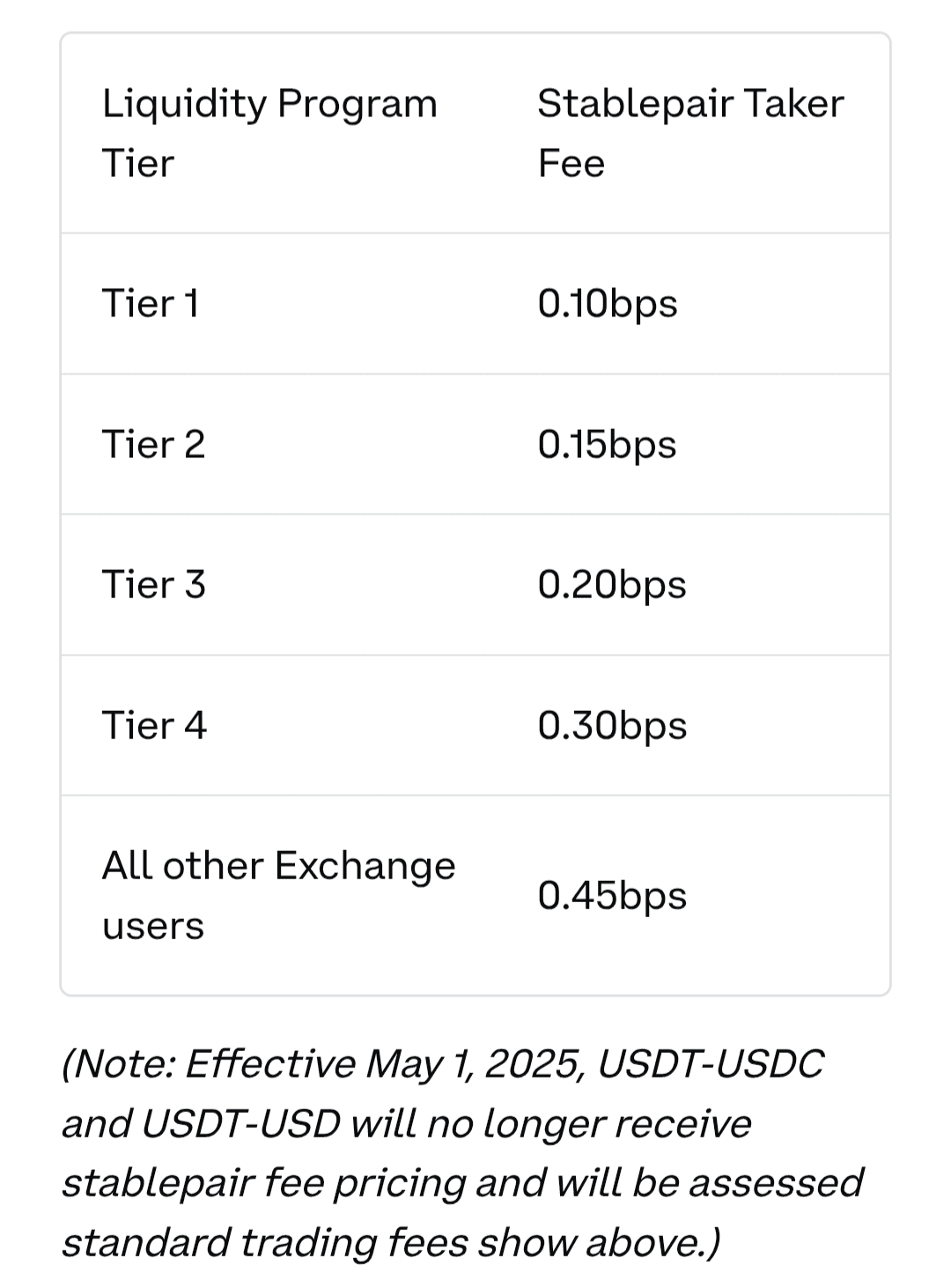
Coinbase has a slightly different model
Coinbase charges a network fee for every cryptocurrency transaction you send out. However, if you are sending to a user's primary balance from one Coinbase user to another, that's free, plus, this exchange does not charge you for storing your cryptocurrency on it.
As for staking fees, Coinbase offers staking services and charges you an average commission of 35% on your staking rewards for ADA, ATOM, AVAX, DOT, ETH, MATIC, SOL, and XTZ. If you ever lose your cryptocurrency and would like Coinbase to help you recover it, be prepared to pay a 5% recovery fee of the asset’s worth if the amount is over $100.
Overall, Coinbase is relatively expensive when compared to Binance and Gemini.
Coinbase vs. Binance. Coinbase generally has higher fees compared to Binance. On Coinbase, users can pay significant amounts for depositing and withdrawing crypto, and around 0.5%-1.5% per trade, depending on the platform. In contrast, Binance offers significantly lower fees, with spot trading fees starting at 0.1% and discounts available when using BNB (Binance Coin) for payment. To read more about Binance’s fees, I recommend reading this complete review.
Coinbase vs. Gemini. Coinbase fees tend to be higher and less transparent than Gemini's, especially for smaller transactions. Coinbase charges around 0.5%-1.5% per transaction, with additional fees depending on the payment method. Gemini, on the other hand, charges 0.25% for takers and 0.15% for makers on its ActiveTrader platform, though its basic interface has higher fees (similar to Coinbase’s basic interface).
Coinbase allows you to trade more than 300 assets. It is a good fit for you, especially if you like trying out different cryptocurrencies in a safe, regulated environment.
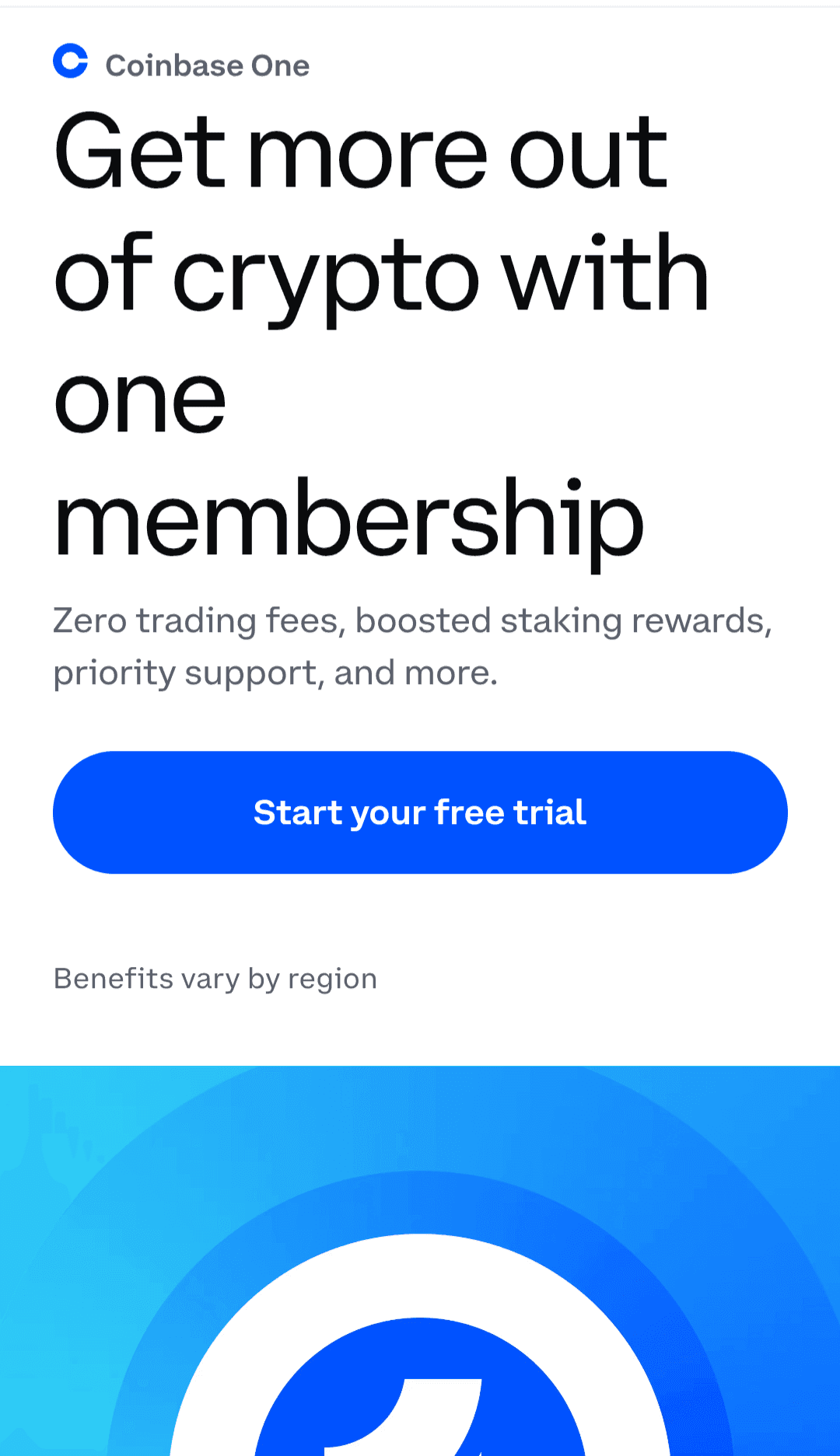
Coinbase Account Tiers and Features
Both the basic and Advanced Coinbase accounts are free with no monthly subscription or sign-up fees, but Coinbase One users have to pay a monthly fee.
What's the difference between these three accounts?
Basic Coinbase account. Buy, sell, and hold crypto using a beginner-friendly interface.
Coinbase Advanced. A more powerful trading tool with lower fees and extra features for active traders.
Coinbase One. A paid subscription that gives zero trading fees (limits apply), boosted rewards, and extra perks like account protection.
Coinbase One has three tiers:
Basic (~ $4.99/mo or $49.99/yr): zero simple-trade fees of up to $500/month, bitcoin rewards on purchases, and boosted staking rewards.
Preferred for $29.99 ($299.88/year):
Premium ($299.99/mo): unlimited zero-fee simple trades, +15% staking rewards boost, and account protection of up to $250,000.
Coinbase One is the only product that operates on a subscription model and features a tiered account structure.
Coinbase Bonus Programs and Promotions
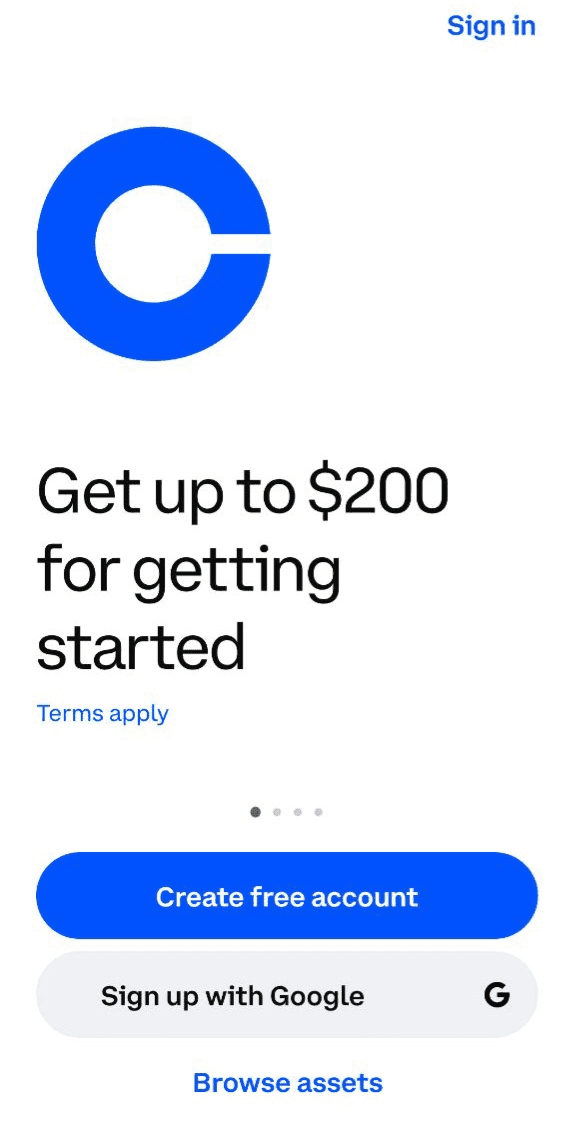
Coinbase currently has a welcome bonus for new U.S. residents who sign up with the exchange. You can earn up to $200 in crypto as long as you complete verification and make a crypto purchase. Coinbase has no trading competitions but runs both affiliate and referral programs. As a Coinbase affiliate, you will get 50% of each referral’s trading fees for their first three months, and there is no limit to the number of people you can refer.
However, the affiliate program is only open to those who have websites or blogs. Currently, this program is closed to UK users, so they receive no reward from the affiliate. Payout is made 15 days after the end of the previous month.
As for Coinbase referral programs, the only one open now is on Coinbase One. Rewards are limited to 10 referrals, so you can not get more than $100 in total rewards at a time. It's best to stick to 10 friends at a time to receive your full rewards. Your friend must sign up for Coinbase One and get a 30-day free trial of Coinbase One, plus $10 off their first paid month. To be eligible, your friend must complete their free trial and pay for the first month for both of you to receive the reward. Sign up and get your Coinbase referral code here.
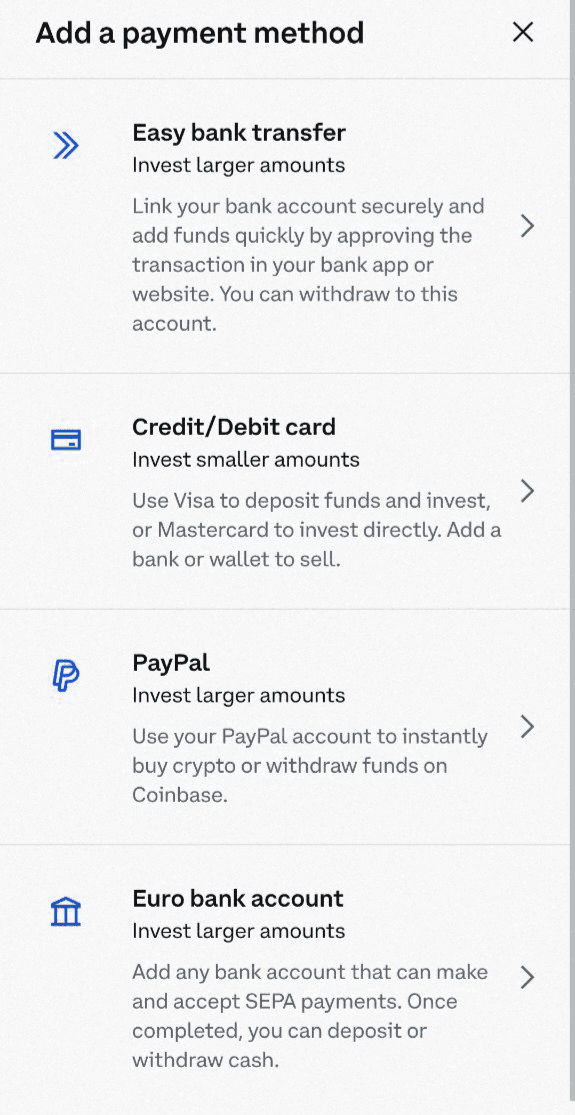
Payment methods vary significantly across regions. Coinbase allows you to deposit a minimum of $1, but has different minimums for withdrawing or cashing out. For U.S. customers, the available payment methods include:
bank account (ACH) - free;
instant cash out to bank accounts;
debit card;
wire transfer - $10 deposit fee, $25 withdrawal fee;
PayPal;
Apple Pay;
Google Pay.
Deposit and Withdrawal Methods
However, I find them limiting because you can't use the wire transfer option to purchase crypto.
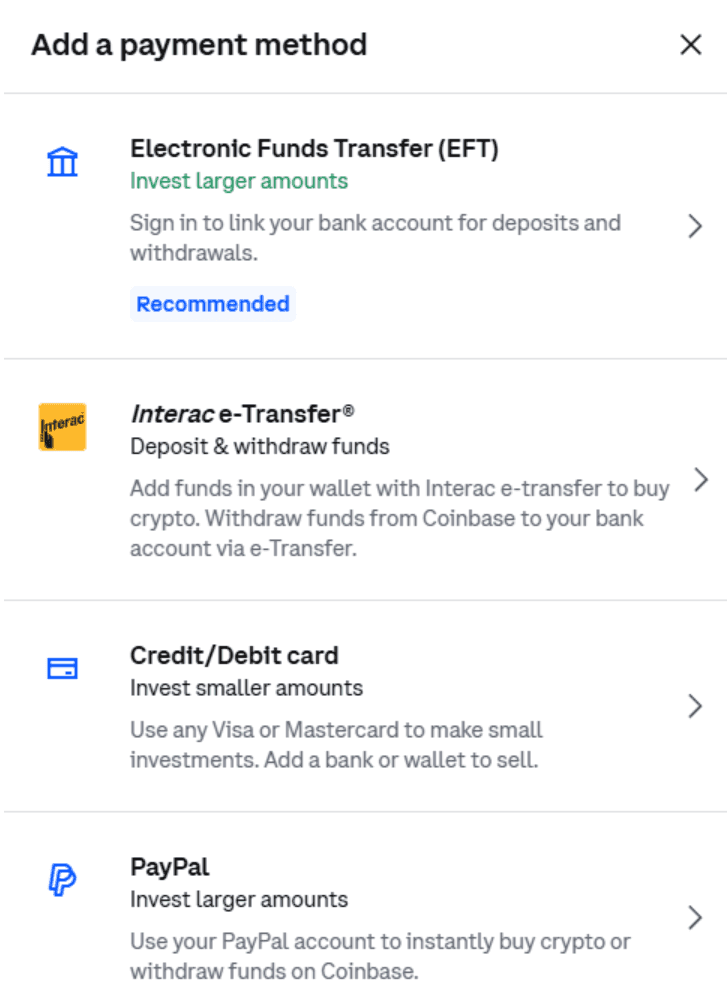
In Canada, there's a different set of payment methods, including
Interac
Deposit and Withdrawal Methods
E-transfer (EFT)
Credit card
Payment Methods
Paypal
EFTs, interact, and PayPal can be used for fiat currency deposits and withdrawals. Credit cards can be used to buy crypto directly.
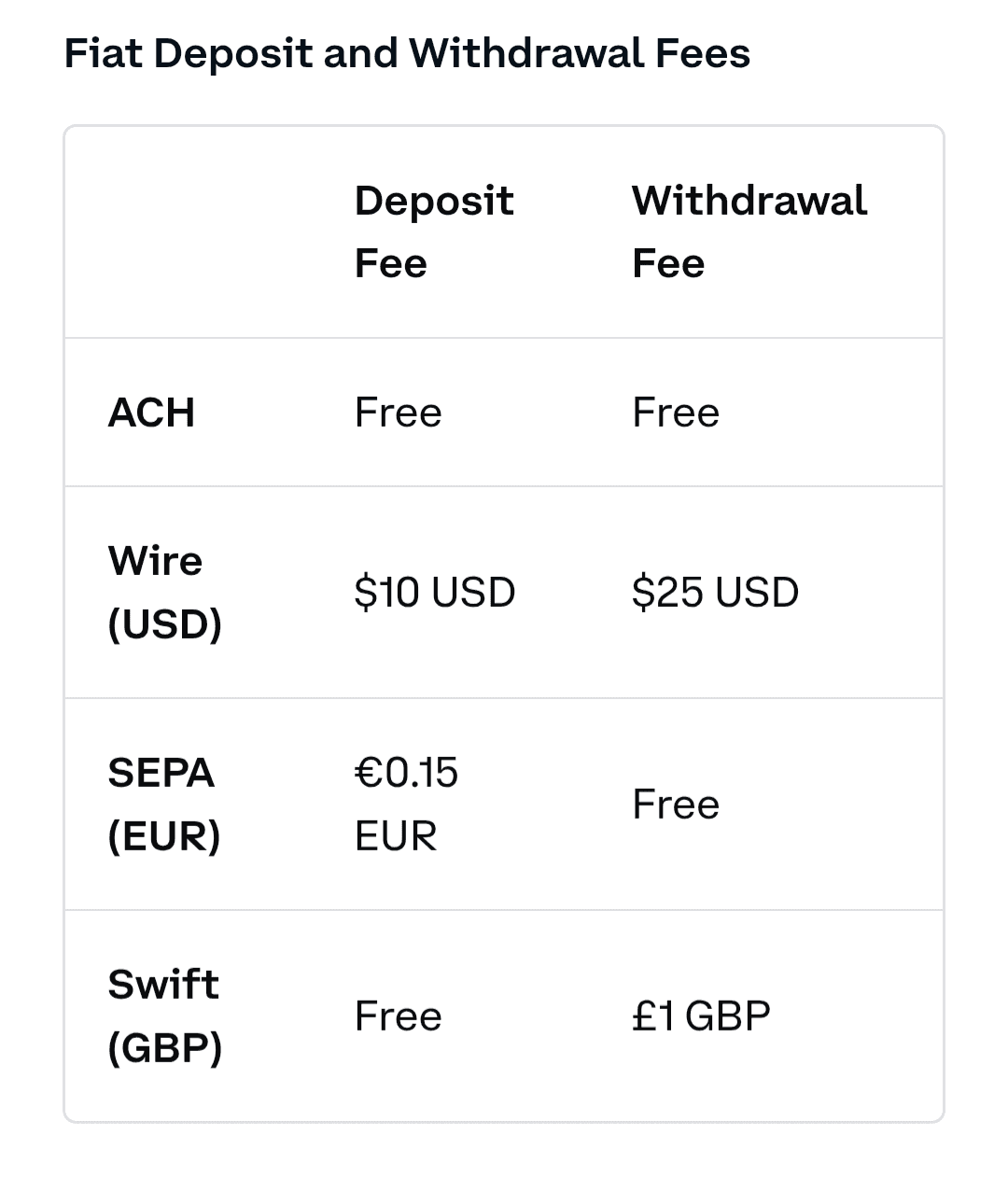
Withdrawal fees
The first step to moving money with Coinbase is adding deposit and withdrawal options. Go into your account, and then click Settings. Click on Payment Methods, and then Add Payment Methods.
Select the desired option and input your details.
Once a payment method has been added, withdrawing and depositing can be done inside the Coinbase account. Click Deposit Cash or Withdraw Cash.
If you click Deposit, cash, you are provided with only the payment methods you are set up for. It is the same process for withdrawals. Click your desired option, and the transaction is processed quite quickly.
These options will deposit fiat currency to the account. They can also be used to withdraw fiat currency from the Coinbase account to a bank account. Cryptocurrency can not be directly withdrawn to a bank account. First, it must be converted to fiat currency, and then withdrawn.
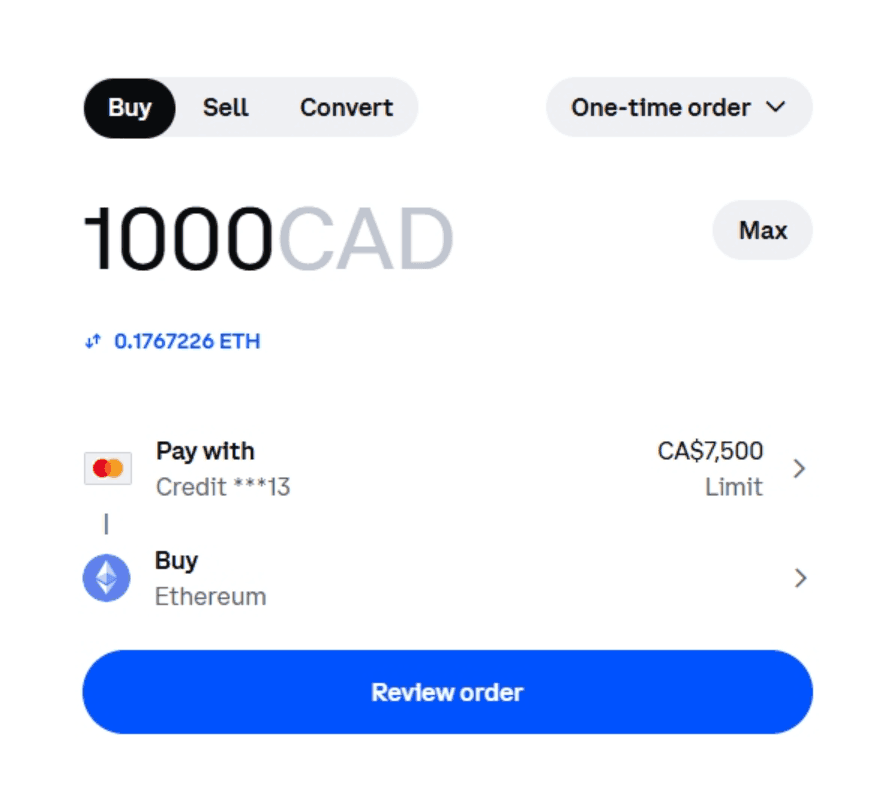
Credit cards allow for the direct purchase of crypto, without depositing fiat currency into Coinbase first. For example, if you click the “Buy” button, it will provide the options available to buy that currency: either cash in the account or a credit card that has been added to the Payment Methods.
You should check the specific payment methods available in your country and decide on what you want to do beforehand.
As for withdrawal fees, these can be quite high, especially for smaller amounts of cryptocurrency. Here is a cross-section of fees for popular deposit and withdrawal methods on Coinbase:
As you can see, fees vary depending on your country and region. Coinbase fees are subject to the payment method you choose, and some methods can be very expensive. Users also complain that sometimes, the total Coinbase fees are not explicitly stated until the transaction is in progress.
Depositing on Coinbase, also known as the “Deposit Cash” function, takes less than five minutes. Here is a step-by-step guide on how to do it. The deposit cash function is always highly visible on the desktop site. Click it and follow the directions below. For the Coinbase app, use the following steps to find the deposit cash options.
To deposit funds, find the Deposit Cash button. To find it on the Coinbase app, click Transfer on the homescreen and you’ll see the Deposit Cash Option
Click on the “Deposit Cash” button, which will take you to the deposit interface.
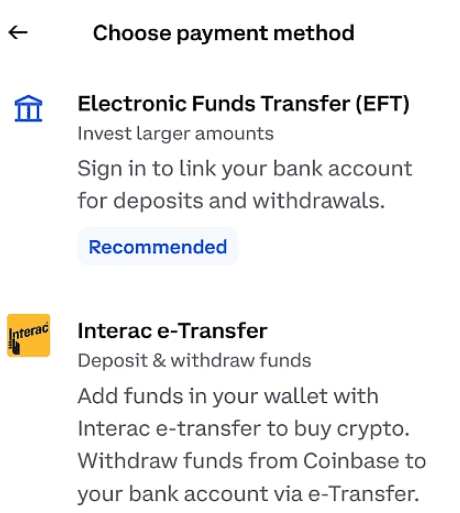
Click on the “Deposit Cash”
Put in any amount of currency to deposit via your preferred method.
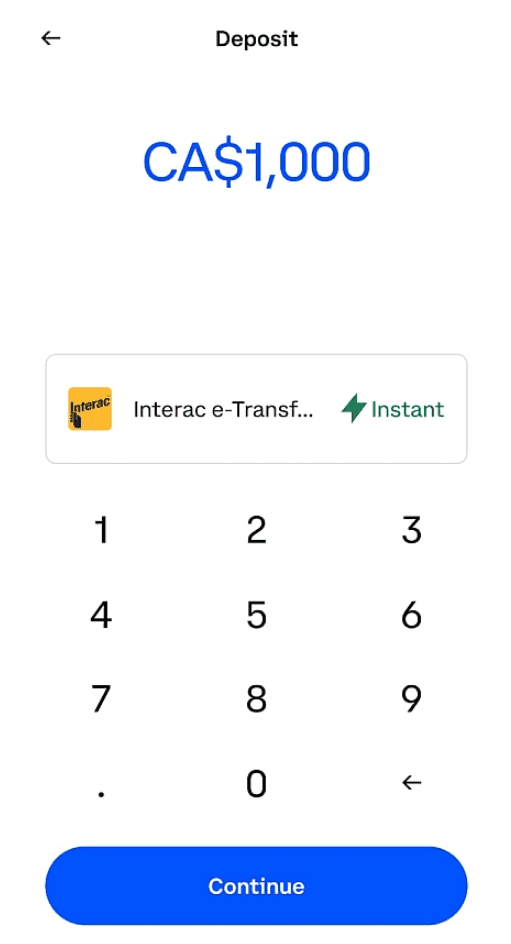
Put in any amount of currency to deposit
Click Continue. 5. Review all the details of the transaction to avoid mistakes and then confirm the transaction. 6. Or, follow any additional steps Coinbase asks you to complete (for example, sending an E-transfer may launch your banking app to complete the transaction).
Withdrawing from Coinbase is easy; just follow these steps. You’ll need to locate the Withdraw Cash button. On the desktop version of the platform, it is everywhere. Click on it and follow the steps below. On the app, follow these instructions to find the withdrawal option.
To withdraw funds on the Coinbase app, click “Transfer” on the homepage. 2. Click on the Withdraw Cash option and then input how much you wish to withdraw in the box. You can also change the withdrawal method by clicking on it (in this case, it is set to withdraw to a credit card). 3. Clicking Preview will let you know if any errors have occurred, such as exceeding a limit. If not, you can review the transaction to make sure the information is correct. 4. Confirm the transaction, or follow any additional steps Coinbase may ask you to take, which may vary by withdrawal method.
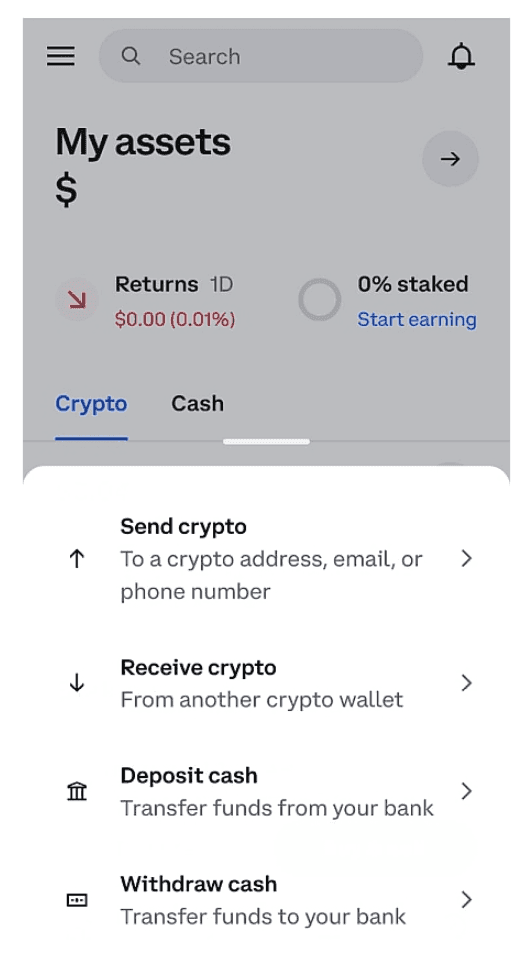
How to Withdraw on Coinbase
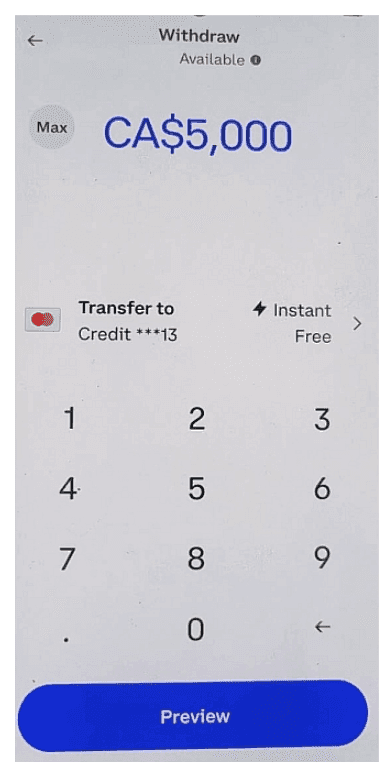
Click on the Withdraw Cash
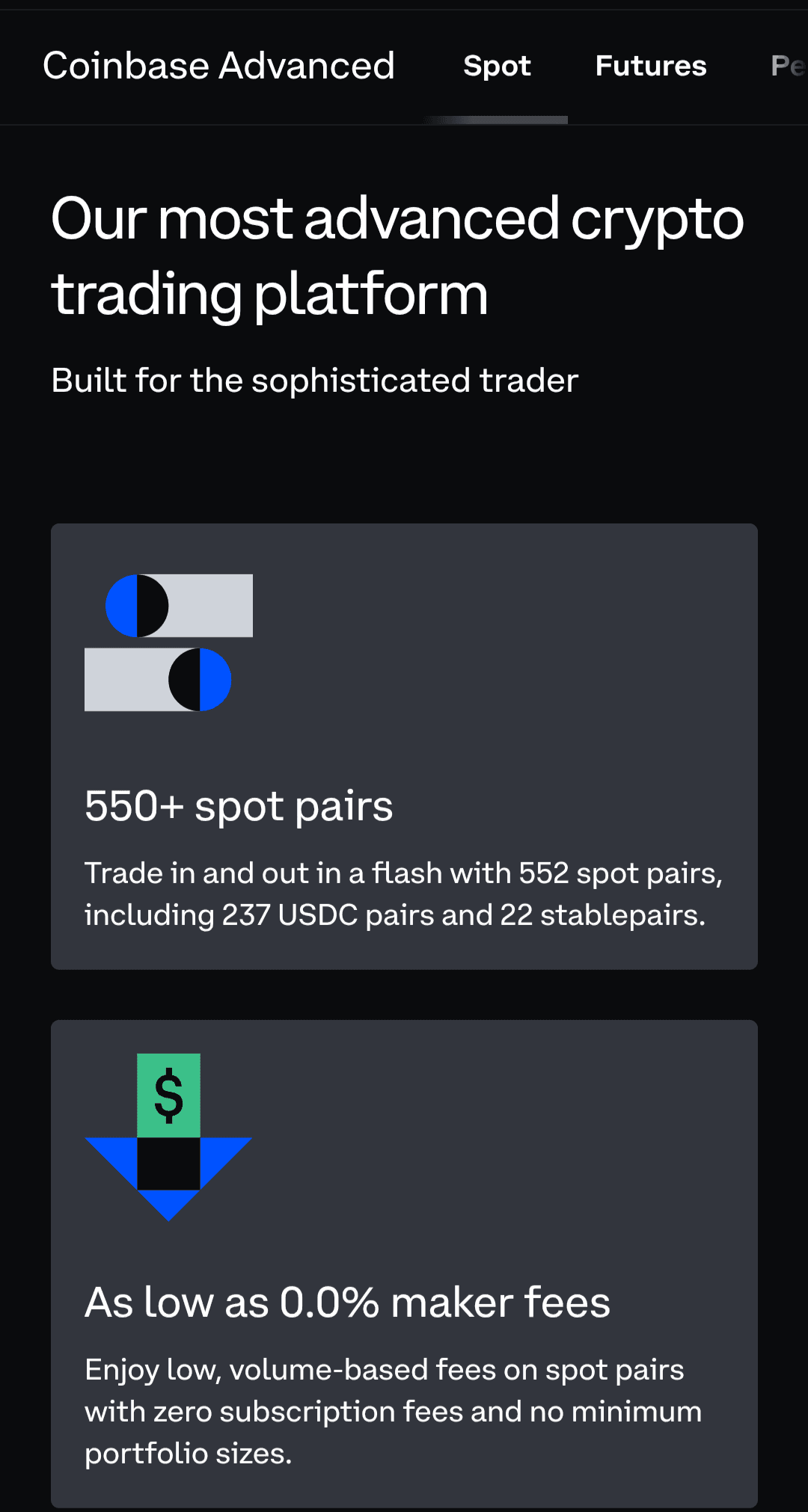
Advanced Trading Tools and Market Analysis Features
Coinbase Advance is a trading-focused product that allows you to trade crypto spot, futures, and perpetuals. You can trade with up to 20x leverage on select perpetual and futures contracts, explore over 90 perpetual contracts including BTC, ETH, and XRP, and go short or long on any of the 18+ futures contracts available on the platform.
Additionally, I found it interesting that you can trade the Coinbase 50 index on Coinbase Advanced. It is a collection of 50 cryptocurrencies curated by Coinbase to give investors like you exposure to the crypto market without the need to buy crypto.
Although other crypto exchanges usually have more than 18 futures contracts, Coinbase created an edge for itself. It offers gold and silver commodity futures, along with oil and natural gas futures, which other exchanges may lack.
Coinbase Advance makes it easy for traders by integrating TradingView charting software. You can use common trading tools for technical analysis, like candlestick charts, which show you how price opens and closes on different time frames and are particularly useful for spotting trading entries, exits, and opportunities.
To get an even more comprehensive view of the market, you can also use indicators like the Relative Strength Index (RSI) to check if the price is overbought or oversold, or moving averages like the Exponential Moving Average (EMA) and the Simple Moving Average (SMA), which can confirm a trend if used correctly.
There are more than 104 different indicators available on Coinbase Advanced, so you can test out what works for you. Unfortunately, there are no official Coinbase trading signals. If you want to trade signals, you can source them from external providers.
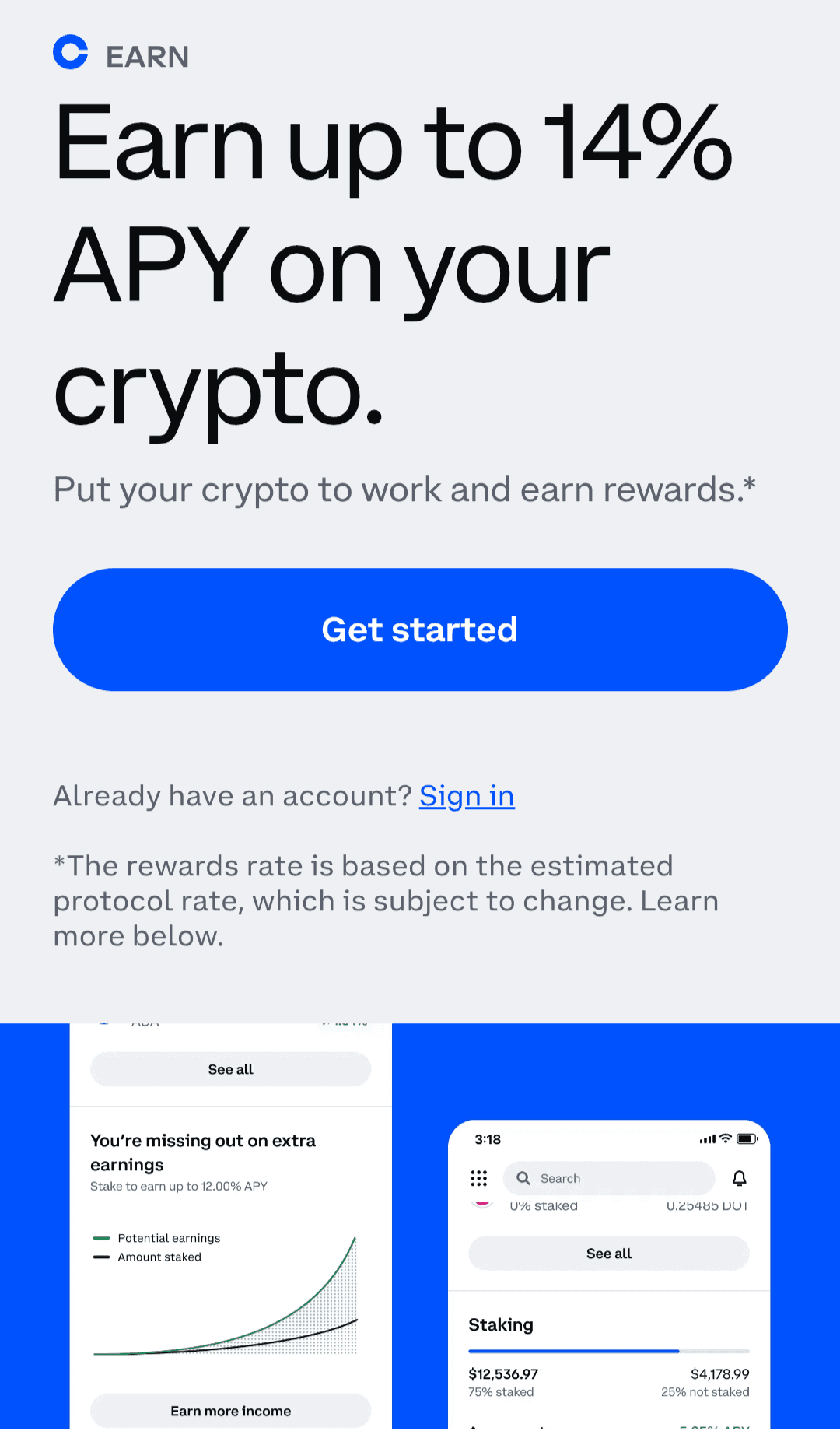
Coinbase Lending and Staking Options
Coinbase Earn is the Coinbase staking platform, which allows you to earn up to 14% APY on your staked crypto assets. Before you stake, please note that staking rewards are not guaranteed and depend on the asset you choose. The minimum amount you can deposit on Coinbase is $1, but each asset has its own minimum requirement. You can find the minimum balances, earning time, and unstaking time here.
To be eligible for staking, you must have completed KYC and be in a region eligible for staking. For example, in New York, residents are ineligible for staking, even though they can use the exchange. Generally, there are 132 assets eligible for staking rewards, including Atom, Ethereum, Solana, and Polygon. There's an auto-staking feature that allows you to automatically restake your rewards.
As for lending options, Coinbase has a loan service that is accessible only via the mobile app. While you can repay these loans at any time without being charged by Coinbase, you can only borrow money against the BTC you have in your wallet. No other asset is permitted, but the good news is that your loan is not taxed.
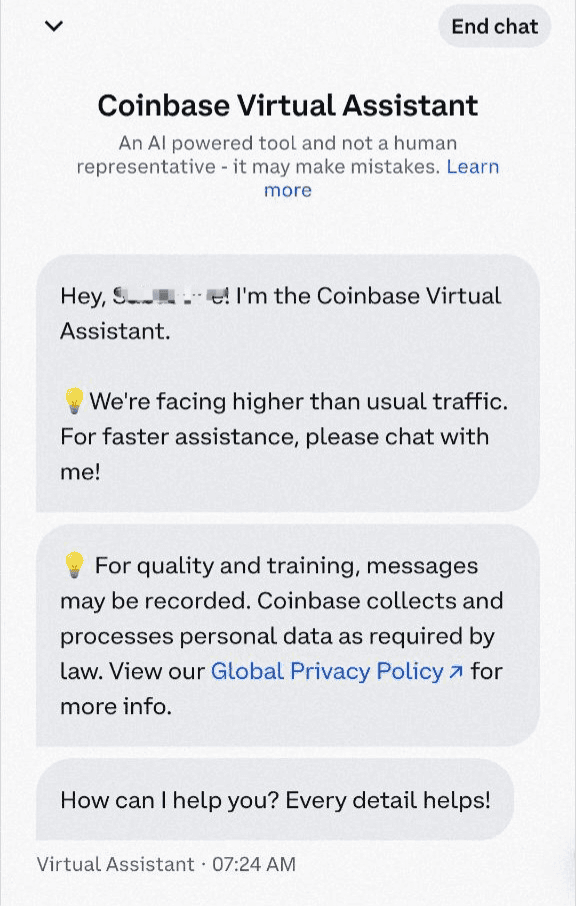
Coinbase Customer Support
I found the Coinbase customer service less than average, even though they support primarily English, with added support for German, Spanish, French, Italian, Polish, Portuguese, Dutch, Japanese, Thai, and Chinese (Simplified).
For support, Coinbase has an extensive Help section on its website, which serves as its primary means of assisting users with their needs. If you are not satisfied with this, you can also access their 24/7 virtual agent, which can help with any issues.
If you experience Coinbase login issues, you will only be able to access the Help section, as Coinbase does not offer a Telegram chatbot or video support option, which limits its support channels. You can only access a real human agent at certain times of the day, or call the Coinbase helpline at +1 (888) 908 -7930.
Tutorial and Learning Resources
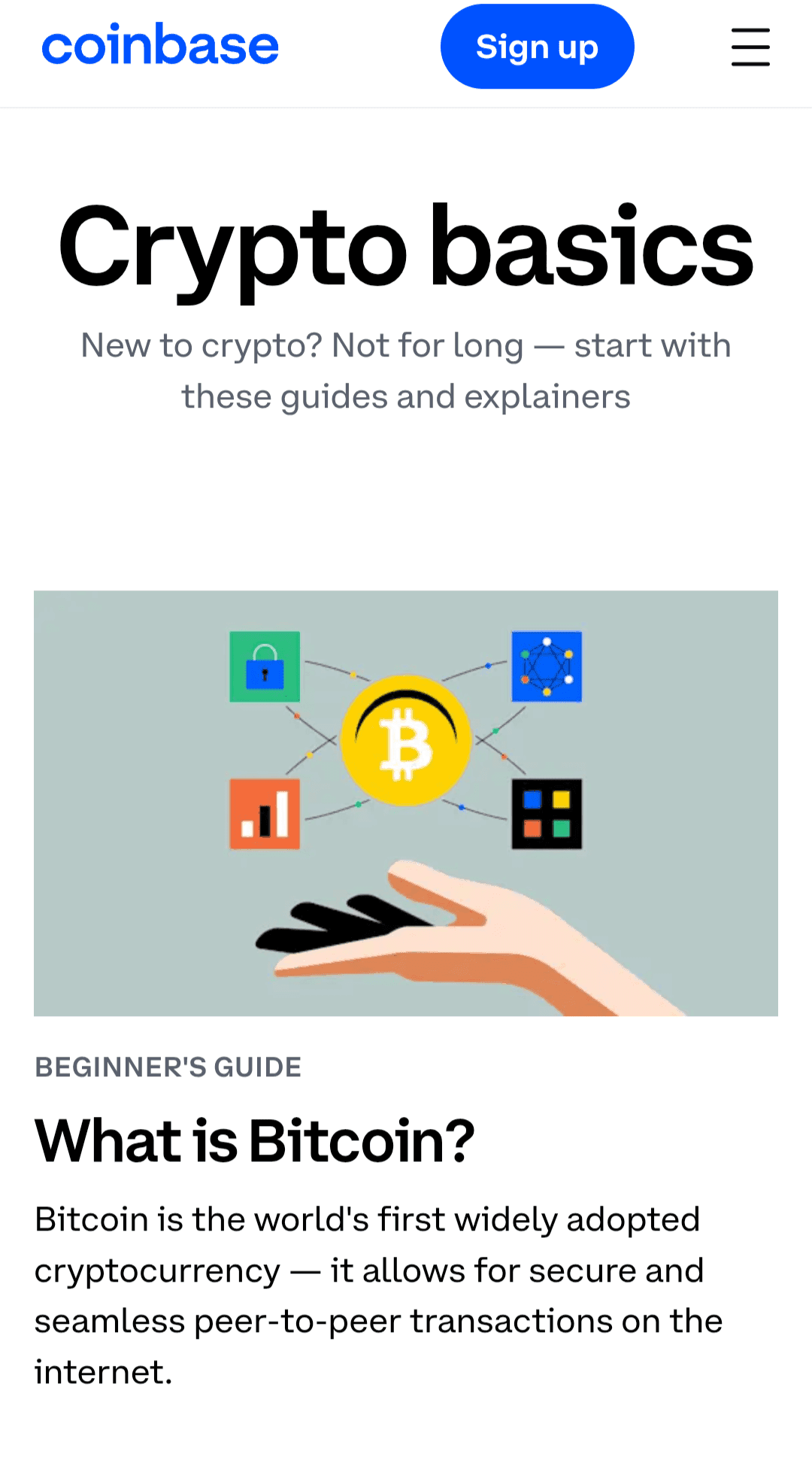
If you're new to crypto, you'll find Coinbase’s learning resources very helpful. It has a crypto basics section that covers topics such as Bitcoin, stablecoins, airdrops, and gas fees. Coinbase also has a separate "Tips and Tutorials" section, similar to the Basics, but more focused on Coinbase. There is also a crypto glossary, which is good for understanding key terms and as a quick reference. Within the app, you can also get Coinbase news and major market updates like Bitcoin reaching a new all-time high.
To help you with taxes, Coinbase has Coinbase Taxes, where you can check what will be taxed and what will be exempt. It only works for transactions on the exchange, not the wallet. If you're in the U.S. and you make over $600 from crypto, you will receive a Form 1099-MISC from Coinbase. But if you stay outside the U.S., you handle your taxes according to your local laws.
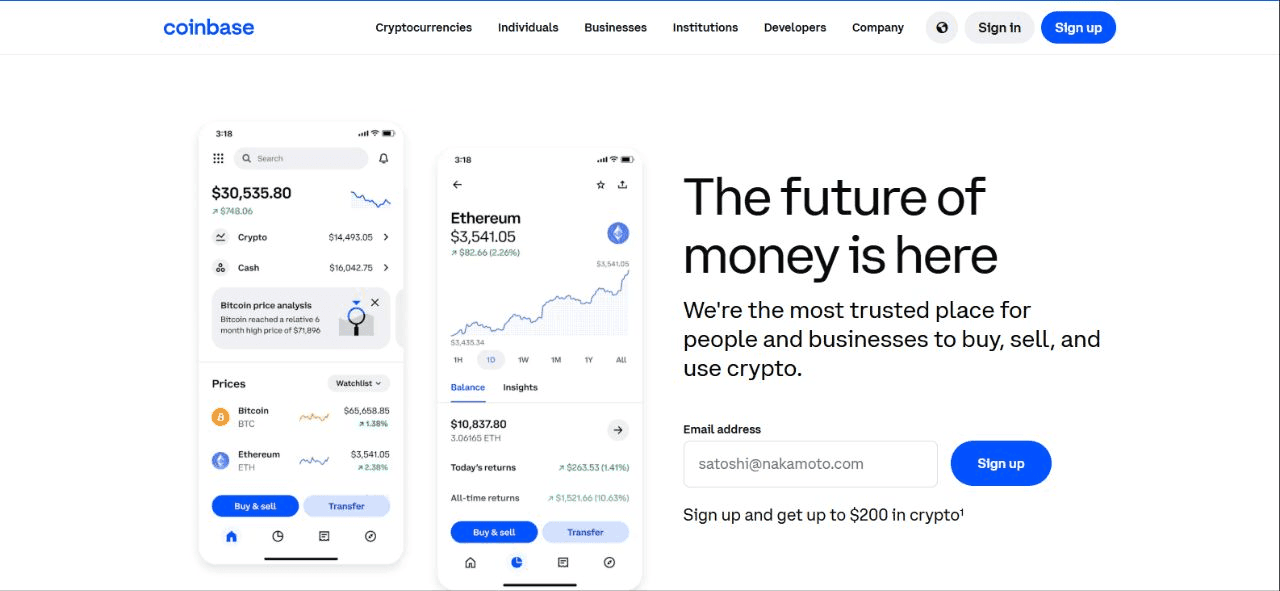
The web version of Coinbase is much easier to use than the PC version, as it provides a wider interface for you as a user to interact with the site. As you can see below, the mobile home page only provides essential fields, while the PC version shows mobile screens and eliminates the hamburger menu, so you can see any tab you want to go to at once.
Mobile vs Web Versions of Coinbase

However, you would notice some differences immediately whenever you use each of them:
Features Mobile app Web version User interface Clean, easier on the eyes Detailed and easier to navigate Charting tools Compact and harder to use Best for charts, comes with expanded view Deposit and withdrawal Simplified Harder to perform Security A variety of options available, including passkey, 2FA, passwords, and authenticators Password and 2FA Identity verification Seamless KYC process Harder to complete KYC Alert system Push and email notifications Browser and email notifications Device compatibility iOS and Android Windows and MAC Performance Good for quick transactions Better suited for technical and fundamental analysis
Apart from these differences, the Coinbase mobile and PC versions are pretty much the same. I recommend the PC version for users with accessibility issues.
Similarities between the Coinbase mobile and web versions
As a Coinbase user, you would get the same intuitive experience across your devices, regardless of whether you use a phone or a laptop. Below is a table of similarities of features between both platforms:
Feature Similarity Price alerts Price alerts are available via mobile and PC. Products Spot and futures trading, along with Coinbase Earn, are available on all platforms. Send and receive You can send and receive crypto won both Assets performance Both platforms show you how your assets have performed over a specific time period. Fees Deposit, maker, taker, and all other fees are still the same. Market access Users have the same access to all markets available on Coinbase.
What Could Make Your Coinbase Account Banned?
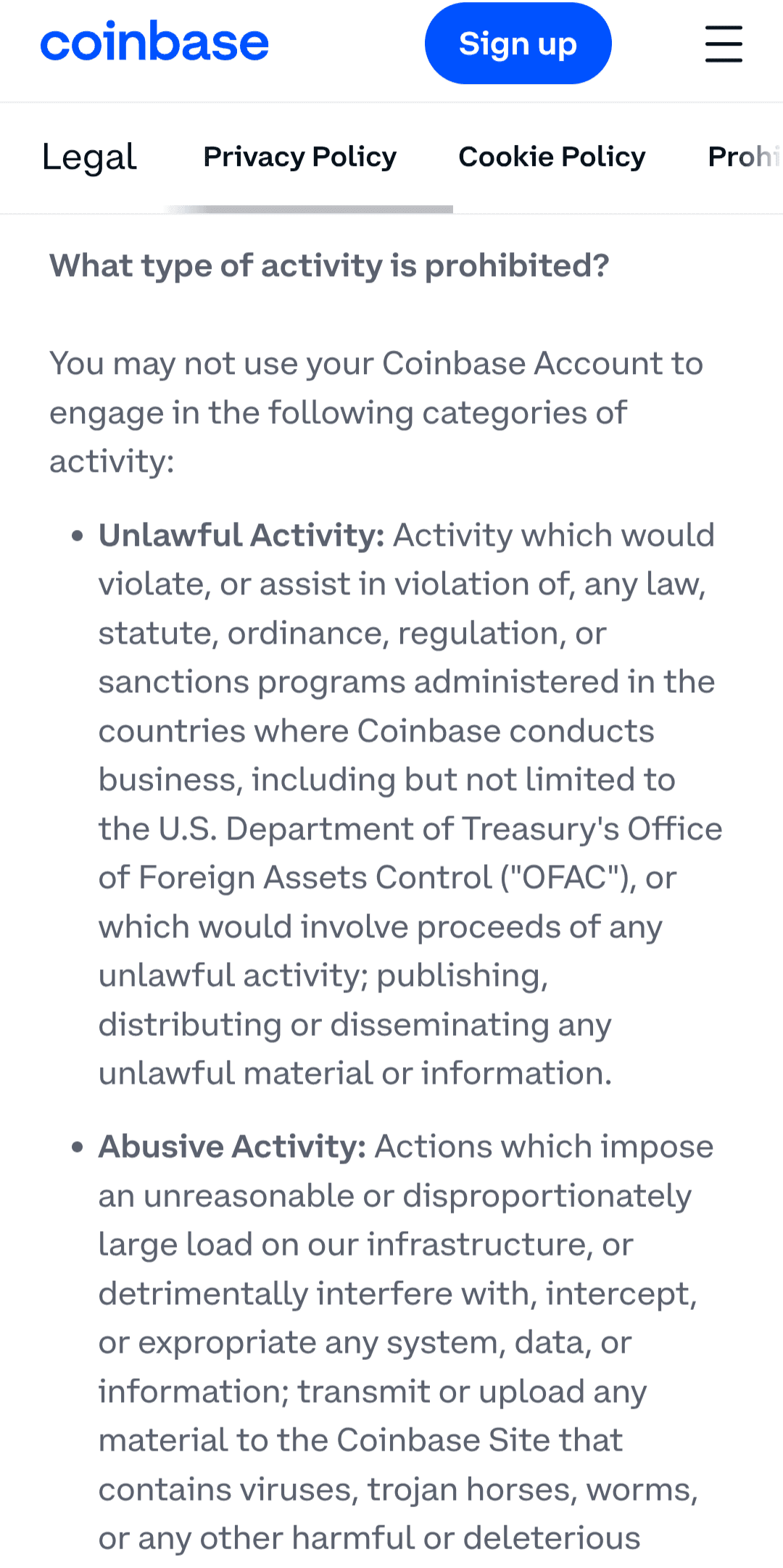
Coinbase is open to users over 18 in jurisdictions where it operates and is regulated, but certain actions with your Coinbase account can get you suspended or permanently banned. Here are some of the things you shouldn't do with your Coinbase Account:
Unlawful or abusive behavior, like uploading or transmitting malware to the Coinbase site, or using your Coinbase account to receive crime proceeds, which are illegal in jurisdictions where Coinbase operates
Behaviour that harms other Coinbase users, such as extorting, harassing, defaming, and threatening them.
Any activity linked to fraud, unlawful gambling, and intellectual property infringement as regards Coinbase
Transferring access to your Coinbase account without permission, which also means no Coinbase bot trading.
Another important factor that can result in permanent account loss is continuous access from a prohibited region. Your account can also be temporarily disabled due to an issue you encountered trying to recover your account or a suspected security threat to Coinbase.
If you believe your account has been hacked and used for criminal activities, report it to law enforcement immediately. If not, before contacting support to remove the restriction, ensure your 2FA is working properly. That way, you can easily verify your account. It may take up to 10 business days to lift the restriction from the time you request, but you will get an email when it is successful.
While Coinbase is a good fit for you if you are new to crypto investing and trading, its high fees and limited support options can easily frustrate you.
If you invest in cryptocurrency on a not-so-regular basis and want to be at peace knowing your assets and data are safe, then Coinbase is a top option. But if you travel a lot, or live in a region where the exchange is not available, you are better off exploring other crypto exchanges.
Pros:
Publicly listed US company since 2021.
Strong regulatory compliance across the countries where it operates.
User-friendly and easy-to-understand interface on all platforms.
Insurance-backed crypto custody.
Staking and passive income options.
Top-notch security protocols.
Cons:
High fees for non-traders and VIPs.
Advanced tools unavailable for regular users.
Difficult KYC process in some regions.
Unresponsive customer service and limited support options.
No easy support for multiple device logins or location changes.
Is Coinbase regulated?
Yes, Coinbase is well-regulated in the countries where it operates.
What are Coinbase trading fees?
Coinbase has complex trading fees, but charges between 0.05% and 0.6% for both maker and taker fees.
Can I buy crypto without full KYC?
No, you must complete KYC to buy crypto on Coinbase and perform other basic functions.
How do I withdraw crypto/funds?
You can withdraw funds through a variety of payment methods like ACH, bank transfers, card purchases, and PayPal purchases, which vary by country. For example, ACH is not available to Canadian users.
Is Coinbase better than Binance or Kraken?
Yes and no. Speaking of security and user experience, Coinbase bears both exchanges. However, Coinbase is restricted in more countries and relatively expensive compared to Binance and Gemini.
Beginners get the most out of it. The simple interface, the learning hub and the $1 entry point make the first purchase painless, and the regulatory record removes the usual worry about where the coins actually sit.
Long-term holders in a supported country are the second good fit. Cold storage, one-to-one asset backing and audited public filings matter far more to someone buying once a quarter than a tenth of a percent in fees.
Active traders should look at Coinbase Advanced rather than the basic screen. TradingView charts, 104 indicators, perpetuals and up to 20x leverage put it on a par with the bigger venues, and the maker-taker schedule is far kinder than the simple interface.
High-frequency and cost-sensitive traders are the wrong audience. Fees on small tickets are steep and are not always shown in full until the order is in flight, so read our Binance review before you fund anything.
Anyone who travels constantly, or lives outside a supported region, will hit trouble. Access from a prohibited country can cost you the account permanently, and support is slow when something goes wrong.
This review was updated in 2026. Fee tiers, subscription prices and regional payment options change often, so confirm the current numbers on the exchange before you deposit.
Start Trading Today – Maximize Your Profits!
Unlock powerful tools and insights to boost your trading success
* General Risk Warning: Your capital might be at risk
Discover top binary options brokers tailored to your region. Browse our curated lists by country:
