Updated:November 11, 2026

7 min

Raceoption login and the demo account explained
The Raceoption login is one door into two accounts. You register once. After that the dashboard opens with both balances on it, and a single tab moves you between them. That toggle caught my eye when I first opened the platform. A demo lets me test a strategy without money on the line. Trading is risky enough without paying tuition for the interface. Six months in, I still open it before trying anything new. Below: how sign-up works, what the demo gives you, where it stops being useful.

Rahul Nambiampurath
Author

Updated October 23, 2026
The Raceoption login is one door into two accounts. You register once. After that the dashboard opens with both balances on it, and a single tab moves you between them. That toggle caught my eye when I first opened the platform. A demo lets me test a strategy without money on the line. Trading is risky enough without paying tuition for the interface. Six months in, I still open it before trying anything new. Below: how sign-up works, what the demo gives you, where it stops being useful.
Raceoption demo account features
The demo mirrors live trading. You place trades, you run strategies, and nothing you lose is real. For anyone holding a lot of positions at once, that is a working tool rather than a nice extra. Here is what Raceoption’s demo account gives you.
Sign-up in under two minutes
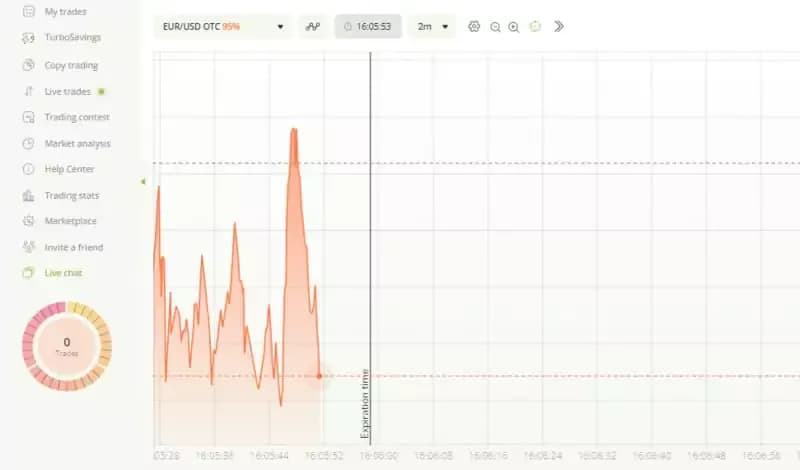
Raceoption Demo Account Features
Plenty of platforms lose people at the form. Ten fields, a document upload, a confirmation email. The trader gives up halfway. Raceoption asks for very little, and the whole thing runs under two minutes. That is fast even by the standards of this market.
Fill in the form and submit. The dashboard opens straight away, and the demo sits one click from there. One thing to know first. Verification still comes up later, when real money needs to leave the account. On the demo side it never appears. That gap is easy to miss when you compare sign-up speed, so check what withdrawal checks involve in our broker reviews before funding anything.
Virtual money

Raceoption demo illustration
Raceoption’s demo account arrives preloaded with $10,000 in virtual money. Nothing has to be deposited first. You trade that balance and learn the platform on someone else's coin. The size of it deserves a flag. Ten thousand is more than most people ever put into a live account. Risk 5% on the demo and that is a $500 trade. On a real $500 account, 5% is $25. Match the demo stake to the account you plan to open.
The payoff is fewer expensive mistakes later. First live trades go wrong for dull reasons. The wrong expiry. An extra zero in the amount field. A chart nobody set up in advance. A week on the demo clears that out. What it will not teach you is how you behave when the loss is real.
Access to trading tools
Raceoption’s demo account opens the same interface and the same charts as the live side. Nothing needs relearning after you switch. The technical analysis tools come with it. That matters more than it sounds. Plenty of demo modes strip the analysis panel out.
The technical analysis tool reads price action on a pair and prints a buy or sell verdict. The range runs from one minute to one month. Short ranges are noisy, and on a one-minute window the verdict can flip several times inside a single hour before settling anywhere. Longer ranges are steadier. Treat it as one input, not a signal on its own.
Real-time market simulation
The demo runs on live market data, not a canned replay. Prices move when the market moves. The session keeps the same shape it has on a funded account, including the dead hours where nothing happens and the minutes around a data release where everything does.
That realism keeps the move to a funded account from feeling like a jolt. You know where the option type sits. You know how long a five-minute expiry really feels. You know what the chart looks like when a trade goes against you. What it cannot reproduce is the pull of real money, so keep the first live positions small.
How to create a Raceoption demo account
Creating the account takes about two minutes from a cold start. Here is the sequence:
Click on the orange register button at the top to create an account. A sign-up form will appear, where you will provide the necessary information, such as your email address and password.
Fill out the sign-up form and click the Next button to continue. Once you do this, your Raceoption account will be created, and you will be taken to your account dashboard.
The account tab is on the right side of your dashboard, directly beside the profile icon. Click on it to toggle between your live and demo accounts.
Raceoption login: signing back in and switching accounts
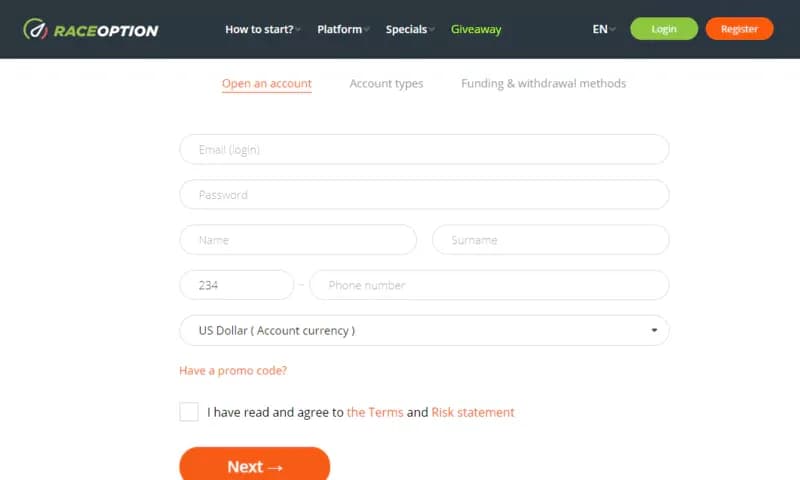
Raceoption create account
Getting back in later is the same form in reverse. Open the site, use the login option, enter the email and password from sign-up. The dashboard loads with both balances on it. Lost the password? The reset goes to the registered address, so use an inbox you read. One set of credentials covers both sides, and the account tab beside the profile icon moves you between them.
Do you need to sign up to use the demo account?
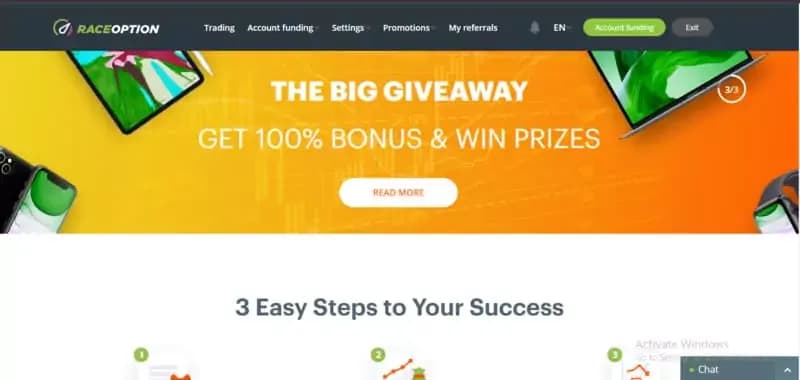
Raceoption demo homepage
Anonymous demo access is not on offer. A Raceoption login comes first, and the platform ties that to its regulation and account rules. The form is quick, under two minutes in practice. It puts both accounts on one dashboard. The demo is funded and ready the moment you arrive.
After six months here, the demo is among the better ones I have used. Raceoption’s demo account did sharpen my decision-making. Mostly it made my mistakes cheap. Whether it does the same for you depends entirely on how honestly you trade it, and most people do not trade a demo honestly.
How to use the Raceoption demo account
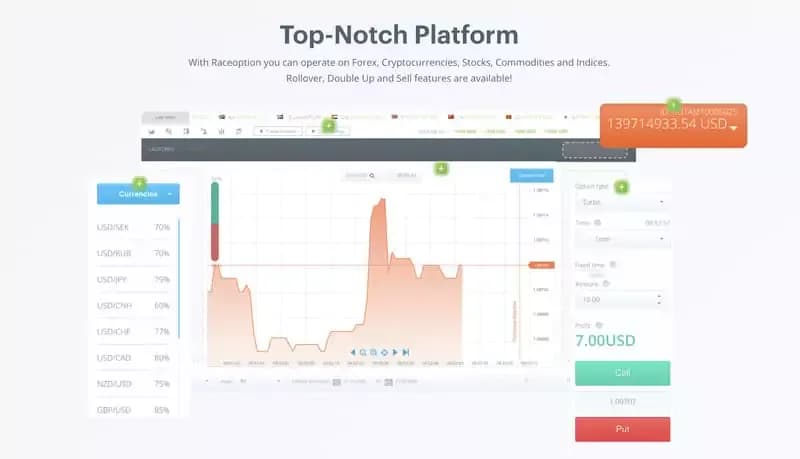
using Raceoption demo
Raceoption’s demo account covers every binary option on the platform. That means fiat pairs, cryptocurrency, commodities and indices. You choose the trading currency, then set the conditions yourself: option type, expiry time, payout option. Run the setup you intend to run live. Gold at a one-hour expiry tells you nothing about a one-minute currency trade.
Three chart types are available: tick, candlestick and TradingView. TradingView is the one to spend time in. It carries the drawing tools and the indicator library. Tick charts earn their place on very short expiries and little else. Set the chart up on the demo exactly as you want it live.
Final words
Raceoption’s demo account is a practical tool, not a marketing feature. You test strategies and learn the platform in an environment that moves like the real market. Reading it wrong costs nothing.
New trader or experienced one, the value lands the same way. Somewhere to try an idea with nothing at stake. In my experience the experienced traders use it more, not less.
Six months in, the demo has done two things for me. It cleaned up my decision-making. It let me bin the strategies that only worked on paper. Want the same? Open an account, switch to demo from the dashboard tab, and give it a fortnight of honest trades. Then weigh the result against the conditions other brokers offer.
FAQ
What is the Raceoption login used for?
One set of credentials covers both the live account and the demo. You create it once at sign-up. After that the same email and password open the dashboard where both balances sit. There is no separate demo login.
How do I switch between the live and demo account?
The account tab sits on the right of the dashboard, beside the profile icon. Clicking it toggles between the live balance and the $10,000 demo balance. Nothing else changes. Same interface, same charts, same instruments in front of you.
Can I use the demo without signing up?
No. Registration comes first, and the platform links that to its regulation and account rules. The form takes under two minutes and asks for basics such as an email address and a password. The demo is funded as soon as the dashboard loads.
What are the common mistakes on a demo account?
Two show up again and again. Traders stake far more per trade than they ever would on real money, because $10,000 is not theirs. And they read a good demo run as proof the strategy works, when fear was never in the test.
Find Your Perfect Broker: Explore Our List Now!
Choose the best with our expert-selected options
Find Your Perfect Broker: Explore Our List Now!
Choose the best with our expert-selected options
Discover top binary options brokers tailored to your region. Browse our curated lists by country: