Updated:September 23, 2026

8 min

1656
IQ Option Demo: Is It Worth Trying, or Is It Just a Gimmick?
I wasn’t always a seasoned forex and crypto trader. I built and sharpened many skills using MetaTrader 4, one of the oldest players, offering a demo account. And today, while I tested the IQ Option forex broker, I couldn’t help but dig deep into the virtual trading platform.

Rahul Nambiampurath
Author

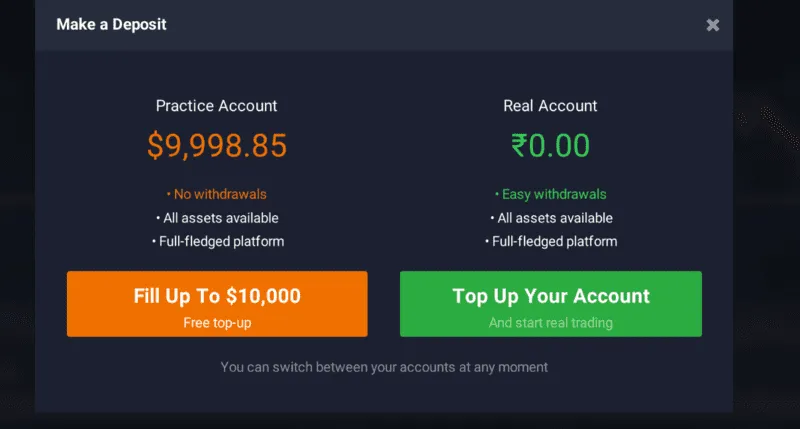
IQ Option demo and live accounts
The Need for a Demo Account
Inexperienced traders lose money, especially when dealing with instruments as complex as forex pairs! Often, newbies need help understanding how the lot size and pips, or relative spreads, work. Having a demo account can solve that. You can trial and error until you are sure about turning a profit.
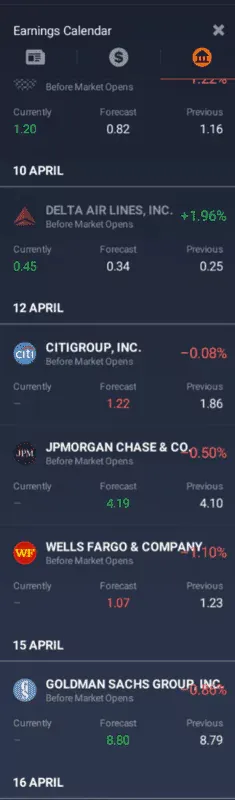
Good demo accounts come with built-in financial tools: IQ Option
Create an account to try out the demo!
What Features To Look For in a Demo Account?
There is nothing ideal in life or trading. Yet, if you were to prepare pointers, here are the elements to look for in a demo trading account:
- Realistic trading tools
- Zero-lag bid and ask spread
- Limitless virtual funds
- A complete set of trading tools — indicators, pointers, and more
- Strategy testing or backtesting tools
- One-click live trading transition
- Educational resources integrated within the demo
- Available as part of the mobile trading ecosystem
- Integrated risk management tools like stop loss, take profit, and other order types.
- Copy trading support, even for the demo accounts.
- Performance analytics, including availability of profit/loss reports and summaries
Now that I have listed what my favorite demo account would look like let’s see if the one offered by IQ Option is up to the snuff.
Key Features of the IQ Option Demo Account
Here are some of the key traits associated with the IQ Option demo account:
Real-Market Conditions
Several broker-specific demo accounts come with trading lags. You can place orders, but not in real time. IQ Option changes that with live prices, depending on sentiments, liquidity, and other factors.
Unlimited Usage
The IQ Option demo account is not time-limited. You can use it anytime without needing to open a real trading account. This feature is helpful if you take a long time to learn things.
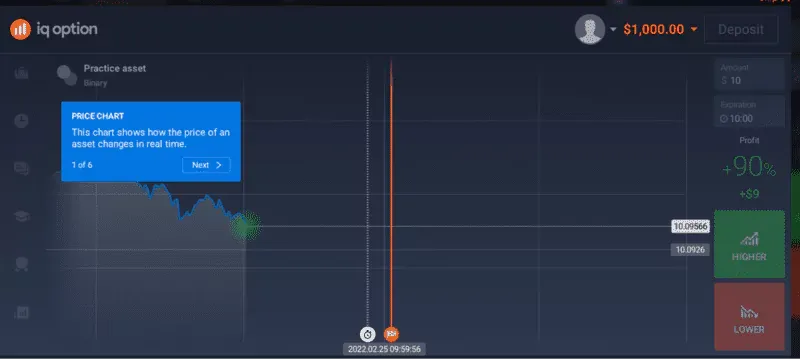
Access to a Complete Range of Assets
Yes, it is a demo account, but once you open it, the range of assets will surprise you. For starters, there is a pretty sizable selection of Options—both binary and standard digital. You can choose from other assets, including Forex, Crypto, Stocks, ETFs, Indices, Commodities, and more. And if you want, you can even practice trading with trending stocks.
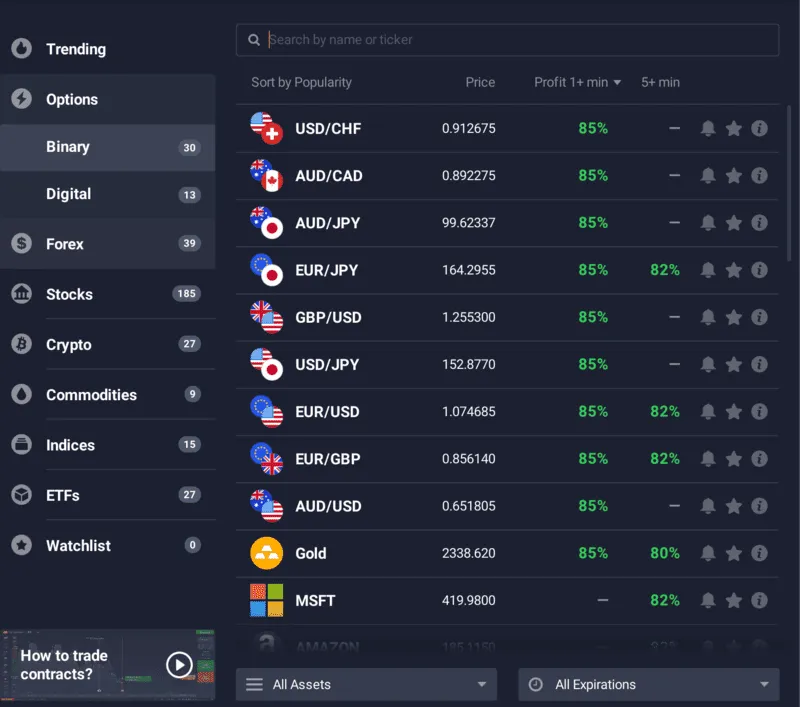
Access to assets and instrument
Demo Tournaments and Leaderboards
Even though it is a demo account, you can still keep the adrenaline high by indulging in trading tournaments. And yes, there is always a chance to feature on the leaderboard.
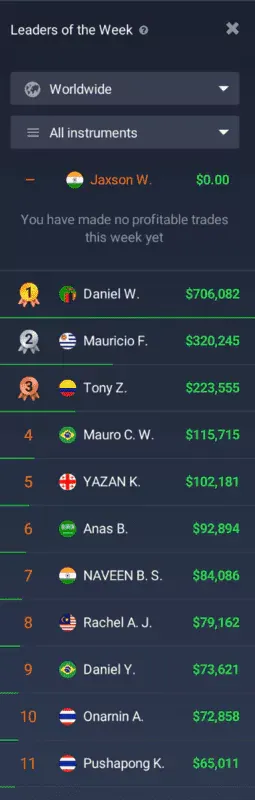
Account leaderboards, even for a demo
One-Click Transition
The IQ Option demo account lets you move seamlessly from the demo interface to the trading interface with a single click. This feature is meant for users who can suddenly feel confident about their trading skills and do not want to waste time with virtual funds.
Built-In Customer Support

Even the demo interface offers round-the-clock customer support. What stands out is the segregated chat option, which allows you to ask the support team about forex, stocks, crypto, or anything random.
Integrated Tutorials
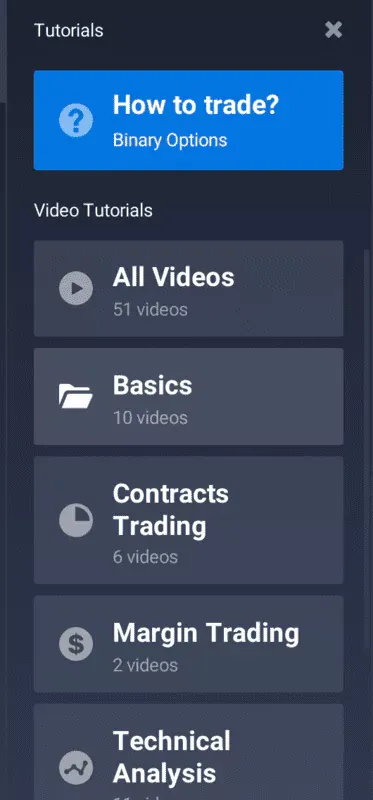
If you prefer to trade and learn simultaneously without putting your capital at risk, IQ Option’s demo account is a handful. From learning about margin trading to technical analysis to contract trading, there is no base that the demo account doesn’t cover.
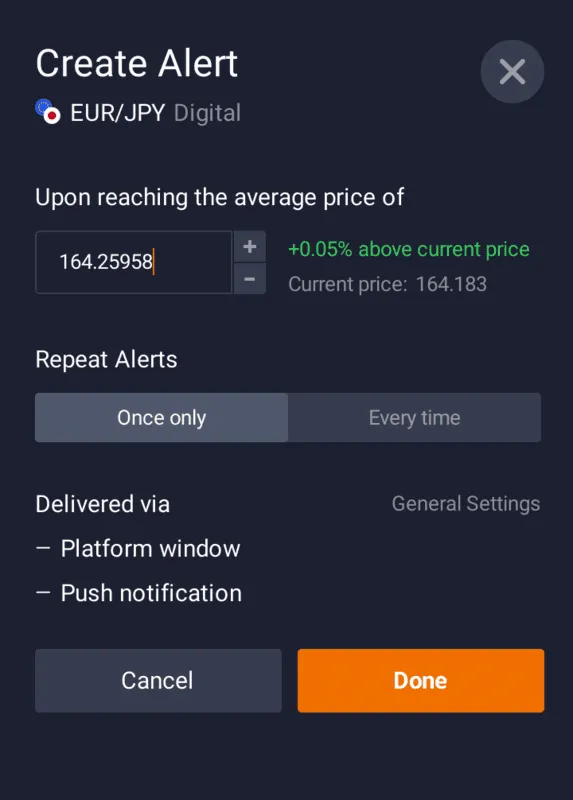
Demo Account Alerts
You should utilize alerts if you want to use the demo account to execute paper trades. You can customize the “Alert” window based on your price and instrument preference.
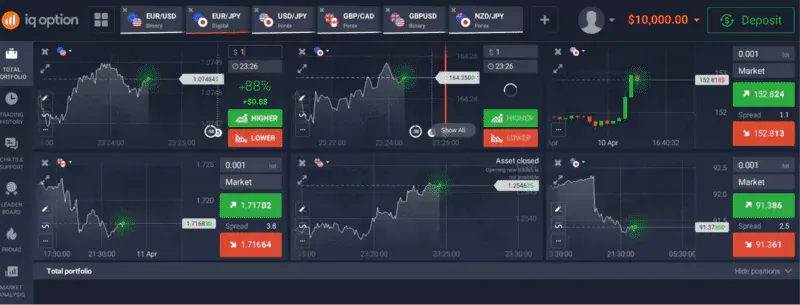
Multi-Chart Setup
Are you slowly trying to ramp up your trading skills? If yes, try out multiple chart grids to give you a better view of the market.
Sign up now to test out the demo account.
Placing a Demo Trade: First-Hand Experience
Now that you know the features, let’s register and use the IQ Option demo account.
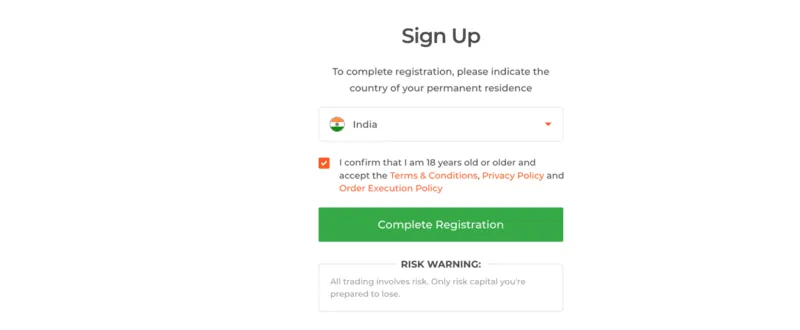
To register, you must hit the “sign up” button. I recommend signing in using your Google credentials to speed up the process. Thereafter, you need to complete the registration by keying in on some crucial declaration bits.
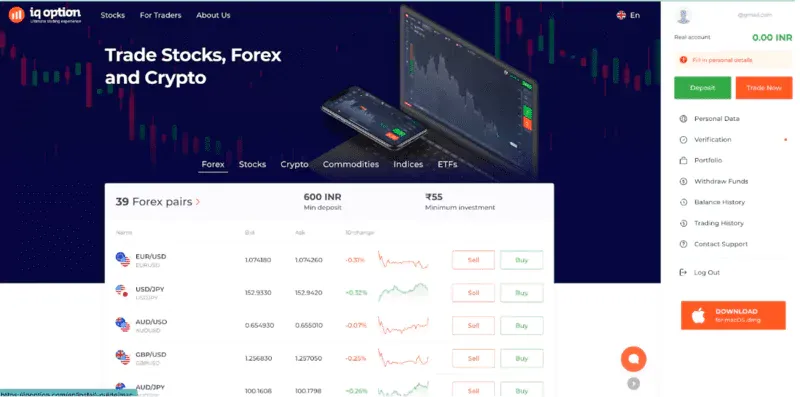
Once you complete the signup flow, you will see a highly interactive and feature-rich IQ Option dashboard with all the trading pairs listed at once.
The demo account is directly accessible from the home dashboard, which makes the experience even better.
Access to Mobile Apps
What works from the demo perspective is the availability of multiple platforms to execute even the demo trades. Unlike other forex brokers that only allow you to execute real trades using mobile and desktop applications, IQ Option brings more inclusivity.
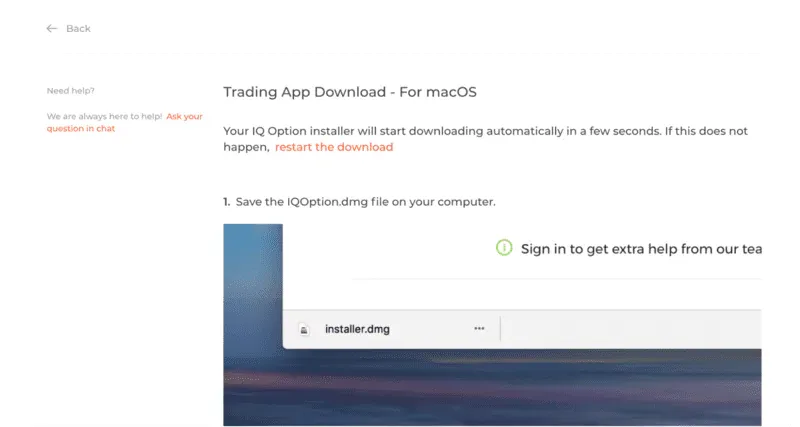
You can explore the demo trading features even on the iOS and Android mobile applications. You can also try out the desktop app for macOS and get a browser-like trading experience.
Initiating the First Trade
Now let me place a trade and show how the demo interface works, step-by-step:
-
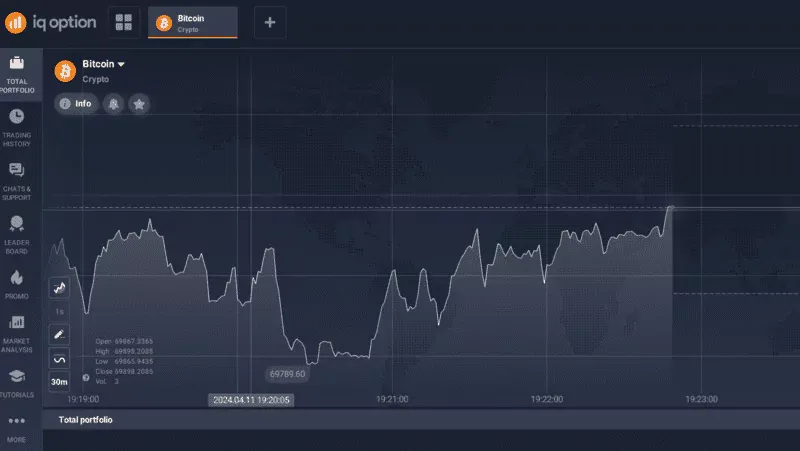
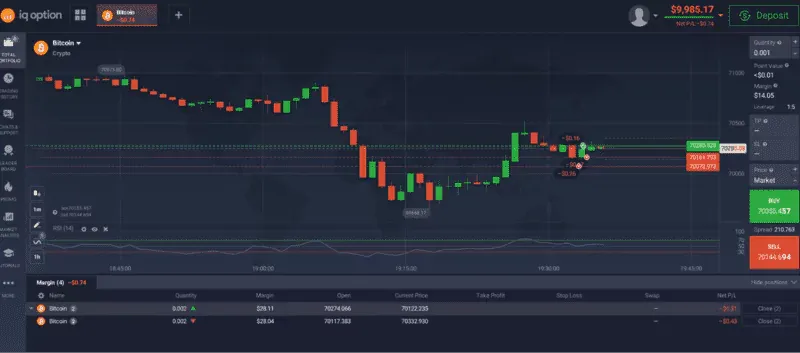
Open the demo trading interface and choose the asset you want to trade. Note that everything you trade is a Contract for Difference or CFD, which means you only bet on the asset’s price without owning it.
-
As I have some additional preferences for crypto assets, I chose Bitcoin.
-
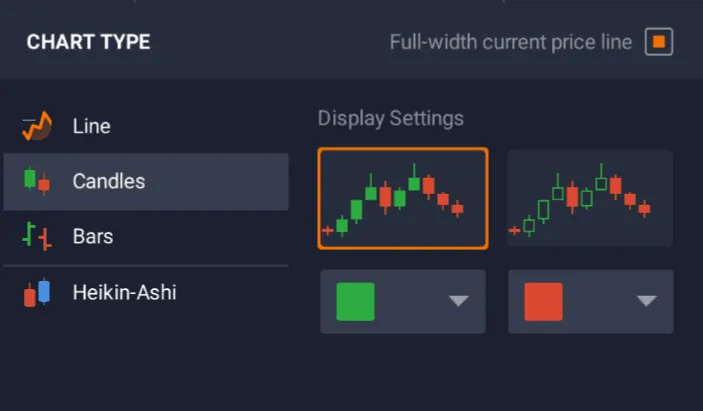
Once the instrument is selected, I can view the relevant chart and take my positions accordingly. For instance, I would now change the chart view to candlesticks as I am more comfortable using them.
-
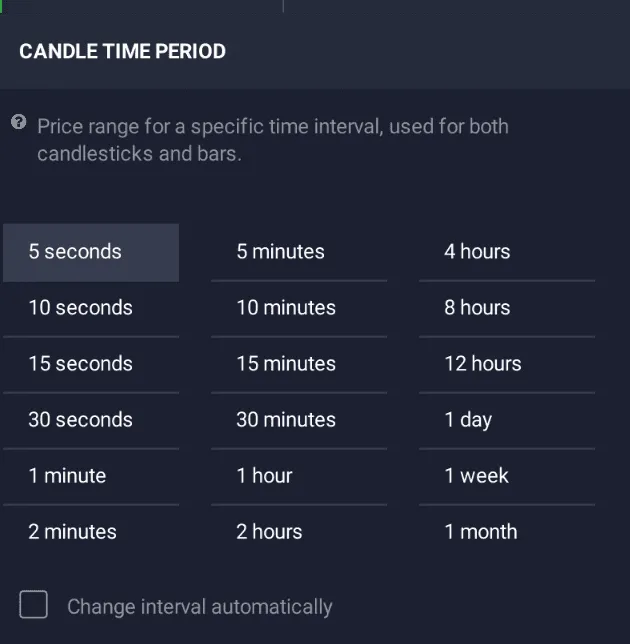
As I plan to trade short-term, the demo account also allows me to change the time period of reference, which I would set at 1 minute.
-
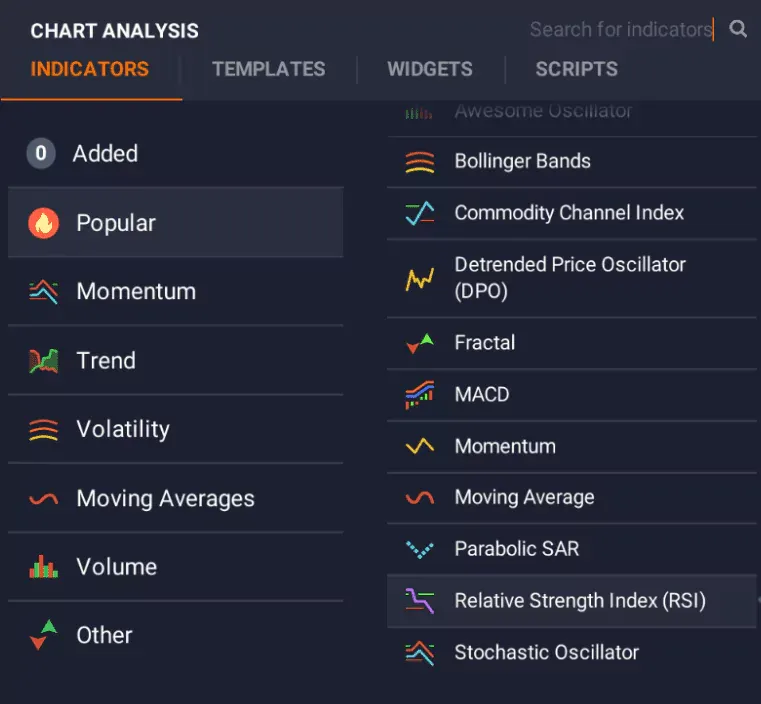
I can even pair the relative strength indicator to gauge the short-term momentum.
-
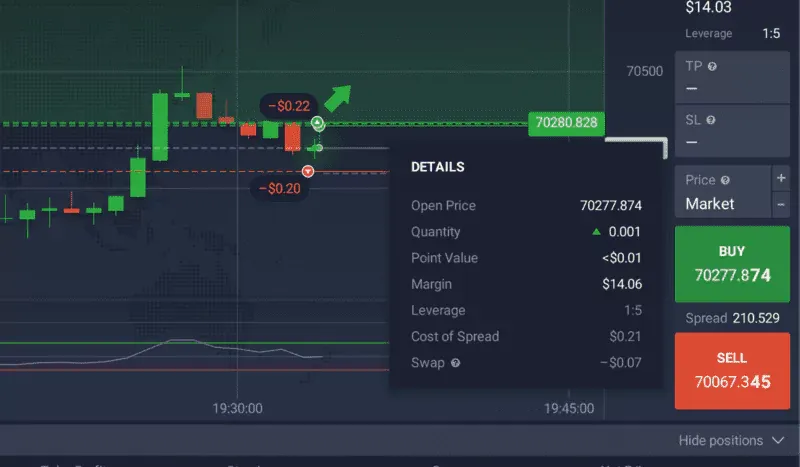
I can execute or close a trade once I find the right level to buy or sell. However, it is necessary to be aware of spreads — the difference between the buy and sell prices.
-
You get $10,000; depending on market conditions, you can make or lose money with each trade.
I even tested the same with binary options, where my job was only to place a directional bet within the specified timeline. The process was seamless.
IQ Option vs. Other Demo Accounts
Now that you know how the IQ Option Binary Options broker works, it is important to know the differences between the one I am reviewing and a few other picks. Here are the major ones, forex and Binary Options, to consider:
| Feature | IQ Option | Plus500 | Pocket Option | eToro |
| Capital | $10,000 | $100,000 | $50,000 refillable | Automatic reset once the balance drops under 200 euros |
| Access duration | Unlimited | Unlimited | Unlimited | Unlimited |
| Platforms | Web, iOS, Android, Windows, and Mac | Proprietary and web-based and lacks a desktop app | Web, iOS, Android, and desktop app | Web trader and mobile apps |
| Special features | Access to numerous technical indicators and tournaments | Host of educational tools | Social trading and tournaments | Video tutorials |
Try out the Pocket Option for a higher demo threshold.
Besides eToro, brokers like TD Ameritrade also offer demo accounts with fund limits as high as $100,000.
I even tested many other trading platforms and created a more concentrated table of differences between IQ Option and other market variants.
| Feature | IQ Option | Other Brokers |
| Platform Availability | Accessible through the web, Android, iOS apps, Windows, and Mac. | Often limited to web and max one mobile OS. |
| Proprietary Platform | Yes | Often shared like MetaTrader 4/5. |
| Virtual Capital | $10,000 in the demo, refillable. | $10,000 in most cases, but not always refillable. |
| Access Duration | Unlimited. | Often limited to 30 days. |
| Tradable Assets in Demo | Limited to 20 in the demo | Usually between 5 and 10 |
| Educational Resources | Extensive resources, including tutorials, webinars, and e-books. | Less comprehensive. |
| Trading Competitions | Yes | Rarely offered in demo accounts. |
| Technical Indicators | 15 standardized indicators. | Some might not even provide candlesticks. |
| Cryptocurrency Trading | Offers CFDs on 27 different cryptocurrencies | Cryptocurrency offerings can be limited. |
| Awards | Multiple awards for best trading platform | Not all brokers have credible awards to back claims. |
| Customer Support | 24/7 support | Often limited to business hours. |
| Real-time prices | Yes | Most have 10 to 15-minute lags |
| Special Features | Choice of chart types, multiple chart grids, indicators, and information condensing on charts. | Special features vary but usually include chart variants and indicators. |
All these features make IQ Option’s demo account one of the best solutions, especially if you are a budding trader trying to learn the ropes first.
Advice for a New Trader Planning to Use IQ Option
If you plan to use the IQ Option, use the demo account for at least a month, sparingly using the tutorials. This back-and-forth approach would allow you to grasp the features and trading complexities better.
From testing every indicator to pairing trendlines and graphical options, the demo account from IQ Option has the potential to make you a pro trader real quick.
Final Thoughts
From testing every indicator to pairing trendlines and graphical options, the demo account from IQ Option has the potential to make you a pro trader real quick. Furthermore, its one-click transition to the live or real account makes it a better demo representation than Quotex and Pocket Option.
Find Your Perfect Broker: Explore Our List Now!
Choose the best with our expert-selected options


Find Your Perfect Broker: Explore Our List Now!
Choose the best with our expert-selected options
Discover top binary options brokers tailored to your region. Browse our curated lists by country: