Updated:September 23, 2026

8 min
8 min

If you are on the fence about using a reliable Binary Options broker, consider IQ Option. While it is one of the better brokers regarding asset selection and ease of usage, it even offers a host of downloadable options or apps, letting you take the trading platform whenever you need it.

Author
I tested the Apple-specific options, courtesy of my MacBook and iPhone setup, and would offer insights accordingly.
Download the IQ Option app and get started
Before I start discussing the downloadable options, you can quickly head over to the IQ Option website and create an account to get straight to trading. The website offers a sizable display-specific real estate.
Setting up an account and logging in using the web-based option is relatively straightforward. Go to the signup tab with basic information, create a username and password, and begin.
However, the signup and login experience might vary aesthetically depending on the platform you use to access this Binary Options broker. Trust me when I say IQ Option is one of the few Binary Options brokers with multiple downloadable resources across multiple platforms.
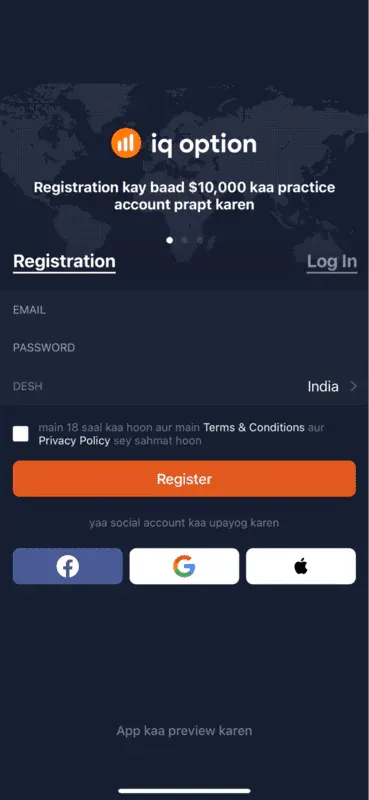
Setting up the mobile IQ Option app account
Planning to sign up first. Try out the web interface first!
First, you must know that IQ Option has dedicated apps for the Windows and Mac ecosystems. The Windows app is compatible with Windows 7, 8, 10, and every other new version. For Mac, anything above macOS X Yosemite works.
To locate the downloadable options, head to the “Download” section and choose the type of desktop app you wish to get. Note that you need to follow the system requirements to the T to get a usable application.
A word of caution: Always download desktop-specific apps from the official website and never from third-party websites.
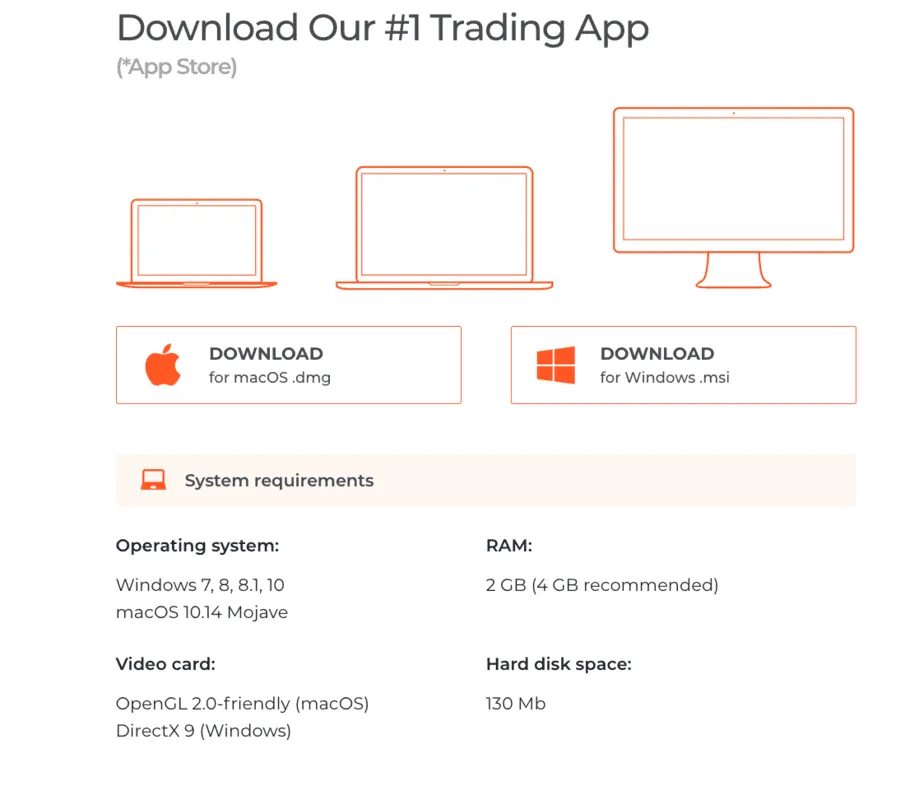
IQ Option Desktop apps to download: IQ Option
Let us now go through the steps to install the Windows/macOS app (s):
Step 1: Download the installer, .exe, or .dmg file, depending on the ecosystem you are interested in.
Step 2: Run the installer and install the software. The instructions on the screen vary depending on Windows and macOS.
Step 3: For Windows, follow the setup wizard, whereas for Mac, trust the application to continue.
Step 4: Once you install the app, test it out.
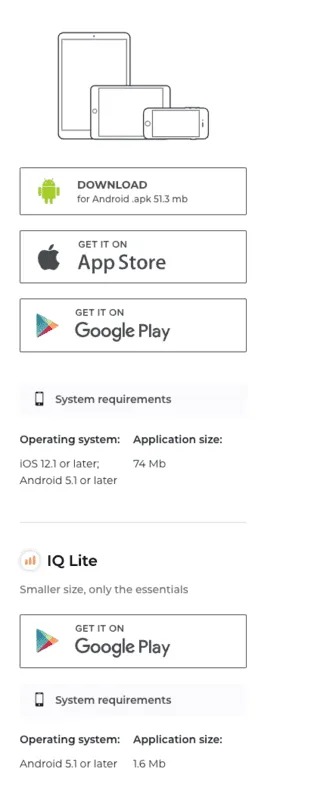
IQ Option mobile apps to download
Regarding the IQ Option download for your mobile phone, quite a few options exist. These include the following:
Check out the web interface and download the right desktop app for yourself.
Every IQ Option interface is different, especially the desktop and mobile versions. Here are the specific traits associated with each:
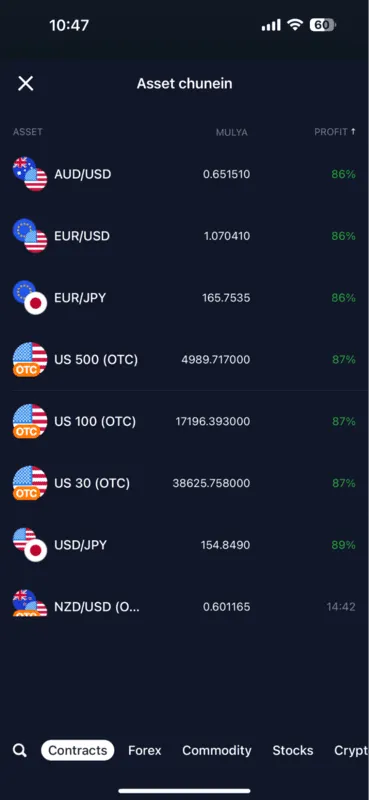
Checking instruments using the mobile app
Download and install the IQ Option mobile app first.
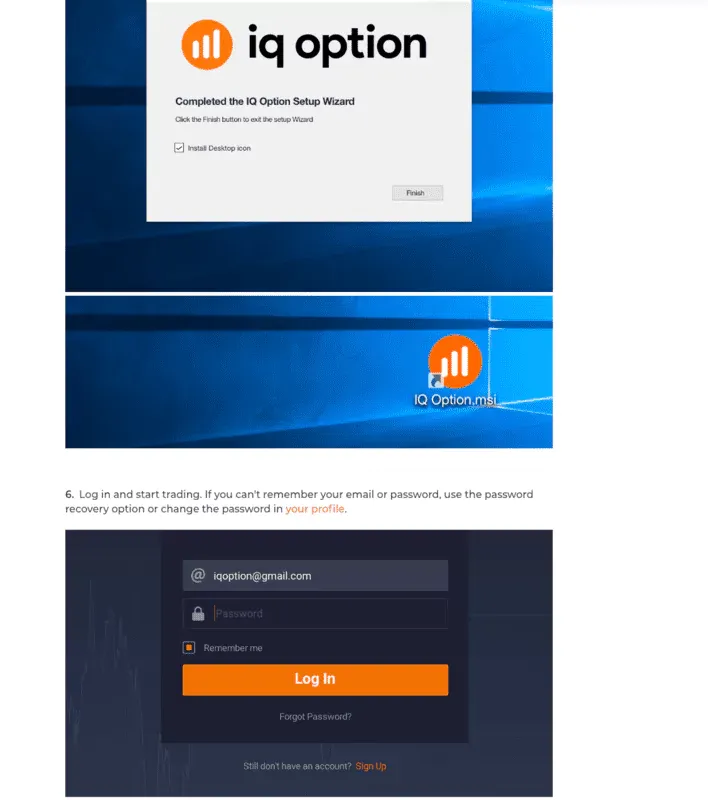
Desktop login interface for Windows

Access to news bits using the mobile app
Besides the features mentioned, you can customize each trading interface to execute seamless trades.
You can customise each trading interface depending on how you want to maximize your interaction with this binary options broker. Here is how you can do that:
Besides the tweaks mentioned, the IQ Option downloadable apps also allow you to customize the technical indicators to your liking.
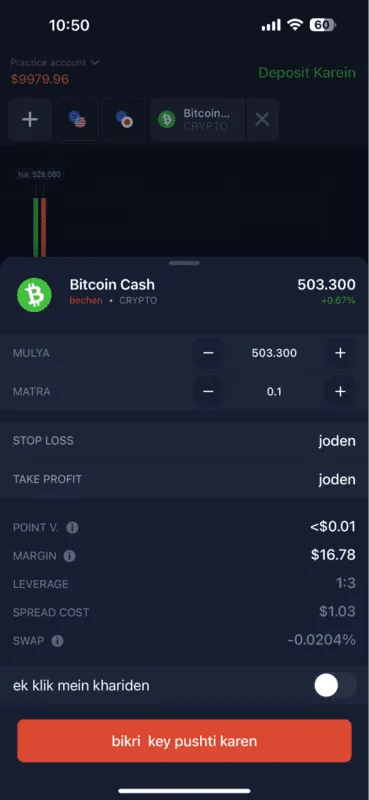
Trading interface
The best thing about any IQ Option app is that the interface is projected in your regional language and not in English, depending on how you choose to set that up in the first place. I shall now give a rundown of how the trading setup looks and feels when using the iOS app.
Once you enter the app, you can access the demo account immediately and place trades. Or you can head to the “Personal Details” section and fill out insights based on your preferences.
As you can see, the app interface has several sections to simplify things — the portfolio section, the news section with all the top global happenings, a support section, and a few more tabs to work with.
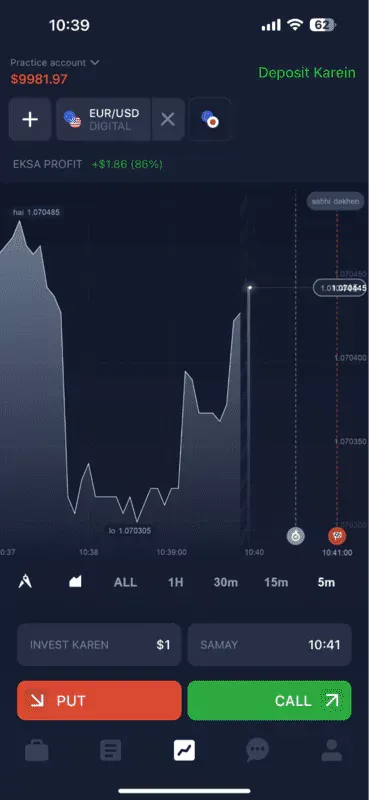
Access to charts and indicators
To trade, here are the steps that you can follow:
Step 1: Choose the asset you want to work with
Step 2: As IQ Option is a Binary Options broker, placing a trade for certain assets involves buying and selling within a smaller time frame.
Step 3: Once you place the Buy/Sell order, you can wait for the expiration date. If you have guessed the right direction for the trade, you will receive a payout percentage of up to 85%.
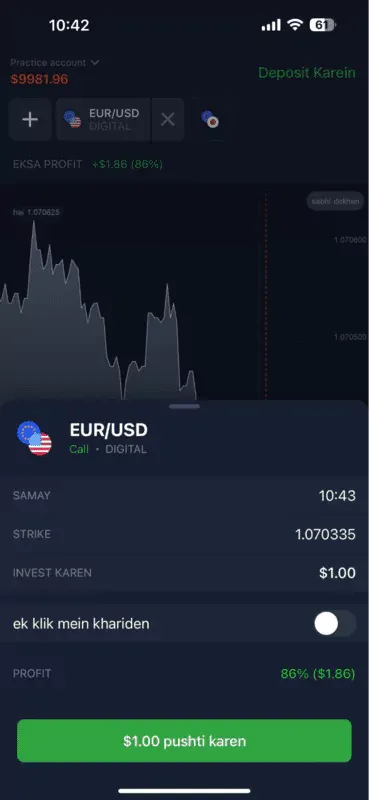
Starting a trade using the demo account
The trading experience is similar across every application.
While the web version allows you to access IQ Option directly from a browser, app-based usage is all about interacting with the app stores and installers. Here are the common issues that you might end up experiencing:
The best way to solve any login issue is to check the internet connection. If that works, you can reset the password or even update the application to account for compatibility issues. I faced this one and reset the password using the web interface. It is the ease that takes me back to the browser-specific version.
If your app keeps crashing occasionally, it might be time to update the platform OS first, followed by the app. If you are using a mobile device, you can clear the cache. To minimize system stress, reduce the number of simultaneously open charts and windows for the desktop app.
Give the web version a try. Sign-up today!
There can be many reasons for this, which might lead to delayed market updates. To solve this, check the internet speed first. Then, you should close the background apps or even initiate a hardware upgrade if the lag persists.
This might be less of an app-related and more of an account-specific issue. To solve this, you should verify the account first. Then, you can check if IQ Option supports the concerned payment method in your region. If nothing works, you can contact support.
It is possible to find discrepancies between the data displayed in the apps and the web versions. A good way to troubleshoot is to log out and then log in. You can even reinstall the app and check for updates if needed.
Sometimes, apps fail to display alerts and notifications. To solve this, check if the notifications are active in the first place. You can adjust the notification settings via the profile section or restart the device to relaunch the app if nothing else works.
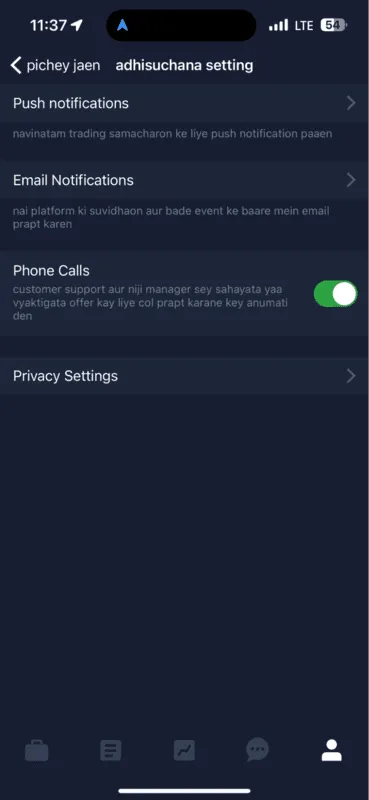
System notifications using the mobile app
If your trading habits are infrequent, like mine, you can always stick to the IQ Option web version. If you are a frequent trader who wants a simple experience, downloading the IQ Option app is the best choice. I recently installed the app on my iPhone and intend to be more regular with trading.
Find Your Perfect Broker: Explore Our List Now!
Choose the best with our expert-selected options


Find Your Perfect Broker: Explore Our List Now!
Choose the best with our expert-selected options
Discover top binary options brokers tailored to your region. Browse our curated lists by country:
1630