Updated:October 12, 2026

7 min
7 min

The first step to using any forex or CFD broker is to identify the seamlessness of the signup and login process. The same holds even for the IQ Option. Established in 2014, IQ Option is a CySEC-regulated broker that redirects individuals to eu.iqoption.com as of 2026, complying with security and regulatory standards.

Author


IQ Option credentials
Therefore, fret not if you are concerned about IQ Option’s regulatory posture. It has all the bases covered when it comes to regulatory clarity. Also, before you consider signing up, note that IQ Option is a forex and CFD broker offering every instrument as a tradable Contract for Difference.
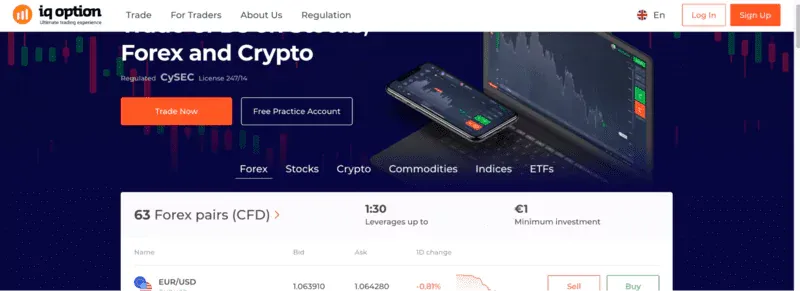
Things to know before signing up
Do you like what you see? Sign up to experience what’s inside.
Starting on the web browser! Well, IQ Option, let’s up signup without any trouble whatsoever. Here are the associated steps:
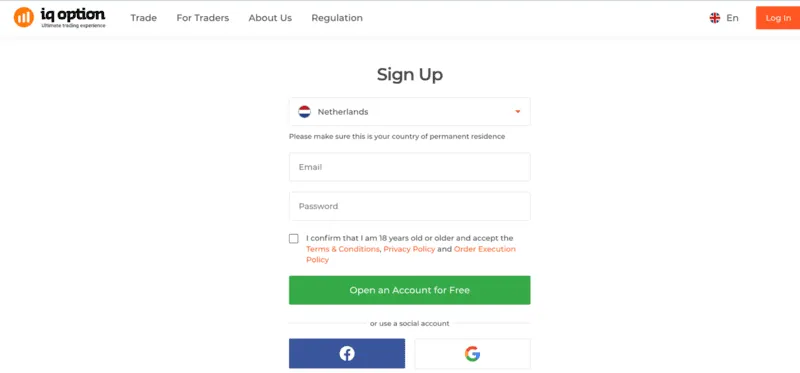
The sign-up window
Once you have the password ready, you can simply log in the next time you wish to access the trading dashboard.
Also, while the initial website impressions are in English, you can choose from 16 other languages while signing up.
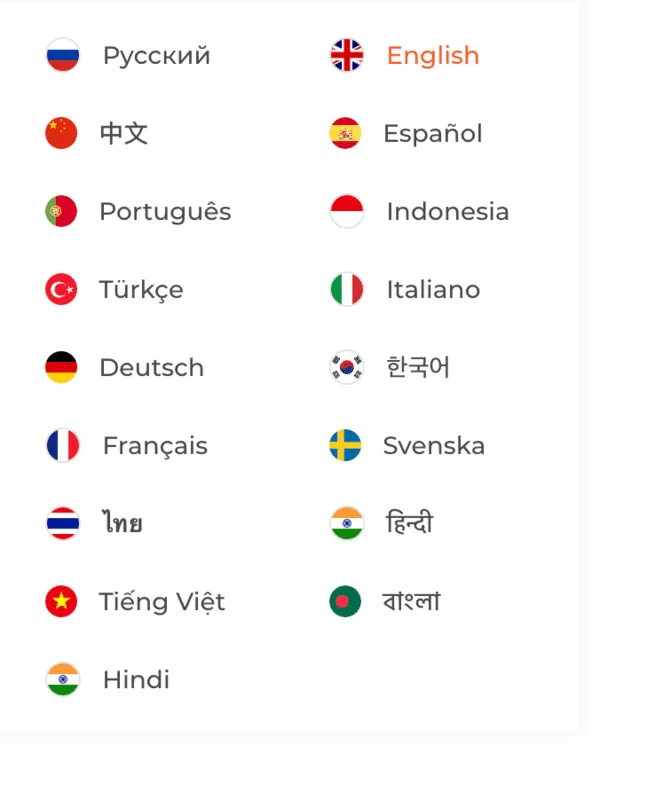
Multi-lingual support
The login screen is also similar to the sign-up window. You can log in using your social credentials — Facebook or Google — or your standard email/phone number and password that you used to sign up in the first place.
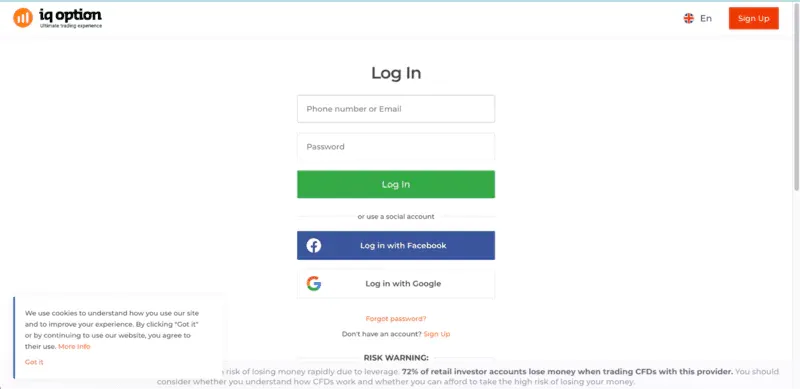
Log-in screen
The best part about IQ Option login and signup is that you do not need to follow the steps separately to get access to a demo account. Once you log in, you will be presented with a traderoom or trading dashboard, which boasts a one-click transition between the demo or practice account and the real account.

Login and the one-click demo-real transition
The post-login interface has a unified dashboard that lets you know the trading basics, quick deposit options, withdrawal options, and more.
Try out the demo account right away!

As mentioned, the real-account signup or login process isn’t anything different. You need to sign up once, and to activate the real account. You simply need to hit “Deposit.” This makes sense as the practice account is also loaded with virtual cash, but you would require actual deposits to make real trades.
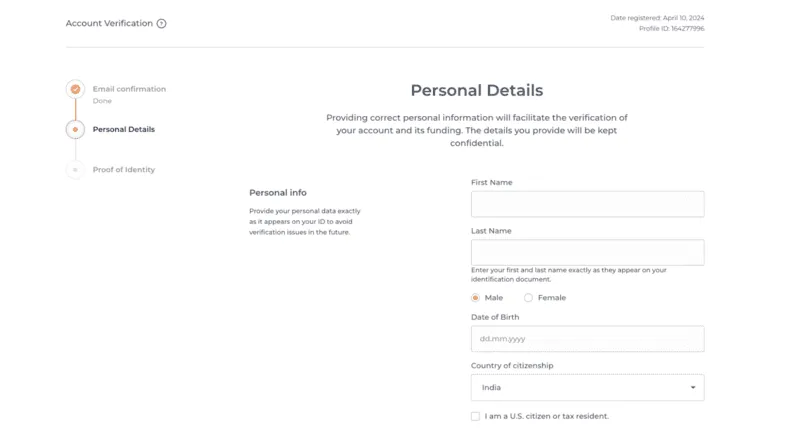
At this point comes the most important step — KYC verification. For making any kind of deposit, you must verify your credentials, specific to your address and identity. Here is what the KYC-validation interface looks like.
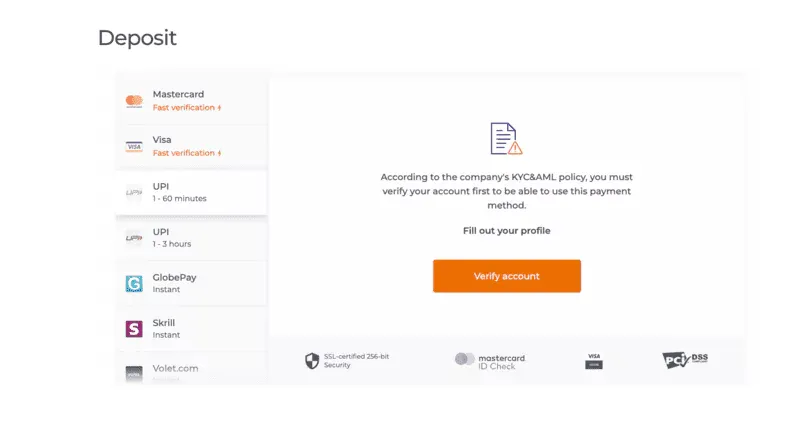
Also, for card-based deposit methods, IQ Option even supports quick verification.
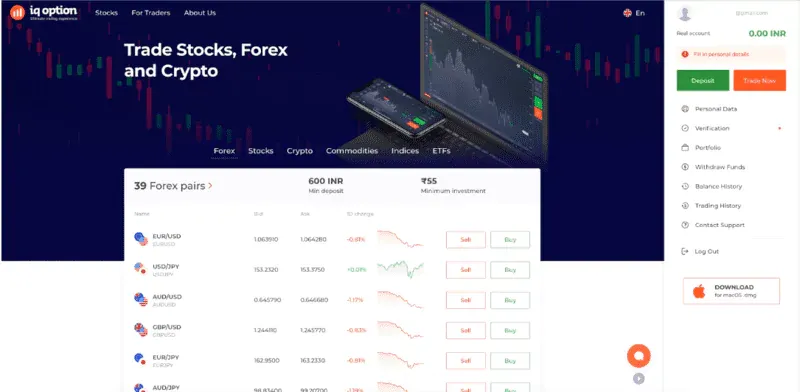
What does the post-login dashboard look like?
The fast verification, applicable for Visa and Mastercard deposits, has a check time of under three minutes.
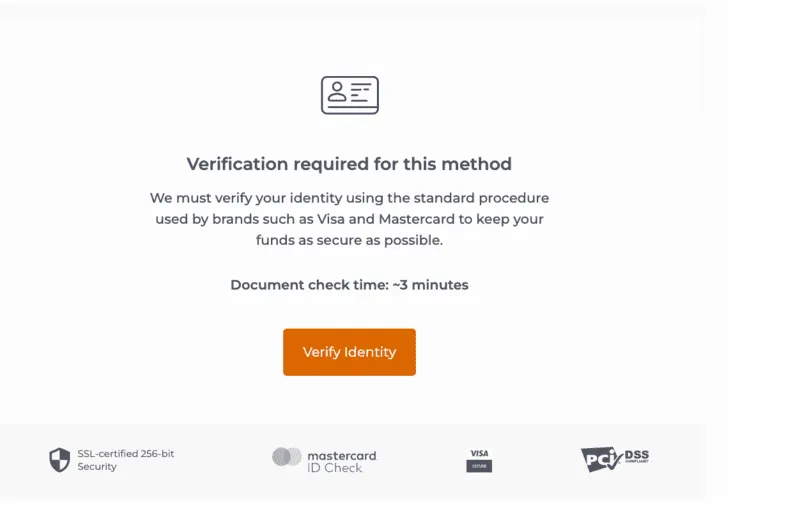
KYC credentials required
Here are the steps to sign up and log in using the IQ Option mobile app.
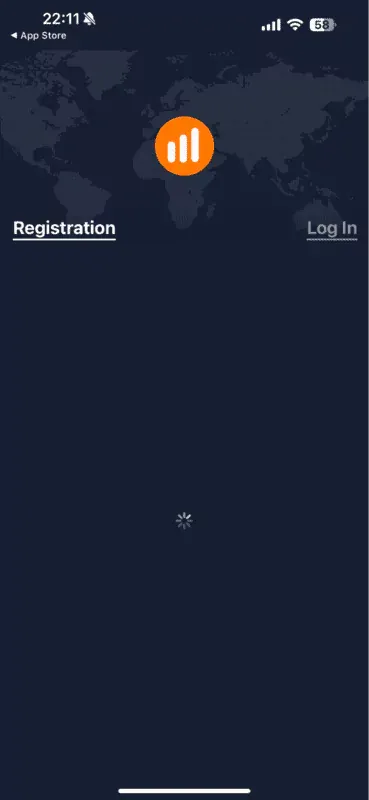
Mobile interface
Install the IQ Option app and see for yourself!
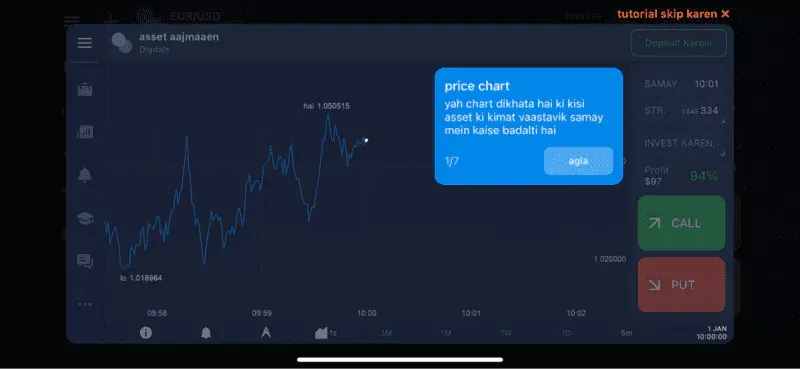
App-based dashboard
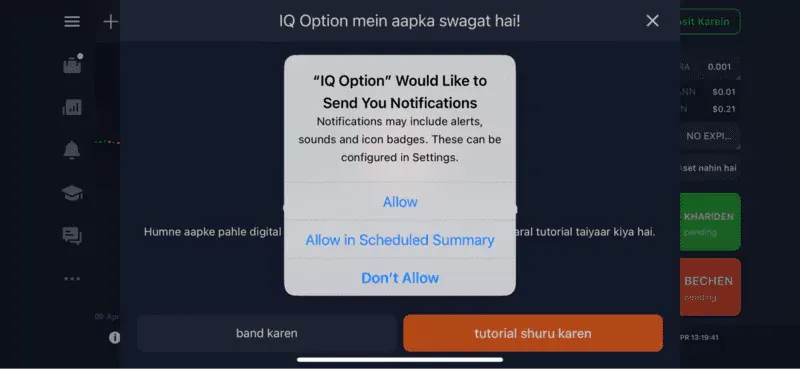
App-based alerts
If you use an Android smartphone with space or memory constraints, you can use the IQ Lite application. This app has all the standard elements of the web version and takes up only 1.6MB.
Besides the mobile apps and the web interface, IQ Option offers a desktop app for MacOS. The interface feels similar to the web version, and you can even stack the app to the MacOS dock if you are a frequent trader.
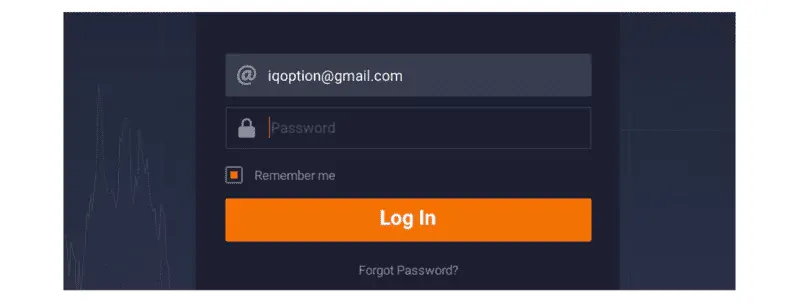
Desktop app and the login interface
Logging in is simple. You need to keep the credentials you used to set up the account in the first place. Once you enter, you are directed straight to the trade room.
Already logged in, but finding it hard to zero in on the resources. Well, here are the elements that you will come across once you sign up and access the platform:
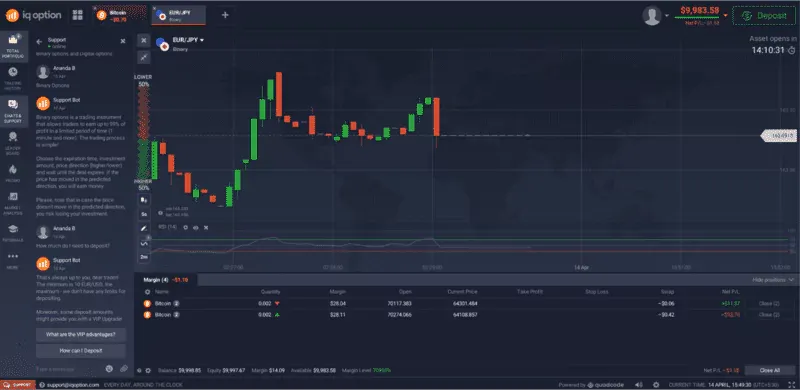
Post-login dashboard
The web-based version of IQ Option only allows you to set a standard password. However, if you have the mobile app, here are the steps to set advanced security measures:
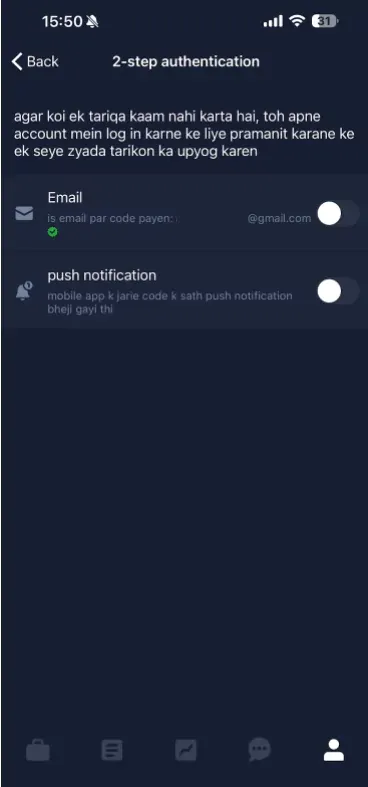
Setting up 2FA
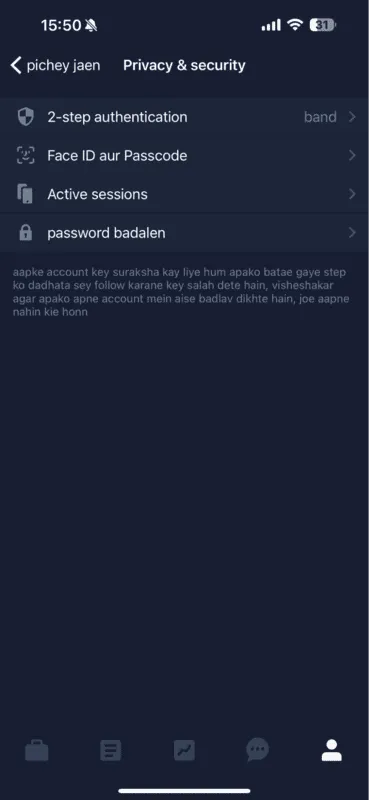
Other security standards in play8
Even if you follow each step to the T, you might end up experiencing a few standard concerns. Here are some of the issues, along with the quick ideas to sort them out:
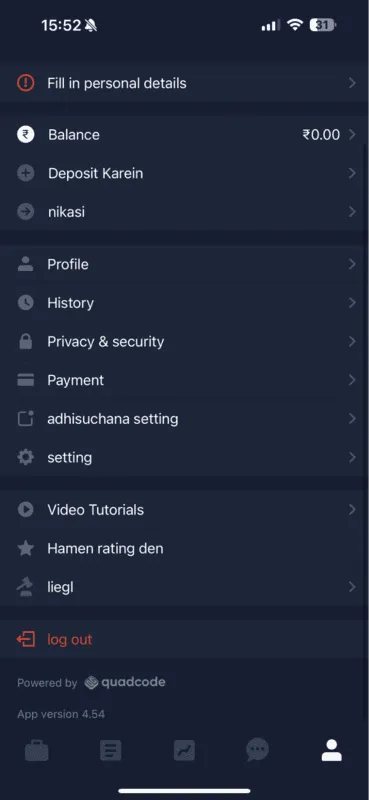
Profile segment to fix most sign-up issues
In addition to these concerns, a user might also face security concerns, issues with app accessibility, and other issues. Connecting with customer support can fix most of these for you.
Your interaction with the IQ Option sign-up process would feel incomplete if you did not spare some time to learn about the experience offered by other brokers. For instance, if you try eToro, the basic registration process requires loads of personal information, even before you deposit or withdraw.
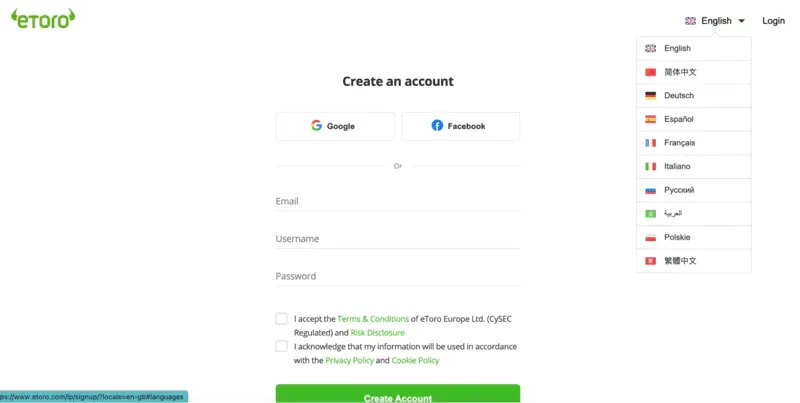
eToro sign up interface: eToro
With eToro, the platform asks for the KYC only if you plan to withdraw. Deposits do not require any kind of KYC verification. Also, the initial deposit threshold of $10 makes IQ Option more desirable, as compared to the likes of eToro, where the minimum limit is set at $200.
And that’s not where the good things about registering with IQ Option end. If you compare it with the likes of Plus500, XM Group, Pocket Option, and more, the minimum deposit limit of the IQ Option stands out.
Furthermore, the interface post-login is seamless and packed with many customizable tools. Finally, once you sign up and log in, you get free access to an extensive selection of webinars and blogs.
To sum up, IQ Option makes an impression if you are looking for a forex and CFD broker with a straightforward signup and login page. There are minimal hassles, and the post-login interface is arguably one of the ones around.
Find Your Perfect Broker: Explore Our List Now!
Choose the best with our expert-selected options


Find Your Perfect Broker: Explore Our List Now!
Choose the best with our expert-selected options
Discover top binary options brokers tailored to your region. Browse our curated lists by country:
1508