Updated:September 23, 2026

6 min
6 min

I have been using the Deriv trading platform for the past few months. People prefer Deriv because it is easy to register on the website and trade conveniently. I needed a great trading platform with all the necessary features, and Deriv has made a big difference for me. If you’re new to trading or looking for a trading platform, Deriv is the perfect platform. It offers many trading options and is user-friendly. Through Deriv real account registration and trading, you are on your way to earning actual money. Continue reading to learn more about registering and trading on a Deriv real account, understand how MT5 works, and learn other important information. This will help you become a professional trader.

Author


As a beginner in CFD trading, you must sharpen your skills before investing real money. That is why you need a demo account to help you prepare before trading real money on the platform.
After registering a real Deriv account, I signed up on their demo account to improve my skills and learn how to trade before I could start dealing with real money. Consider trying this approach first, as it can prevent potential losses by using a demo account.

Here are some of the few steps I followed when creating a Deriv account:
After verifying the email address, you can access the demo account. This is a great way to learn how the Deriv platform works and practice more before investing money.
Here are some of the few steps I followed when creating a Deriv account:
Verifying your account is essential to ensure the trading platform you sign up with is safe and follows all CFD trading rules.
After setting up my Deriv MT5 account, I had to verify if it was working smoothly and if my logging details were correct. Here are a few steps to verify your Deriv account:
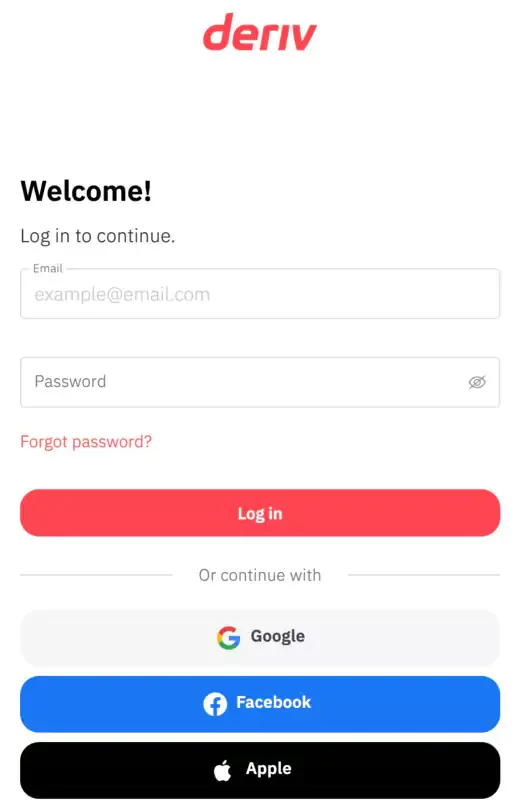
Having seamless interaction on any trading platform is essential if you look forward to earning on the go. Deriv is a unique trading platform because it enables traders to access it seamlessly and in real-time. I could access the platform on my desktop PC, and they also have a mobile app to trade anywhere.
To log in to your Deriv trading account on all platforms, you should master some steps. Here are the steps you should follow if you are having trouble logging into Deriv:

It is simple to log into your Deriv account on your desktop PC. Here are the steps you follow:

If you like trading while traveling or doing other things in different locations, this platform is for you, as you will find the Deriv mobile app more attractive. The mobile app is straightforward and user-friendly. These features will make your trading more accessible and faster, even when you are on a bus heading to whatever destination you are going to.
This means your trading does not stop; the mobile app lets you keep tabs on your trading progress anytime.
Here are the steps to log in through the mobile app to make trading much easier and more convenient.
MT5 Deriv is user-friendly and intuitive. The beauty is that I can access this platform on a mobile app and my desktop. To access the platform, you must sign up for a Deriv real account before creating a Deriv MT5 account. You can download the mobile app and connect to the server to use Deriv MT5 on your mobile device or desktop.
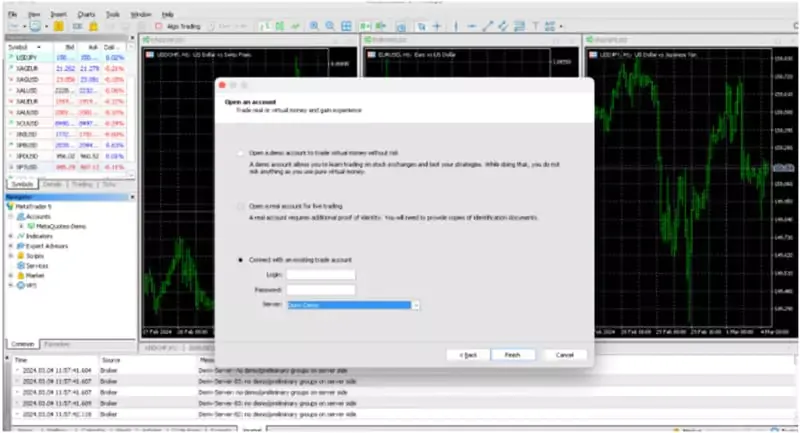
If you want to connect the Deriv Server to the MT5 desktop app, follow these steps:
The Deriv account registration was simple and fast. I could easily access the platform on my desktop and mobile app using a web browser. This platform’s best and most exciting part is that it offers a demo account to sign up and learn trading as a beginner.
It provides a user-friendly experience on the mobile app and the web, which makes it easy to use. These features gave me the best experience, and my trading was never interrupted or limited to only one location or device.
Deriv is a reputable trading company, and the registration process is simple. You can sign up on the Deriv trading platform today and earn real money.
Find Your Perfect Broker: Explore Our List Now!
Choose the best with our expert-selected options


Find Your Perfect Broker: Explore Our List Now!
Choose the best with our expert-selected options
Discover top binary options brokers tailored to your region. Browse our curated lists by country:
2109