Updated:October 09, 2026

8 min

4420
Deriv Bot Review: What Does it Do & Can You Profit From it?
It’s been almost six months since I started trading on Deriv, and it’s been a wonderful experience so far. Not only does the platform cater to my every trading need, but it also makes it easy and hassle-free. There are lots of notable features on Deriv, such as the different versions (the platform is available on web and mobile devices), the demo account feature, and its dedicated trading bot.

Joel Lim
Author

The Deriv bot, in particular, is one of the best features on the platform. As a high-volume trader, I found it helpful to have a trading assistant who took trades for me based on instructions I had set earlier and also assisted me in monitoring the markets.
I also noticed that my profits drastically increased while using the Deriv bot.
If you want the best results in the market, you should use the Deriv bot. Here’s why:
Features of the Deriv Bot
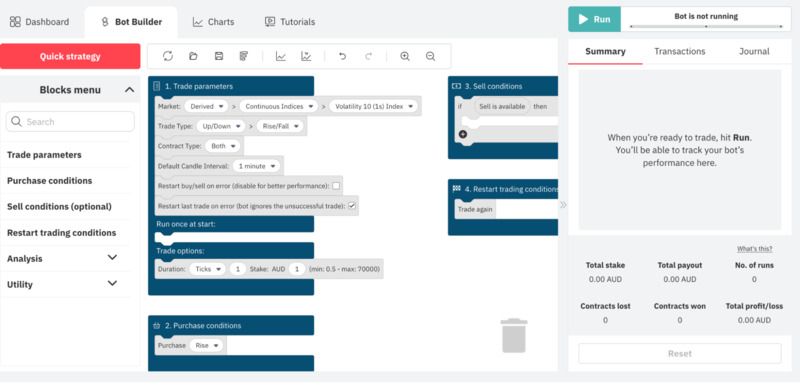
The Deriv bot is a trading assistant in which you can give instructions and automatically execute them. As a high-volume trader, I found this extremely helpful because it meant I didn’t have to manually place trades or spend hours monitoring the market, making trading more accessible and better. I’ve been using the Deriv bot for the last six months and have loved it. Let me tell you why:
- I love the option to build from scratch or use a pre-built bot. Building your bot from scratch isn’t technical at all.
- Building a bot is a simple five-step process that involves setting instructions for the bot, from trade parameters to trade options and buy/sell conditions. These instructions are embedded in “blocks” that you can easily drag and drop on your screen to build layers of instructions that will guide the bot and determine the actions it takes when trading for you.
- You can also set instructions to make the bot monitor the market for you, saving you the hours you would spend doing it yourself.
- There are technical analysis tools that you can activate so that your bot automatically analyzes the market and executes trades on your behalf. The first one, tick and candle analysis, analyzes the market movement of previous ticks and candles.
- The technical indicators analyze the market based on five main signals (simple moving average, Bollinger bands, exponential moving average, relative strength index, and moving average convergence divergence).
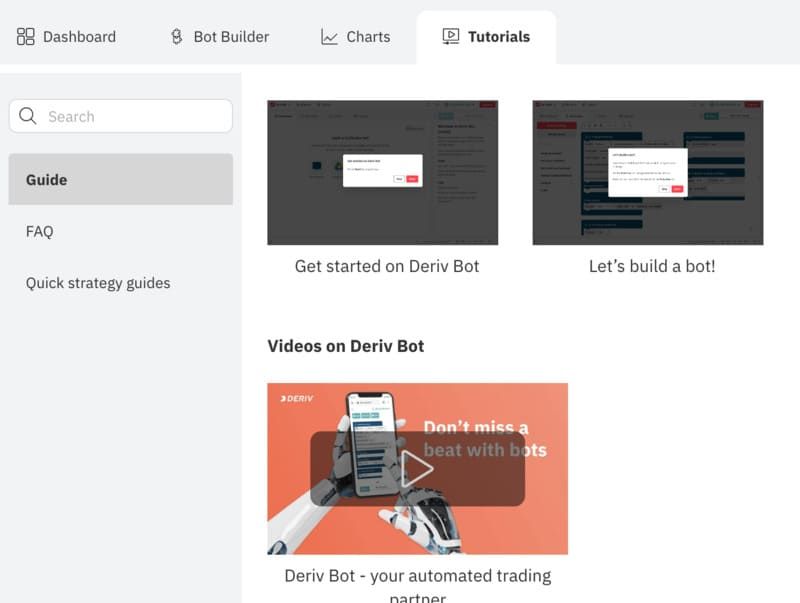
Furthermore, tutorial videos, guides, and FAQs have been added to help users quickly build a trading bot for themselves. There is also the option to add an existing trading but if you already have one that you use to trade.
You can simply upload your bot from Google Drive or your computer files to get started. Last, you can easily monitor your bot’s performance through a dedicated tab on the right side of your screen. You can get a detailed summary of the bot’s trading activity, view its performance per transaction, and receive messages on its overall market activity.
How to Build a Deriv Bot?
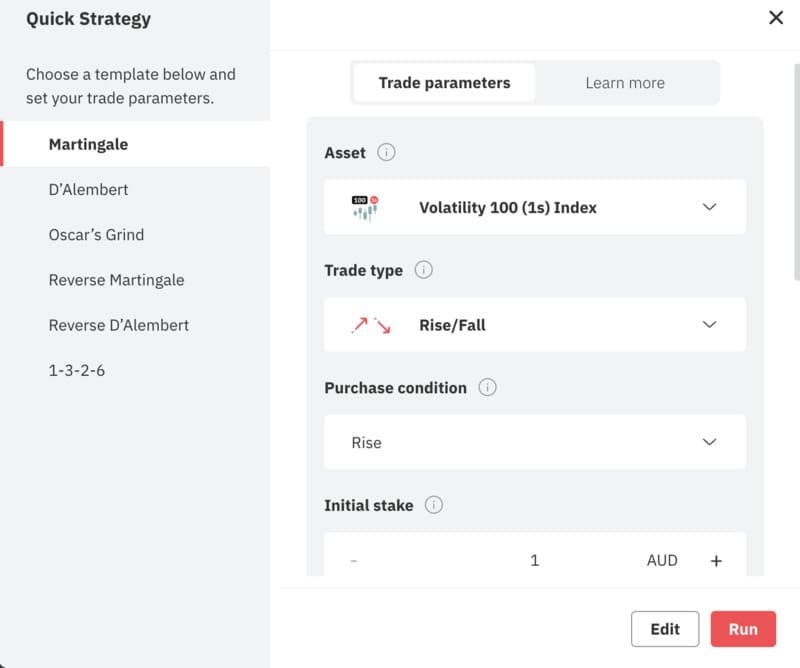
Building a simple Deriv bot is an easy process that takes less than five minutes to complete. All you need to do is follow the on-screen instructions, and you’ll be done in no time. If you would instead not build a bot from scratch, choose any of the six pre-built bots on the platform, like the 1-3-2-6 or Martingale. These bots have already been programmed with a trading strategy you can use instead.
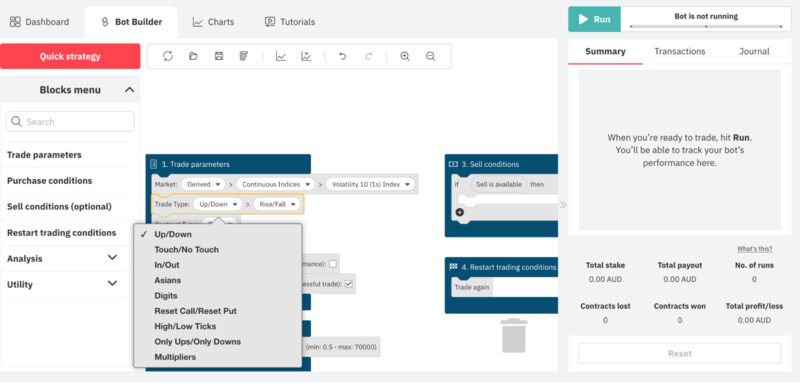
If you’re interested in building your bot from scratch, just follow these steps:
- Access the Deriv bot from your account on the Deriv broker website.
- Once inside the Deriv bot environment, you’ll see some buttons at the top of your screen. Click on the Bot Builder button.
- On the Bot Builder page, there are four pre-set blocks that you can edit.
Editing these blocks is how you’ll program your bot to trade on your behalf. The first block contains the trade parameters, and it is a mandatory block, meaning that you have to set all the necessary information for your bot to run.
On this block, you can set essential details, such as the market you want to trade on (e.g., forex, commodities, stock indices), the type of trade and contract, the default candle interval, etc.
To put all this information, click on the block and choose from the option set displayed. Clicking and choosing from the options available is how you set all the information for your bot on every block.
The next contains the purchase block, where you’ll set the information about what type of trades your bot should execute. After the purchase block comes the sell condition block, where you can set the information for when to sell your contract. Unlike the previous two blocks, this block is optional, so you don’t need to set it up for the bot to run.
The final block is the restart trading conditions block, where you define the conditions under which your bot should continue or stop trading. Like the trade parameters and purchase blocks, this block is also mandatory, and you need to set it for your bot to run. Once you’ve set all three mandatory blocks, your bot is ready to go, and you can launch it by clicking the Run button.
Pros and Cons of the Deriv Bot
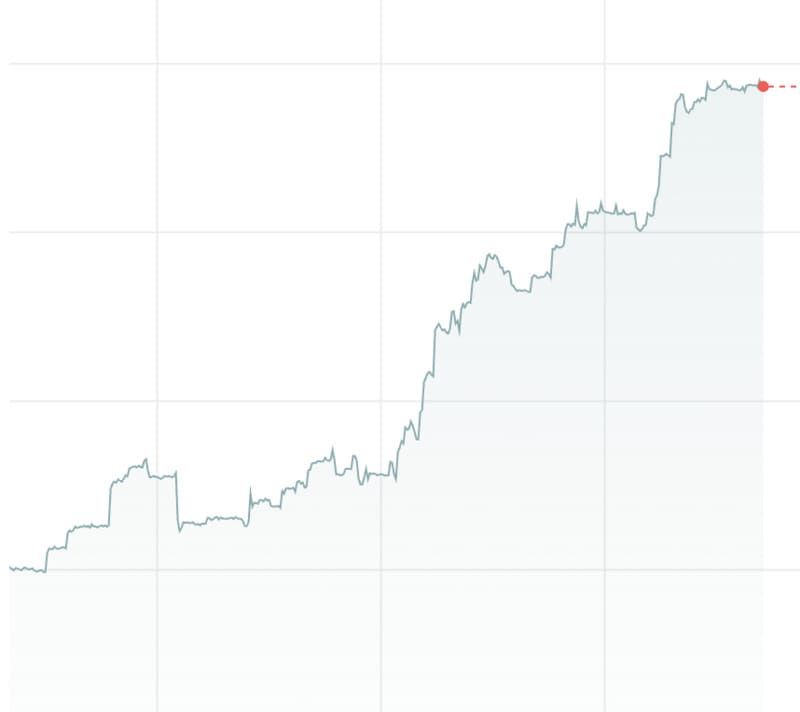
The Deriv bot increased my success rate in the market and improved my overall trading experience. However, if you use this bot, you should be aware of certain aspects that could ruin the experience. Let’s consider some of the pros and cons of the Deriv bot.
Pros
- The Deriv bot makes trading more efficient by automating the process and eliminating the manual labor customarily involved. The bot helps you make trades, keep track of your assets, and monitor as many markets as you instruct it to.
- With the correct parameters and instructions, the Deriv bot can massively increase your profit and success in the market. It has better timing and trading accuracy and executes trades without emotion or hesitation. You can also monitor the bot’s progress and performance within the market.
- You don’t need any technical knowledge to use the Deriv bot. Simply follow the on-screen instructions to create and set up your bot. You can also use any existing bots that have already been programmed.
- You can import a more complex bot with a Google Drive link.
Cons
- The Deriv bot runs 24/7, meaning your computer must always be running to work. If your computer goes down, the bot will not work, so you have to watch things occasionally.
- The Deriv bot could perform poorly if it needs to be correctly set up. After all, trading bots are only as good as their programming. It could also return poor results if your trading strategy is not optimized for the market you’re trading in.
Do You Need to Know How to Code to Create a Deriv Bot?
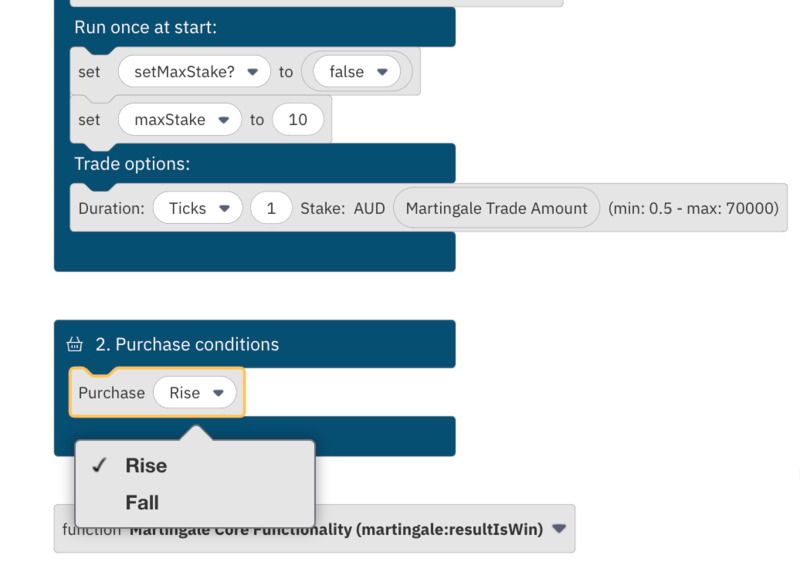
No technical or coding knowledge is required to create a Deriv bot. The entire process consists of setting instructions in draggable blocks that you can move around your screen. All you have to do is follow the on-screen instructions, and you’re good to go.
Furthermore, if you’re uncomfortable creating a bot from scratch, you can use any pre-existing bots that have already been programmed with different trading strategies. You merely have to choose the one you prefer.
Importing an existing bot from your computer or Google Drive is also possible. This option is perfect if you already have a trading bot that you use and prefer to stick to it.
Is the Deriv Bot Free?

Yes, it is. One of the best things about the Deriv bot is that it’s free. You can test it using a demo account with $10,000 of virtual money. This will allow you to test the bot without using your actual money. If you are satisfied with the Deriv bot’s performance, you can then deposit money into your account so that it can trade for you.
Final Words
The Deriv bot can improve your trading experience and success rate in the market if used correctly. Thanks to the bot, traders can automate the trading process and spend less time manually monitoring the market and taking positions. You must set your trading strategy and let the Deriv bot take care of the rest.
On top of that, programming the bot requires no technical knowledge and can be done with just a few clicks. There are also pre-set bots that you can adopt if you would instead not build one from scratch. But you must keep your computer running at all times for your bot to remain active. Make sure you check on things occasionally and review the bot’s performance to ensure that it is doing well.
If you’d like to try the Deriv bot, sign up here and make your first Deriv bot today.
Find Your Perfect Broker: Explore Our List Now!
Choose the best with our expert-selected options


Find Your Perfect Broker: Explore Our List Now!
Choose the best with our expert-selected options
Discover top binary options brokers tailored to your region. Browse our curated lists by country: