Updated:September 23, 2026

5 min
5 min

If you wish to start trading binary options, Binarium is an ideal broker to consider. This no-frills broker is known for an extensive collection of assets — indices, cryptocurrencies, commodities, forex, and more. Yet, like any other broker, you first need to log in to gain access to Binarium’s dashboard. In this article, I will help you navigate the Binarium signup and login process, ensuring you can seamlessly access the features. Once the login is out of the way, you can start trading.

Author


Binarium aims to make trading accessible to all. But you need to have an account first. Here is how you can go about the same:
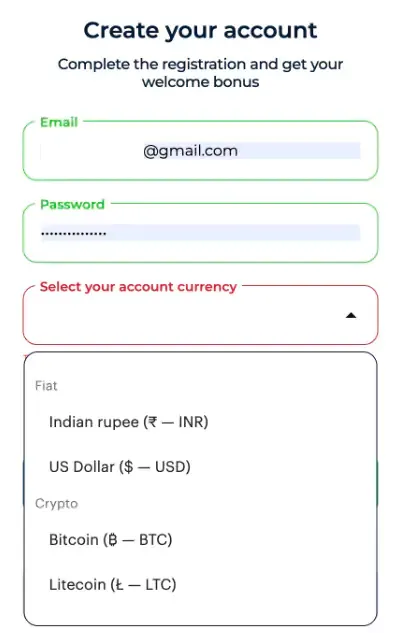
Steps to create an account
Note: You must also agree to the terms and conditions for the last step.
Create a Binarium account before you try to log in
The account password should take center stage as you would put your hard-earned money into the Binarium platform. Here are the best tips to create a solid and secure password:
Assuming you have verified your email ID, here are the steps to log into the Binarium account:
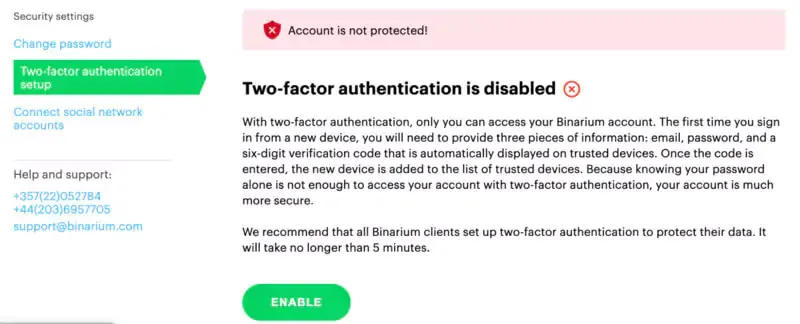
How does 2FA work on Binarium?
By this time, you should have access to the trading interface.
Sign up first before you can try to log in.
Login concerns are real. Here are some of the common issues and the best ways to resolve them:
It is common for users, even you, to forget the password. The login page has a dedicated “Forgot Password?” link, which can help you reset the same. The process is simple — enter the registered email ID, and Binarium will send a reset link there. You can click on it to reset the password.
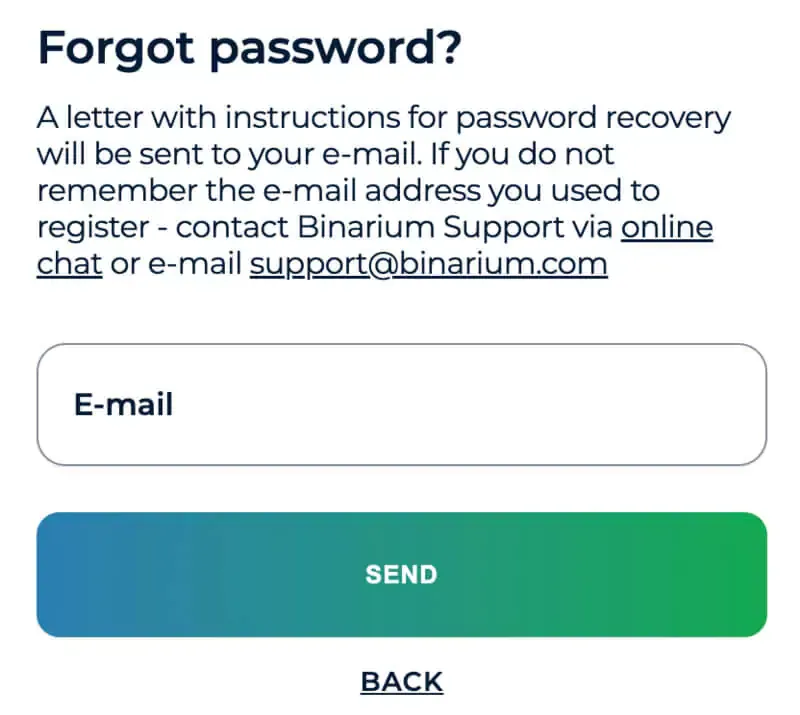
Steps to follow if you forget the password
Multiple login attempts with an incorrect password can temporarily lock your account. Even though I recommend a password reset beforehand, you can always contact Binarium support if the issue occurs.
This issue happens when you push typos instead of the password or email ID. Even though you can visually verify the email ID, activating the “show password” option is advisable whenever you are alone in front of the device. This helps check for typos.
The login process feels incomplete if you do not set up the highly secure two-factor authentication. This feature adds another layer of security to your account, keeping your funds secure even if someone gets access to your password. Note that most binary options brokers like Deriv, Quotex, and more offer 2FA support.
To set it up, visit the security tab inside the Binarium dashboard. You can find the two-factor authentication setup option underneath the “change password” option. However, to activate it, you must first verify your email ID.
If you lose access to the 2FA handling device, you can use the backup codes or contact the Binarium support team to resolve the issue.
You can access the Binarium mobile app to log in and start trading. To start, you need to download the app. If you are in the Apple ecosystem, check if the app is supported in your region. To log in using the mobile app, you need to enter the same credentials you used to set up the account in the first place.
Here are the differences between the mobile and browser-specific login scenarios:
Create a Binarium account first!
I conducted an independent survey, asking 100 individuals about their mobile login preferences specific to the Binarium app. Here is what came to light:
Last but not least, there are a few tips that you should keep handy to log in and trade safely on Binarium. The most obvious ones include:
Note: Enabling 2FA can prevent 96% of bulk phishing attacks and 76% of targeted attacks.
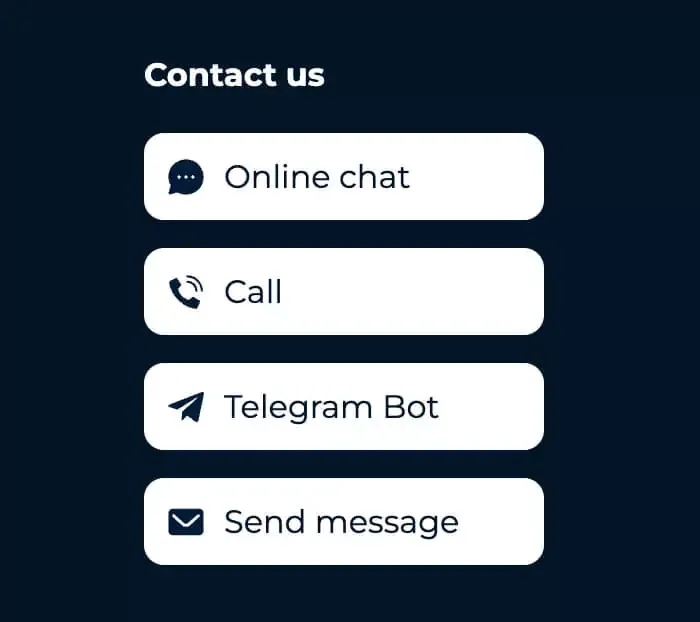
Connect with the customer support team in case of an issue.
I asked 100 other Binarium users about their password update frequency, and here is what I found:
Trading on Binarium requires you to sign up and log in. If you keep encountering login challenges, contacting customer support via email or live chat is the most obvious option. Phone support and the dedicated help center can also address Binarium login concerns.
Find Your Perfect Broker: Explore Our List Now!
Choose the best with our expert-selected options


Find Your Perfect Broker: Explore Our List Now!
Choose the best with our expert-selected options
Discover top binary options brokers tailored to your region. Browse our curated lists by country:
2885