
6 min

0
What is the Minimum Deposit on Exness (Definitive Guide for 2026)
I found out about Exness while researching a new broker, as I was tired of my previous broker and wanted a new experience. Out of all the impressive features mentioned in the blog I was reading, the minimum deposit immediately caught my attention. If you’re reading this, you’ve probably heard about Exness and are researching whether it is a good broker for you. I’m sure you will get the answer you seek after reading this article. In this review, I will discuss the deposit process on Exness, covering important details like the minimum deposit, deposit fees, deposit methods, accepted currencies, and more. Let’s get started.

Author

What is the Minimum Deposit on Exness?
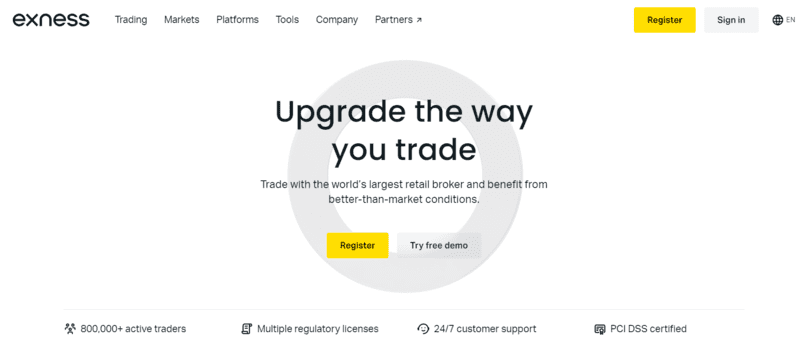
The minimum deposit on Exness is $10. This is why I said earlier that the broker is perfect for both new and old traders. Many traders tend to shy away from brokers because of how expensive the minimum deposit is.
However, Exness’s $10 minimum deposit amount is not only affordable but also reduces the barrier to entry for new traders. Like with most brokers, you’ll have to deposit money into your Exness account before you’ll be able to trade and access all of the broker’s features.
There are also multiple ways to deposit funds into your Exness account. More on that later in the article.
Deposit Fees for Exness Deposits
Now that we’ve covered the minimum deposit amount on Exness let’s talk about deposit fees. Deposit fees are a set amount of money that brokers charge users to deposit money into their accounts. It’s one way that brokers make revenue.
However, unlike most brokers, Exness does not charge its users any deposit fees. To clarify, this does not mean you can deposit money into your Exness account for free. You will likely still be required to pay some fees to the third-party service powering the deposit method you use.
To explain further, Exness provides multiple deposit options for users to deposit money into their accounts. The broker will not charge you any money to use these options, but the third-party service that powers them most likely will. It all depends on the deposit option you choose, and the charge fee varies from one option to another.
I’ll talk more about these deposit options in the next section.
Some intermediaries may charge fees. For example, some crypto wallets will charge gas fees (typically under $5) and banks can charge some fees as well (which range from $0 to $50).
Exness Deposit Methods
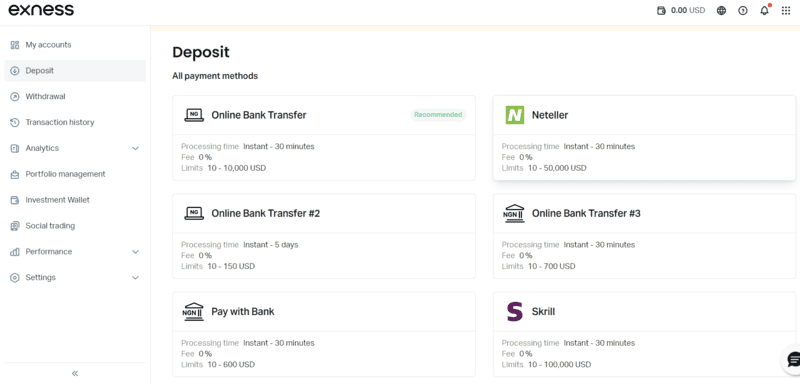
There are four main deposit methods available on Exness. See more information on them below.
Bank Transfers
This method allows you to deposit money into your Exness account directly from your bank account. The average payment time is instant, and Exness will not charge you any fees to complete the transaction.
However, the payment service or your bank might charge you. This deposit option is perfect if you have a bank account and want to avoid the stress of opening an account with an e-payment service.
Debit/Credit Cards
You can also deposit money into your Exness account using a debit or credit card. The average payment time is instant, but you might need to provide your card details to complete the transaction, and this could take a while, depending on how fast you type. Furthermore, while Exness will not charge you any fees to finish this action, your card service provider probably will.
Payment Apps
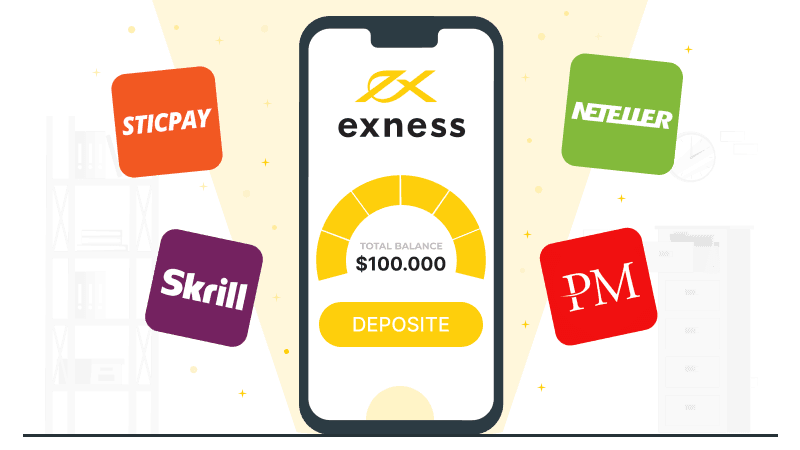
Exness supports several payment apps and e-payment services, including SticPay, Skrill, Neteller, and Perfect Money, to allow users to deposit money into their accounts quickly and easily.
The average payout time on each of these payment services is instant, but like the other payment methods I’ve discussed, the service may charge a deposit fee. Additionally, the maximum amount you can deposit with each of these payment apps is $100,000.
Cryptocurrency Payment
Exness supports crypto deposits. You can deposit dollar stablecoins, such as USDT and USDC, directly into your Exness account from your crypto wallet. The average payout time varies, though, depending on the network congestion on the blockchain and other factors.
While Exness will not charge you any fees to use this option, you will definitely pay gas fees to complete the transaction. Gas fees are mandatory payments charged by the blockchain for every transaction initiated.
Internal Transfers
Finally, Exness supports internal transfers to other users. All you need is the recipient’s email address, and you can send your currency. If the recipient uses a different currency, an automatic conversion will occur. This takes about a day and is again, fee-free.
Exness Accepted Currencies
Exness supports major fiat currencies, such as USD, GBP, XAU, EUR, and JPY, as well as cryptocurrencies. However, the fiat currencies available to users depend on their country or region.
Another thing to note is that you cannot change your account currency once you’ve successfully created an Exness account. You can choose an account currency while creating an account, so select one you will be comfortable using on your Exness account.
How to Deposit Money into Your Exness Account?
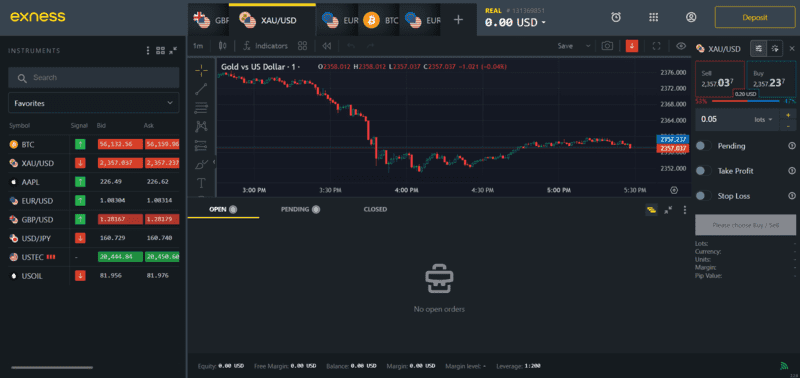
Depositing money into your Exness account is quick and easy. Follow these simple steps to do so.
- Open your web browser and log in to your Exness account. Once inside your Exness dashboard, click on the deposit button at the top right corner of your screen.
- Once you’ve done this, the deposit page will appear. Here, you will find all the various deposit methods available. Click on the deposit method you want to use.
- After clicking on the deposit method of your choice, follow the on-screen instructions to complete the action and successfully deposit money into your Exness account.
Note that if your Exness account is new, you will have to finish setting it up before you can deposit money. If you haven’t finished setting up your account, you will find a “Complete Profile” button at the top of the deposit page. Click on it to do so.
Once you finish setting up your account, you will able to deposit money using any of the deposit options available.
How Long Does the Exness Deposit Take to Process?
The time it takes for a deposit to finish processing on Exness depends on the deposit method you use. However, most deposits are processed instantly.
Cryptocurrency deposits can take anywhere between immediate and a full day to process. Bank transfers are usually instantaneous but can take up to five days to process in some cases. Credit/Debit cards don’t take longer than thirty minutes to process; this is the same for payment apps and e-payment services.
Exness provides information on the processing time of all deposit options available, allowing you to know how long it might take to process your deposit before you choose a deposit option.
Final Words
Exness is an excellent broker for traders of all skill levels and has impressive features that improve the trading experience. A good example of this is its deposit process. Its minimum deposit amount is as cheap as you would find anywhere else, and it also provides various deposit options, giving users a world of choice when depositing money into their accounts.
It also supports major fiat currencies and cryptocurrencies. The platform charges no deposit fees, and deposits typically process instantly. In cases where they do not, Exness provides users with information on how long it will take, vastly improving the experience on the platform.
Be sure to review the information provided when choosing a deposit method. Remember that while the broker does not charge deposit fees, you will likely pay some money to the third-party service that will enable the transaction or withdraw money.
Find Your Perfect Broker: Explore Our List Now!
Choose the best with our expert-selected options


Find Your Perfect Broker: Explore Our List Now!
Choose the best with our expert-selected options
Discover top binary options brokers tailored to your region. Browse our curated lists by country: