Updated:November 13, 2026

7 min

0
Is TradingView premium worth paying for? Free vs paid plans
TradingView Premium makes sense for a specific kind of trader: someone who already uses TradingView every day and has run into the limits of the free plan. Paying for extra charts and alerts will not improve a weak strategy on its own. This guide compares TradingView plans, shows where Premium helps, and clears up a common broker question: seeing a TradingView-powered chart inside a broker app is different from placing orders through TradingView's own Trading Panel.

Joe Nakamoto
Author

Updated November 13, 2026
TradingView plans compared: free, Essential, Plus and Premium
TradingView offers a free Basic tier and several paid subscriptions. Essential is the first step up for users who want fewer restrictions. Plus adds more room for charts and tools. Premium is intended for people who need multiple layouts, deeper alert capacity, more indicators and less friction with recurring chart work. Ultimate is a separate higher tier, so Premium is not the absolute top of the product ladder.
Subscription pricing depends on billing frequency, country, taxes and temporary discounts. An annual promotion can make a comparison look very different from a month-to-month checkout. Check the final price in your own account before committing. Real-time exchange data may require a separate subscription even after upgrading to a paid charting tier.
A simple test before upgrading
Use the free plan until you can name the limit that blocks your work. If you need two synchronized timeframes on one screen, compare layout allowances. If you frequently lose track of price conditions, compare alert limits. If all you need is a daily chart and a moving average, Premium is probably more than you require.
What TradingView Premium adds: indicators, alerts and market data
TradingView's published plan details list more charts per tab, additional chart types, larger historical-data access and more alert capacity at higher tiers. The support center currently describes Premium as allowing 400 price alerts and 400 technical alerts, or 800 active alerts in total. That is substantial for someone following many markets. It is excessive for a trader monitoring two pairs and placing one trade a day.
Do not confuse alert capacity with a profitable signal. An alert can be triggered by an indicator condition, but it still needs a tested strategy and rules for what the trader will do when it fires. Overly complicated alert lists create more noise, particularly if the same setup is monitored on several timeframes.
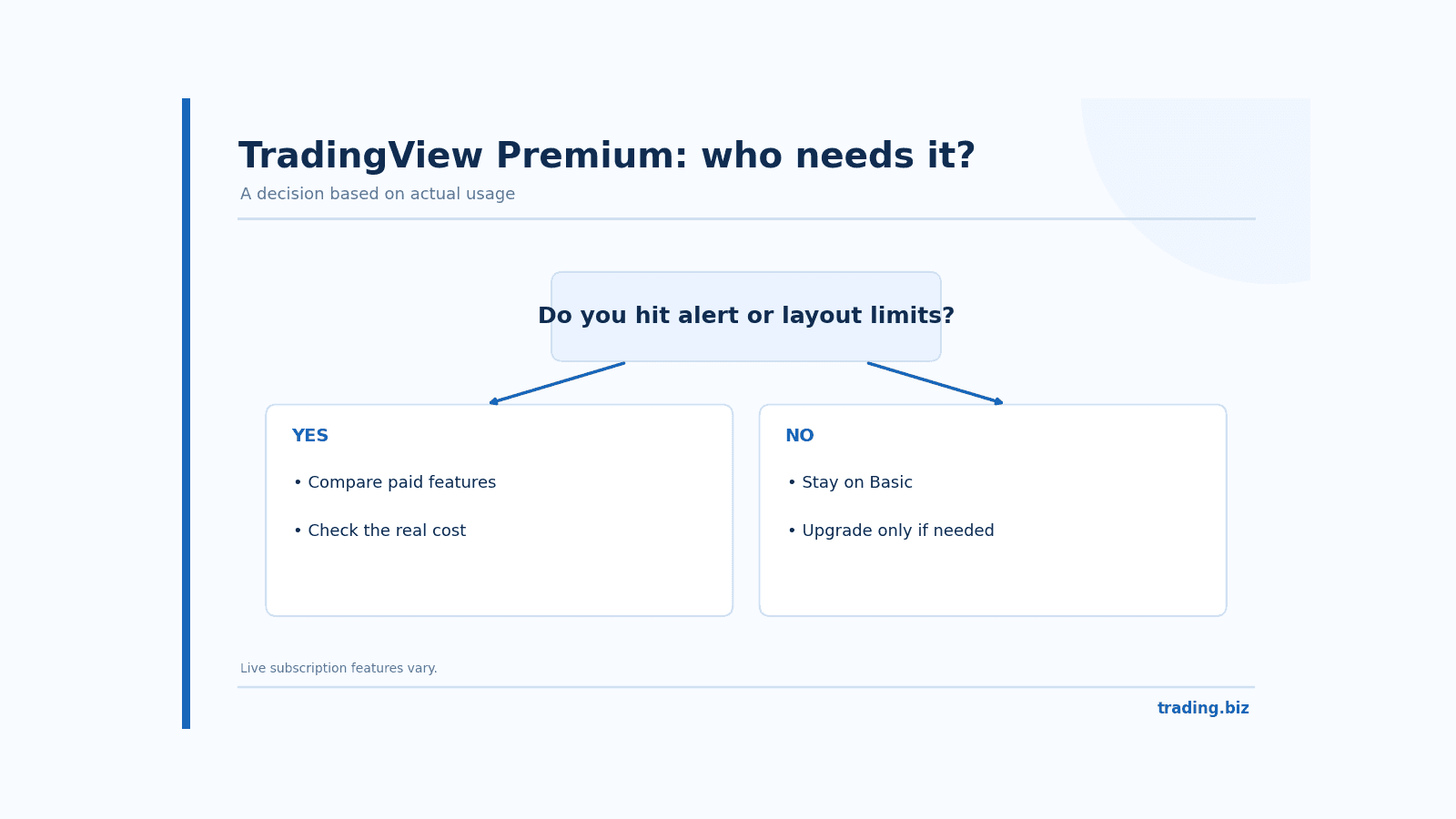
Figure 1. A practical test for deciding whether to upgrade TradingView.
Does Premium include all real-time market data?
No. TradingView may show some data in real time and others delayed or subject to exchange licensing. Paid charting features and market-data subscriptions are separate decisions. A trader using US stock exchange quotes should verify the feed name and timing before assuming a Premium subscription supplies the exact market data required for execution.
Is TradingView Premium worth it for a retail trader?
For a trader who maintains several watchlists, tracks price alerts across multiple assets and studies the same charts every day, the paid plan can save time. For a newcomer with one chart, a couple of indicators and no process for recording trades, the free plan has plenty of value. Start by identifying a recurring inconvenience, then determine whether the plan solves it.
A practical way to judge the cost is to tally actual use over a month. How many alerts did you need beyond Basic? How often did chart limits force you to close a layout? Did you use the extra features after the novelty wore off? If the answer is rarely, cancel before the next billing cycle. Software should earn its place in your workflow.
Connecting a broker and trading from a TradingView chart
Open a supported chart and choose the Trade button or Trading Panel. The broker list shows integrations currently available to your account and region. Select the provider, read its authorization flow and sign in through the official connection window. TradingView notes that it only connects to supported brokers. If your provider is absent from the list, you cannot safely force a connection through a third-party script promising to add it.
What TradingView's Paper Trading does
Paper Trading lets you place simulated orders with virtual funds. It is useful for becoming familiar with the chart trading panel and for checking basic order behavior. It does not promise the same fill quality, spreads or slippage you will receive from a real broker. Treat the balance as a practice tool, not evidence that the strategy is ready for live money.
Deriv TradingView: connecting a Deriv account
Deriv became a directly integrated TradingView broker partner in May 2026. A trader in a supported region can select Deriv from the Trading Panel, sign in, and place eligible orders directly from TradingView charts. The available products depend on the account, jurisdiction and current integration. Deriv's announcement refers to derived indices alongside other CFD markets.
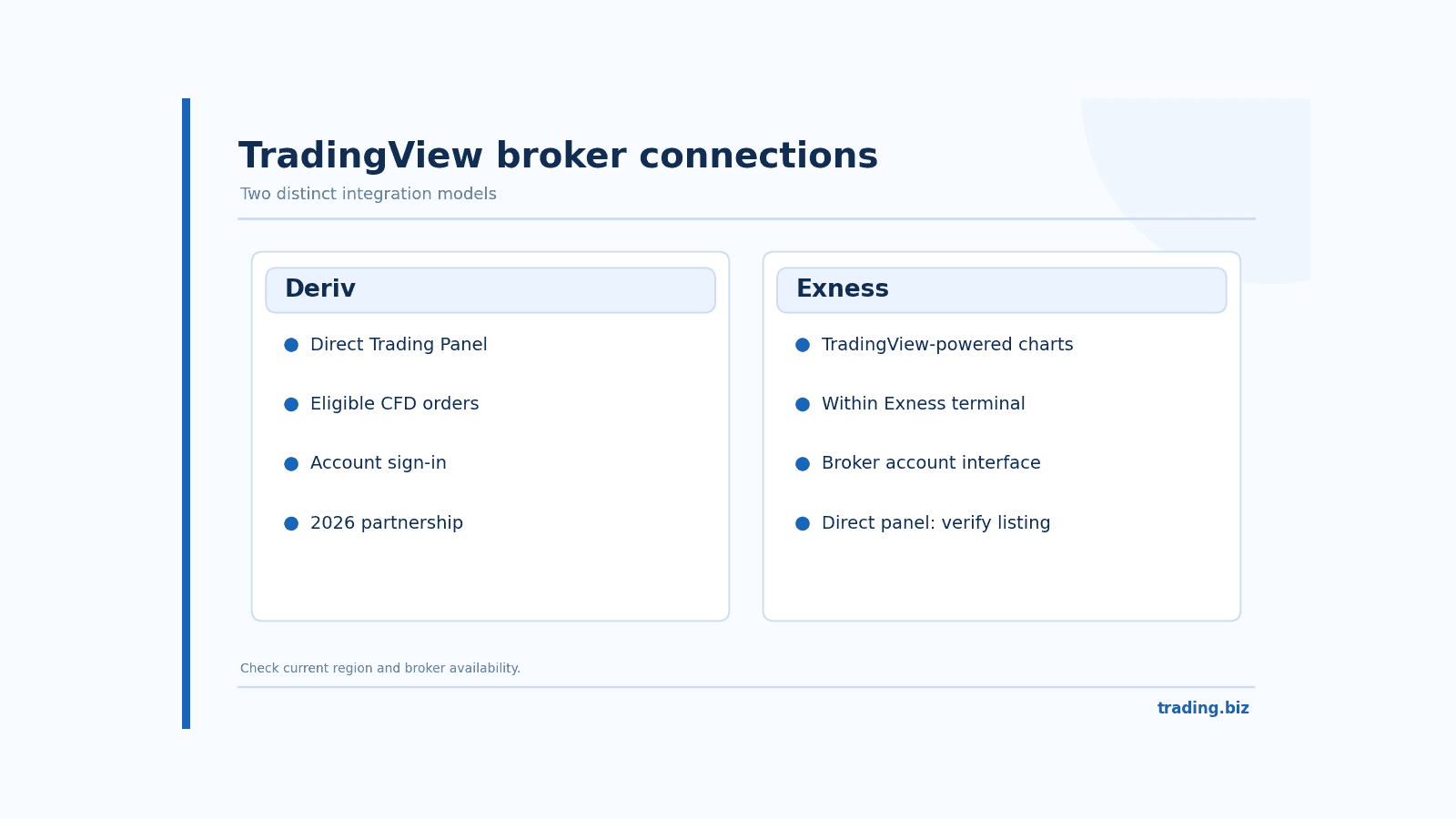
Figure 2. Deriv direct integration versus TradingView-powered charts within Exness.
This matters because older tutorials that say Deriv cannot connect to TradingView are outdated. Still, check the actual broker list in your account before following instructions. Platform partnerships can have regional restrictions, and the supported symbol set may differ from the symbols you see in Deriv's own apps.
Exness charts and TradingView: what actually connects
Exness Trade offers an optional TradingView-powered chart and Exness Terminal includes TradingView chart functionality. Exness's help pages explain that those charts provide additional indicators and drawing tools inside the Exness environment. That integration does not automatically mean you can choose Exness as a directly connected broker in the independent TradingView Trading Panel.
If Exness appears in the TradingView broker list for your region, follow the connection instructions there. If it does not, continue using the tools Exness officially provides. Never type credentials into a browser extension or third-party "connector" that claims to unlock unsupported brokerage integration.
Why a higher alert limit can still become noise
Imagine following 25 markets with an alert for a support level, a trend break and a momentum condition on each. That is already 75 alerts without using every feature in Premium. The setup sounds impressive until the notifications arrive during a busy workday. If all three alerts describe nearly the same movement, you have bought more interruptions rather than better analysis.
Build a naming convention that explains the action required: "EUR/USD H4 level, review only" is more useful than "Buy now." Consider using one alert to flag a chart for review, not to trigger an immediate trade. Premium's capacity is valuable when the underlying workflow has a filter. Otherwise a smaller plan can be more productive.
Cancellation, billing and exchange data
Before upgrading, confirm whether the checkout shows monthly billing or a discounted annual commitment. Check renewal terms and how unused time is handled if you move between tiers. TradingView's support documentation explains conversion rules for subscription upgrades, but regional pricing and app-store payments can produce differences. Use the checkout's final amount, not an old comparison screenshot.
A separately licensed real-time feed should be part of your cost calculation. Traders sometimes purchase Premium and discover that their target stock exchange still requires a paid data package. That is a data-rights issue, not a defect in their charting plan.
FAQ about TradingView Premium
Is TradingView Premium better than Plus?
Premium allows higher limits on selected features, but those limits help only if your workflow needs them. Compare alerts, layouts and data access rather than treating the higher price as a quality score.
Do I need Premium to use TradingView Paper Trading?
No. Paper Trading is a TradingView feature for practicing chart-based orders. Specific allowances and feature access depend on the account tier, but a Premium subscription is not the prerequisite for practicing.
Can I connect Deriv directly to TradingView?
Deriv announced direct broker integration in May 2026. Look for Deriv in the Trading Panel and confirm product and regional availability before entering credentials.
Is the TradingView chart inside Exness the same as direct broker integration?
No. Exness provides TradingView-powered charting within its own terminal and mobile app. Direct account connection through TradingView's Trading Panel is a separate integration.
Will Premium improve my trading returns?
There is no basis for assuming it will. Better chart access and alerts may help a disciplined workflow, but trading outcomes still depend on decisions, costs and market risk.
Official reference: TradingView current plans | Deriv TradingView connection guide
Find Your Perfect Broker: Explore Our List Now!
Choose the best with our expert-selected options
Find Your Perfect Broker: Explore Our List Now!
Choose the best with our expert-selected options
Discover top binary options brokers tailored to your region. Browse our curated lists by country: