Updated:November 11, 2026

6 min

0
How to Login Exness on MT5? (Step-by-Step Guide 2026)
MetaTrader 5 is one of the most advanced trading platforms today. With MetaTrader 5, I have an omnichannel platform where I can seamlessly access, analyze, and place trades on my Exness account. Plus, logging into Exness on MT5 is super simple. With a simple download and installation process, you can log in to Exness on MT5 faster and safely. Follow the guide below to see how easy it is to login Exness on MT5.

Joel Lim
Author

Should You Connect Exness to MT5?
MT5 is now available for over 300 brokers globally. If you know what you are doing, you can use the MT5 platform to trade without a broker. However, I find it much safer and more profitable to connect my Exness account to MT5.
What is MT5
First, what is MT5? MetaTrader 5 is a next-generation trading platform and the successor to MetaTrader 4. The platform allows you to trade worldwide in every market, industry, and instrument.
MT5 is free to use if your broker has paid for the license and can access the platform. Exness is one of the licensed users of MT5, so I can use MT5 for free with my Exness account.
Why Connect Exness to MT5
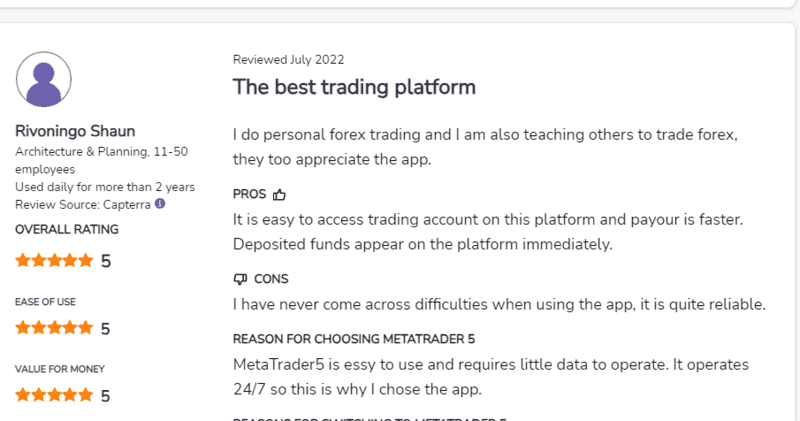
You should connect Exness to the MT5 platform. Here is why. From my experience, I find MT5 better in stock trading but slightly sluggish in forex trading. This is my experience, though: Other traders find MT5 just as efficient in forest trading.
You get plenty of other benefits when you connect your Exness to MT5.
MT5 has a wide range of tradeable instruments. For a multi-asset trader like me, I find sufficient options when I connect my Exness account to MT5. I can trade on commodities, stocks, CFDs, futures, options, and bonds there.
MT5 also offers a deeper set of advanced tools and features, such as the MQL5 programming language, additional graphical objects and indicators, new statistical functions, an enhanced version of Strategy Tester, and the ability to both hedge and net trades.
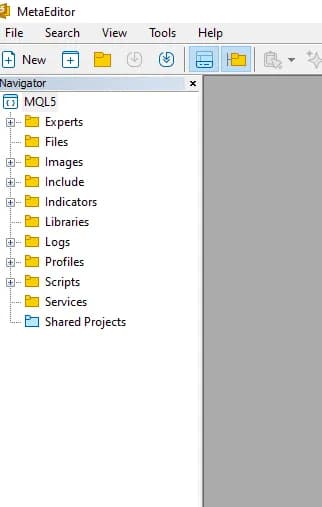
These features have made it easy for me to analyze the market, try different strategies, and place my trades.
Other Options Besides MT5
There are plenty of options besides MT5. While I have not tried many of them, Exness is better than the few I have tried out.
Popular options available today include Pocket Option, Quotex, and IQ Option. These platforms are not as diverse as MT5 and have limited features compared to MT5. I’d rather login Exness in MT5 than these substandard alternatives.
How to Login Exness on MT5?
To log into the Exness on MT5, you will first have to download and install the MT5 software,
Download and installation
Here is how to download and install the MT5 file.
- Go to the Exness official exness.com on your browser.
- Once on the website, click on the “Platforms” section. Here, you will see some Exness platforms, including the MT5 platform.
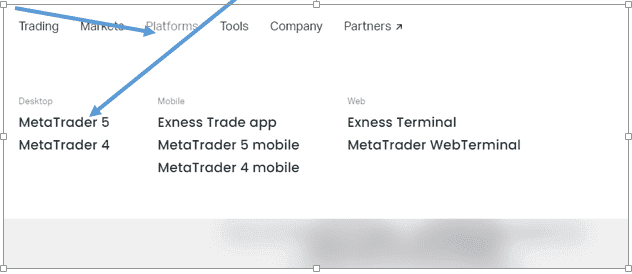
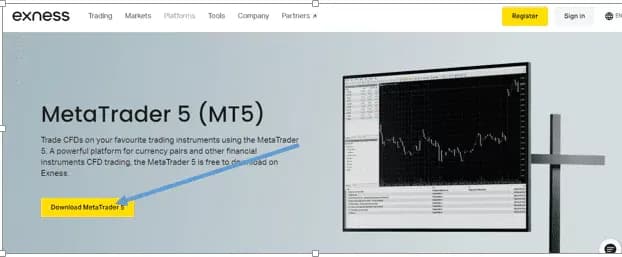
- Click on the MetaTrade5 platform. Once you click on the MetaTrade5, you will be directed to download the MT5 file. Click on the download icon in yellow.
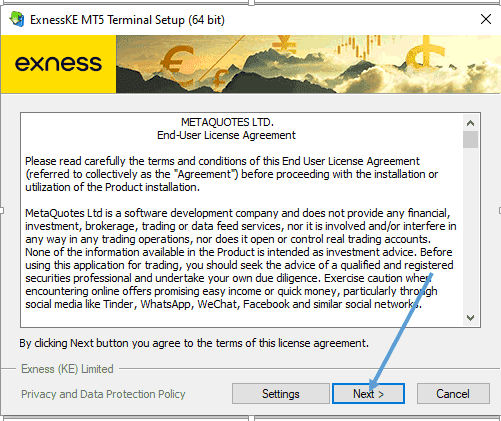
- You can modify where you install MT5 by clicking Settings for your preferences or simply click Next to agree to the End-User License Agreement and continue.
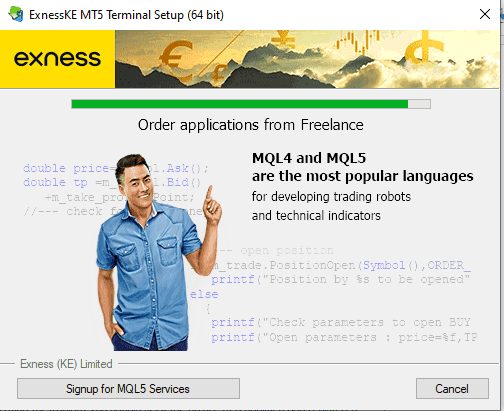
- When the installation is complete, click Finish to open MT5 automatically.
Logging in to Exness MT5
Once the MT5 software is installed and started, you can begin the login process. Here is how to log in to Exness MT5 platform.
- You can log in by creating an account if you are a new user or using your credentials if you already have an existing account. For more on how to create an Exness account, please see here.
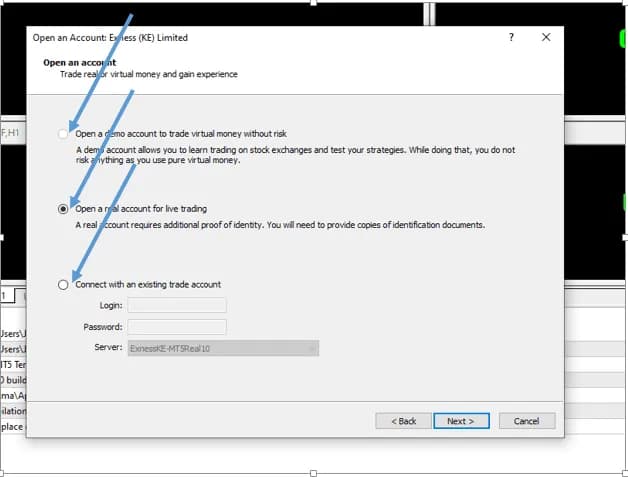
- Create your account by filling out your details. The platform will guide you step-by-step on how to create an account.
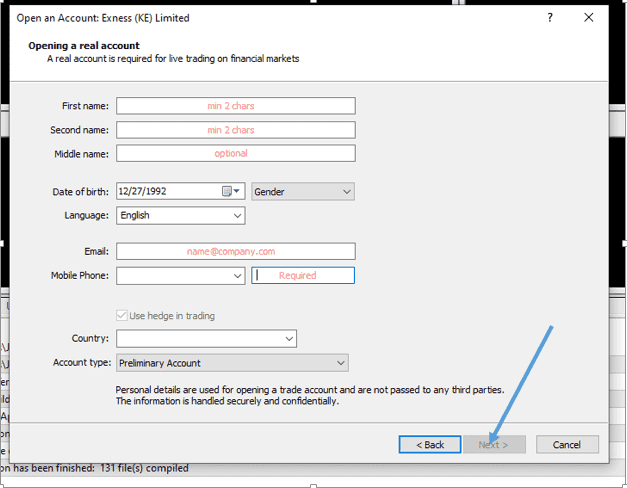
- Once you have filled in the details, you will be directed to the Exness MT5 interface, where you can explore the platform and set up your trades.
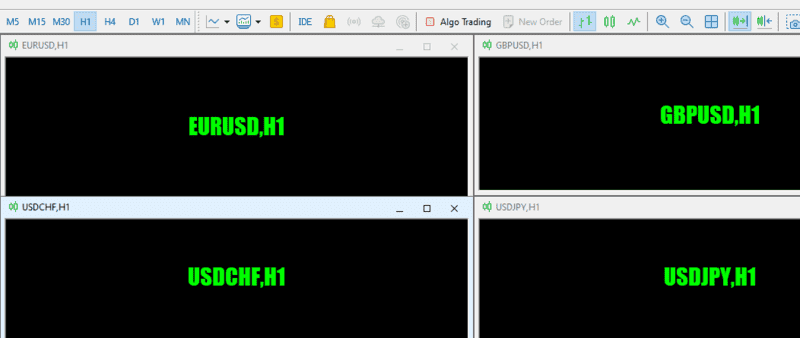
If you already have an Exness account, you can log in easily.
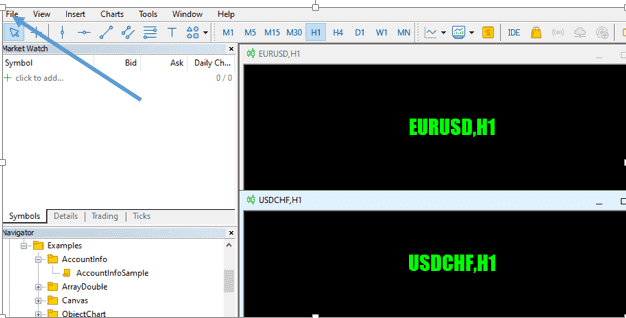
- Click File at the top left hand side of the MT5 interface.
- Go to the “Login to Trade Account” section.
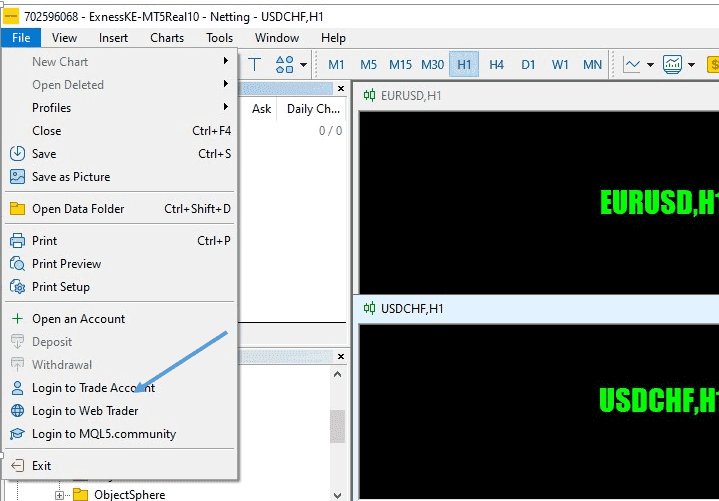
- Once you click on the “log in to trade,” a window will pop up. Enter your login details (Phone number/email and password) and click ok.
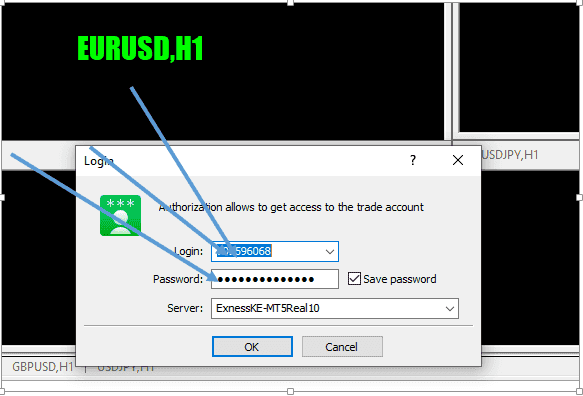
- If successful, you will hear a confirmation chime. You have now logged into MT5 with your trading account.
Steps to Configure MT5 For You
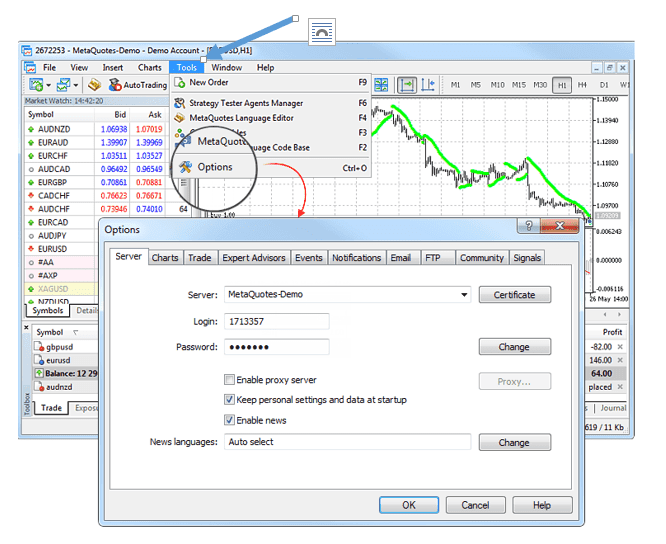
MT5 platform provides multiple configuration settings to help you conveniently customize your trades. If you are new to the platform, you may need clarification about where to start due to the complexity of the interface.
However, getting started on MT5 is as easy as possible for a veteran user like me.
Here is how to configure your MT5 once connected to your Exness account.
- Go to the “Tools” section on the MT5 interface.
- Once you click on the tools section, move to “Options.”
- A window will pop up on some settings you can perform on the platform.
- Click on the item you want to customize, whether the charts, trade, expert advisors or events you want to see.
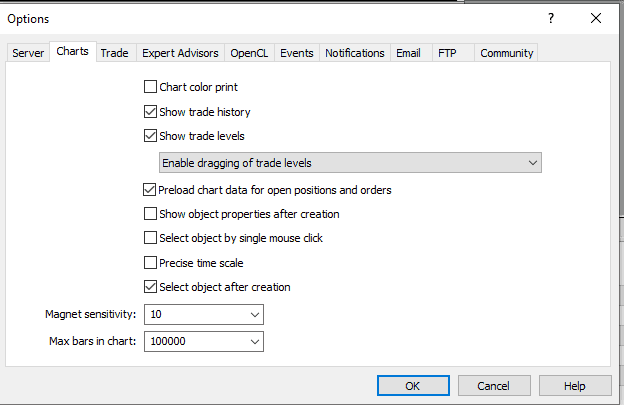
The settings are grouped based on what they do. Once you click on each section, you will see what they do and how to customize them for better results:
- Server: You can set up your server connection in this section by configuring your proxy server and other essential settings;
- Charts: You can customize charts in this section.
- Trade: This section is where you customize your trades. Here, you can customize financial instruments, number of lots, deviation, and placing of stop orders;
- Expert Advisors: Here, you can customize the Expert Advisors you want to follow or disable them altogether.
- OpenCL: This section manages OpenCL devices used for calculations in trading robots.
- Events: Configure alerts for system events. You receive important alerts about connection loss, the arrival of newsletters, and other events;
- Notifications: This is where you get your notifications from Exness.
- Email: You can access your email communications in this section.
- FTP: The section contains settings for publishing reports on the Internet. In MT5, I can save and automatically publish reports about the account state in real time.
- Community: This section contains details of your MQL5.community account.
- Signals: In this section, you can set up a Signals service from your Exness trading platform. I find this function helpful in providing real-time tips on the market.
You are set to go once you have customized your account to fit your needs.
Final Words
Here you have it – a step-by-step guide on how to login Exness on MT5. From my experience, connecting Exness to MT5 is more convenient and profitable than manual trading.
Since MT5 is free for all Exness users, why not try it and see your trade profits skyrocket? Sign up for Exness here.
Find Your Perfect Broker: Explore Our List Now!
Choose the best with our expert-selected options
Find Your Perfect Broker: Explore Our List Now!
Choose the best with our expert-selected options
Discover top binary options brokers tailored to your region. Browse our curated lists by country: